How to Use if let in Rust

if let runs a block only when a value matches one pattern, such as Some(x), and gives you the value inside it as a variable. It's a shorter match for when only one case needs code.
Syntax
if let <pattern> = <expression> {
    // runs when <expression> matches <pattern>
} else {
    // optional: runs when it doesn't
}
| Part | What it does |
|---|---|
<pattern> | The shape to match, such as Some(first) or Err(e). Names inside it become variables in the block. |
<expression> | The value to check, such as an Option or a Result. |
else { … } | Optional. Runs when the value doesn't match. |
The Rust Book's section on if let: "The if let syntax lets you combine if and let into a less verbose way to handle values that match one pattern while ignoring the rest."
The Example
The example prints the first name in a list. first() returns Some(name) when the list has one and None when it's empty, so the program tries a full list and an empty one.
Prerequisites
- Rust, installed with rustup, which comes with Cargo. This guide uses Rust 1.100.0.
Step 1: Create a Project
cargo new demo
cd demo
    Creating binary (application) `demo` package
note: see more `Cargo.toml` keys and their definitions at https://doc.rust-lang.org/cargo/reference/manifest.html
cargo new demo creates a folder named demo with a Cargo.toml file, which describes the project, and src/main.rs, which holds the code. cd demo moves into it.
Step 2: Write the Code
Replace the contents of src/main.rs with:
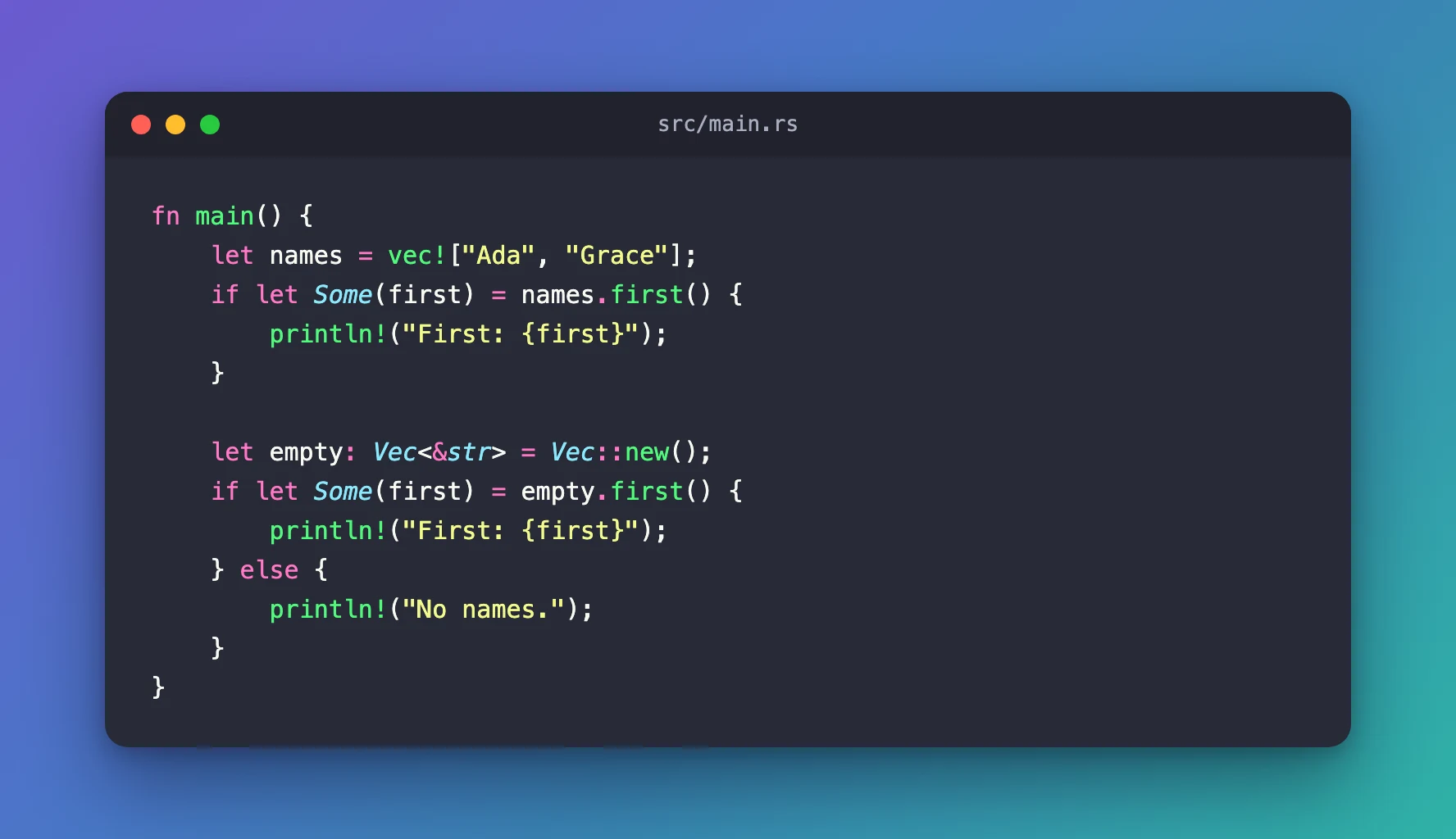
fn main() {
    let names = vec!["Ada", "Grace"];
    if let Some(first) = names.first() {
        println!("First: {first}");
    }

    let empty: Vec<&str> = Vec::new();
    if let Some(first) = empty.first() {
        println!("First: {first}");
    } else {
        println!("No names.");
    }
}
vec! creates a list. let empty: Vec<&str> names the type because an empty list gives Rust nothing to infer it from.
Step 3: Run It
cargo run -q
First: Ada
No names.
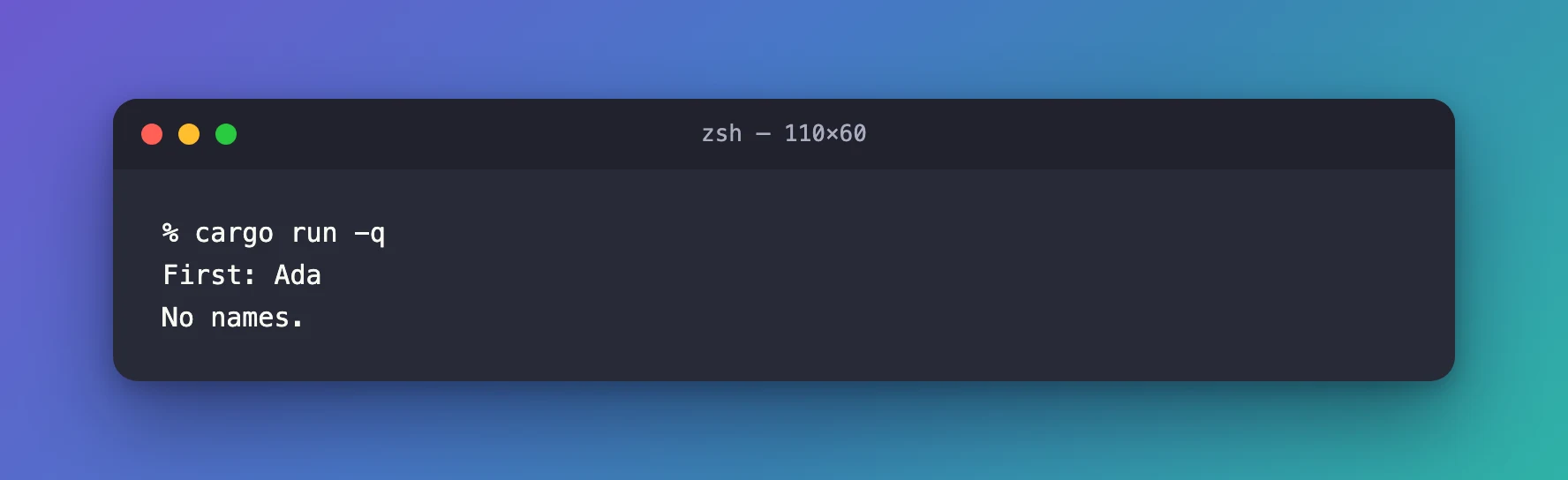
cargo run compiles the program and runs it, and -q hides Cargo's own status lines. The full list matched Some(first), so first held "Ada". The empty one gave None, so the else block ran.
Match an Err
if let works with any pattern, including the Err of a Result:
fn main() {
    if let Err(e) = "forty".parse::<i32>() {
        println!("Not a number: {e}");
    }
}
Not a number: invalid digit found in string
Return Early with let else
When the rest of a function needs the value, let … else binds it for the whole function and leaves early when it doesn't match. The else block must not carry on past the let: it has to leave, here with return. Without the return, the build stops with error[E0308]: `else` clause of `let...else` does not diverge.
fn main() {
    let empty: Vec<&str> = Vec::new();
    let Some(first) = empty.first() else {
        println!("No names.");
        return;
    };
    println!("First: {first}");
}
No names.
Common Mistakes
| Mistake | What happens | Do this instead |
|---|---|---|
A plain let with a pattern that can fail, let Some(first) = names.first(); | error[E0005]: refutable pattern in local binding, with pattern `None` not covered | Use if let, or let … else |
Using first after the if let block | error[E0425]: cannot find value `first` in this scope: it only exists inside the block | Use let … else when you need it afterwards |
if let for several cases | A chain of else if let that's hard to read | Use match |
Troubleshooting
| Symptom | Likely cause | Fix |
|---|---|---|
refutable pattern in local binding | let needs a pattern that always matches | Use if let or let … else, as the compiler's help suggests |
type annotations needed for `Vec<_>` | An empty Vec::new() gives Rust no element type | Write the type, as in let empty: Vec<&str> |
FAQ
Can a plain let use a pattern?
Yes, when the pattern always matches. The compiler explains why let Some(first) doesn't: "let bindings require an "irrefutable pattern", like a struct or an enum with only one variant".
if let or match?
if let for one case you care about, with an optional else. match when several cases need their own code: it also checks that you've covered them all.
Conclusion
if let <pattern> = <value> { … } runs code only for the case that matches and names what's inside it. Add else for the other case, and use let … else when the rest of the function needs the value.
Additional Resources
- Concise Control Flow with if let and let...else, in the Rust Book.
- if let expressions, in the Rust Reference.
