How to Use ExecuteUpdateAsync and SaveChangesAsync in One Transaction

Changing a stock count with ExecuteUpdateAsync and recording the reason with SaveChangesAsync looks like one job, but those are two separate transactions unless you say otherwise. If the second fails, the count has changed and nothing explains why. Here's that failure, and the fix.
Prerequisites
- A .NET C# project using EF Core. I used EF Core 10.0.14 and MySQL 9.7.4.
- A retrying strategy, if you have one, needs a wrapper. How to Use a Transaction with a Retrying Execution Strategy in EF Core.
Step 1: See the Problem
With no transaction, a receipt first adds to the quantity, and then saves a movement:
var changed = await db.Products
    .Where(p => p.Id == productId)
    .ExecuteUpdateAsync(
        setters => setters
            .SetProperty(p => p.QuantityOnHand, p => p.QuantityOnHand + request.Quantity)
            .SetProperty(p => p.UpdatedAtUtc, now),
        cancellationToken);

if (changed == 0)
{
    return TypedResults.NotFound();
}

// Second write: record why it changed.
var movement = new StockMovement
{
    ProductId = productId,
    Type = StockMovementType.Receipt,
    QuantityChange = request.Quantity,
    Reason = request.Reason,
    Reference = request.Reference,
    OccurredAtUtc = now,
};

db.StockMovements.Add(movement);
await db.SaveChangesAsync(cancellationToken);
Here, the movement's Reason was too long for its column, so the second write failed:
HTTP/1.1 500 Internal Server Error
Content-Type: application/problem+json

{
  "type": "https://tools.ietf.org/html/rfc9110#section-15.6.1",
  "title": "An error occurred while processing your request.",
  "status": 500,
  "traceId": "00-66d61688ad178fbd1893747253e082f2-f75d24ba4f5125ce-00"
}
+----------------+----------------+
| QuantityOnHand | SumOfMovements |
+----------------+----------------+
|             20 |             10 |
+----------------+----------------+
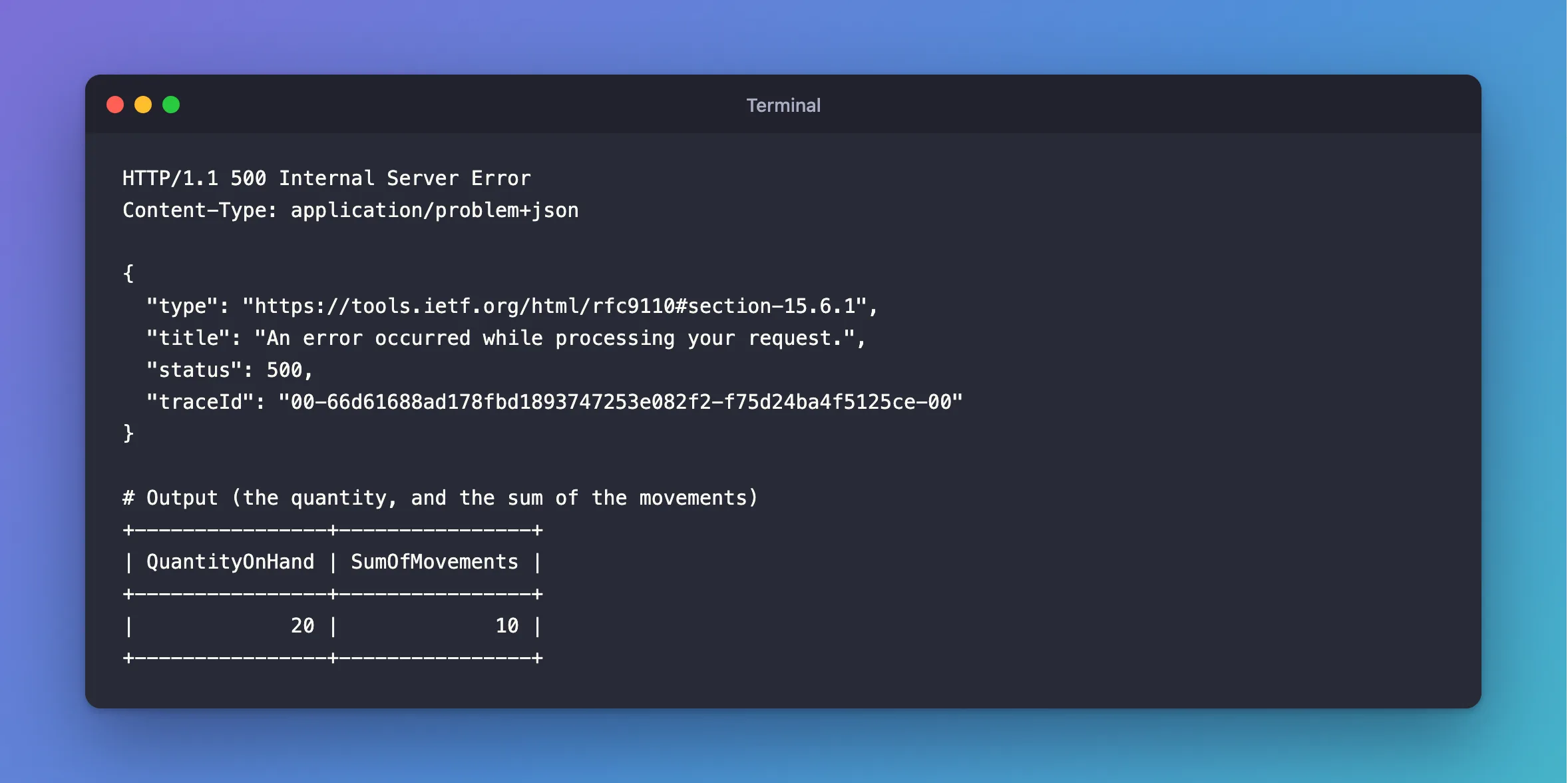
The request failed, and the quantity went up anyway. They now disagree, by 10. The ExecuteUpdate page explains why: "they take effect immediately, at the point in which they are invoked."
Step 2: Put Both in One Transaction
await using var transaction = await db.Database.BeginTransactionAsync(ct);

// First write: add to the quantity on hand.
var changed = await db.Products
    .Where(p => p.Id == productId)
    .ExecuteUpdateAsync(
        setters => setters
            .SetProperty(p => p.QuantityOnHand, p => p.QuantityOnHand + request.Quantity)
            .SetProperty(p => p.UpdatedAtUtc, now),
        ct);

if (changed == 0)
{
    return TypedResults.NotFound();
}

// Second write: record why it changed.
var movement = new StockMovement
{
    ProductId = productId,
    Type = StockMovementType.Receipt,
    QuantityChange = request.Quantity,
    Reason = request.Reason,
    Reference = request.Reference,
    OccurredAtUtc = now,
};

db.StockMovements.Add(movement);
await db.SaveChangesAsync(ct);

var quantityOnHand = await db.Products
    .Where(p => p.Id == productId)
    .Select(p => p.QuantityOnHand)
    .FirstAsync(ct);

await transaction.CommitAsync(ct);
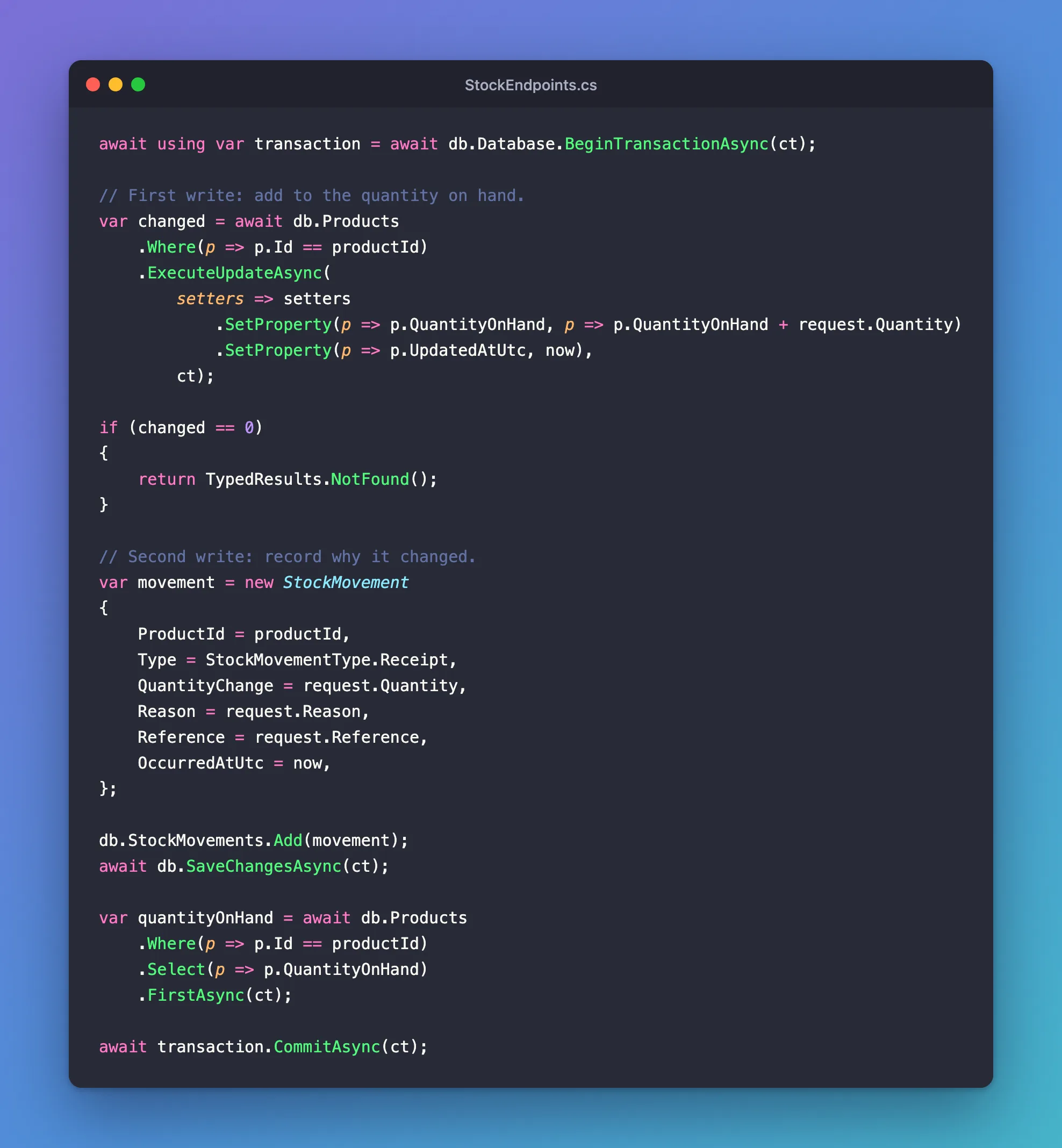
Both use the same connection, and so the same transaction, because they're on the same DbContext.
Step 3: Fail Again
The same over-long Reason:
HTTP/1.1 500 Internal Server Error
Content-Type: application/problem+json

{
  "type": "https://tools.ietf.org/html/rfc9110#section-15.6.1",
  "title": "An error occurred while processing your request.",
  "status": 500,
  "traceId": "00-b87ab4325ceaf900f187926cdba3bfa2-e85453ff9dc019b1-00"
}
+------------------------------------------------------------------------+
| statement                                                              |
+------------------------------------------------------------------------+
| SET TRANSACTION ISOLATION LEVEL REPEATABLE READ                        |
| BEGIN                                                                  |
| UPDATE `products` AS `p` SET `QuantityOnHand` = `p`.`QuantityOnHand` + |
| SAVEPOINT `__EFSavePoint`                                              |
| INSERT INTO `stock_movements` (`OccurredAtUtc`, `OrderId`, `ProductId` |
| ROLLBACK TO `__EFSavePoint`                                            |
| RELEASE SAVEPOINT `__EFSavePoint`                                      |
| ROLLBACK                                                               |
+------------------------------------------------------------------------+
MySQL got the UPDATE, the failed INSERT, and then ROLLBACK. The numbers still agree:
+----------------+----------------+
| QuantityOnHand | SumOfMovements |
+----------------+----------------+
|             10 |             10 |
+----------------+----------------+
Step 4: Watch for Stale Entities
Anything you loaded before an ExecuteUpdateAsync keeps its old values, because the method doesn't touch the change tracker. That's why the code in Step 2 reads the new quantity with a projection, and doesn't load the product.
Common Mistakes
| Mistake | What happens | Do this instead |
|---|---|---|
Relying on SaveChangesAsync's transaction | The ExecuteUpdateAsync isn't in it | Start your own |
Calling them on different DbContexts | Two connections, two transactions | Use one, or share it |
| Saving a loaded entity after updating it | It can overwrite the new value | Don't mix them on one row |
Troubleshooting
| Symptom | Likely cause | Fix |
|---|---|---|
does not support user-initiated transactions | Retries are on | The fix |
| The API returns the old value | A tracked entity | The fix |
Data too long for column | The request wasn't validated | Validate it first |
Conclusion
ExecuteUpdateAsync runs immediately, in its own transaction, unless one is already open. Begin a transaction, do both on the same DbContext, and commit.
Additional Resources
- ExecuteUpdate and ExecuteDelete — transactions and change tracking.
- Using Transactions — controlling them.
