How to Use ES Modules in a Node.js Project

Modern JavaScript shares code between files with import and export, a system called ES modules. Node.js only reads a .js file that way when the project says so, and a new npm project says the opposite. One command, npm pkg set type=module, switches the project over.
Syntax
npm pkg set type=module
| Part | What it does |
|---|---|
npm pkg set | Sets one field in the package.json of the folder you're in. |
type=module | Sets "type" to "module", so Node.js treats every .js file in the project as an ES module. The other value, "commonjs", means the older require() system. |
With that set, a file shares a function with export and another file loads it with import:
export function <name>(<parameters>) { … }
import { <name> } from './<file>.js';
| Part | What it does |
|---|---|
export | Makes the function available to other files. |
import { <name> } | Loads that function by its name. |
'./<file>.js' | The file it comes from, relative to this one. The .js is required: Node.js's documentation says "A file extension must be provided when using the import keyword to resolve relative or absolute specifiers." |
The Example
The example has two files. greet.js exports a function that builds a greeting, and main.js imports it and prints a greeting for Ada.
Prerequisites
- Node.js, which comes with npm. Check it with
node --version. This guide uses Node.js 26.
Step 1: Create the Project
mkdir greeter
cd greeter
npm init -y
How to Create a package.json with npm init explains the last command. npm 12 writes "type": "commonjs" into the new package.json. These commands, like all the others here, are the same in zsh, bash and PowerShell.
Step 2: Write the Two Files
Create greet.js:
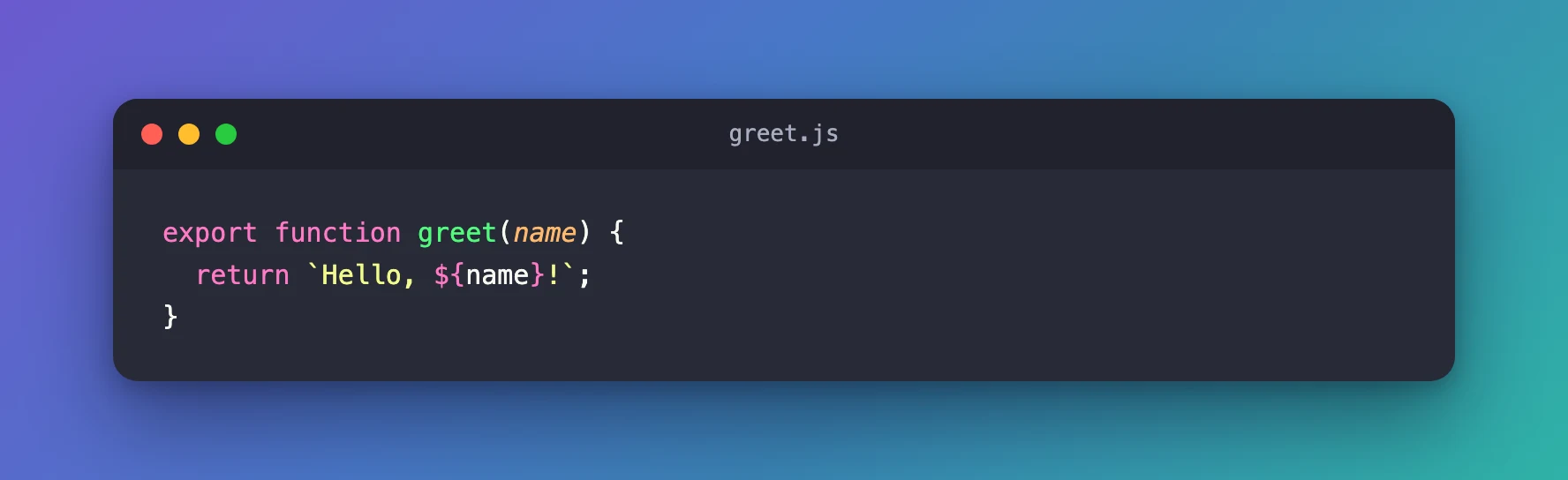
export function greet(name) {
  return `Hello, ${name}!`;
}
And main.js, which imports it:
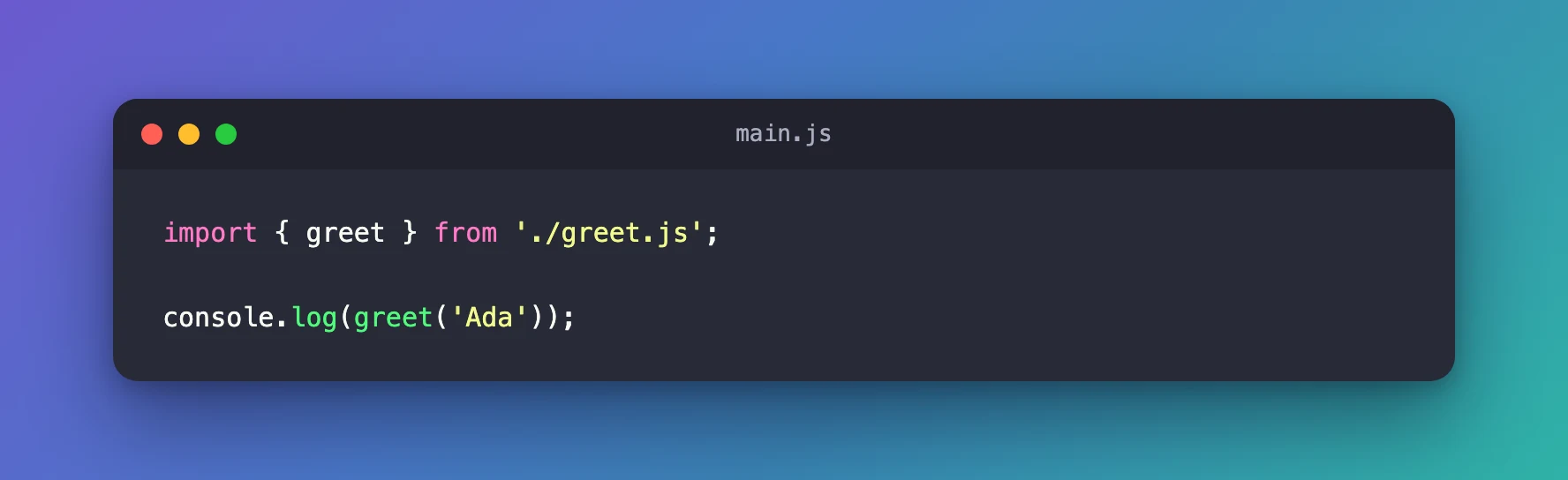
import { greet } from './greet.js';

console.log(greet('Ada'));
Step 3: Run It with the Default Type
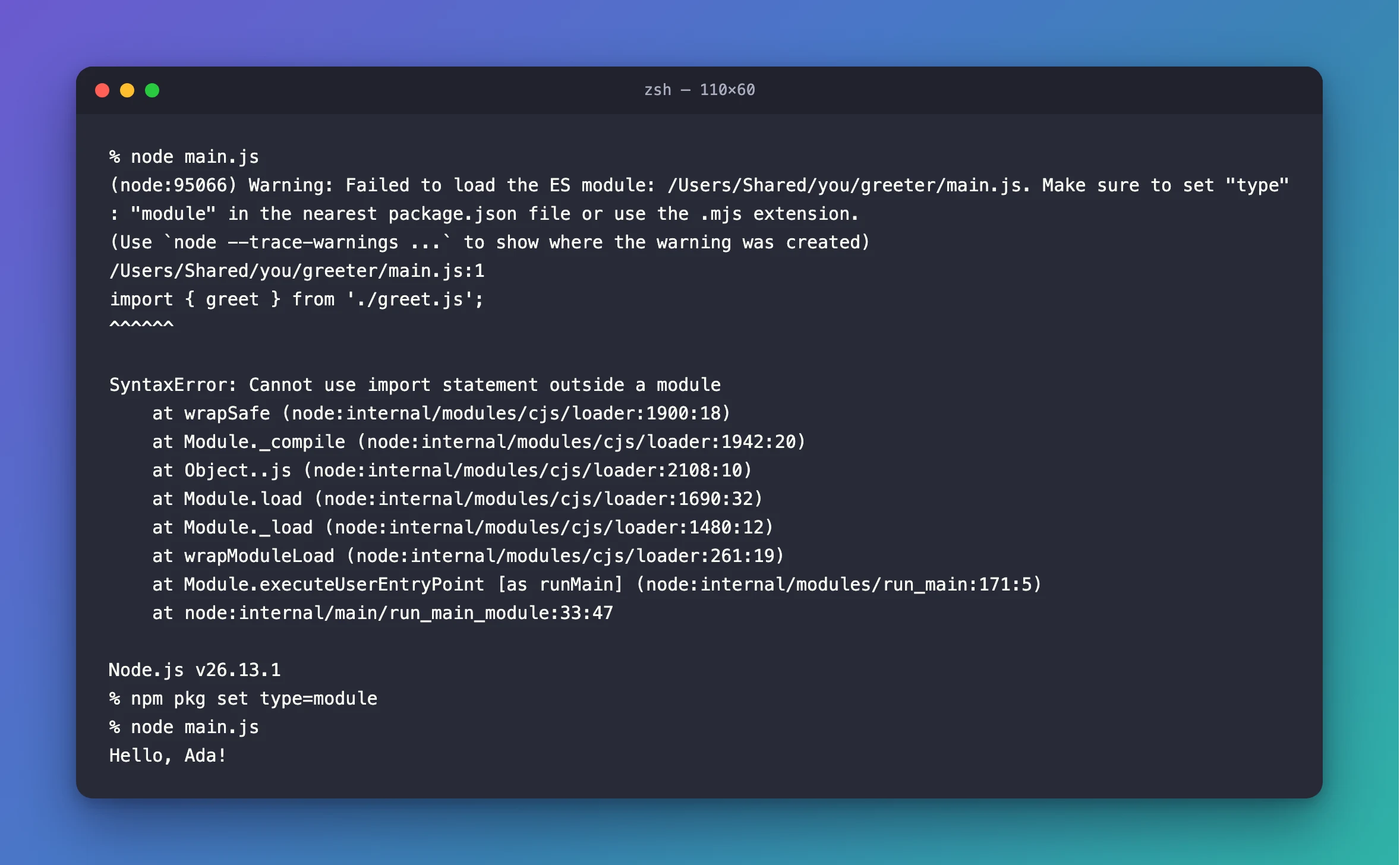
Run main.js while the project still says commonjs:
node main.js
(node:95066) Warning: Failed to load the ES module: /Users/Shared/you/greeter/main.js. Make sure to set "type": "module" in the nearest package.json file or use the .mjs extension.
(Use `node --trace-warnings ...` to show where the warning was created)
/Users/Shared/you/greeter/main.js:1
import { greet } from './greet.js';
^^^^^^

SyntaxError: Cannot use import statement outside a module
    at wrapSafe (node:internal/modules/cjs/loader:1900:18)
    at Module._compile (node:internal/modules/cjs/loader:1942:20)
    at Object..js (node:internal/modules/cjs/loader:2108:10)
    at Module.load (node:internal/modules/cjs/loader:1690:32)
    at Module._load (node:internal/modules/cjs/loader:1480:12)
    at wrapModuleLoad (node:internal/modules/cjs/loader:261:19)
    at Module.executeUserEntryPoint [as runMain] (node:internal/modules/run_main:171:5)
    at node:internal/main/run_main_module:33:47

Node.js v26.13.1
Node.js read main.js as CommonJS, because package.json says "type": "commonjs", and CommonJS has no import statement. The warning above the error names the fix.
Step 4: Switch the Project to ES Modules and Run It Again
npm pkg set type=module
node main.js
Hello, Ada!
npm pkg set prints nothing. It changed one line in package.json, and now Node.js reads both files as ES modules:
{
  "name": "greeter",
  "version": "1.0.0",
  "description": "",
  "main": "index.js",
  "scripts": {
    "test": "echo \"Error: no test specified\" && exit 1"
  },
  "keywords": [],
  "type": "module"
}
Common Mistakes
| Mistake | What happens | Do this instead |
|---|---|---|
Leaving out .js in a relative import: from './greet' | Node.js can't find the file | Write the full name: './greet.js' |
Using require() after switching to "module" | require isn't defined in an ES module | Use import, or name that one file .cjs |
Setting type in the wrong package.json | Node.js uses the nearest package.json above the file | Run npm pkg set in the project's own folder |
Troubleshooting
| Symptom | Likely cause | Fix |
|---|---|---|
SyntaxError: Cannot use import statement outside a module | package.json says "type": "commonjs", or has no type | npm pkg set type=module |
Warning: Failed to load the ES module above that error | The same cause, as Node.js explains it | The same fix |
FAQ
What are .mjs and .cjs files?
They set the module system for one file, whatever package.json says: .mjs is always an ES module and .cjs is always CommonJS. The warning in Step 3 suggests .mjs as the other way out.
Do packages I install have to be ES modules too?
No. An ES module can import packages written either way. Some packages, such as nanoid, are published only as ES modules.
Conclusion
npm pkg set type=module makes Node.js read your project's .js files as ES modules, so export and import work. A new npm 12 project starts as commonjs, which is why the first run fails with Cannot use import statement outside a module.
Additional Resources
- Modules: Packages, on how the
"type"field decides the module system. - Modules: ECMAScript modules, Node.js's guide to
importandexport. - npm pkg, the command that edits
package.json.
