How to Use Central Package Management for NuGet in a .NET C# Solution (Directory.Packages.props)

In a solution with several projects, NuGet package versions drift: one project on EF Core 10.0.12, another on 10.0.14, and nobody notices until something breaks. Central Package Management moves every version into one file at the root, Directory.Packages.props, so each package has one version for the whole solution. This guide sets it up, moves existing versions into it, and shows the CLI commands that maintain it.
How It Works
The NuGet docs describe three pieces:
- "create a
Directory.Packages.propsfile at the root of your repository and set the MSBuild propertyManagePackageVersionsCentrallytotrue." - "Inside
Directory.Packages.props, define<PackageVersion />elements to specify the package IDs and versions used by your projects." - "In each project file, define
<PackageReference />elements without theVersionattribute."
So projects still say which packages they use, and the central file says which version.
Prerequisites
- The .NET SDK, 7 or later: "The
ManagePackageVersionsCentrallyproperty was introduced in .NET 7." This guide uses .NET 10. - A solution with projects. The examples use a web API and a class library: How to Create a .NET C# Web API Solution with a Class Library.
Step 1: Create Directory.Packages.props
In the solution's root folder:
dotnet new packagesprops
The template "MSBuild Directory.Packages.props file" was created successfully.
<Project>
  <PropertyGroup>
    <!-- Enable central package management, https://learn.microsoft.com/en-us/nuget/consume-packages/Central-Package-Management -->
    <ManagePackageVersionsCentrally>true</ManagePackageVersionsCentrally>
  </PropertyGroup>
  <ItemGroup>
  </ItemGroup>
</Project>
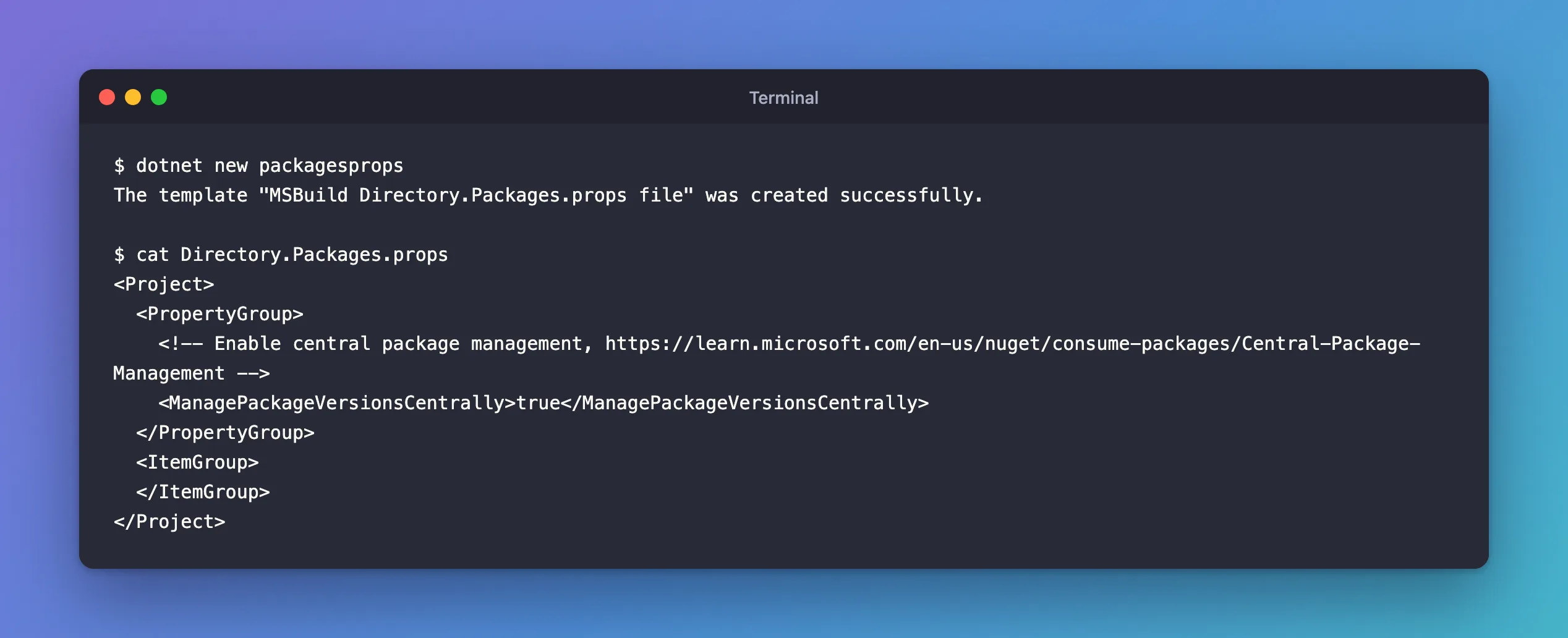
Nothing else is needed to switch it on. MSBuild finds the file by looking upward from each project's folder, so it applies to every project below the root. The docs add: "If you have multiple Directory.Packages.props files in your repository, the file closest to a given project's directory will be evaluated for it."
Step 2: Move Existing Versions into It
Projects that already have packages still carry Version="…" on their PackageReference items. With central management on, restore refuses them:
dotnet restore
    /Users/you/projects/dewiride-inventory-api/src/Dewiride.Inventory.Api/Dewiride.Inventory.Api.csproj : error NU1008: The following PackageReference items cannot define a value for Version: Microsoft.AspNetCore.OpenApi. Projects using Central Package Management must define a Version value on a PackageVersion item. For more information, visit https://aka.ms/nuget/cpm/gettingstarted

Restore failed with 1 error(s) in 0.7s
For each package, move the version: a <PackageVersion> in the central file:
  <ItemGroup>
    <PackageVersion Include="Microsoft.AspNetCore.OpenApi" Version="10.0.14" />
  </ItemGroup>
and no Version in the project:
<PackageReference Include="Microsoft.AspNetCore.OpenApi" />
Restore complete (1.6s)

Build succeeded in 1.7s
Fixed: error NU1008 covers this error in detail, including the dotnet new webapi template that causes it.
Step 3: Add Packages with the CLI
dotnet package add knows about central management. The command reference: "If the project is onboarded onto Central Package Management (CPM) the <PackageVersion> element in the Directory.Packages.props file is added/updated and the <PackageReference> element is added to the project file."
dotnet package add MySql.EntityFrameworkCore --version 10.0.12 --project src/Dewiride.Inventory.Data
info : PackageReference for package 'MySql.EntityFrameworkCore' added to '/Users/you/projects/dewiride-inventory-api/src/Dewiride.Inventory.Data/Dewiride.Inventory.Data.csproj' and PackageVersion added to central package management file '/Users/you/projects/dewiride-inventory-api/Directory.Packages.props'.
info : PackageReference for package 'MySql.EntityFrameworkCore' version '10.0.12' added to file '/Users/you/projects/dewiride-inventory-api/Directory.Packages.props'.
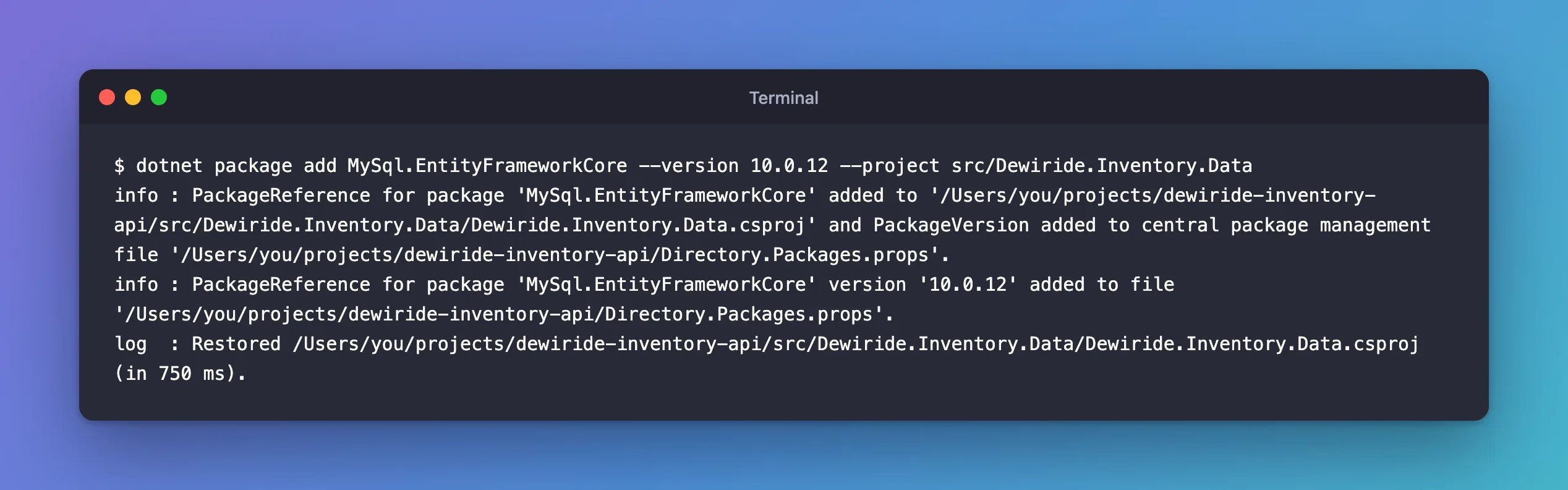
One command, two files: the reference in the project, the version in the central file.
Step 4: Update a Version in One Place
To update a package for every project that uses it, change its PackageVersion, by hand or with the same command and a new --version. After updating Newtonsoft.Json to 13.0.4 that way, the API resolved the central version:
dotnet package list --project src/Dewiride.Inventory.Api/Dewiride.Inventory.Api.csproj
   Top-level Package                   Requested   Resolved
   > Microsoft.AspNetCore.OpenApi      10.0.14     10.0.14
   > Newtonsoft.Json                   13.0.4      13.0.4
Step 5: Override One Project's Version
Sometimes one project has to stay on another version. The docs: "You can override an individual package version by using the VersionOverride property on a <PackageReference /> item. This will take precedence over any centrally defined <PackageVersion />."
<PackageReference Include="Newtonsoft.Json" VersionOverride="13.0.3" />
   Top-level Package                   Requested   Resolved
   > Microsoft.AspNetCore.OpenApi      10.0.14     10.0.14
   > Newtonsoft.Json                   13.0.3      13.0.3
The API used 13.0.3 while the central file still said 13.0.4. Use it sparingly, with a comment saying why: every override is a place where the solution has two versions again. I removed it after the test.
Common Mistakes
| Mistake | What happens | Do this instead |
|---|---|---|
Leaving Version on a PackageReference | Restore fails with NU1008 | Move the version to Directory.Packages.props |
Naming the file directory.packages.props | Works on Windows and on macOS's default file system, but isn't found on Linux, whose file names are case-sensitive | Use Directory.Packages.props exactly |
A PackageVersion for a package no project uses | Harmless, but the file stops reflecting reality | Remove versions you no longer need |
VersionOverride without a comment | Nobody knows later why one project differs | Explain it next to the override |
FAQ
Does Central Package Management change which packages a project gets?
No. A project gets only the packages it references with PackageReference; the central file only supplies versions. A PackageVersion alone doesn't add a package anywhere.
Can the central file also control packages I don't reference directly?
Yes, with transitive pinning. How to Upgrade a Transitive NuGet Package with Central Package Management shows it.
Conclusion
dotnet new packagesprops creates Directory.Packages.props with ManagePackageVersionsCentrally on. From then on, every package version lives there as a <PackageVersion>, projects reference packages without versions, dotnet package add writes to both files, and one edit updates a package for the whole solution. Keep VersionOverride for the rare project that really needs another version.
Additional Resources
- Central Package Management — NuGet docs.
- dotnet package add
