How to Use an Enum Parameter in a Microsoft Agent Framework Function Tool in C#

Some tool parameters can only take a few values: a size, a priority, a status. Make such a parameter a C# enum, and Microsoft Agent Framework tells the model exactly which values exist, so it picks one of them instead of making one up. One thing still gets through: a number that isn't one of the values. This guide shows both with a small coffee-ordering agent and a real model, and adds the one-line check that closes the gap.
Syntax
enum <EnumName>
{
    <Value1>,
    <Value2>,
}

[Description("<what the tool does>")]
static <return type> <MethodName>([Description("<what the value is>")] <EnumName> <parameterName>)
| Part | What to put there |
|---|---|
<EnumName> | The name of the list of values, such as CoffeeSize |
<Value1>, <Value2> | The values the model may choose. The model sees these names, so make them plain words |
<what the tool does>, <what the value is> | Descriptions for the model, as for any function tool |
<parameterName> | The parameter, typed as the enum. AIFunctionFactory.Create turns the method into a tool |
The enum's names reach the model as text because of the JSON options Agent Framework uses for tools. Their documentation lists among their settings: Enables string based enum serialization as implemented by JsonStringEnumConverter.
The Example
A console app runs an agent that takes coffee orders. Its one tool, order_coffee, takes a size: Small, Medium or Large. The customer asks for a big coffee, then for an extra-large coffee, which the shop doesn't sell.
Prerequisites
- A model deployment in a Microsoft Foundry project, and the Foundry User role on the Foundry resource for your account. The app calls the model as you.
- The .NET 10 SDK (
dotnet --versionprints a version that starts with10.0) and the Azure CLI, signed in withaz login.
Step 1: Create a Console App
In a terminal, in the folder where you keep your projects, create a console app, move into it and add two packages:
dotnet new console -n CoffeeAgent
cd CoffeeAgent
dotnet add package Microsoft.Agents.AI.Foundry --version 1.28.0-preview.261106.1
dotnet add package Azure.Identity --version 1.21.0
The template "Console App" was created successfully.

Processing post-creation actions...
Restoring /Users/you/source/CoffeeAgent/CoffeeAgent.csproj:
Restore succeeded.
| Package | What it gives the app |
|---|---|
Microsoft.Agents.AI.Foundry | AsAIAgent, which turns a model in a Foundry project into an agent, and AIFunctionFactory, which turns a method into a tool |
Azure.Identity | AzureCliCredential, which signs the app in to Foundry with your Azure CLI sign-in |
Microsoft Agent Framework 1.28.0 is generally available, but its Foundry package ships only as a preview of the same release, so it needs its exact --version. Open the CoffeeAgent folder in VS Code, or CoffeeAgent.csproj in Visual Studio.
Step 2: Write a Tool with an Enum Parameter
Replace everything in Program.cs with:
using System.ComponentModel;
using Azure.AI.Projects;
using Azure.Identity;
using Microsoft.Agents.AI;
using Microsoft.Extensions.AI;

// Turn the OrderCoffee method below into a tool, and print what the model receives about it.
AIFunction orderCoffee = AIFunctionFactory.Create(OrderCoffee, name: "order_coffee");
Console.WriteLine(orderCoffee.JsonSchema);

AIAgent agent = new AIProjectClient(
        new Uri("https://foundry-devblogs-exp.services.ai.azure.com/api/projects/proj-devblogs-exp"),
        new AzureCliCredential())
    .AsAIAgent(
        model: "gpt-5.6-luna",
        instructions: "You take coffee orders at a coffee shop. Answer in one sentence.",
        tools: [orderCoffee]);

Console.WriteLine(await agent.RunAsync("I'd like a big coffee, please."));

[Description("Orders one coffee in the size the customer wants.")]
static string OrderCoffee([Description("The size of the coffee.")] CoffeeSize size)
{
    Console.WriteLine($"(order_coffee was called with size = {size})");
    return $"One {size} coffee is on its way.";
}

// The sizes the coffee shop sells.
enum CoffeeSize
{
    Small,
    Medium,
    Large,
}
enum CoffeeSizelists the three sizes. A type can follow the top-level statements inProgram.cs, so the whole app stays in one file.CoffeeSize sizeis the tool's only parameter. Nothing else in the tool is special: the enum does the work.Console.WriteLine(orderCoffee.JsonSchema)prints the parameters' JSON schema, the part of the tool the model reads to fill in the arguments.- The
AIProjectClientURI andgpt-5.6-lunaare my Foundry project's endpoint and model deployment. Use your own; How to Create a Microsoft Foundry Resource and Deploy a Model shows where to find them.
Run the app:
- VS Code
- Visual Studio
In the terminal, in the CoffeeAgent folder, run:
dotnet run
Press Ctrl+F5 (Debug > Start Without Debugging). The output appears in a console window.
{"type":"object","properties":{"size":{"description":"The size of the coffee.","type":"string","enum":["Small","Medium","Large"]}},"required":["size"]}
(order_coffee was called with size = Large)
Your Large coffee is on its way.
The first line is what the model knows about size: a string with an enum list, Small, Medium and Large. The model turned a big coffee into Large, one of those three, and the tool ran with it.
Step 3: Ask for a Size That Isn't on the List
Change the question on the RunAsync line to I'd like an extra-large coffee, please. and run the app again:
{"type":"object","properties":{"size":{"description":"The size of the coffee.","type":"string","enum":["Small","Medium","Large"]}},"required":["size"]}
We only offer small, medium, or large—would you like a large coffee?
No order_coffee was called line: the model didn't call the tool at all. It knew from the schema that there is no extra-large, and asked instead. With a plain string parameter, it could only have guessed what the tool accepts.
Step 4: Check the Value in the Tool
The schema guides the model, but the tool still gets whatever arguments the model sends. AIFunctionFactory's documentation says it plainly: the data supplied via an AIFunctionArguments's dictionary is supplied from an AI service and should be considered unvalidated and untrusted. I called the tool directly with three arguments a model could send, to see what reaches OrderCoffee:
| Argument | What happened |
|---|---|
{"size":"large"} | OrderCoffee ran with Large. The converter's documentation says Reading is case insensitive |
{"size":"Huge"} | OrderCoffee never ran: JsonException: The JSON value could not be converted to CoffeeSize. An agent sends the model a generic error for a tool call that throws |
{"size":7} | OrderCoffee ran with size = 7 and answered One 7 coffee is on its way. |
The last one is the gap. JsonStringEnumConverter has an allowIntegerValues setting, and its documentation says it is true by default, to allow undefined enum values. So a number goes straight through, even one that is none of the sizes. One line closes it. Replace the OrderCoffee method with:
[Description("Orders one coffee in the size the customer wants.")]
static string OrderCoffee([Description("The size of the coffee.")] CoffeeSize size)
{
    Console.WriteLine($"(order_coffee was called with size = {size})");

    // The JSON converter also accepts numbers, so a value that isn't a size can still arrive.
    if (!Enum.IsDefined(size))
    {
        return "There is no such size. Choose Small, Medium or Large.";
    }

    return $"One {size} coffee is on its way.";
}
Enum.IsDefined(size) is true only for the values in the enum. For anything else, the tool returns a message the model can act on, instead of ordering a coffee in size 7. The complete file, with the question back to a big coffee:
using System.ComponentModel;
using Azure.AI.Projects;
using Azure.Identity;
using Microsoft.Agents.AI;
using Microsoft.Extensions.AI;

// Turn the OrderCoffee method below into a tool, and print what the model receives about it.
AIFunction orderCoffee = AIFunctionFactory.Create(OrderCoffee, name: "order_coffee");
Console.WriteLine(orderCoffee.JsonSchema);

AIAgent agent = new AIProjectClient(
        new Uri("https://foundry-devblogs-exp.services.ai.azure.com/api/projects/proj-devblogs-exp"),
        new AzureCliCredential())
    .AsAIAgent(
        model: "gpt-5.6-luna",
        instructions: "You take coffee orders at a coffee shop. Answer in one sentence.",
        tools: [orderCoffee]);

Console.WriteLine(await agent.RunAsync("I'd like a big coffee, please."));

[Description("Orders one coffee in the size the customer wants.")]
static string OrderCoffee([Description("The size of the coffee.")] CoffeeSize size)
{
    Console.WriteLine($"(order_coffee was called with size = {size})");

    // The JSON converter also accepts numbers, so a value that isn't a size can still arrive.
    if (!Enum.IsDefined(size))
    {
        return "There is no such size. Choose Small, Medium or Large.";
    }

    return $"One {size} coffee is on its way.";
}

// The sizes the coffee shop sells.
enum CoffeeSize
{
    Small,
    Medium,
    Large,
}
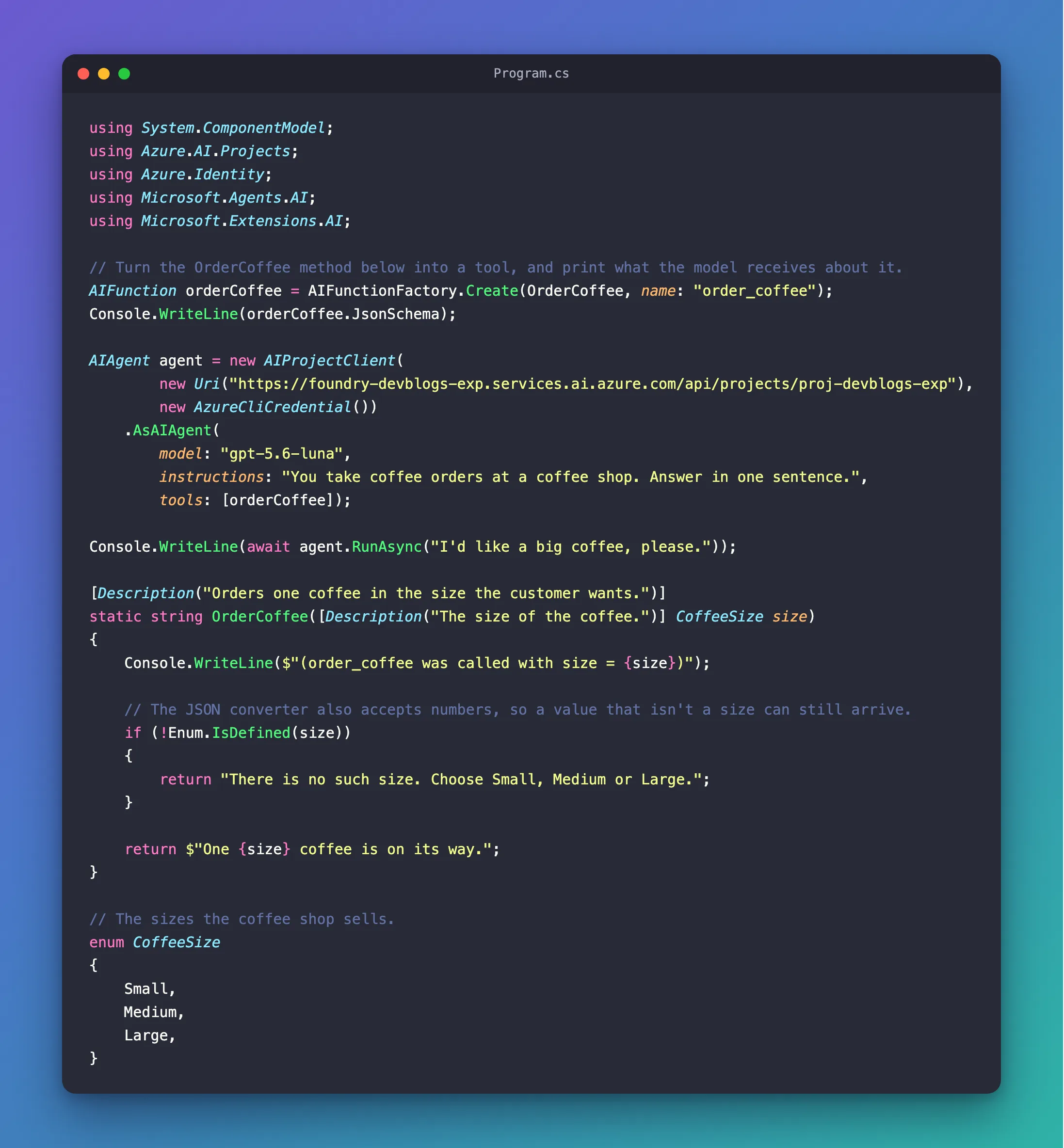
Run it once more:
{"type":"object","properties":{"size":{"description":"The size of the coffee.","type":"string","enum":["Small","Medium","Large"]}},"required":["size"]}
(order_coffee was called with size = Large)
Your large coffee is on its way!
And with {"size":7}, called directly as before, the tool now answers There is no such size. Choose Small, Medium or Large.
Common Mistakes
| Mistake | What happens | Do this instead |
|---|---|---|
A string parameter for a value with a fixed set of choices | The model has to guess which words the tool accepts | Use an enum, so the schema lists the choices |
Trusting the enum without Enum.IsDefined | A number such as 7 reaches the method as a value that doesn't exist | Check with Enum.IsDefined before acting on it |
Enum names the model can't understand, such as Sz1 | The model has nothing to match the customer's words against | Use plain names, such as Large |
Troubleshooting
| Symptom | Likely cause | Fix |
|---|---|---|
The tool's value is a number, such as 7 | The converter accepts numbers, defined or not | Check with Enum.IsDefined, as in Step 4 |
| The JSON value could not be converted to CoffeeSize | The arguments named a value that isn't in the enum, such as Huge | Nothing to fix in the tool: the call fails before your method runs |
FAQ
Are the names case-sensitive?
Not when reading: the documentation of JsonStringEnumConverter says Reading is case insensitive, and {"size":"large"} ran the tool with Large. The schema lists the names exactly as the enum spells them.
Does the model see the numbers behind the names?
No. The schema has only the names, "enum":["Small","Medium","Large"], because the tool's JSON options write enums as strings.
Conclusion
An enum parameter turns any text into one of these values: the tool's JSON schema lists the names, and the model chooses from them, or asks, as it did for an extra-large coffee. A number that isn't one of the values still reaches your method, because the JSON converter allows undefined values, so check it with Enum.IsDefined before acting on it.
Additional Resources
- AIJsonUtilities.DefaultOptions — the JSON settings for tools, including enums as strings.
- JsonStringEnumConverter constructors —
allowIntegerValuesand undefined values. - AIFunctionFactory.Create — how arguments reach your method, and why they are untrusted.
- Enum.IsDefined — the check that a value is one of the enum's values.
