How to Use Advisory Locks in MySQL with GET_LOCK

Two copies of your app are running, and only one of them should run the nightly report. There's no row to lock. GET_LOCK gives you a lock on a name you make up, held by one connection at a time, and it's the same tool EF Core uses to stop two migrations running at once.
Prerequisites
- MySQL, and two sessions. The examples use MySQL 9.7.4 in Docker, and the
mysqlclient from How to Connect to MySQL in a Docker Container.
Step 1: Take the Lock
The first argument is any name you choose, and the second is how many seconds to wait for it:
SELECT GET_LOCK('nightly-report', 0);
+-------------------------------+
| GET_LOCK('nightly-report', 0) |
+-------------------------------+
|                             1 |
+-------------------------------+
1 row in set (0.001 sec)
1 means it's yours. A 0 for the wait means "don't wait at all".
Step 2: Try to Take It Again
SELECT GET_LOCK('nightly-report', 2);
+-------------------------------+
| GET_LOCK('nightly-report', 2) |
+-------------------------------+
|                             0 |
+-------------------------------+
1 row in set (2.007 sec)
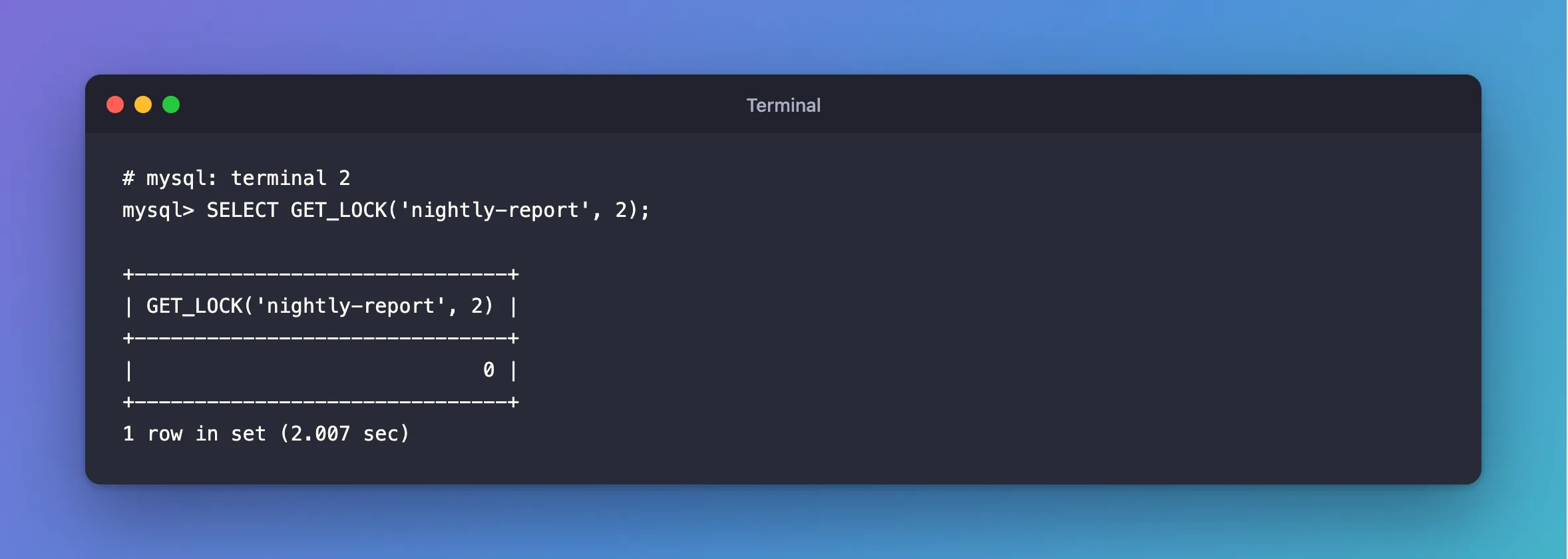
It waited two seconds, and returned 0. MySQL's locking functions page says: "Returns 1 if the lock was obtained successfully, 0 if the attempt timed out (for example, because another client has previously locked the name), or NULL if an error occurred".
So the job's logic is one line: if it's 1, run, and if it's 0, another copy is already at it, so stop.
Step 3: See Who Holds It
SELECT IS_FREE_LOCK('nightly-report'), IS_USED_LOCK('nightly-report'), CONNECTION_ID();
+--------------------------------+--------------------------------+-----------------+
| IS_FREE_LOCK('nightly-report') | IS_USED_LOCK('nightly-report') | CONNECTION_ID() |
+--------------------------------+--------------------------------+-----------------+
|                              0 |                            160 |             159 |
+--------------------------------+--------------------------------+-----------------+
1 row in set (0.002 sec)
IS_USED_LOCK returns the connection that holds it, here 160, which isn't this session, 159. From a root session, it's also in the metadata locks:
SELECT OBJECT_TYPE, OBJECT_NAME, LOCK_TYPE, LOCK_DURATION, LOCK_STATUS
FROM performance_schema.metadata_locks
WHERE OBJECT_TYPE = 'USER LEVEL LOCK';
+-----------------+----------------+-----------+---------------+-------------+
| OBJECT_TYPE     | OBJECT_NAME    | LOCK_TYPE | LOCK_DURATION | LOCK_STATUS |
+-----------------+----------------+-----------+---------------+-------------+
| USER LEVEL LOCK | nightly-report | EXCLUSIVE | EXPLICIT      | GRANTED     |
+-----------------+----------------+-----------+---------------+-------------+
1 row in set (0.002 sec)
Step 4: Release It
SELECT RELEASE_LOCK('nightly-report');
+--------------------------------+
| RELEASE_LOCK('nightly-report') |
+--------------------------------+
|                              1 |
+--------------------------------+
1 row in set (0.001 sec)
1 means it was released, and the other session can have it now:
SELECT GET_LOCK('nightly-report', 2);
+-------------------------------+
| GET_LOCK('nightly-report', 2) |
+-------------------------------+
|                             1 |
+-------------------------------+
1 row in set (0.001 sec)
RELEASE_LOCK also tells you when something's off. A 0 means someone else holds it, and a NULL means nobody does:
+--------------------------------+
| RELEASE_LOCK('nightly-report') |
+--------------------------------+
|                              0 |
+--------------------------------+
1 row in set (0.002 sec)
+--------------------------------+
| RELEASE_LOCK('nightly-report') |
+--------------------------------+
|                           NULL |
+--------------------------------+
1 row in set (0.003 sec)
How It Differs from a Row Lock
| Row lock | GET_LOCK | |
|---|---|---|
| Locks | A row | A name |
| Released by | COMMIT or ROLLBACK | RELEASE_LOCK, or the session ending |
| Other code has to agree to use it | No, MySQL enforces it | Yes, it only works if everyone asks for it |
The page is clear about the second row: "Locks obtained with GET_LOCK() are not released when transactions commit or roll back." And a session that ends gives up its locks: "A lock obtained with GET_LOCK() is released explicitly by executing RELEASE_LOCK() or implicitly when your session terminates (either normally or abnormally)."
Common Mistakes
| Mistake | What happens | Do this instead |
|---|---|---|
Assuming COMMIT releases it | It doesn't | Call RELEASE_LOCK |
| Using a connection pool, with a lock on one connection and the release on another | The release returns 0 or NULL, and the lock stays with the first connection | Keep one connection open for the whole job |
| Using a short, common name | Another program on the server can clash with it | Prefix it with your app's name |
| Ignoring the return value | Two copies of the job run | Check for 1 |
Troubleshooting
| Symptom | Likely cause | Fix |
|---|---|---|
GET_LOCK keeps returning 0 | Another connection still holds it | IS_USED_LOCK gives you its ID |
RELEASE_LOCK returns 0 | This connection doesn't hold it | Release from the connection that took it |
RELEASE_LOCK returns NULL | Nobody holds it | Nothing to do |
FAQ
What does EF Core use it for?
To keep two database update runs apart. It takes GET_LOCK('__EFMigrationsLock', -1) on this provider, where -1 means wait forever.
Conclusion
GET_LOCK('name', seconds) returns 1 if the name is yours and 0 if someone else has it. It isn't tied to a transaction or a row, and it's released by RELEASE_LOCK or when the session ends, which makes it a simple way to let only one copy of a job run.
Additional Resources
- Locking Functions — every function, and how they behave.
