How to Use AddDbContextPool with MySQL in EF Core

AddDbContextPool sounds like it should help with database connections. It doesn't: it reuses DbContext objects, and connections have their own pool in the driver. It's a one-word change, so I tried it on a real API, and measured no difference.
Two Different Pools
| Connection pool | DbContext pool | |
|---|---|---|
| Reuses | Open connections to MySQL | DbContext objects in memory |
| Saves | TCP, TLS and sign-in | Setting up the context's internal objects |
| Where it lives | The driver, MySql.Data | EF Core |
| On by default | Yes | No |
Microsoft's documentation: "Note that context pooling is orthogonal to database connection pooling, which is managed at a lower level in the database driver."
How to Use It
Change one word where you register the context:
services.AddDbContextPool<InventoryDbContext>((serviceProvider, options) =>
{
    // The same options as before.
});
It worked with Oracle's provider, an interceptor and a custom execution strategy, with every endpoint answering as before. It has rules, though:
- The context can't hold per-request state. A pooled context is used by many requests. The documentation warns that
OnConfiguring"is only invoked once - when the instance context is first created - and so cannot be used to set state which needs to vary (e.g. a tenant ID)." - Its constructor can't take scoped services, because the context outlives any one request. With one as a parameter, I got
Cannot resolve scoped service 'Tenant' from root provider.A singleton service was fine. poolSizecaps what's kept, at 1,024 by default. It isn't a limit on how many can be used at once: past that, EF creates more as usual.
What I Measured
I sent 3,000 requests, 50 at a time, to a list endpoint on the same computer, in Production, with a connection pool of 25:
                     3,000 requests, 50 at a time    Memory of the API process
AddDbContext         8.13 s                          387 MB
AddDbContextPool     8.11 s                          384 MB
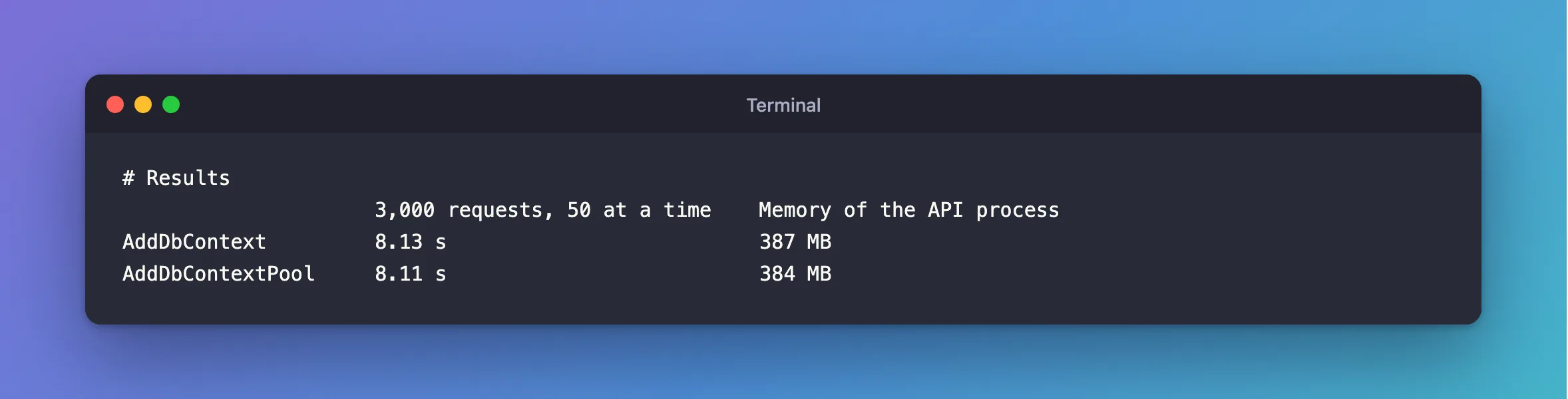
No real difference. To be fair to it, my load tool was busy starting curl processes, so it wasn't pushing hard enough to show a small saving. The documentation says the cost "may be significant in high-performance scenarios", and a benchmark of your own, with a real load generator, would show if you're in one.
Should You Use It?
- Most APIs: leave it.
AddDbContextis simpler, and there are no state rules to trip over. - If a profile shows context setup as a real cost, try it, and measure before and after.
- It won't help with connection problems. Running out of connections, Too many connections and crashes under load all belong to the other pool.
My API stays on AddDbContext.
Common Mistakes
| Mistake | What happens | Do this instead |
|---|---|---|
| Using it to fix connection limits | It has nothing to do with them | Size the connection pool |
| Keeping per-request fields on the context | One request sees another's values | Keep them elsewhere |
| Assuming it's faster without measuring | Mine wasn't measurably | Measure |
Troubleshooting
| Symptom | Likely cause | Fix |
|---|---|---|
Cannot resolve scoped service … from root provider | A scoped service in the context's constructor | Take it out. Microsoft's page shows a scoped factory for this |
| Values leak between requests | State on the context | Reset it, or don't pool |
| No change in speed | Context setup wasn't your bottleneck | Go back to AddDbContext |
Conclusion
AddDbContextPool reuses context objects, and has nothing to do with database connections. It was a one-word change here, with no measurable gain, so only use it if a real profile says it's worth the rules.
Additional Resources
- Advanced Performance Topics: DbContext pooling — the rules, and Microsoft's benchmark.
- DbContext Lifetime, Configuration, and Initialization — the alternatives.
