How to Use a Transaction in MySQL: START TRANSACTION, COMMIT and ROLLBACK

Move 10 units from one product to another, and that's two UPDATE statements. If only the first one runs, 10 units have vanished. A transaction groups statements so they all take effect together, or none of them do. This guide runs one to the end and one back, and shows what another session sees while it's open.
Prerequisites
- MySQL, and a way to run SQL. The examples use MySQL 9.7.4 in Docker, and the
mysqlclient from How to Connect to MySQL in a Docker Container. - A table to change. The examples use a
productstable. Its storage engine is InnoDB, MySQL's default, which is the one that supports transactions. - Two terminals, each with its own
mysqlsession, so you can see what other people see.
Step 1: See the Starting Point
SELECT Id, Sku, QuantityOnHand FROM products WHERE Id IN (3, 4);
+----+-------------+----------------+
| Id | Sku         | QuantityOnHand |
+----+-------------+----------------+
|  3 | CBL-HDMI-2M |             50 |
|  4 | CBL-LTNG-1M |             50 |
+----+-------------+----------------+
2 rows in set (0.001 sec)
Step 2: Start a Transaction and Change Two Rows
START TRANSACTION;
UPDATE products SET QuantityOnHand = QuantityOnHand - 10 WHERE Id = 3;
UPDATE products SET QuantityOnHand = QuantityOnHand + 10 WHERE Id = 4;
SELECT Id, Sku, QuantityOnHand FROM products WHERE Id IN (3, 4);
+----+-------------+----------------+
| Id | Sku         | QuantityOnHand |
+----+-------------+----------------+
|  3 | CBL-HDMI-2M |             40 |
|  4 | CBL-LTNG-1M |             60 |
+----+-------------+----------------+
2 rows in set (0.001 sec)
This session sees its own changes. MySQL's START TRANSACTION page says: "With START TRANSACTION, autocommit remains disabled until you end the transaction with COMMIT or ROLLBACK." Nothing is permanent yet.
Now look from the other terminal:
SELECT Id, Sku, QuantityOnHand FROM products WHERE Id IN (3, 4);
+----+-------------+----------------+
| Id | Sku         | QuantityOnHand |
+----+-------------+----------------+
|  3 | CBL-HDMI-2M |             50 |
|  4 | CBL-LTNG-1M |             50 |
+----+-------------+----------------+
2 rows in set (0.001 sec)
The old numbers. Nobody else sees a change until it's committed, so nobody can catch the moment when 10 units are in neither place.
Step 3: Take It All Back with ROLLBACK
ROLLBACK;
SELECT Id, Sku, QuantityOnHand FROM products WHERE Id IN (3, 4);
+----+-------------+----------------+
| Id | Sku         | QuantityOnHand |
+----+-------------+----------------+
|  3 | CBL-HDMI-2M |             50 |
|  4 | CBL-LTNG-1M |             50 |
+----+-------------+----------------+
2 rows in set (0.001 sec)
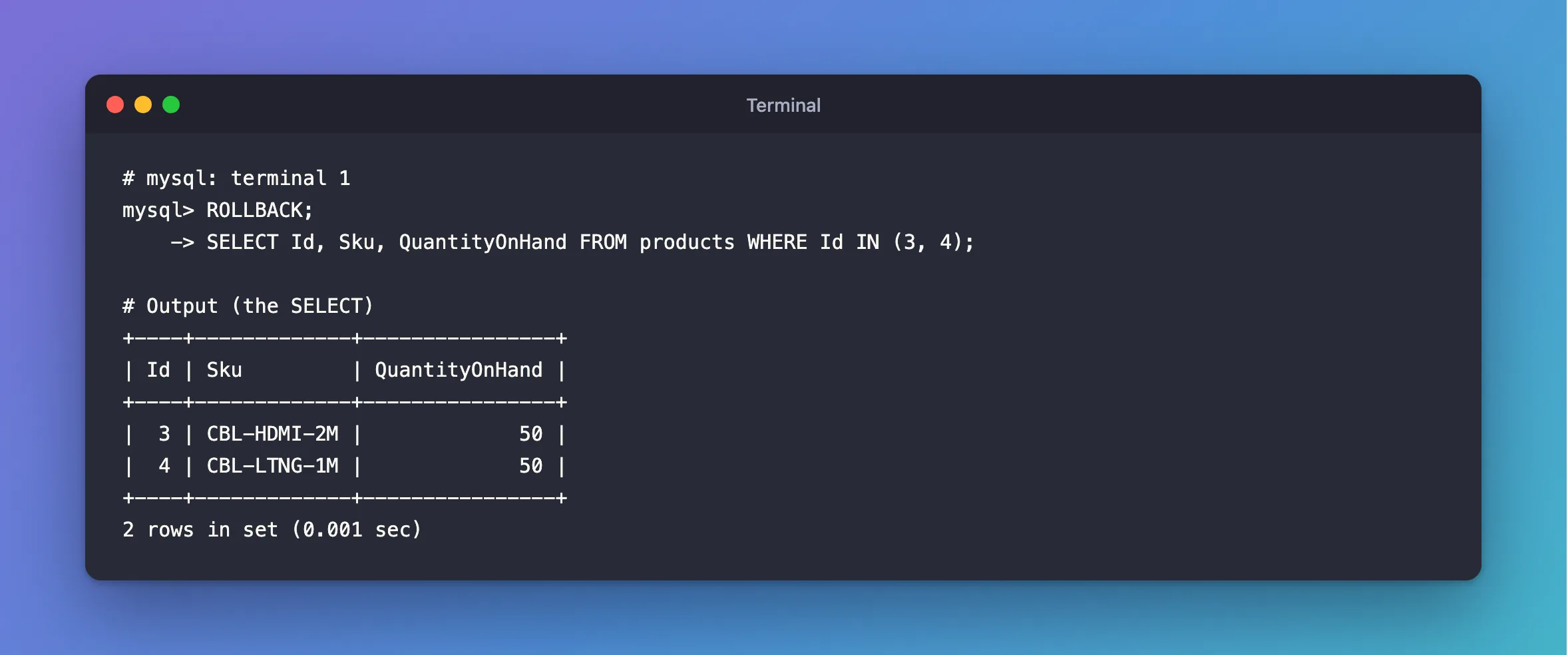
Both rows are back, and it took one statement.
Step 4: Keep It with COMMIT
Run the same two updates, and finish with COMMIT:
START TRANSACTION;
UPDATE products SET QuantityOnHand = QuantityOnHand - 10 WHERE Id = 3;
UPDATE products SET QuantityOnHand = QuantityOnHand + 10 WHERE Id = 4;
COMMIT;
The other terminal sees both changes, together:
SELECT Id, Sku, QuantityOnHand FROM products WHERE Id IN (3, 4);
+----+-------------+----------------+
| Id | Sku         | QuantityOnHand |
+----+-------------+----------------+
|  3 | CBL-HDMI-2M |             40 |
|  4 | CBL-LTNG-1M |             60 |
+----+-------------+----------------+
2 rows in set (0.001 sec)
BEGIN means the same as START TRANSACTION. The page says: "START TRANSACTION or BEGIN start a new transaction."
An Error Doesn't End the Transaction
This one catches people out. Here, the second statement breaks a rule and fails:
START TRANSACTION;
UPDATE products SET QuantityOnHand = QuantityOnHand + 1 WHERE Id = 3;
UPDATE products SET QuantityOnHand = -1 WHERE Id = 4;
ERROR 3819 (HY000): Check constraint 'CK_products_QuantityOnHand' is violated.
The transaction is still open, and the first update is still in it:
SELECT Id, Sku, QuantityOnHand FROM products WHERE Id IN (3, 4);
+----+-------------+----------------+
| Id | Sku         | QuantityOnHand |
+----+-------------+----------------+
|  3 | CBL-HDMI-2M |             41 |
|  4 | CBL-LTNG-1M |             60 |
+----+-------------+----------------+
2 rows in set (0.001 sec)
A COMMIT here would save half the work. MySQL leaves the decision to you, so run ROLLBACK when a statement fails.
A Second START TRANSACTION Commits the First
MySQL has no nested transactions. Starting a new one ends the old one, and not with a rollback:
START TRANSACTION;
UPDATE products SET QuantityOnHand = 77 WHERE Id = 3;
START TRANSACTION;
ROLLBACK;
SELECT Id, Sku, QuantityOnHand FROM products WHERE Id = 3;
+----+-------------+----------------+
| Id | Sku         | QuantityOnHand |
+----+-------------+----------------+
|  3 | CBL-HDMI-2M |             77 |
+----+-------------+----------------+
1 row in set (0.002 sec)
The ROLLBACK didn't undo the 77. The page explains why: "Beginning a transaction causes any pending transaction to be committed." For a way back to a point inside a transaction, use savepoints.
Common Mistakes
| Mistake | What happens | Do this instead |
|---|---|---|
| Committing after a statement failed | The statements that worked are saved, and the failed one isn't | ROLLBACK on any error |
| Starting a transaction inside a transaction | The first one is committed | Use one transaction, or savepoints |
| Leaving a transaction open | Its rows stay locked, and other writers wait | COMMIT or ROLLBACK promptly |
Running CREATE TABLE or ALTER TABLE inside one | They commit the transaction | See which statements do |
| Using a MyISAM table | It has no transactions, so ROLLBACK changes nothing | Use InnoDB |
Troubleshooting
| Symptom | Likely cause | Fix |
|---|---|---|
Another session waits on an UPDATE | Your open transaction holds the row's lock | See who's blocking whom |
| Another session sees the old value | You haven't committed | Run COMMIT |
ROLLBACK didn't undo anything | Something committed in between | Check for a second START TRANSACTION, or a statement such as CREATE TABLE |
| Your changes vanished after closing the client | The session ended without a COMMIT | Commit before you exit |
FAQ
Do I need a transaction for a single statement?
No. With autocommit on, which is the default, each statement is its own transaction. How Autocommit Works in MySQL shows it.
What happens if the connection drops in the middle?
MySQL rolls the transaction back. The rows return to where they were.
Conclusion
START TRANSACTION opens a group, COMMIT keeps it, and ROLLBACK throws it away. Nobody else sees the changes until the commit. Roll back yourself when a statement fails, because MySQL won't do it for you, and remember that a second START TRANSACTION commits the first.
Additional Resources
- START TRANSACTION, COMMIT, and ROLLBACK Statements — the full syntax.
- autocommit, Commit, and Rollback — how InnoDB treats each statement.
