How to Use a Source-Generated Regex with GeneratedRegex in C#

A regular expression in .NET is normally turned into matching code while your app runs. Put the GeneratedRegex attribute on a partial method instead, and the compiler writes that code when you build, so a mistake in the pattern stops the build rather than your app.
Microsoft recommends it: Where possible, use source-generated regular expressions instead of compiling regular expressions using the RegexOptions.Compiled option. Source generation can help your app start faster, run more quickly, and be more trimmable. A source generator is a part of the compiler that adds code to your project while it builds. The regular expression one comes with the .NET SDK, so there's nothing to install.
Syntax
using System.Text.RegularExpressions;

static partial class <ClassName>
{
    [GeneratedRegex(<pattern>)]
    public static partial Regex <MethodName>();
}

bool <found> = <ClassName>.<MethodName>().IsMatch(<text>);
| Part | What it is |
|---|---|
partial class <ClassName> | A class the generator can add code to. partial lets one class be written in more than one place |
[GeneratedRegex(<pattern>)] | Asks the generator for the code of <pattern>. It also takes options and a time-out: [GeneratedRegex(<pattern>, <options>, <timeoutMilliseconds>)] |
public static partial Regex <MethodName>(); | A method with no body. The generator writes the body when you build |
<ClassName>.<MethodName>() | Returns the regular expression, ready for IsMatch, Match, Replace and the other methods |
Microsoft's reference describes the attribute: Instructs the System.Text.RegularExpressions source generator to generate an implementation of the specified regular expression. It works on partial, parameterless, non-generic methods or get-only properties that are typed to return Regex.
The Example
A console app called GeneratedRegexes checks product codes. A valid code is two capital letters, a hyphen and four digits, like AB-1234. The app checks four codes and prints whether each one is valid.
Prerequisites
- The .NET 10 SDK.
dotnet --versionprints a version that starts with10.0.
Step 1: Create a Console App
dotnet new console -n GeneratedRegexes
cd GeneratedRegexes
The template "Console App" was created successfully.

Processing post-creation actions...
Restoring /Users/you/source/GeneratedRegexes/GeneratedRegexes.csproj:
  Determining projects to restore...
  Restored /Users/you/source/GeneratedRegexes/GeneratedRegexes.csproj (in 49 ms).
Restore succeeded.
dotnet new console -n GeneratedRegexes creates a folder named GeneratedRegexes with a project file and a Program.cs, and cd moves into it. The source generator comes with the .NET SDK, so there's no package to add.
Step 2: Write the Code
Replace everything in Program.cs with the check first:
using System.Text.RegularExpressions;

string[] codes = ["AB-1234", "ab-1234", "XY-99", "CD-5678"];

foreach (string code in codes)
{
    string verdict = Patterns.ProductCode().IsMatch(code) ? "valid" : "not valid";
    Console.WriteLine($"{code}: {verdict}");
}
codesholds the four codes to check.Patterns.ProductCode().IsMatch(code)gets the regular expression, which you declare next, and asks whethercodematches it. It returnstrueorfalse.? "valid" : "not valid"picks the first text when the check istrueand the second when it'sfalse.
Then add the regular expression at the end of the file. In a Program.cs like this one, classes go after the code that runs:
static partial class Patterns
{
    // Two capital letters, a hyphen and four digits. The compiler writes the matching code.
    [GeneratedRegex(@"^[A-Z]{2}-\d{4}$")]
    public static partial Regex ProductCode();
}
static partial class Patternsis the class the generator adds the method's body to.^[A-Z]{2}-\d{4}$is the pattern:^is the start of the text,[A-Z]{2}two capital letters,-a hyphen,\d{4}four digits, and$the end.public static partial Regex ProductCode();has no body. When you build, the generator writes one.
Step 3: Run It
Run it in VS Code's terminal, or press Ctrl+F5 in Visual Studio:
dotnet run
AB-1234: valid
ab-1234: not valid
XY-99: not valid
CD-5678: valid
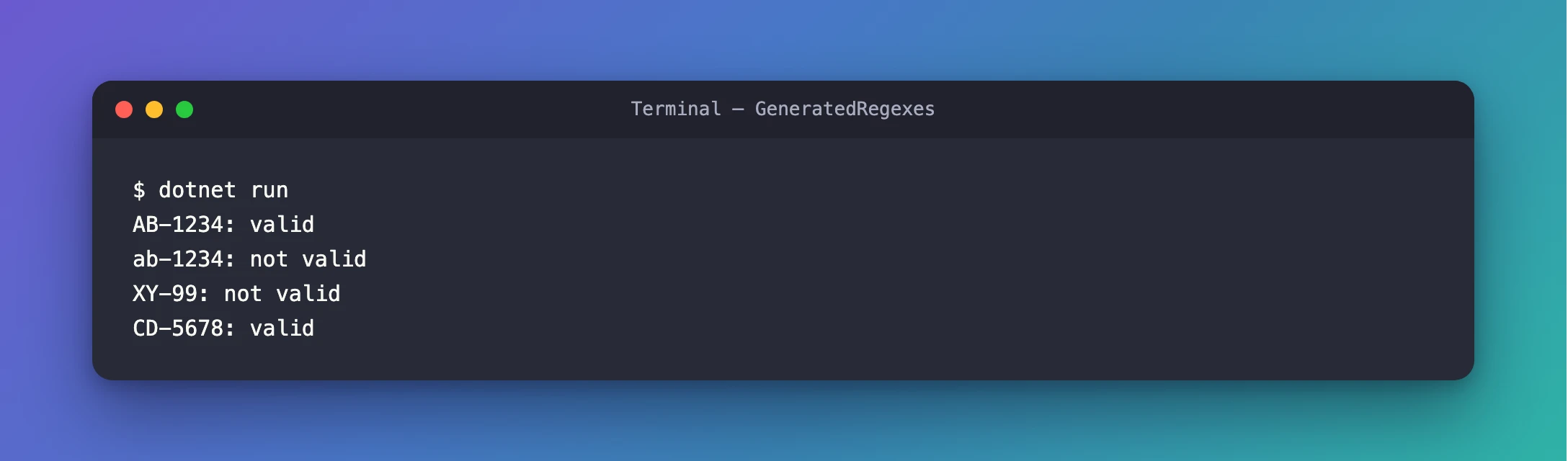
AB-1234 and CD-5678 have the right shape. ab-1234 has small letters, and [A-Z] only allows capitals. XY-99 has two digits where the pattern wants four.
The Complete File
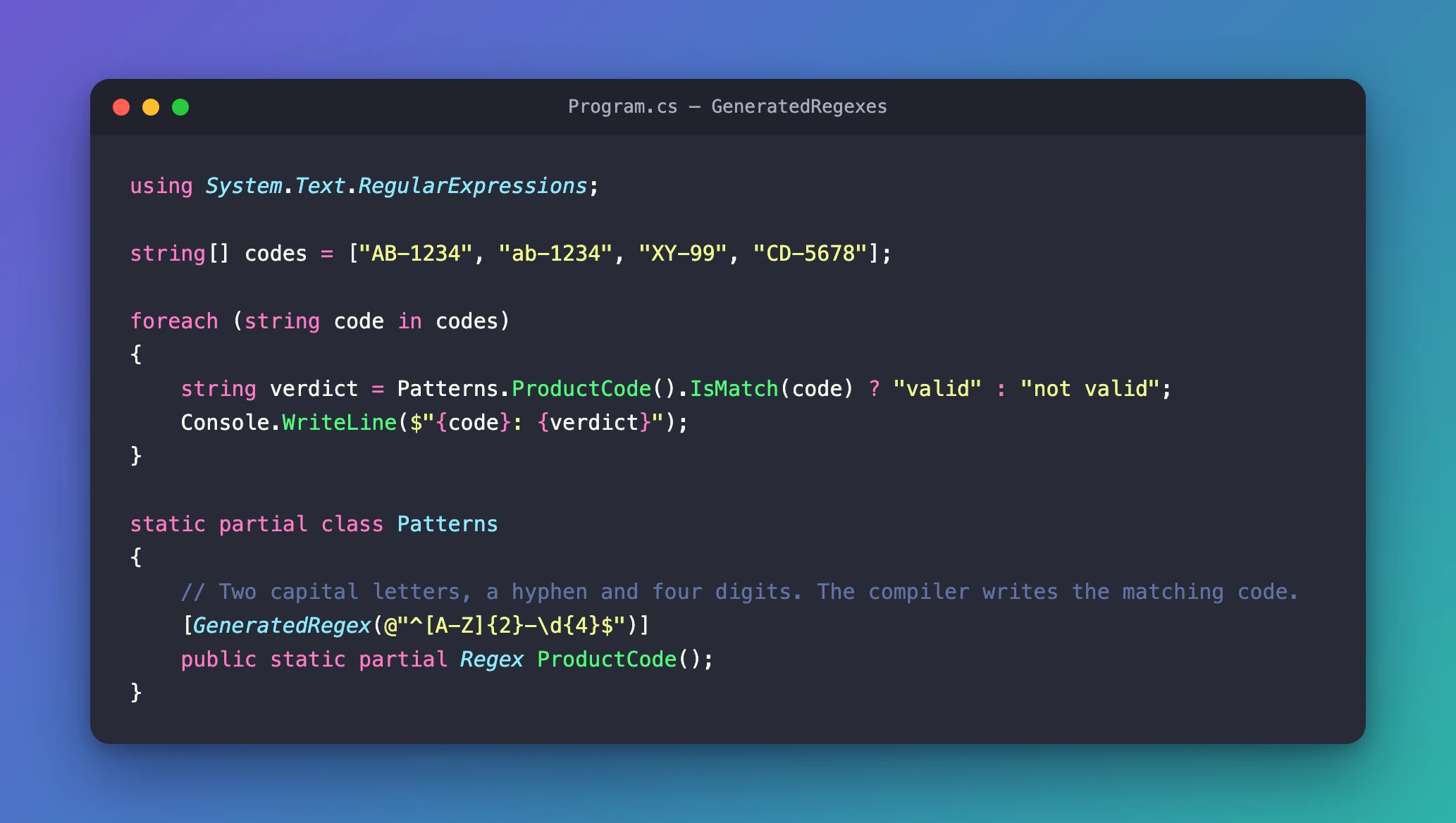
using System.Text.RegularExpressions;

string[] codes = ["AB-1234", "ab-1234", "XY-99", "CD-5678"];

foreach (string code in codes)
{
    string verdict = Patterns.ProductCode().IsMatch(code) ? "valid" : "not valid";
    Console.WriteLine($"{code}: {verdict}");
}

static partial class Patterns
{
    // Two capital letters, a hyphen and four digits. The compiler writes the matching code.
    [GeneratedRegex(@"^[A-Z]{2}-\d{4}$")]
    public static partial Regex ProductCode();
}
See the Code the Generator Writes
The generated code only exists while the compiler runs. Microsoft's MSBuild reference: By default, source generator output exists only in memory and isn't written to disk. The EmitCompilerGeneratedFiles property writes it to a file:
dotnet build --no-incremental -p:EmitCompilerGeneratedFiles=true
--no-incremental makes the build compile again, because dotnet run has already built the project and would otherwise skip that step. The file lands in obj/Debug/net10.0/generated/System.Text.RegularExpressions.Generator/System.Text.RegularExpressions.Generator.RegexGenerator/RegexGenerator.g.cs, and it starts with your method and a description of the pattern:
partial class Patterns
{
    /// <remarks>
    /// Pattern:<br/>
    /// <code>^[A-Z]{2}-\\d{4}$</code><br/>
    /// Explanation:<br/>
    /// <code>
    /// ○ Match if at the beginning of the string.<br/>
    /// ○ Match a character in the set [A-Z] exactly 2 times.<br/>
    /// ○ Match '-'.<br/>
    /// ○ Match a Unicode digit exactly 4 times.<br/>
    /// ○ Match if at the end of the string or if before an ending newline.<br/>
    /// </code>
    /// </remarks>
    [global::System.CodeDom.Compiler.GeneratedCodeAttribute("System.Text.RegularExpressions.Generator", "10.0.15.3008")]
    public static partial global::System.Text.RegularExpressions.Regex ProductCode() => global::System.Text.RegularExpressions.Generated.ProductCode_0.Instance;
}
The description is worth reading, because it says exactly what the pattern accepts. Two of its lines say more than the pattern seems to: \d is a Unicode digit, not only 0 to 9, and $ matches at the end of the string or if before an ending newline. Both let unexpected codes through, as the next section shows.
In Visual Studio you don't need the build: Microsoft's guide says to right-click on your partial method or property declaration and select Go To Definition.
Common Mistakes
| Mistake | What happens | Do this instead |
|---|---|---|
Leaving partial off the class | The build fails: error CS0260: Missing partial modifier on declaration of type 'Patterns'; another partial declaration of this type exists | Write static partial class |
A mistake in the pattern, such as a missing ] | The build fails: error SYSLIB1042: The specified regex is invalid. 'Invalid pattern '^[A-Z{2}-\d{4}$' at offset 15. Unterminated [] set.', followed by CS8795 because the method has no body | Fix the pattern at the place the message points to |
Using \d for the digits 0 to 9 | \d matches any Unicode digit: AB-١٢٣٤, written with Arabic-Indic digits, was valid | Write [0-9] |
Ending with $ to mean the end of the text | $ also matches before a final newline: "AB-1234\n" was valid | End with \z. With ^[A-Z]{2}-[0-9]{4}\z, both codes above were rejected |
Adding RegexOptions.Compiled | Nothing: The RegexOptions.Compiled flag is ignored by the source generator | Leave it out |
FAQ
Can I use a property instead of a method?
Yes, since .NET 9: Starting in .NET 9, you can also apply the GeneratedRegexAttribute to a partial property instead of a partial method. This one checked AB-1234 and printed True:
static partial class Patterns
{
    [GeneratedRegex(@"^[A-Z]{2}-\d{4}$")]
    public static partial Regex ProductCodeProperty { get; }
}
You then use it without parentheses: Patterns.ProductCodeProperty.IsMatch(code).
What does new Regex do with the same mistake?
It fails only when that line runs. new Regex("[A-Z") threw RegexParseException: Invalid pattern '[A-Z' at offset 4. Unterminated [] set. The generator reports the same kind of mistake when you build, before anyone runs the app.
Do I have to keep the regular expression in a field?
No. Microsoft's guide: The generated implementation of AbcOrDefGeneratedRegex() similarly caches a singleton Regex instance, so no additional caching is needed to consume code. Every call to ProductCode() returns the same object.
Conclusion
A static partial method with [GeneratedRegex(pattern)] gives you a regular expression whose matching code the compiler writes when you build. A mistake in the pattern stops the build, and the generated code describes, line by line, what the pattern really accepts.
Additional Resources
- .NET regular expression source generators — how the generator works and when to use it.
- GeneratedRegexAttribute — the attribute and its constructors.
- Character classes in regular expressions — what
\dmatches. - Anchors in regular expressions —
$,\Zand\z.
