How to Use a Negative Lookahead in a C# Regex

(?!...) checks that something does not come next, and uses up none of the text while it checks. ^(?!notes) means "at the start, as long as the text doesn't begin with notes".
Microsoft's reference: For the match to be successful, the input string must not match the regular expression pattern in subexpression, although the matched string is not included in the match result. In other words, a negative lookahead is a test, not part of the match.
Syntax
Regex.IsMatch(<text>, @"...(?!<subexpression>)...")
| Part | What it is |
|---|---|
(?! and ) | A negative lookahead: the match fails if <subexpression> matches at this point |
<subexpression> | What must not come next, such as a word |
| Its position | It's checked exactly where it stands in the pattern, and takes no characters |
The Example
A console app called NegativeLookahead checks four file names with two patterns: one for any .txt name, and one for .txt names that don't start with notes.
Prerequisites
- The .NET 10 SDK.
dotnet --versionprints a version that starts with10.0.
Step 1: Create a Console App
dotnet new console -n NegativeLookahead
cd NegativeLookahead
The template "Console App" was created successfully.

Processing post-creation actions...
Restoring /Users/you/source/NegativeLookahead/NegativeLookahead.csproj:
  Determining projects to restore...
  Restored /Users/you/source/NegativeLookahead/NegativeLookahead.csproj (in 48 ms).
Restore succeeded.
dotnet new console -n NegativeLookahead creates a folder named NegativeLookahead with a project file and a Program.cs, and cd moves into it. Everything this example uses is part of .NET, so there's no package to add. Open the folder in VS Code, or NegativeLookahead.csproj in Visual Studio.
Step 2: Write the Code
Replace everything in Program.cs. First the names and the two patterns:
using System.Text.RegularExpressions;

string[] files = ["report.txt", "report.pdf", "notes.txt", "draft-notes.txt"];

// A file name that ends in .txt.
Regex txt = new(@"^[\w-]+\.txt$");

// The same, but (?!notes) rejects names that start with "notes" and uses up no characters.
Regex notNotes = new(@"^(?!notes)[\w-]+\.txt$");
^[\w-]+\.txt$is a name of letters, digits,_and-, ending in.txt.^(?!notes)adds a test at the very start: what follows must not benotes.
Then check each name with both:
foreach (string file in files)
{
    bool isText = txt.IsMatch(file);
    bool isTextNotNotes = notNotes.IsMatch(file);
    Console.WriteLine($"{file,-15} .txt: {isText,-5}  not notes: {isTextNotNotes}");
}
Step 3: Run It
Run it in VS Code's terminal, or press Ctrl+F5 in Visual Studio:
dotnet run
report.txt      .txt: True   not notes: True
report.pdf      .txt: False  not notes: False
notes.txt       .txt: True   not notes: False
draft-notes.txt .txt: True   not notes: True
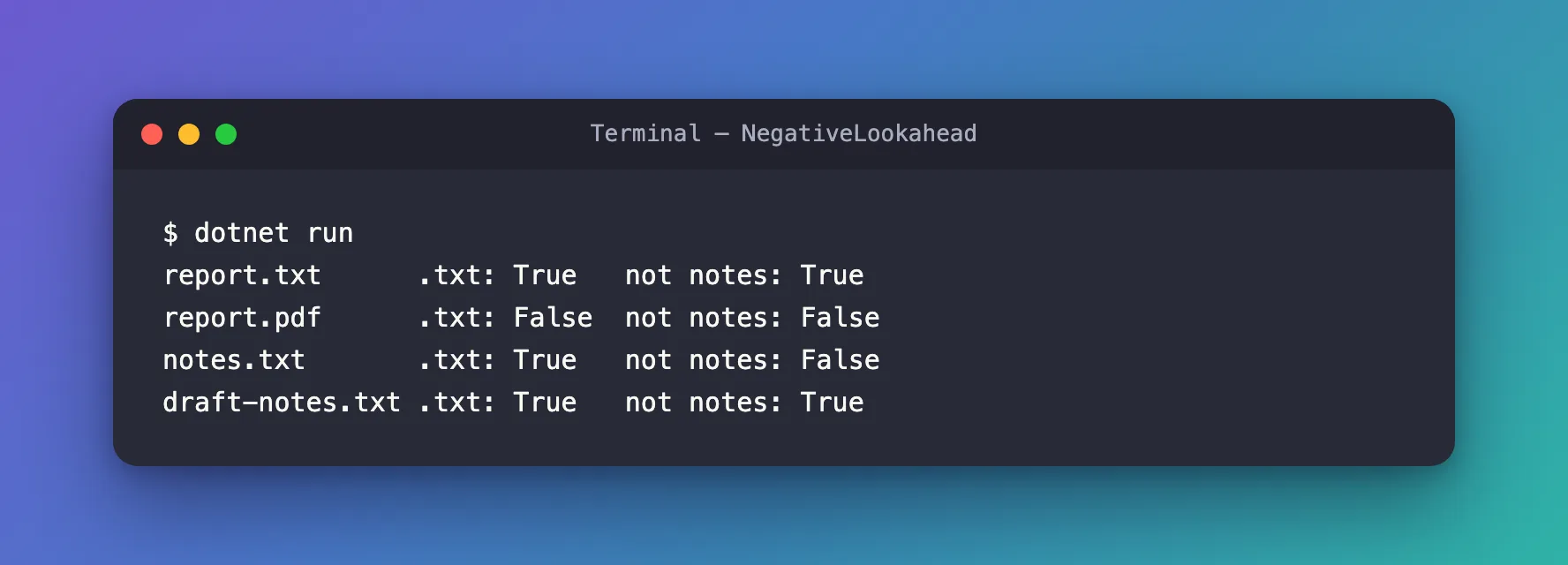
notes.txt is a .txt name, but the lookahead rejected it. draft-notes.txt passed, because the lookahead only looks at the start of the name, and that one starts with draft.
The Complete File
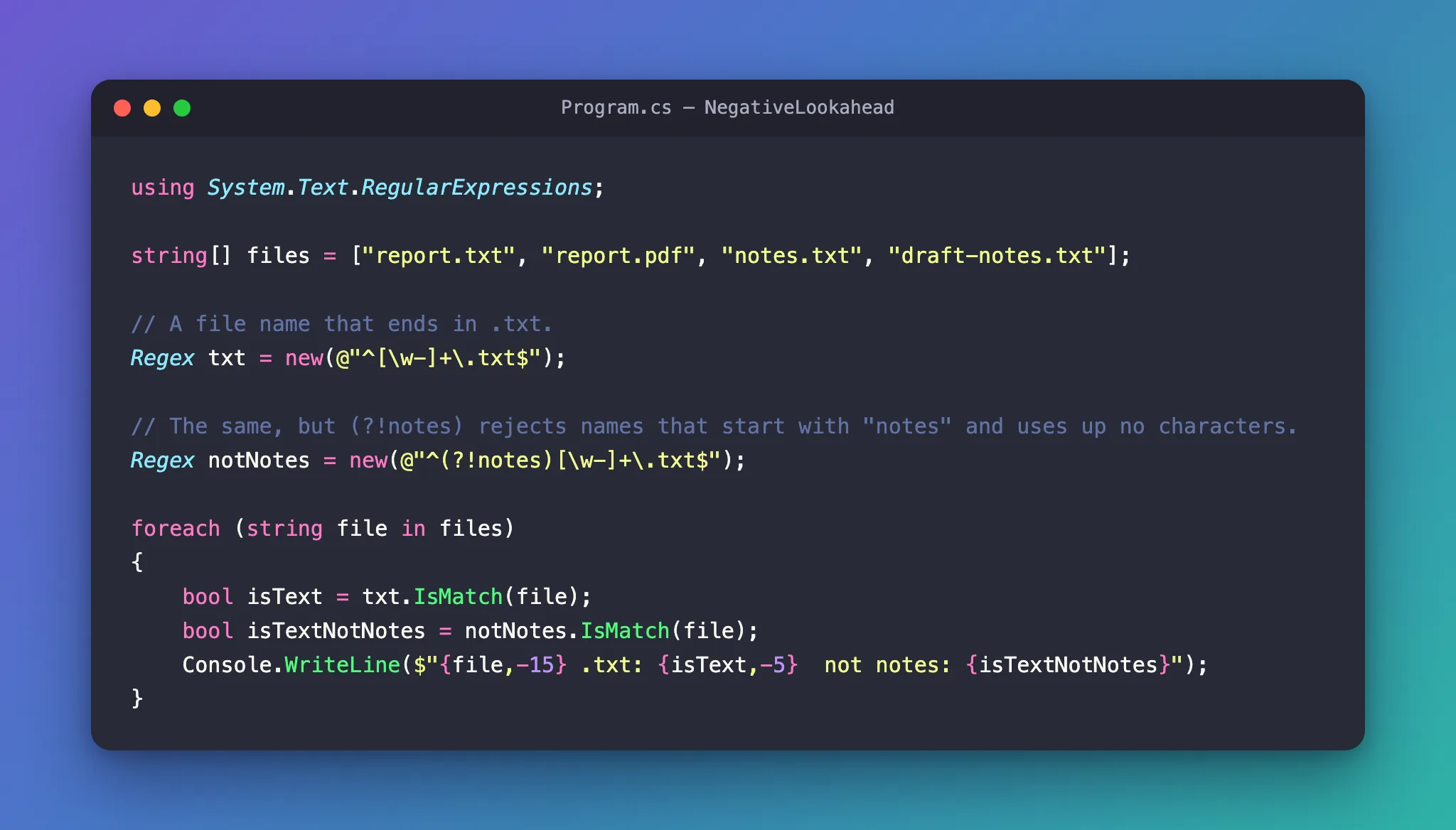
using System.Text.RegularExpressions;

string[] files = ["report.txt", "report.pdf", "notes.txt", "draft-notes.txt"];

// A file name that ends in .txt.
Regex txt = new(@"^[\w-]+\.txt$");

// The same, but (?!notes) rejects names that start with "notes" and uses up no characters.
Regex notNotes = new(@"^(?!notes)[\w-]+\.txt$");

foreach (string file in files)
{
    bool isText = txt.IsMatch(file);
    bool isTextNotNotes = notNotes.IsMatch(file);
    Console.WriteLine($"{file,-15} .txt: {isText,-5}  not notes: {isTextNotNotes}");
}
Common Mistakes
| Mistake | What happens | Do this instead |
|---|---|---|
| Putting the lookahead in the wrong place | ^[\w-]+(?!notes)\.txt$ still matched notes.txt: at that point the next characters are .txt, not notes | Put it where the text you want to rule out would begin |
Expecting ^(?!notes) to rule out notes anywhere | draft-notes.txt passed | Look ahead over the whole name: ^(?!.*notes)[\w-]+\.txt$ rejected notes.txt and draft-notes.txt and accepted report.txt |
FAQ
Is there a positive lookahead?
Yes, (?=...) requires what follows instead of ruling it out: \w+(?=\.txt) matched report in report.txt, without the .txt.
Where do lookaheads usually go?
The reference: A zero-width negative lookahead assertion is typically used either at the beginning or at the end of a regular expression.
Conclusion
(?!...) makes a match fail when the text at that point matches what's inside it, and it takes no characters of its own. Put it exactly where the unwanted text would start, or use .* inside it to look over everything that follows.
Additional Resources
- Grouping constructs in regular expressions — lookaheads, lookbehinds and the other groups.
