How to Use a File-Scoped Namespace in C#

namespace Shop.Billing; on the first line of a file puts every type in that file in the Shop.Billing namespace. No braces, and no extra level of indentation for the rest of the file.
A namespace groups types under a name, such as Shop.Billing, so that two types with the same name in different namespaces don't clash. Microsoft's reference: File scoped namespace declarations enable you to declare that all types in a file are in a single namespace.
Syntax
namespace <Name>;

public class <Type>
{
}
| Part | What it is |
|---|---|
namespace <Name>; | Puts every type in the file in <Name>. It ends with a semicolon and comes before the types |
<Name> | One or more parts joined by dots, such as Shop.Billing |
using <Name>; in another file | Lets that file use the types by their short names |
The Example
A console app called FileScopedNamespace puts an Invoice class in the Shop.Billing namespace, in a file of its own, and uses it from Program.cs.
Prerequisites
- The .NET 10 SDK.
dotnet --versionprints a version that starts with10.0.
Step 1: Create a Console App
dotnet new console -n FileScopedNamespace
cd FileScopedNamespace
The template "Console App" was created successfully.

Processing post-creation actions...
Restoring /Users/you/source/FileScopedNamespace/FileScopedNamespace.csproj:
  Determining projects to restore...
  Restored /Users/you/source/FileScopedNamespace/FileScopedNamespace.csproj (in 52 ms).
Restore succeeded.
dotnet new console -n FileScopedNamespace creates a folder named FileScopedNamespace with a project file and a Program.cs, and cd moves into it. Everything this example uses is part of .NET, so there's no package to add. Open the folder in VS Code, or FileScopedNamespace.csproj in Visual Studio.
Step 2: Write the Code
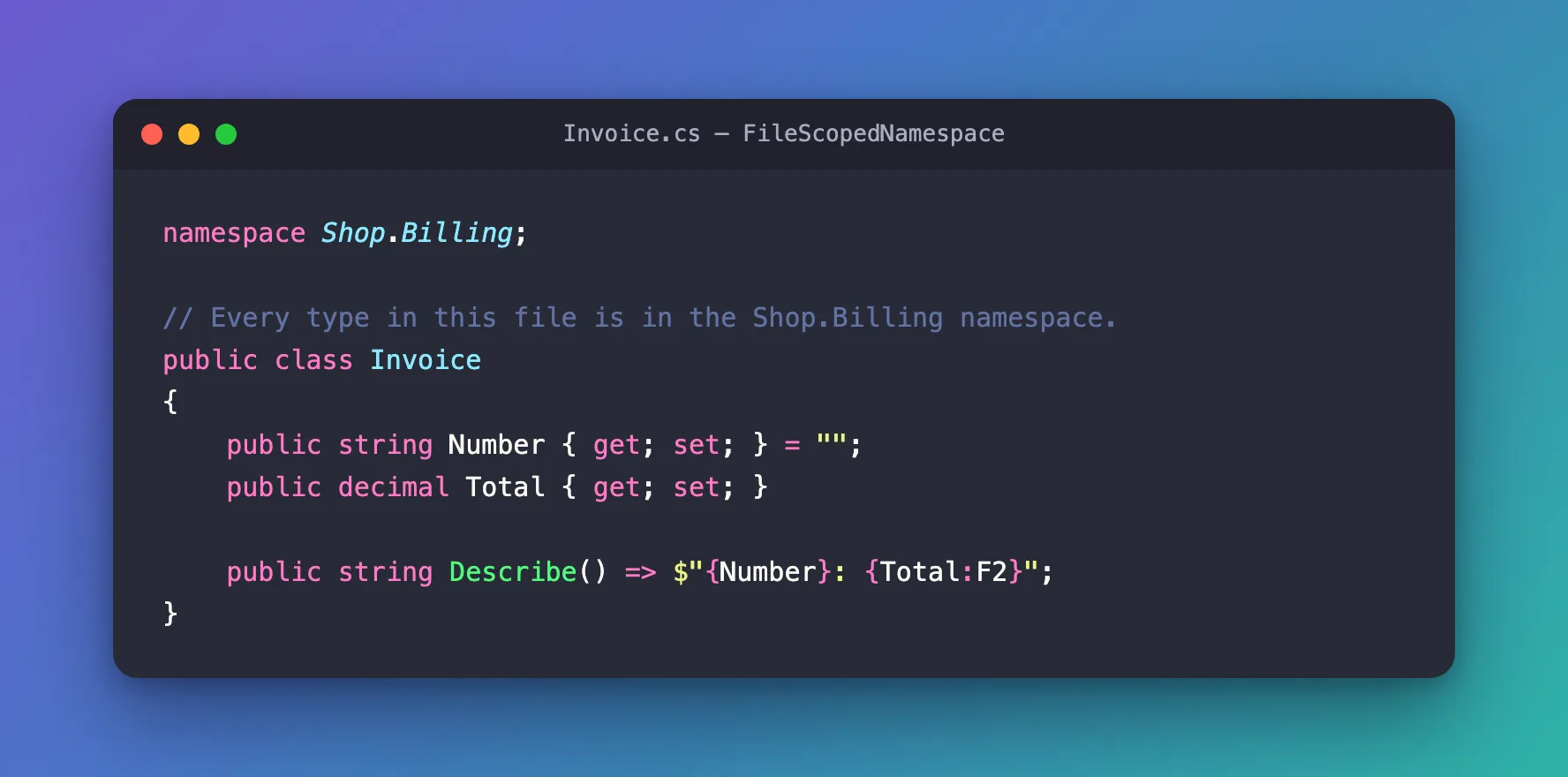
Create a file named Invoice.cs next to Program.cs:
namespace Shop.Billing;

// Every type in this file is in the Shop.Billing namespace.
public class Invoice
{
    public string Number { get; set; } = "";
    public decimal Total { get; set; }

    public string Describe() => $"{Number}: {Total:F2}";
}
namespace Shop.Billing;is the file-scoped namespace:Invoiceand anything else in this file belongs to it.{Total:F2}prints the total with two decimal places.
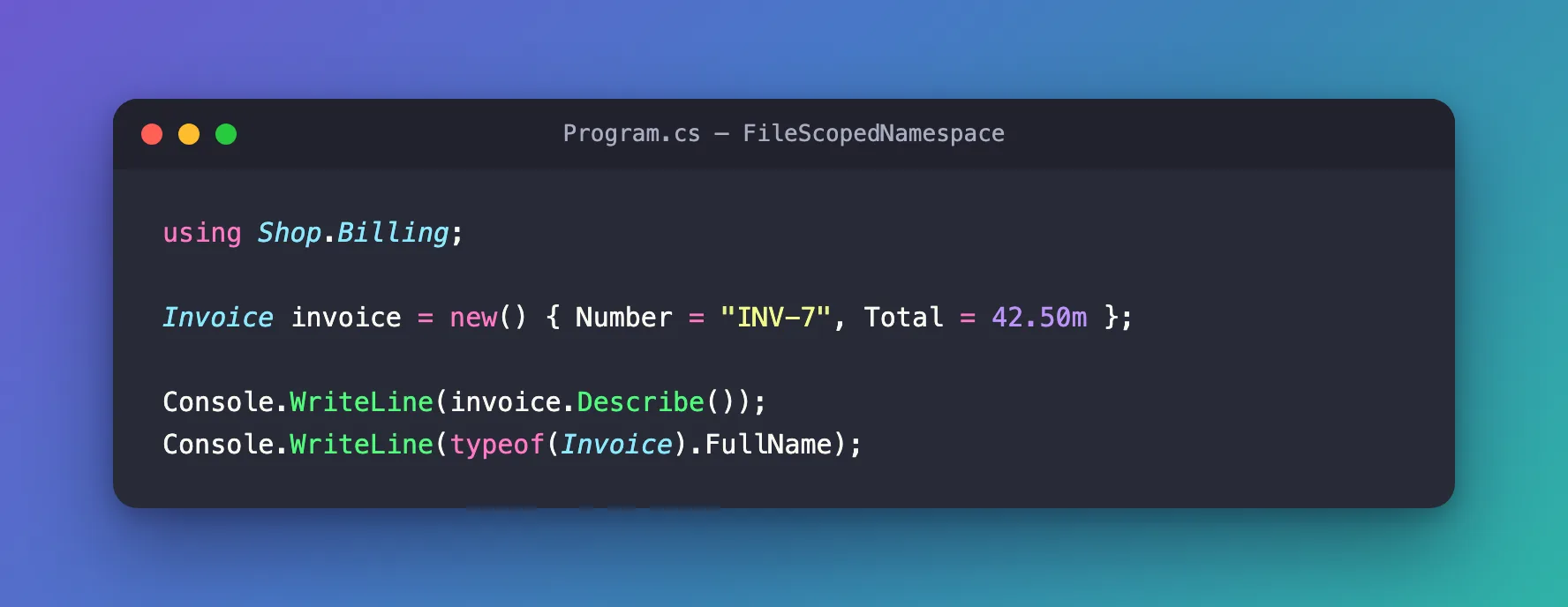
Then replace everything in Program.cs:
using Shop.Billing;

Invoice invoice = new() { Number = "INV-7", Total = 42.50m };

Console.WriteLine(invoice.Describe());
Console.WriteLine(typeof(Invoice).FullName);
using Shop.Billing;lets this file writeInvoiceinstead ofShop.Billing.Invoice.typeof(Invoice).FullNameis the class's full name, namespace included.
Invoice gets a file of its own because Program.cs starts with statements, and a file-scoped namespace has to come before everything else in its file, as the mistakes below show.
Step 3: Run It
Run it in VS Code's terminal, or press Ctrl+F5 in Visual Studio:
dotnet run
INV-7: 42.50
Shop.Billing.Invoice
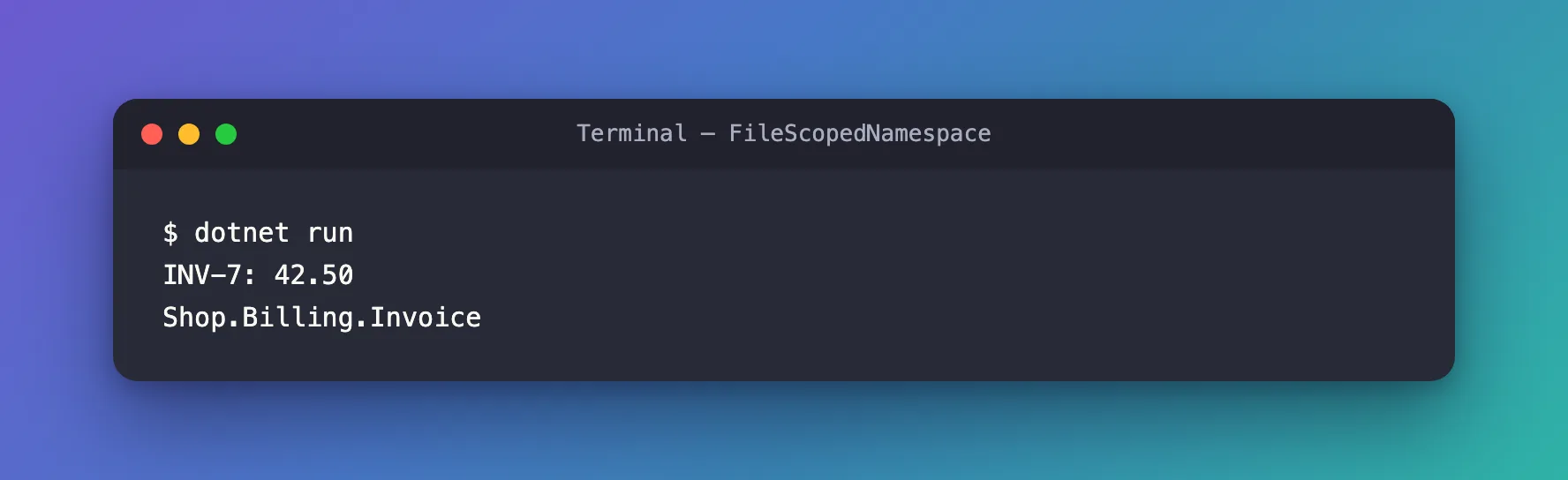
The invoice described itself, and its full name shows that it's in the Shop.Billing namespace.
The Complete Files
using Shop.Billing;

Invoice invoice = new() { Number = "INV-7", Total = 42.50m };

Console.WriteLine(invoice.Describe());
Console.WriteLine(typeof(Invoice).FullName);
namespace Shop.Billing;

// Every type in this file is in the Shop.Billing namespace.
public class Invoice
{
    public string Number { get; set; } = "";
    public decimal Total { get; set; }

    public string Describe() => $"{Number}: {Total:F2}";
}
Common Mistakes
| Mistake | What happens | Do this instead |
|---|---|---|
| Two file-scoped namespaces in one file | error CS8954: Source file can only contain one file-scoped namespace declaration. | One file-scoped namespace per file |
| A file-scoped and a block namespace in the same file | error CS8955: Source file can not contain both file-scoped and normal namespace declarations. | Use one style per file |
| A file-scoped namespace after top-level statements | error CS8956: File-scoped namespace must precede all other members in a file. | Put the namespace's types in a file of their own, as Invoice.cs does |
Leaving out the using in the file that uses the type | error CS0246: The type or namespace name 'Invoice' could not be found (are you missing a using directive or an assembly reference?) | Add using Shop.Billing; |
FAQ
Does a file-scoped namespace change anything at run time?
No. It's only a shorter way to write the same namespace: the class's full name is still Shop.Billing.Invoice.
Conclusion
namespace Shop.Billing; at the top of a file puts every type in it in Shop.Billing, with no braces to close. Keep one per file, put it before everything else, and add using Shop.Billing; wherever the types are used.
Additional Resources
- namespace keyword — file-scoped and block namespaces.
- Namespace and using errors — CS8954, CS8955, CS8956 and CS0246.
