How to Use a Concurrency Token in EF Core with MySQL

When two people edit the same row, the second save overwrites the first, and nobody finds out. A concurrency token fixes this: a column that changes with every update, and that EF Core adds to the WHERE of each UPDATE. If it changed since you read the row, the update finds nothing, and you can tell the client. This guide adds one on MySQL.
Prerequisites
- A .NET C# Web API with EF Core and migrations. The examples use EF Core 10, Oracle's
MySql.EntityFrameworkCore, MySQL 9.7, and aproductstable. SQL logging is on, as in How to See the SQL That EF Core Sends.
The Problem
With no token, the price and reorder level of product 1 are 9.99 and 10. Two clients read that. The first raises the price:
info: Microsoft.EntityFrameworkCore.Database.Command[20101]
      Executed DbCommand (8ms) [Parameters=[@p2='?' (DbType = Int32), @p0='?' (DbType = Decimal), @p1='?' (DbType = DateTime)], CommandType='Text', CommandTimeout='30']
      UPDATE `products` SET `UnitPrice` = @p0, `UpdatedAtUtc` = @p1
      WHERE `Id` = @p2;
      SELECT ROW_COUNT();
The second only wants to change the reorder level, but it sends what it read, including the old price:
info: Microsoft.EntityFrameworkCore.Database.Command[20101]
      Executed DbCommand (3ms) [Parameters=[@p3='?' (DbType = Int32), @p0='?' (DbType = Int32), @p1='?' (DbType = Decimal), @p2='?' (DbType = DateTime)], CommandType='Text', CommandTimeout='30']
      UPDATE `products` SET `ReorderLevel` = @p0, `UnitPrice` = @p1, `UpdatedAtUtc` = @p2
      WHERE `Id` = @p3;
      SELECT ROW_COUNT();
Both answered 200 OK, and the price is now back at 9.99:
HTTP/1.1 200 OK
Content-Type: application/json; charset=utf-8

{
  "id": 1,
  "sku": "CBL-USBC-2M",
  "name": "USB-C cable, 2 m",
  "description": "Braided, 100 W",
  "categoryId": 1,
  "categoryName": "Cables",
  "unitPrice": 9.99,
  "quantityOnHand": 0,
  "reorderLevel": 20,
  "isArchived": false,
  "archivedAtUtc": null,
  "createdAtUtc": "2026-11-04T10:48:57.349865Z",
  "updatedAtUtc": "2026-11-04T10:49:17.360226Z"
}
The first change is gone. That's a lost update.
Step 1: Add a Version Column
public int Version { get; set; }
builder.Property(p => p.Version)
    .IsConcurrencyToken();
EF Core's concurrency page explains what that does: "when an update or delete operation is performed during SaveChanges(), the value of the concurrency token on the database is compared against the original value read by EF Core." The same page's rowversion example is SQL Server only, so here your code changes the token, which the page calls an application-managed token.
Then add and apply a migration:
dotnet ef migrations add AddProductVersion --project src/Dewiride.Inventory.Data --startup-project src/Dewiride.Inventory.Api
dotnet ef database update --project src/Dewiride.Inventory.Data --startup-project src/Dewiride.Inventory.Api
ALTER TABLE `products` ADD `Version` int NOT NULL DEFAULT 0;
Step 2: Send the Version to the Client and Back
The response includes it, and so does the update request:
public sealed record UpdateProductRequest(
    [Required, StringLength(32)] string Sku,
    [Required, StringLength(200)] string Name,
    string? Description,
    [Range(1, int.MaxValue)] int CategoryId,
    [Required, Money] decimal? UnitPrice,
    [Range(0, int.MaxValue)] int ReorderLevel,
    [Range(0, int.MaxValue)] int Version);
Step 3: Compare It When Saving
var product = await db.Products
    .FirstOrDefaultAsync(p => p.Id == id, cancellationToken);

if (product is null)
{
    return TypedResults.NotFound();
}

// The version the client read goes into the WHERE clause of the UPDATE. If someone
// changed the product since then, the UPDATE finds no row and SaveChanges throws.
db.Entry(product).Property(p => p.Version).OriginalValue = request.Version;

// …set the other properties from the request…

product.Version = request.Version + 1;
product.UpdatedAtUtc = clock.GetUtcNow().UtcDateTime;
The OriginalValue line is the key. EF Core compares against the value it read when it loaded the row, which happened a moment ago. The value that matters is what the client saw earlier, so you put that in its place.
Step 4: Answer a Conflict
catch (DbUpdateConcurrencyException)
{
    return TypedResults.Problem(
        title: "Someone else changed this product.",
        detail: "Read the product again to get its current values and version, then repeat your change.",
        statusCode: StatusCodes.Status409Conflict);
}
After: The Same Two Clients
Both read version 0. The first saves:
info: Microsoft.EntityFrameworkCore.Database.Command[20101]
      Executed DbCommand (5ms) [Parameters=[@p3='?' (DbType = Int32), @p0='?' (DbType = Decimal), @p1='?' (DbType = DateTime), @p2='?' (DbType = Int32), @p4='?' (DbType = Int32)], CommandType='Text', CommandTimeout='30']
      UPDATE `products` SET `UnitPrice` = @p0, `UpdatedAtUtc` = @p1, `Version` = @p2
      WHERE `Id` = @p3 AND `Version` = @p4;
      SELECT ROW_COUNT();
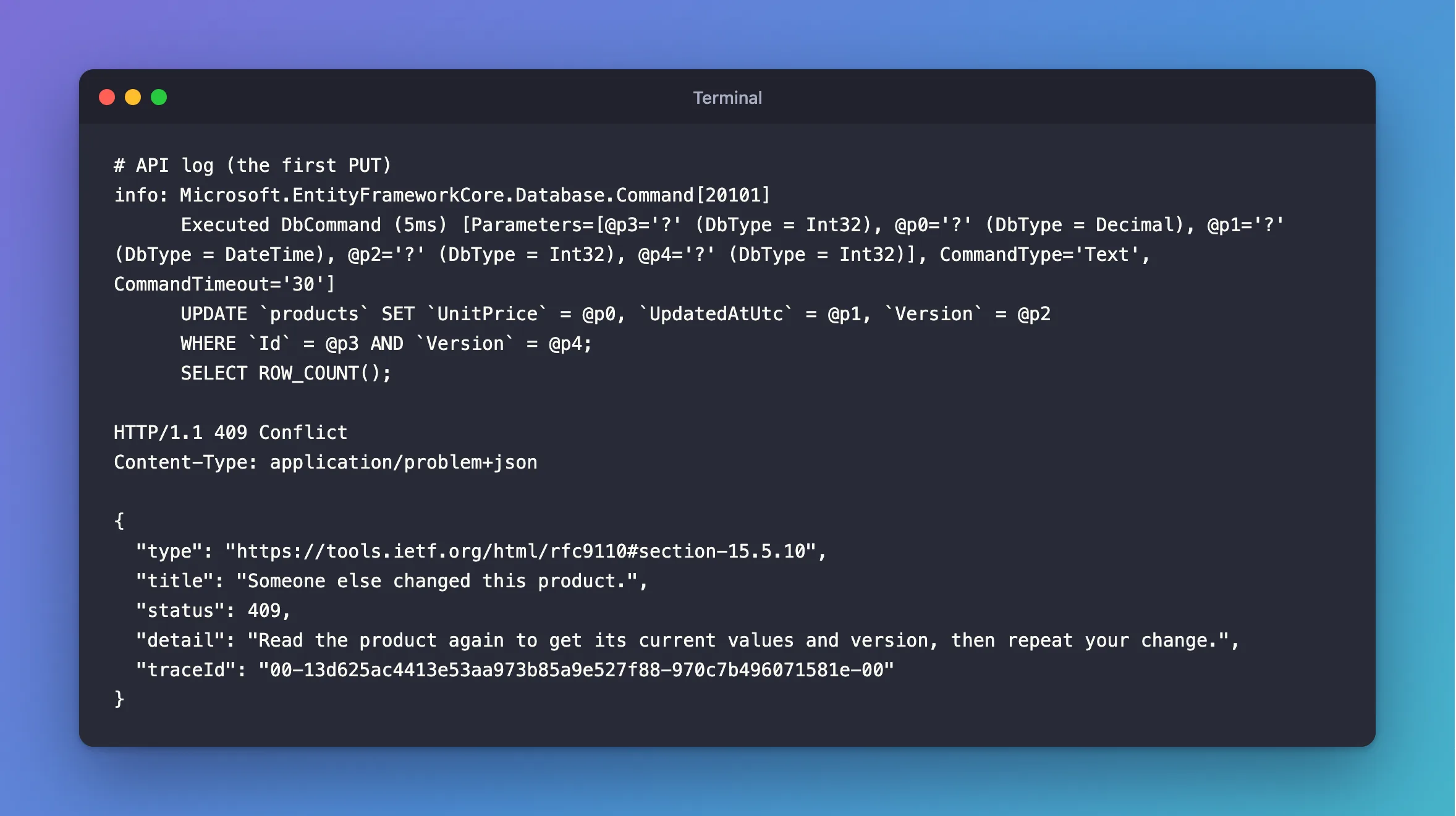
WHERE Id = @p3 AND Version = @p4 matches, and the version becomes 1. The second one still sends 0, so the same WHERE finds no row, and it gets:
HTTP/1.1 409 Conflict
Content-Type: application/problem+json

{
  "type": "https://tools.ietf.org/html/rfc9110#section-15.5.10",
  "title": "Someone else changed this product.",
  "status": 409,
  "detail": "Read the product again to get its current values and version, then repeat your change.",
  "traceId": "00-13d625ac4413e53aa973b85a9e527f88-970c7b496071581e-00"
}
It reads the product again, sees version 1 and the new price, and repeats its change:
HTTP/1.1 200 OK
Content-Type: application/json; charset=utf-8

{
  "id": 1,
  "sku": "CBL-USBC-2M",
  "name": "USB-C cable, 2 m",
  "description": "Braided, 100 W",
  "categoryId": 1,
  "categoryName": "Cables",
  "unitPrice": 10.49,
  "quantityOnHand": 0,
  "reorderLevel": 30,
  "isArchived": false,
  "archivedAtUtc": null,
  "version": 2,
  "createdAtUtc": "2026-11-04T10:48:57.349865Z",
  "updatedAtUtc": "2026-11-04T10:49:38.54156Z"
}
Both changes are there.
Common Mistakes
| Mistake | What happens | Do this instead |
|---|---|---|
Forgetting the OriginalValue line | EF Core compares with what it just loaded, so conflicts are never found | Set it from the request |
| Forgetting to change the version | The second client's version still matches | product.Version = request.Version + 1 |
| Leaving the version out of the response | Clients have nothing to send back | Return it |
Expecting ExecuteUpdateAsync to check it | It doesn't | Update the token in SetProperty, as this post does |
A catch (DbUpdateException) above it | It catches the concurrency one first | Catch the concurrency one first |
FAQ
Is this a lock?
No. The page says optimistic concurrency "takes no locks, but arranges for the data modification to fail on save if the data has changed since it was queried." Nobody waits, and the second writer finds out when it saves. That suits edits made by people, who can take minutes.
Why an int, and not a timestamp?
MySQL has no rowversion type, and a counter is simple and never ties. Any value that changes with every update works: the page's example uses a GUID.
Conclusion
Add an int Version, mark it with IsConcurrencyToken(), return it in responses, and take it back in updates. Set OriginalValue to what the client sent, raise the version, and answer 409 on DbUpdateConcurrencyException. A silent lost update becomes a clear message the client can act on.
Additional Resources
- Handling Concurrency Conflicts — tokens, including application-managed ones, and resolving conflicts.
