How to Upgrade a Transitive NuGet Package with Central Package Management (Transitive Pinning)

You don't only get the packages you reference: each one brings its own dependencies, the transitive packages, in whatever version it asked for. Oracle's MySQL provider for EF Core asks for EF Core 10.0.12 or later, and NuGet gives it exactly 10.0.12, even though 10.0.14, with two patch releases of fixes, is out. With Central Package Management, one setting lets you raise that version from the central file. This guide finds the transitive version, raises it, and checks the result.
Prerequisites
- A .NET C# solution with Central Package Management: a
Directory.Packages.propswithManagePackageVersionsCentrallyset totrue. How to Use Central Package Management for NuGet in a .NET C# Solution sets it up. - A package with dependencies. The example is a class library that references
MySql.EntityFrameworkCore10.0.12.
Step 1: See the Transitive Packages
dotnet package list shows only what you reference, unless you ask for more:
dotnet package list --include-transitive --project src/Dewiride.Inventory.Data
Project 'Dewiride.Inventory.Data' has the following package references
   [net10.0]:
   Top-level Package                Requested   Resolved
   > MySql.EntityFrameworkCore      10.0.12     10.0.12

   Transitive Package                                           Resolved
   > BouncyCastle.Cryptography                                  2.6.2
   > Google.Protobuf                                            3.35.0
   > K4os.Compression.LZ4                                       1.3.8
   > K4os.Compression.LZ4.Streams                               1.3.8
   > K4os.Hash.xxHash                                           1.0.8
   > Microsoft.EntityFrameworkCore                              10.0.12
   > Microsoft.EntityFrameworkCore.Abstractions                 10.0.12
   > Microsoft.EntityFrameworkCore.Analyzers                    10.0.12
   > Microsoft.EntityFrameworkCore.Relational                   10.0.12
   > Microsoft.Extensions.Caching.Abstractions                  10.0.12
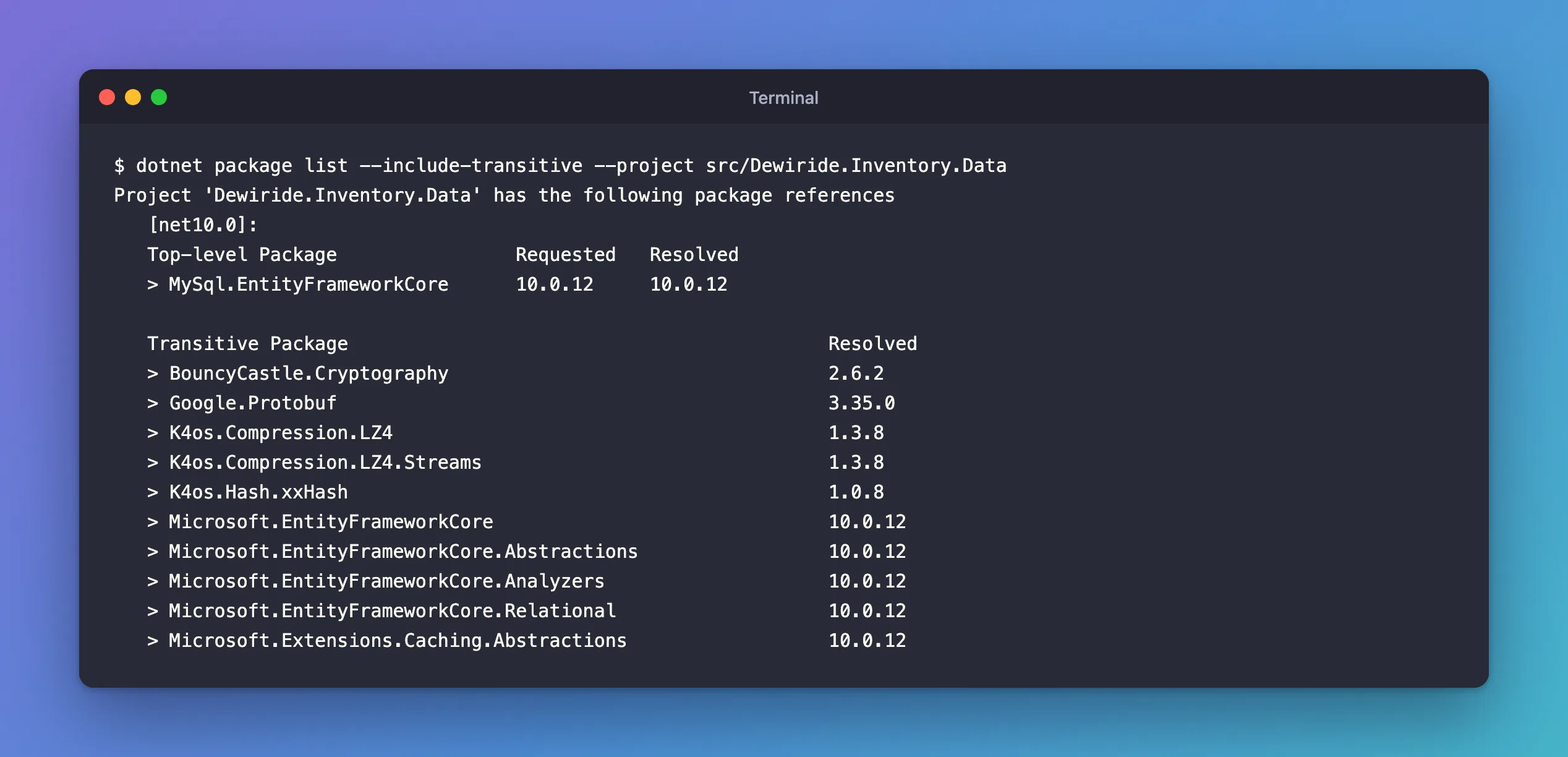
One package referenced, a long list underneath, and EF Core at 10.0.12.
Why NuGet Picks the Older Version
The provider's dependency is "10.0.12 or later", and NuGet deliberately takes the bottom of that range. Its dependency resolution page calls it the lowest applicable version rule: it "restores the lowest possible version of a package as defined by its dependencies." That makes restores repeatable, but it means patch releases of transitive packages never arrive on their own.
Step 2: Pin the Transitive Package
The NuGet docs describe the feature: "You can automatically override a transitive package version without an explicit top-level <PackageReference /> item by opting into a feature known as transitive pinning." Two changes in Directory.Packages.props: switch it on, and give the package a version.
<Project>
  <PropertyGroup>
    <!-- Enable central package management, https://learn.microsoft.com/en-us/nuget/consume-packages/Central-Package-Management -->
    <ManagePackageVersionsCentrally>true</ManagePackageVersionsCentrally>
    <!-- Let a PackageVersion below also set the version of a package that only comes in transitively. -->
    <CentralPackageTransitivePinningEnabled>true</CentralPackageTransitivePinningEnabled>
  </PropertyGroup>
  <ItemGroup>
    <PackageVersion Include="Microsoft.AspNetCore.OpenApi" Version="10.0.14" />
    <PackageVersion Include="MySql.EntityFrameworkCore" Version="10.0.12" />
    <!-- MySql.EntityFrameworkCore 10.0.12 asks for EF Core 10.0.12 or later; use the newest 10.0 patch. -->
    <PackageVersion Include="Microsoft.EntityFrameworkCore.Relational" Version="10.0.14" />
  </ItemGroup>
</Project>
CentralPackageTransitivePinningEnabledlets aPackageVersionapply to packages that no project references directly.- The
PackageVersionforMicrosoft.EntityFrameworkCore.Relationalis the pin. One is enough here: version 10.0.14 of the relational package itself requires EF Core 10.0.14, so the rest of EF Core follows. - The comment says why the line exists, so nobody removes it as unused.
The project files don't change.
Step 3: Check the Result
dotnet package list --include-transitive --project src/Dewiride.Inventory.Data
   Top-level Package                Requested   Resolved
   > MySql.EntityFrameworkCore      10.0.12     10.0.12

   Transitive Package                                           Resolved
   > BouncyCastle.Cryptography                                  2.6.2
   > Google.Protobuf                                            3.35.0
   > K4os.Compression.LZ4                                       1.3.8
   > K4os.Compression.LZ4.Streams                               1.3.8
   > K4os.Hash.xxHash                                           1.0.8
   > Microsoft.EntityFrameworkCore                              10.0.14
   > Microsoft.EntityFrameworkCore.Abstractions                 10.0.14
   > Microsoft.EntityFrameworkCore.Analyzers                    10.0.14
   > Microsoft.EntityFrameworkCore.Relational                   10.0.14
   > Microsoft.Extensions.Caching.Abstractions                  10.0.14
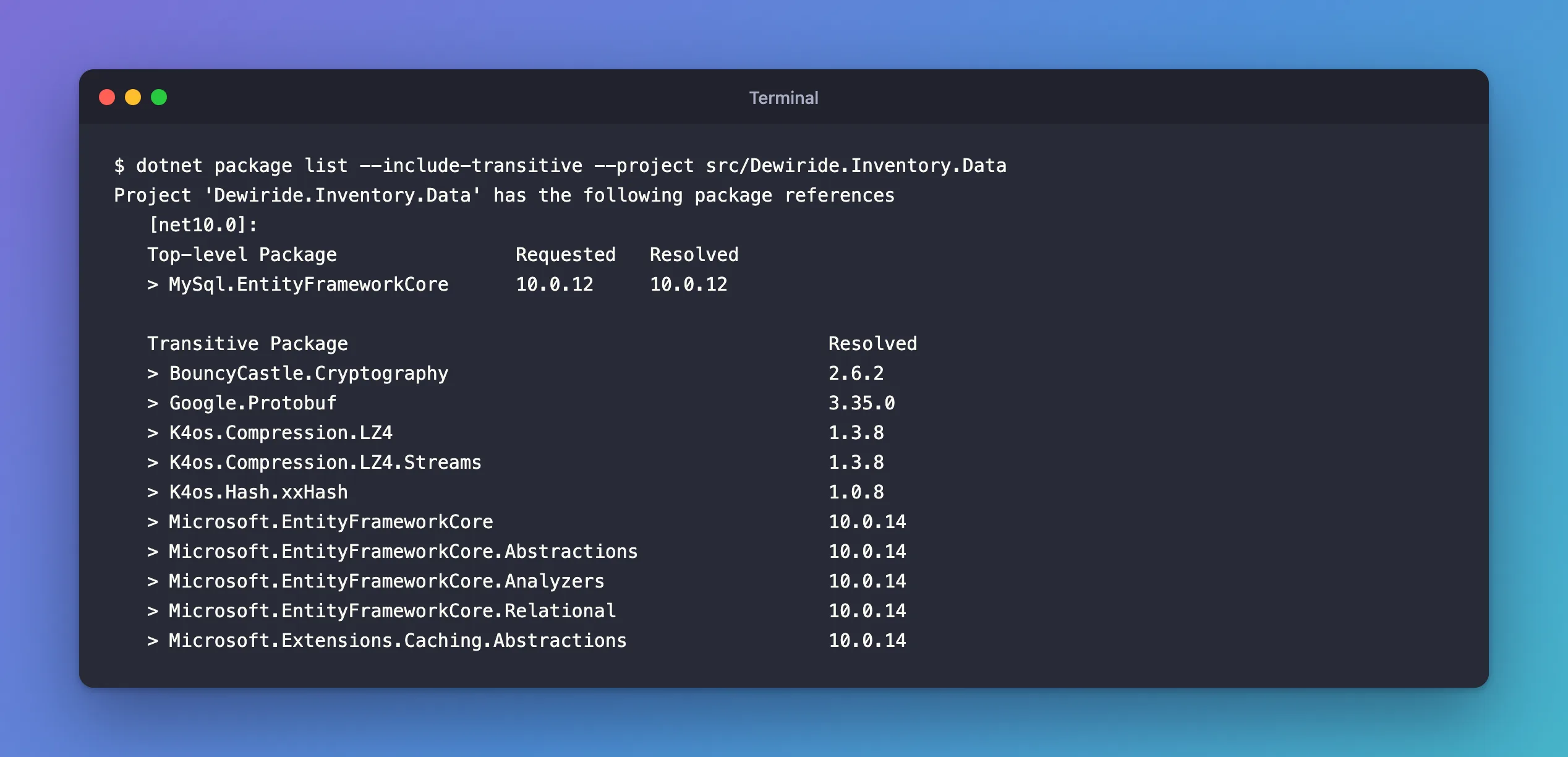
Every EF Core package is now 10.0.14, and so are the Microsoft.Extensions packages they depend on. The provider is still 10.0.12: only its dependencies moved.
You Can Raise, Not Lower
The docs are explicit: "Note that downgrades are not allowed when transitive pinning a package. If you attempt to pin a package to a lower version than the one requested by your dependencies, restore will raise a NU1109 error." I tried pinning the relational package to 10.0.11, below the provider's 10.0.12:
error NU1109: Detected package downgrade: Microsoft.EntityFrameworkCore.Relational from 10.0.12 to centrally defined 10.0.11. Update the centrally managed package version to a higher version.
error NU1109:  Dewiride.Inventory.Data -> MySql.EntityFrameworkCore 10.0.12 -> Microsoft.EntityFrameworkCore.Relational (>= 10.0.12)
error NU1109:  Dewiride.Inventory.Data -> Microsoft.EntityFrameworkCore.Relational (>= 10.0.11)
The two lines under the message show the conflict: the provider needs 10.0.12 or later, the pin says 10.0.11. Fixed: "NU1109: Detected package downgrade" covers the error.
The Alternative: Reference It Directly
Without transitive pinning, you can make the package a direct dependency instead: a <PackageReference Include="Microsoft.EntityFrameworkCore.Relational" /> in the project, plus its PackageVersion. A direct reference always wins over the versions its neighbours ask for. That works with or without Central Package Management; transitive pinning keeps the project files free of packages the code doesn't use itself.
Common Mistakes
| Mistake | What happens | Do this instead |
|---|---|---|
Adding a PackageVersion for a transitive package without enabling pinning | It's ignored: with the setting off, EF Core stayed at 10.0.12 | Set CentralPackageTransitivePinningEnabled |
| Pinning below what a dependency requires | Restore fails with NU1109 | Pin at or above the required version |
| Pinning across a major version | The provider may not work with it | Stay within the major version your packages support |
| Pins without comments | Nobody knows later why the line is there | Say why next to each pin |
FAQ
When should I pin a transitive package?
When a newer patch fixes a bug or a security advisory that affects you, or when your rules say every package runs on its newest patch. dotnet package list --vulnerable --include-transitive checks the transitive packages against known advisories; for this project it answered "The given project Dewiride.Inventory.Data has no vulnerable packages given the current sources."
Do pins need maintenance?
Yes. When the provider itself moves to a newer EF Core, a pin can become pointless. Check them whenever you update packages, and remove the ones the provider has caught up with.
Conclusion
Transitive packages arrive at the lowest version your dependencies accept, so their patches don't reach you on their own. In a solution with Central Package Management, CentralPackageTransitivePinningEnabled plus a PackageVersion for the transitive package raises it for every project, and dotnet package list --include-transitive shows the result. You can raise a transitive version, never lower it below what a dependency requires.
