How to Update Rows in a MySQL Table Safely

An UPDATE with the wrong WHERE, or no WHERE at all, can change every row in a table, and there's no undo afterwards. A few habits make it safe: check the rows with a SELECT first, read what MySQL reports, and use a transaction when it matters. This guide does all of those on MySQL 9.7.
Prerequisites
- MySQL, and a way to run SQL. The examples use MySQL 9.7.4 in Docker, and the
mysqlclient from How to Connect to MySQL in a Docker Container. - A table with rows. The examples use
categoriesandproducts, both InnoDB, which is MySQL's default storage engine.
Step 1: Check the Rows with a SELECT
Use the WHERE you're about to use, and see what it finds:
SELECT Id, Name FROM categories WHERE Name = 'Stands';
+----+--------+
| Id | Name   |
+----+--------+
|  7 | Stands |
+----+--------+
1 row in set (0.000 sec)
One row, the one I meant.
Step 2: Update and Read the Result
SET says what to change, and WHERE says which rows:
UPDATE categories SET Name = 'Stands and mounts' WHERE Name = 'Stands';
Query OK, 1 row affected (0.002 sec)
Rows matched: 1  Changed: 1  Warnings: 0
The second line is worth reading every time. Rows matched is what WHERE found, and Changed is what really changed. MySQL's UPDATE page adds the warning that matters here: "With no WHERE clause, all rows are updated."
The same statement again changes nothing, and tells you so:
Query OK, 0 rows affected (0.000 sec)
Rows matched: 1  Changed: 0  Warnings: 0
A WHERE that finds nothing isn't an error. Look for Rows matched: 0:
UPDATE categories SET Name = 'Nothing' WHERE Name = 'Missing';
Query OK, 0 rows affected (0.000 sec)
Rows matched: 0  Changed: 0  Warnings: 0
Step 3: Change Many Rows from Their Current Value
A column can refer to itself, which adds to what's there:
UPDATE products SET ReorderLevel = ReorderLevel + 1 WHERE CategoryId = 2;
Query OK, 2 rows affected (0.001 sec)
Rows matched: 2  Changed: 2  Warnings: 0
Step 4: Try It Inside a Transaction
For anything you can't afford to get wrong, start a transaction. You can look at the result, and take it all back:
START TRANSACTION;
UPDATE products SET UnitPrice = UnitPrice * 2 WHERE CategoryId = 2;
SELECT Sku, UnitPrice FROM products WHERE CategoryId = 2;
Query OK, 2 rows affected (0.000 sec)
Rows matched: 2  Changed: 2  Warnings: 0

+--------------+-----------+
| Sku          | UnitPrice |
+--------------+-----------+
| CHG-USBC-20W |     39.98 |
| CHG-USBC-65W |     79.00 |
+--------------+-----------+
2 rows in set (0.000 sec)
Then ROLLBACK undoes it, or COMMIT keeps it:
ROLLBACK;
SELECT Sku, UnitPrice FROM products WHERE CategoryId = 2;
+--------------+-----------+
| Sku          | UnitPrice |
+--------------+-----------+
| CHG-USBC-20W |     19.99 |
| CHG-USBC-65W |     39.50 |
+--------------+-----------+
2 rows in set (0.000 sec)
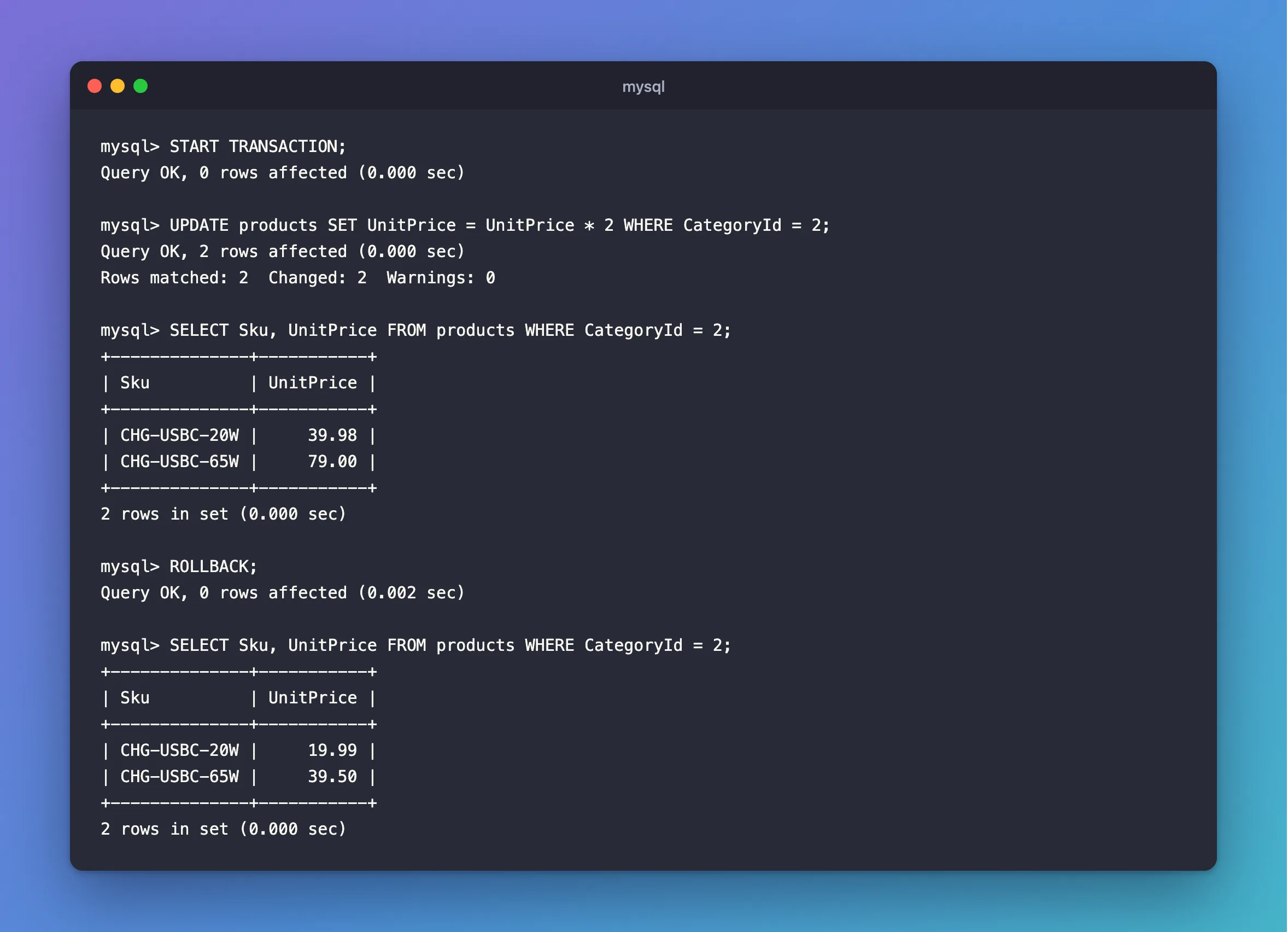
Other connections can't see the new prices until you commit, and the rows stay locked until you finish, so don't leave it open.
Step 5: Turn On Safe-Updates Mode
MySQL can refuse an UPDATE with no useful WHERE, for this connection:
SET SQL_SAFE_UPDATES = 1;
UPDATE categories SET Name = 'Oops';
ERROR 1175 (HY000): You are using safe update mode and you tried to update a table without a WHERE that uses a KEY column.
This post covers what it allows. The mysql client turns it on with --safe-updates, and the manual's tips page recommends it: "For beginners, a useful startup option is --safe-updates".
Common Mistakes
| Mistake | What happens | Do this instead |
|---|---|---|
Skipping the SELECT | A wrong WHERE changes the wrong rows | Check first |
An editor selection that misses the line with the WHERE | The WHERE gets left out | Run the whole statement |
SET a = 1 AND b = 2 | That's a true-or-false expression assigned to a | Separate with a comma |
| Leaving a transaction open | The rows stay locked, and other writers wait | COMMIT or ROLLBACK promptly |
Reading 0 rows affected as a failure | The row may already have that value | Read Rows matched |
FAQ
Can I undo an UPDATE after it's done?
Not outside a transaction. Each statement commits by itself by default. After that, you'd need a backup.
What does the connector report from .NET?
Oracle's connector reports found rows by default: What UseAffectedRows Does.
Conclusion
Run the WHERE as a SELECT first, read Rows matched and Changed afterwards, and use START TRANSACTION when you want a way back. SQL_SAFE_UPDATES adds a guard against the classic missing WHERE.
Additional Resources
- UPDATE Statement — the full syntax.
- Using Safe-Updates Mode — what it restricts.
