How to Update a Row with EF Core and SaveChangesAsync

To update a row with EF Core, load it, change the property, and call SaveChangesAsync. There's no Update call in that, and EF Core sends an UPDATE with only the columns that changed. If nothing changed, it sends nothing at all. This guide shows that in the real SQL, and compares it with the Update method.
Prerequisites
- A .NET C# project with EF Core. The examples use EF Core 10, Oracle's
MySql.EntityFrameworkCore, MySQL 9.7, and acategoriestable. SQL logging is on, as in How to See the SQL That EF Core Sends.
Step 1: Load, Change, Save
var category = await db.Categories
    .FirstOrDefaultAsync(c => c.Id == id, cancellationToken);

if (category is null)
{
    return TypedResults.NotFound();
}

category.Name = request.Name.Trim();

await db.SaveChangesAsync(cancellationToken);
The query has no Select, so it returns the entity, and the change tracker keeps a copy of its values. EF Core's Basic SaveChanges page says: "EF automatically detects changes made to an existing entity that is tracked by the context." So changing the property is all you do.
Step 2: Read the SQL
Renaming a category to Wall chargers:
info: Microsoft.EntityFrameworkCore.Database.Command[20101]
      Executed DbCommand (6ms) [Parameters=[@id='?' (DbType = Int32)], CommandType='Text', CommandTimeout='30']
      SELECT `c`.`Id`, `c`.`CreatedAtUtc`, `c`.`Name`
      FROM `categories` AS `c`
      WHERE `c`.`Id` = @id
      LIMIT 1
info: Microsoft.EntityFrameworkCore.Database.Command[20101]
      Executed DbCommand (4ms) [Parameters=[@p1='?' (DbType = Int32), @p0='?' (Size = 100)], CommandType='Text', CommandTimeout='30']
      UPDATE `categories` SET `Name` = @p0
      WHERE `Id` = @p1;
      SELECT ROW_COUNT();
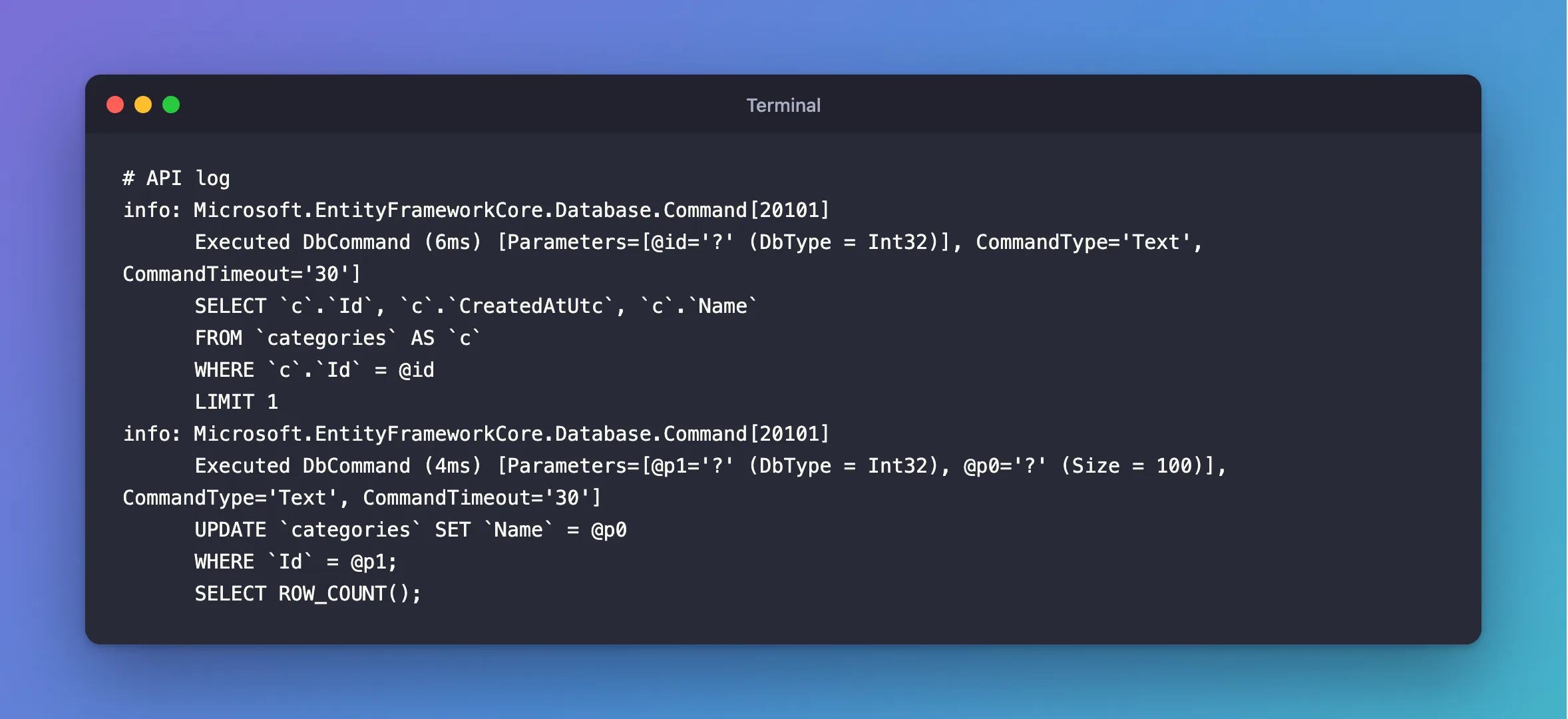
The SELECT read all three columns, and the UPDATE wrote one. CreatedAtUtc isn't there, so nothing can overwrite it by accident. SELECT ROW_COUNT() is EF Core checking that one row changed. When it reports zero, EF Core throws DbUpdateConcurrencyException.
Step 3: Save With No Changes
Send the same name again:
info: Microsoft.EntityFrameworkCore.Database.Command[20101]
      Executed DbCommand (1ms) [Parameters=[@id='?' (DbType = Int32)], CommandType='Text', CommandTimeout='30']
      SELECT `c`.`Id`, `c`.`CreatedAtUtc`, `c`.`Name`
      FROM `categories` AS `c`
      WHERE `c`.`Id` = @id
      LIMIT 1
Only the SELECT. EF Core compared the values, found no difference, and had nothing to send.
Step 4: Compare with the Update Method
DbSet.Update is for an object EF Core isn't tracking, and it marks every property as changed:
var updated = new Category { Id = id, Name = "Renamed without loading", CreatedAtUtc = new DateTime(2026, 1, 1, 0, 0, 0, DateTimeKind.Utc) };
db.Categories.Update(updated);
await db.SaveChangesAsync();
info: Microsoft.EntityFrameworkCore.Database.Command[20101]
      Executed DbCommand (2ms) [Parameters=[@p2='?' (DbType = Int32), @p0='?' (DbType = DateTime), @p1='?' (Size = 100)], CommandType='Text', CommandTimeout='30']
      UPDATE `categories` SET `CreatedAtUtc` = @p0, `Name` = @p1
      WHERE `Id` = @p2;
      SELECT ROW_COUNT();
It saves a SELECT, but it writes every column, so you must supply every value, including CreatedAtUtc, and whatever you put there replaces what's stored. It also gives you no 404, and throws for an ID that doesn't exist. Calling it after loading the same row fails outright.
| Approach | Queries | Columns written | Missing row |
|---|---|---|---|
| Load, change, save | SELECT + UPDATE | Only the changed ones | You can answer 404 |
Update on a new object | UPDATE | All of them | DbUpdateConcurrencyException |
ExecuteUpdateAsync | UPDATE | The ones you name | Returns 0 |
Common Mistakes
| Mistake | What happens | Do this instead |
|---|---|---|
Calling Update on a loaded entity | Every column is marked changed | Just save |
Loading with AsNoTracking, then changing it | SaveChangesAsync sends nothing | Load with tracking |
Forgetting SaveChangesAsync | The change stays in memory | Call it |
| Two people editing the same row | The second silently overwrites the first | Use a concurrency token |
FAQ
How does EF Core know what changed?
It keeps a copy of the values from when it loaded the row, and compares them when you save. How to See What EF Core Will Save shows that comparison.
Can I update several rows in one save?
Yes. Change several tracked objects, then call SaveChangesAsync once. All the changes go in one transaction.
Conclusion
Load the row, change its properties, and call SaveChangesAsync. EF Core sends an UPDATE with only the changed columns, or nothing if nothing changed, and there's no Update method to call. Use DbSet.Update only for objects you didn't load, knowing it writes every column.
Additional Resources
- Basic SaveChanges — updating tracked entities.
- Change Detection and Notifications — how changes are found.
