How to Unpack Values into Variables in Python

Python can take a list or a tuple apart and put each value into its own variable in one line: year, month, day = "2026-11-28".split("-"). This is called unpacking, and an underscore stands in for a value you don't need.
Syntax
<name>, <name>, <name> = <sequence>
<name>, _, <name> = <sequence>
| Part | What it does |
|---|---|
<name>, <name>, ... | One variable for each value in the sequence, in order. |
<sequence> | A list, a tuple, a string or anything else that has exactly that many values. |
_ | An ordinary name that, by convention, means "I don't need this value". |
The Python tutorial on tuples and sequences: "This is called, appropriately enough, sequence unpacking and works for any sequence on the right-hand side. Sequence unpacking requires that there are as many variables on the left side of the equals sign as there are elements in the sequence."
The Example
The example unpacks a date split at its dashes into three variables, unpacks a tuple while skipping its middle value with _, and then tries to unpack three names into two variables.
Prerequisites
- uv and Python. This guide uses uv 0.13.10 with Python 3.15.2.
Step 1: Write the Code
Create a file named main.py:
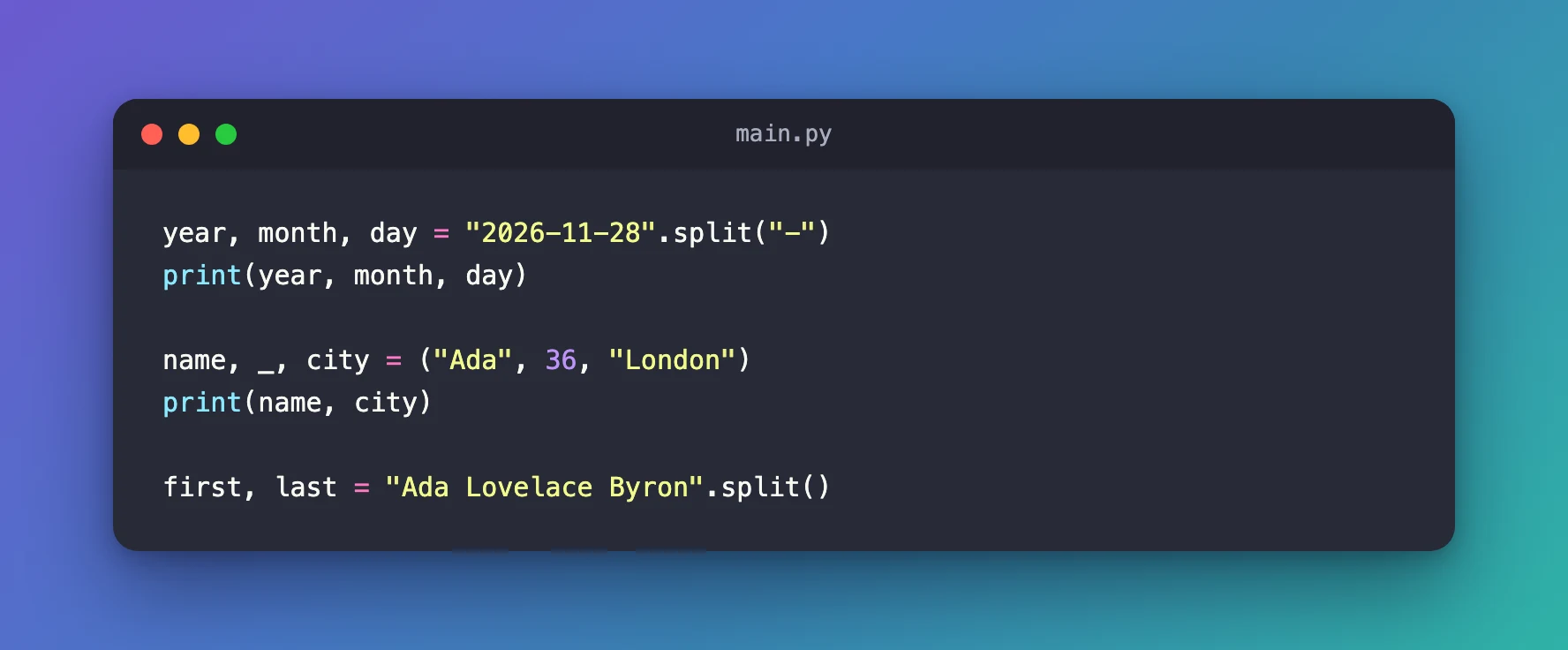
year, month, day = "2026-11-28".split("-")
print(year, month, day)

name, _, city = ("Ada", 36, "London")
print(name, city)

first, last = "Ada Lovelace Byron".split()
Step 2: Run It
uv run python main.py
2026 11 28
Ada London
Traceback (most recent call last):
  File "/Users/Shared/you/main.py", line 7, in <module>
    first, last = "Ada Lovelace Byron".split()
    ^^^^^^^^^^^
ValueError: too many values to unpack (expected 2, got 3)
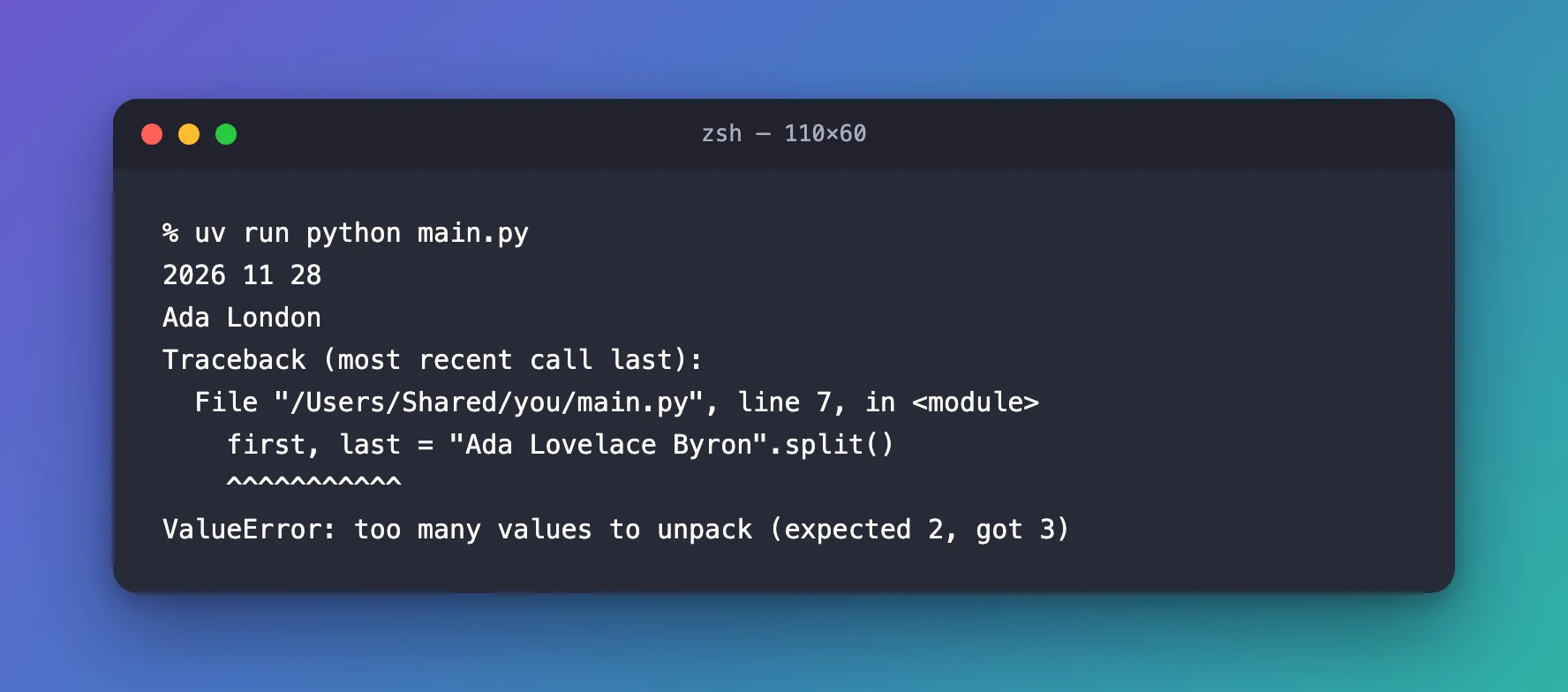
The command is the same in zsh, bash and PowerShell.
What Happened
- The split date had three pieces, so
year,monthanddayeach got one. - The tuple's middle value,
36, went into_, and the code never used it. "Ada Lovelace Byron".split()has three pieces but only two names were waiting for them, so Python stopped with aValueErrorthat names both numbers.
Common Mistakes
| Mistake | What happens | Do this instead |
|---|---|---|
| More values than names | ValueError: too many values to unpack (expected 2, got 3) | Add a name, or collect the rest with a star: first, *rest = ... |
| Fewer values than names | ValueError: not enough values to unpack (expected 3, got 2) | Check how many pieces the data really has |
Reusing _ later as a real variable | It holds whatever was unpacked last, which is easy to misread | Keep _ for values you throw away |
Troubleshooting
| Symptom | Likely cause | Fix |
|---|---|---|
ValueError: too many values to unpack | The sequence is longer than the list of names | Count the pieces, for example by printing the list first |
ValueError: not enough values to unpack | The sequence is shorter, for example a split that found fewer separators | Check the input before unpacking |
FAQ
How do I unpack the first value and keep the rest?
Put a star before the last name: first, *rest = [1, 2, 3, 4] gave first the value 1 and rest the list [2, 3, 4].
Is the underscore special?
No. _ is a normal variable name; using it for unwanted values is a convention that other Python programmers recognise.
Conclusion
a, b, c = sequence puts each value into its own variable, as long as the counts match exactly. Use _ for a value you don't need, and a starred name to collect any extras.
Additional Resources
- Tuples and sequences, in the Python tutorial.
- Assignment statements, in the Python language reference.
