How to Turn On Token Validation in Development in the Microsoft 365 Agents SDK in C#

An agent built with the Microsoft 365 Agents SDK checks the token on every incoming request, except when it runs in the Development environment. There, by default, it accepts requests without any token. One argument, forceEnable: true, keeps the check on everywhere.
When Teams sends your agent a message, the request carries an Authorization: Bearer token issued for your bot. Token validation checks that token before the agent sees the message: who signed it, who it's for (your bot's ID), and that it hasn't expired. Without it, anyone who can reach your /api/messages endpoint can post a message that claims to come from Teams.
The Agents SDK leaves that check to ASP.NET Core. Microsoft's migration guide: The Bot Framework SDK included incoming JSON Web Token (JWT) authentication in its hosting stack, but the Agents SDK leaves HTTP authentication to ASP.NET. Copy AspNetExtensions into your project to enable ASP.NET authentication for incoming requests. AddAgentAuthorization then decides whether that authentication is switched on. Its API reference describes the default: When null (the default), authorization is enabled in all environments except Development.
That default is convenient for a local test channel that sends no token. But once a dev tunnel makes your local agent public, Development is exactly where you want the check.
Syntax
builder.AddAgentAuthorization(<configure>, forceEnable: <true | false>);
| Part | What it is |
|---|---|
AddAgentAuthorization | Turns token validation on or off for the agent's endpoints |
<configure> | A lambda that registers the ASP.NET Core authentication, such as b => b.AddAgentAspNetAuthentication() from AspNetExtensions.cs |
forceEnable | Optional. true validates in every environment, false in none. Leave it out to validate everywhere except Development |
AddAgentAspNetAuthentication reads its settings from the TokenValidation section of the configuration:
"TokenValidation": {
  "Audiences": [ "<bot ID>" ],
  "TenantId": "<tenant ID>"
}
| Setting | What it is |
|---|---|
Audiences | Who the tokens must be issued for: your bot's ID, which is its Microsoft Entra app's client ID |
TenantId | The Microsoft Entra tenant of your bot's app registration |
The Example
A small echo agent, TokenCheck, answers You said: … to every message. It listens on http://localhost:3978. To act as someone without a token, a curl or PowerShell command posts it a message activity directly. The bot ID and tenant ID are shown as 22222222-2222-2222-2222-222222222222 and 11111111-1111-1111-1111-111111111111.
Prerequisites
- An ASP.NET Core agent that uses the
Microsoft.Agents.Hosting.AspNetCorepackage, version 1.9.205. - Your bot's ID and your tenant ID, for the
TokenValidationsettings.
Step 1: Add AspNetExtensions.cs
AspNetExtensions.cs is a sample file from the Agents SDK repository: it registers JWT bearer validation for tokens from Azure Bot Service and from other agents. Download the version that matches the SDK into your project folder:
- macOS / Linux
- Windows (PowerShell)
curl -sSLO https://raw.githubusercontent.com/microsoft/Agents-for-net/v1.9.205/src/samples/Shared/AspNetExtensions.cs
-O saves the file under its own name, -L follows redirects, and -sS hides the progress bar but still shows errors.
Invoke-WebRequest -Uri https://raw.githubusercontent.com/microsoft/Agents-for-net/v1.9.205/src/samples/Shared/AspNetExtensions.cs -OutFile AspNetExtensions.cs
-OutFile saves the response to a file instead of printing it.
Both commands print nothing on success and leave AspNetExtensions.cs (31,188 bytes) in the folder. The class has no namespace, so Program.cs can use it without a using. It builds with just the Microsoft.Agents.Hosting.AspNetCore package.
Step 2: Add the TokenValidation Settings
Add the section to appsettings.json, with your bot's ID and tenant ID:
{
  "Logging": {
    "LogLevel": {
      "Default": "Information",
      "Microsoft.AspNetCore": "Warning"
    }
  },
  "AllowedHosts": "*",
  "TokenValidation": {
    "Audiences": [
      "22222222-2222-2222-2222-222222222222"
    ],
    "TenantId": "11111111-1111-1111-1111-111111111111"
  }
}
These two values aren't secrets: they say which tokens to accept, not how to sign in.
Step 3: Register Authorization the Default Way
The agent itself:
using Microsoft.Agents.Builder;
using Microsoft.Agents.Builder.App;
using Microsoft.Agents.Builder.State;
using Microsoft.Agents.Core.Models;

namespace TokenCheck;

public class EchoAgent : AgentApplication
{
    public EchoAgent(AgentApplicationOptions options) : base(options)
    {
        OnActivity(ActivityTypes.Message, EchoAsync);
    }

    private Task EchoAsync(ITurnContext turnContext, ITurnState turnState, CancellationToken cancellationToken)
        => turnContext.SendActivityAsync($"You said: {turnContext.Activity.Text}", cancellationToken: cancellationToken);
}
And Program.cs, first without forceEnable, as Microsoft's quickstart has it:
using Microsoft.Agents.Hosting.AspNetCore;
using Microsoft.Agents.Storage;
using TokenCheck;

var builder = WebApplication.CreateBuilder(args);

builder.AddAgentDefaults()
    .AddAgent<EchoAgent>()
    .AddAgentAuthorization(b => b.AddAgentAspNetAuthentication());
builder.Services.AddSingleton<IStorage, MemoryStorage>();

var app = builder.Build();

app.UseAgents();
app.MapDefaultAgentEndpoints();

app.Run();
UseAgents() adds ASP.NET Core's authentication and authorization middleware, and MapDefaultAgentEndpoints() maps /api/messages. When AddAgentAuthorization has switched validation on, the endpoint requires an authorized request; when it hasn't, the endpoint accepts anyone.
Step 4: Send a Request Without a Token in Development
Save a message activity as activity.json:
{
  "type": "message",
  "id": "1",
  "channelId": "msteams",
  "serviceUrl": "http://localhost:5299/",
  "from": { "id": "user-1" },
  "recipient": { "id": "agent" },
  "conversation": { "id": "conversation-1" },
  "text": "hello"
}
Start the agent. Its launch profile sets the environment to Development:
dotnet run
Then post the activity, with no Authorization header at all:
- macOS / Linux
- Windows (PowerShell)
curl -s -o /dev/null -w "%{http_code}\n" -X POST http://localhost:3978/api/messages -H "Content-Type: application/json" --data @activity.json
(Invoke-WebRequest -Method Post -Uri http://localhost:3978/api/messages -ContentType "application/json" -InFile activity.json -SkipHttpErrorCheck).StatusCode
-SkipHttpErrorCheck (PowerShell 7) returns an error status as a value instead of throwing it.
202
202 Accepted: the agent took the message. Its log says why:
warn: Microsoft.Agents.Hosting.AspNetCore.CloudAdapter[4]
      Anonymous access is enabled for channel: msteams.
Nothing checked who sent it. In Development, the default registered no authentication at all.
Step 5: Compare with Production
Stop the agent with Ctrl+C and start it in the Production environment. --no-launch-profile skips the launch profile, which would set Development again, so the URL comes from ASPNETCORE_URLS:
- macOS / Linux
- Windows (PowerShell)
ASPNETCORE_ENVIRONMENT=Production ASPNETCORE_URLS=http://localhost:3978 dotnet run --no-launch-profile
$env:ASPNETCORE_ENVIRONMENT = "Production"; $env:ASPNETCORE_URLS = "http://localhost:3978"; dotnet run --no-launch-profile
These variables stay set in this PowerShell window. Remove them afterwards with Remove-Item Env:ASPNETCORE_ENVIRONMENT, Env:ASPNETCORE_URLS.
The startup log shows Hosting environment: Production. Send the same request again from the second terminal:
401
401 Unauthorized: in Production, the same code validates tokens, and a request without one is turned away.
Step 6: Validate in Development Too
Stop the agent and add forceEnable: true to the call:
using Microsoft.Agents.Hosting.AspNetCore;
using Microsoft.Agents.Storage;
using TokenCheck;

var builder = WebApplication.CreateBuilder(args);

builder.AddAgentDefaults()
    .AddAgent<EchoAgent>()
    .AddAgentAuthorization(b => b.AddAgentAspNetAuthentication(), forceEnable: true);
builder.Services.AddSingleton<IStorage, MemoryStorage>();

var app = builder.Build();

app.UseAgents();
app.MapDefaultAgentEndpoints();

app.Run();
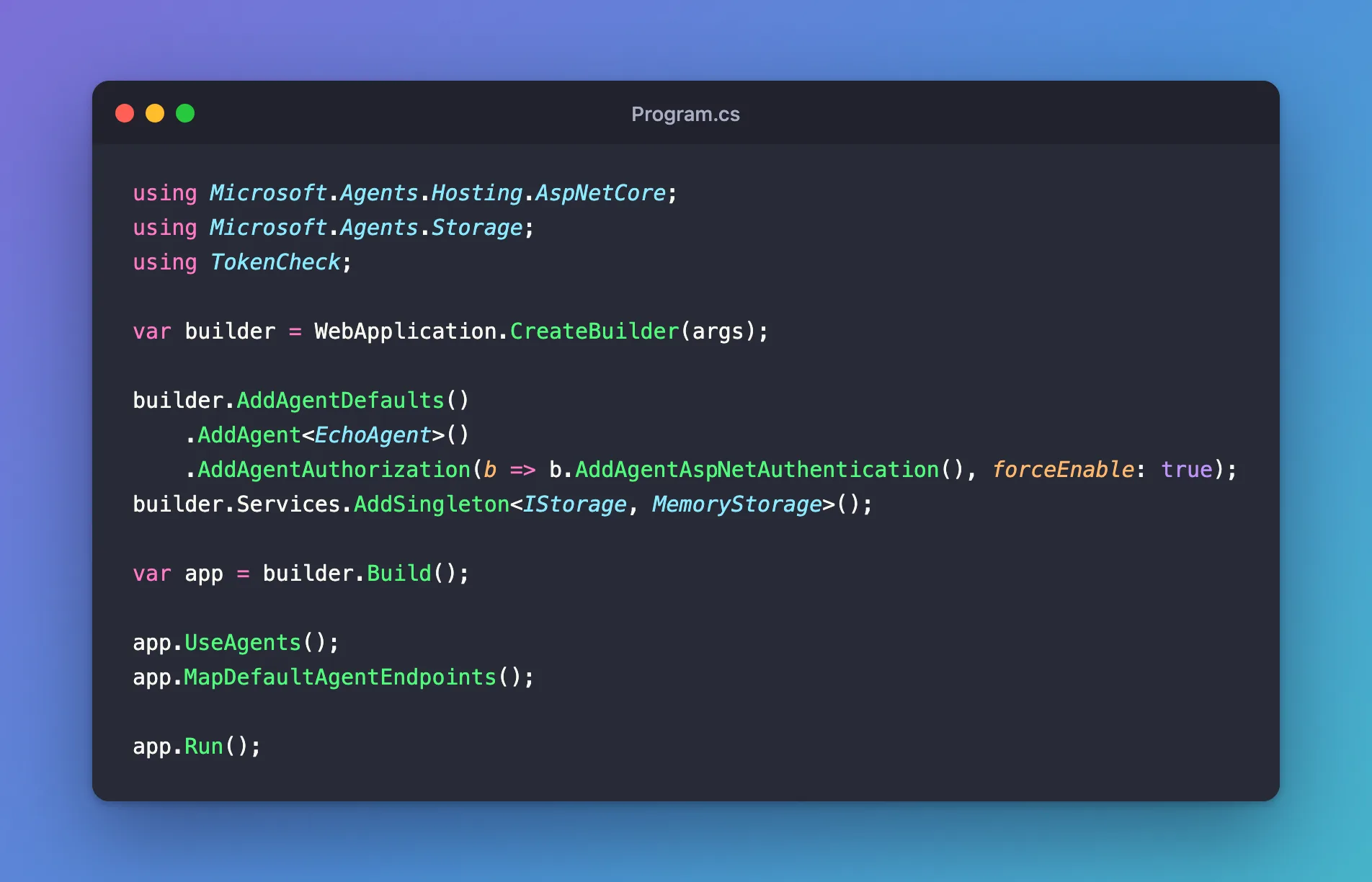
Run it in Development again with dotnet run, and send the request:
401
Now Development rejects it too. The response carries WWW-Authenticate: Bearer, the standard HTTP way of saying a bearer token is required, and the log no longer mentions anonymous access. Real requests from Teams carry a valid token for your bot and pass.
Common Mistakes
| Mistake | What happens | Do this instead |
|---|---|---|
| Testing locally through a public dev tunnel with the default | Anyone with the tunnel URL can post to your agent | Pass forceEnable: true |
Leaving Audiences empty or with another app's ID | Valid tokens for your bot are rejected | Use your bot's ID |
Calling UseAgents() after MapDefaultAgentEndpoints() | The authentication middleware isn't in front of the endpoint | Call UseAgents() first |
Troubleshooting
| Symptom | Likely cause | Fix |
|---|---|---|
| Anonymous access is enabled for channel in the log | Validation is off: Development and no forceEnable | Pass forceEnable: true |
The Agents Playground gets 401 | It sends no token in its default mode | Run it with authentication |
The app stops at startup with an ArgumentException | AspNetExtensions found no TokenValidation section | Add the section to the configuration |
FAQ
Why is Development the exception?
So that a new agent works with a local test channel straight away. Microsoft's quickstart says so: By default, token validation is disabled in Development mode. This is determined by AddAgentAuthorization and the forceEnable argument.
Can I validate in Production and Staging but not in Development?
Yes: forceEnable takes any expression. The API reference gives forceEnable: !builder.Environment.IsDevelopment() && !builder.Environment.IsEnvironment("Staging") as an example of choosing environments yourself.
Does this protect my other endpoints?
Only the ones MapDefaultAgentEndpoints() maps. Add RequireAuthorization() to any endpoint of your own that needs the same protection.
Conclusion
AddAgentAuthorization(b => b.AddAgentAspNetAuthentication()) validates tokens everywhere except Development, where a request without a token gets 202. Add forceEnable: true, and Development answers 401 as Production does, so a dev tunnel never exposes an unprotected agent.
Additional Resources
- AgentHostExtensions.AddAgentAuthorization — the method and its
forceEnableargument. - Bot Framework SDK to Agents SDK migration for .NET — AspNetExtensions and the TokenValidation settings.
