How to Turn On Strict Types in PHP with declare(strict_types=1)

By default, PHP converts a value to the type a function asks for when it can: pass the string "21" where an int is expected and PHP quietly makes it 21. One line at the top of a file, declare(strict_types=1);, turns that off, so a wrong type stops the call with an error.
Syntax
<?php

declare(strict_types=1);
| Part | What it does |
|---|---|
declare(strict_types=1); | Turns on strict type checking for calls made from this file. |
| Position | It must be the first statement in the file, right after <?php. |
The PHP manual on type declarations: "By default, PHP will coerce values of the wrong type into the expected scalar type declaration if possible." And: "It is possible to enable strict mode on a per-file basis. In strict mode, only a value corresponding exactly to the type declaration will be accepted, otherwise a TypeError will be thrown. The only exception to this rule is that an int value will pass a float type declaration."
The Example
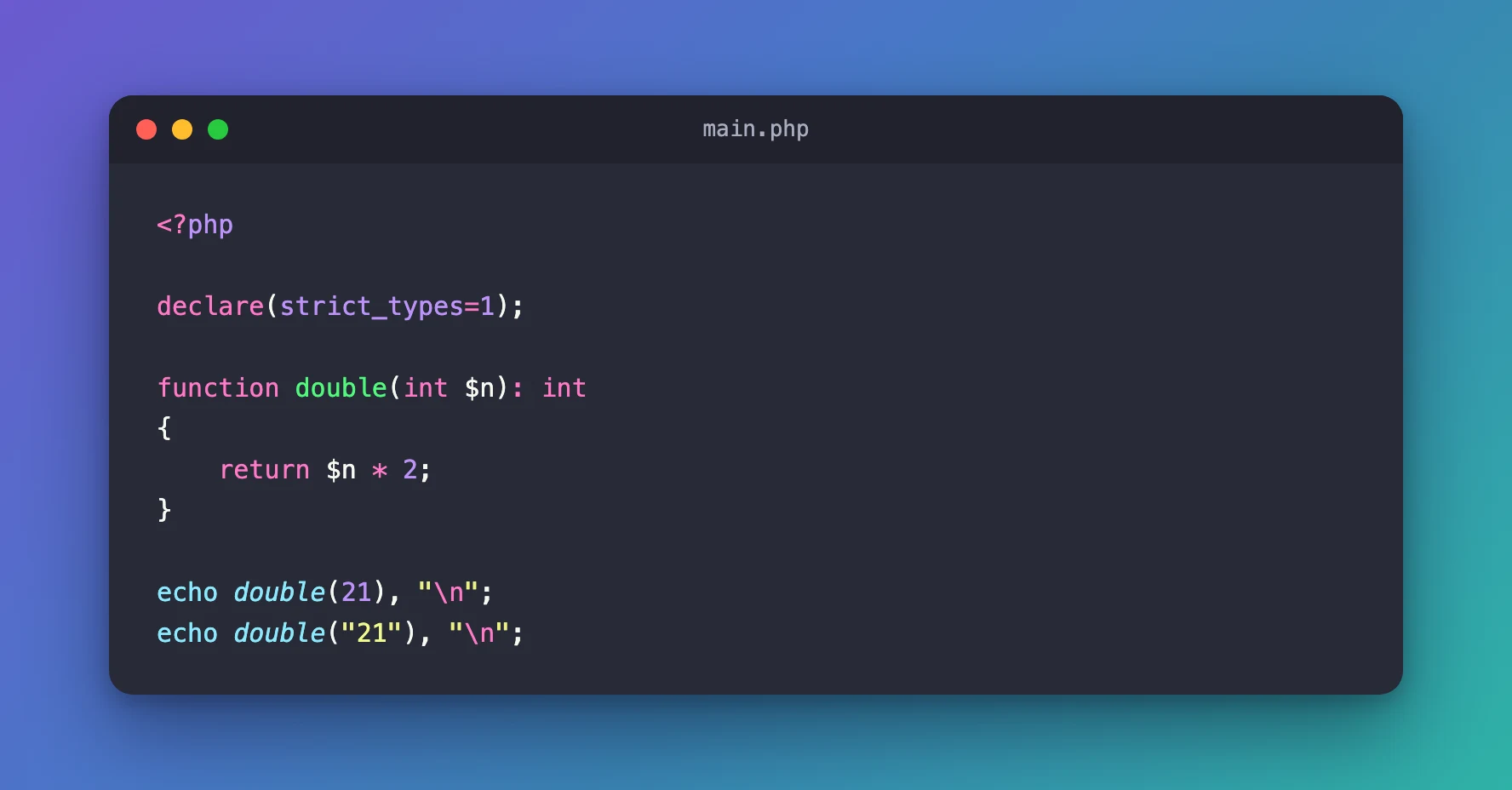
The example turns on strict types and calls a function that expects an int, first with 21 and then with the string "21".
Prerequisites
- PHP for the command line. This guide uses PHP 8.6.0.
Step 1: Write the Code
Create a file named main.php:
<?php

declare(strict_types=1);

function double(int $n): int
{
    return $n * 2;
}

echo double(21), "\n";
echo double("21"), "\n";
Step 2: Run It
php main.php
42
PHP Fatal error:  Uncaught TypeError: double(): Argument #1 ($n) must be of type int, string given, called in /Users/Shared/you/main.php on line 11 and defined in /Users/Shared/you/main.php:5
Stack trace:
#0 /Users/Shared/you/main.php(11): double('21')
#1 {main}
  thrown in /Users/Shared/you/main.php on line 5

Fatal error: Uncaught TypeError: double(): Argument #1 ($n) must be of type int, string given, called in /Users/Shared/you/main.php on line 11 and defined in /Users/Shared/you/main.php:5
Stack trace:
#0 /Users/Shared/you/main.php(11): double('21')
#1 {main}
  thrown in /Users/Shared/you/main.php on line 5
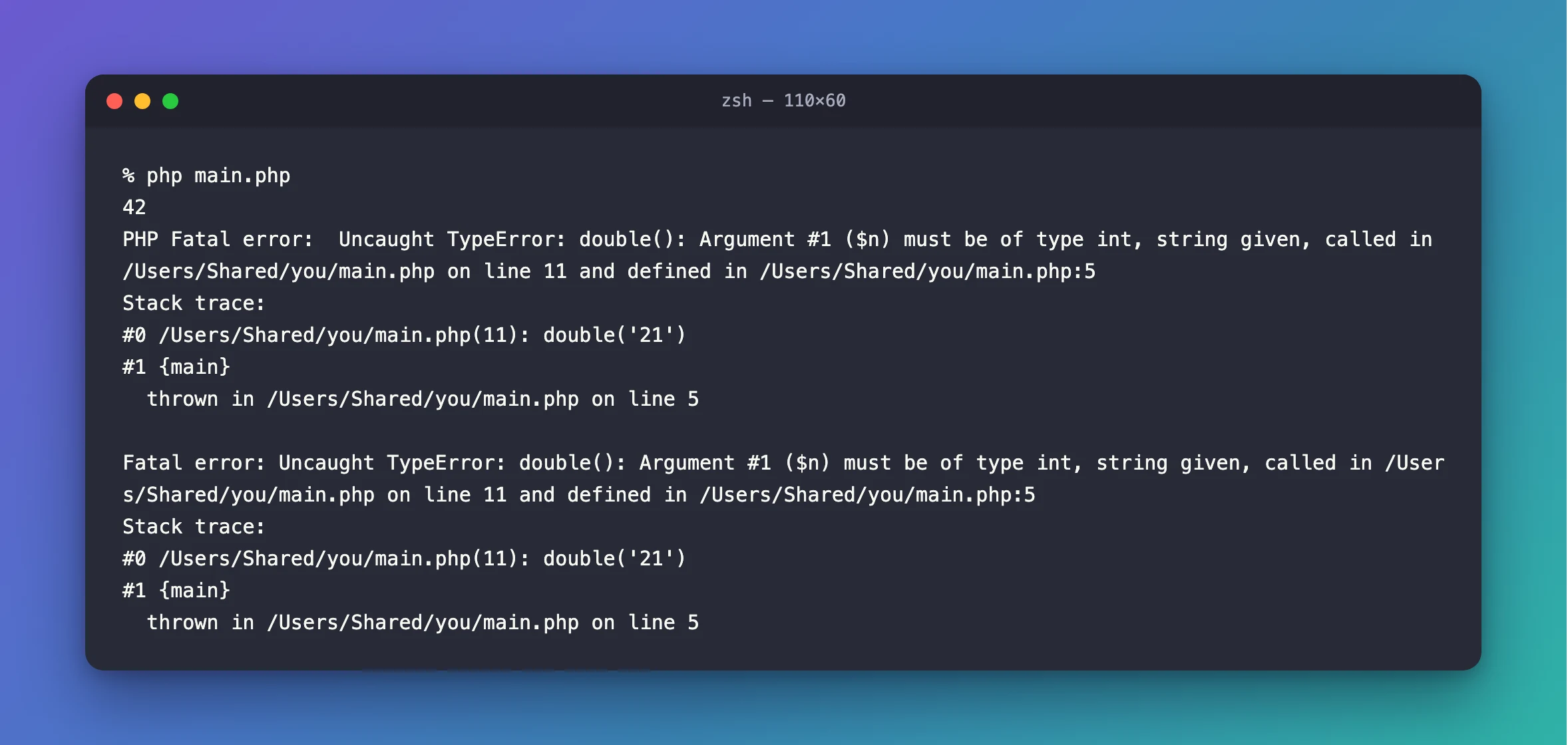
The first call worked. The second passed a string, and strict mode refused it with a TypeError. Without the declare line, the same call returned 42: PHP turned "21" into 21. The command is the same in zsh, bash and PowerShell.
Why the Error Appears Twice
This PHP, installed with Homebrew, both logs errors and displays them. The line starting with PHP Fatal error: is the log entry: the manual says that when error_log isn't set, errors go to "stderr in CLI". The second copy, starting with Fatal error:, is the displayed one, on standard output. Production servers usually log only.
Common Mistakes
| Mistake | What happens | Do this instead |
|---|---|---|
Putting declare(strict_types=1); below other code | Fatal error: strict_types declaration must be the very first statement in the script | Put it right after <?php |
| Expecting it to cover other files | It applies only to calls made from the file that declares it | Add it to every file |
Passing an int to a float parameter and expecting an error | It's allowed, the one exception to strict mode | Nothing to fix; int is accepted for float |
Troubleshooting
| Symptom | Likely cause | Fix |
|---|---|---|
TypeError: … must be of type int, string given | A string reached a function that wants an int, in strict mode | Convert the value first, such as (int) $text, after checking it |
| Values are converted silently | The file has no declare(strict_types=1); | Add it at the top |
FAQ
Does strict mode check return types too?
Yes. A function declared to return int that returns the string "5" gave int(5) in default mode, but threw TypeError: f(): Return value must be of type int, string returned in a strict file.
Should every file use it?
Many projects do, because it turns silent conversions into clear errors. Add it to new files as you write them.
Conclusion
declare(strict_types=1); at the top of a file makes PHP enforce scalar type declarations instead of converting values, so a wrong type fails loudly with a TypeError.
Additional Resources
- Strict typing, in the PHP manual.
- error_log configuration, in the PHP manual.
