How to Turn On Autologging in MLflow

Writing mlflow.log_param and mlflow.log_metric for every setting and score gets long. MLflow can do it for you: turn on autologging before you train, and every fit records its parameters, training metrics, tags, dataset and model on its own. This guide turns it on for a scikit-learn model, then looks at what it recorded, with real output from MLflow 3.18.0.
Syntax
mlflow.autolog()          # every supported library you use
mlflow.sklearn.autolog()  # scikit-learn only
| Form | What it does |
|---|---|
mlflow.autolog() | Turns on autologging for every supported library you have installed, "as soon as you import it", in the words of MLflow's guide |
mlflow.sklearn.autolog() | Turns it on for scikit-learn only, and takes scikit-learn's own options, such as how many child runs a hyperparameter search gets |
Call either one before training. From then on, every fit of a scikit-learn model is recorded: inside the run you started, or in a new run that MLflow starts and ends for you.
Prerequisites
- An MLflow tracking server at
http://127.0.0.1:8080. MLflow's tracking server guide shows how to start one. mlflowandscikit-learnin your project, for example withuv add mlflow scikit-learn pandas.
Step 1: Train a Model with Autologging On
The example fits a linear regression to scikit-learn's diabetes dataset, 442 patients and 10 measurements each, with autologging on and not a single log call. Create autolog_basic.py:
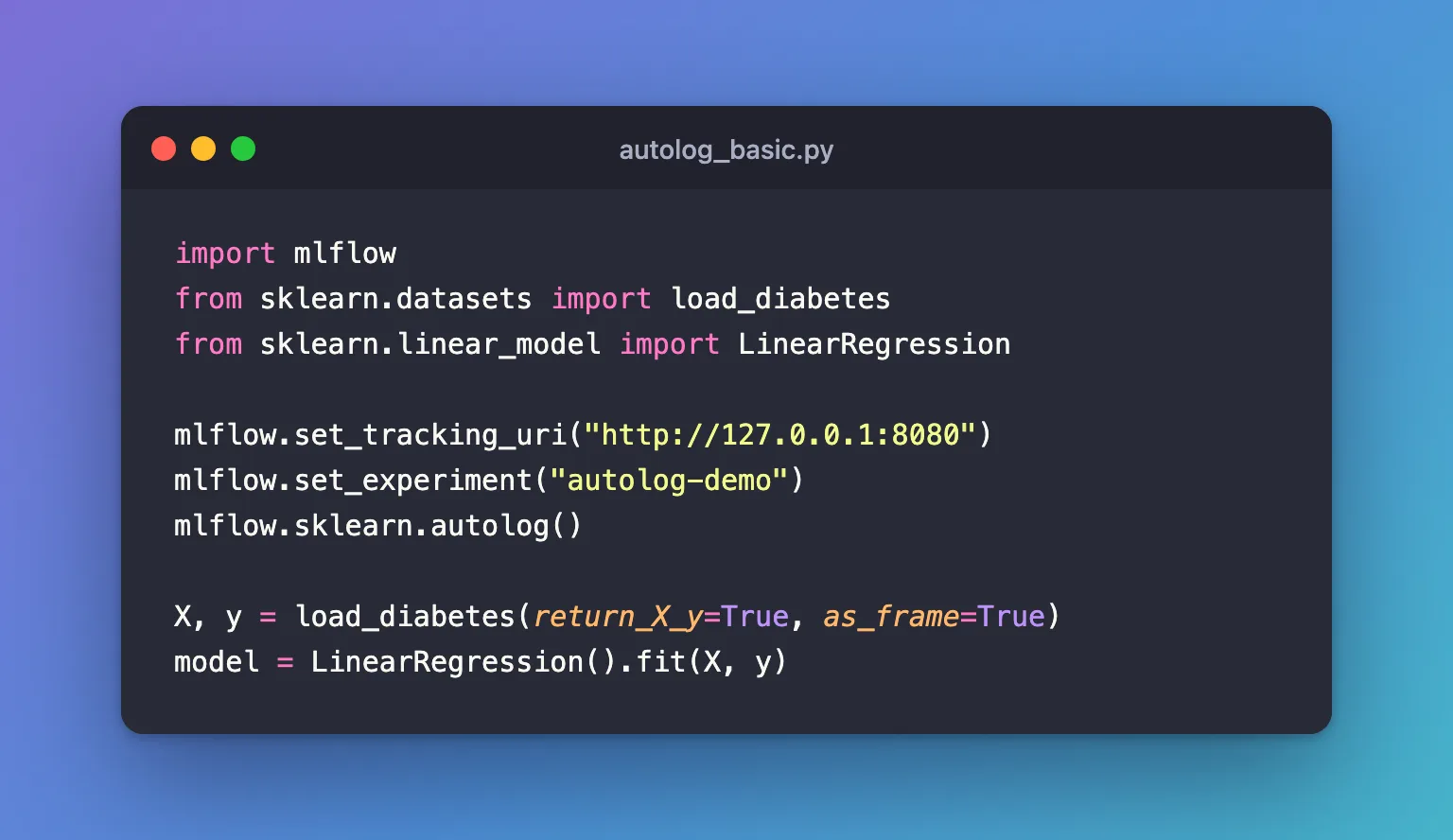
import mlflow
from sklearn.datasets import load_diabetes
from sklearn.linear_model import LinearRegression

mlflow.set_tracking_uri("http://127.0.0.1:8080")
mlflow.set_experiment("autolog-demo")
mlflow.sklearn.autolog()

X, y = load_diabetes(return_X_y=True, as_frame=True)
model = LinearRegression().fit(X, y)
uv run python autolog_basic.py
2026/11/21 11:00:49 INFO mlflow.tracking.fluent: Experiment with name 'autolog-demo' does not exist. Creating a new experiment.
2026/11/21 11:01:03 INFO mlflow.utils.autologging_utils: Created MLflow autologging run with ID '754a480ac2d641cca0054cb76c83a2d9', which will track hyperparameters, performance metrics, model artifacts, and lineage information for the current sklearn workflow
2026/11/21 11:01:03 INFO mlflow.utils.uv_utils: Detected uv project: found uv.lock and pyproject.toml in /Users/you/source/mlflow-demo
2026/11/21 11:01:03 WARNING mlflow.sklearn: Saving scikit-learn models in the pickle or cloudpickle format requires exercising caution because these formats rely on Python's object serialization mechanism, which can execute arbitrary code during deserialization. The recommended safe alternative is the 'skops' format. For more information, see: https://scikit-learn.org/stable/model_persistence.html
2026/11/21 11:01:03 INFO mlflow.utils.uv_utils: Detected uv project: found uv.lock and pyproject.toml in /Users/you/source/mlflow-demo
2026/11/21 11:01:03 INFO mlflow.utils.environment: Detected uv project at /Users/you/source/mlflow-demo. Attempting to export requirements via 'uv export'.
2026/11/21 11:01:03 INFO mlflow.utils.uv_utils: Exported 91 dependencies via uv
2026/11/21 11:01:03 INFO mlflow.utils.environment: Successfully exported 91 requirements from uv project. Skipping package capture based inference.
2026/11/21 11:01:04 WARNING mlflow.utils.environment: Failed to resolve installed pip version. ``pip`` will be added to conda.yaml environment spec without a version specifier.
🏃 View run charming-pig-325 at: http://127.0.0.1:8080/#/experiments/3/runs/754a480ac2d641cca0054cb76c83a2d9
🧪 View experiment at: http://127.0.0.1:8080/#/experiments/3
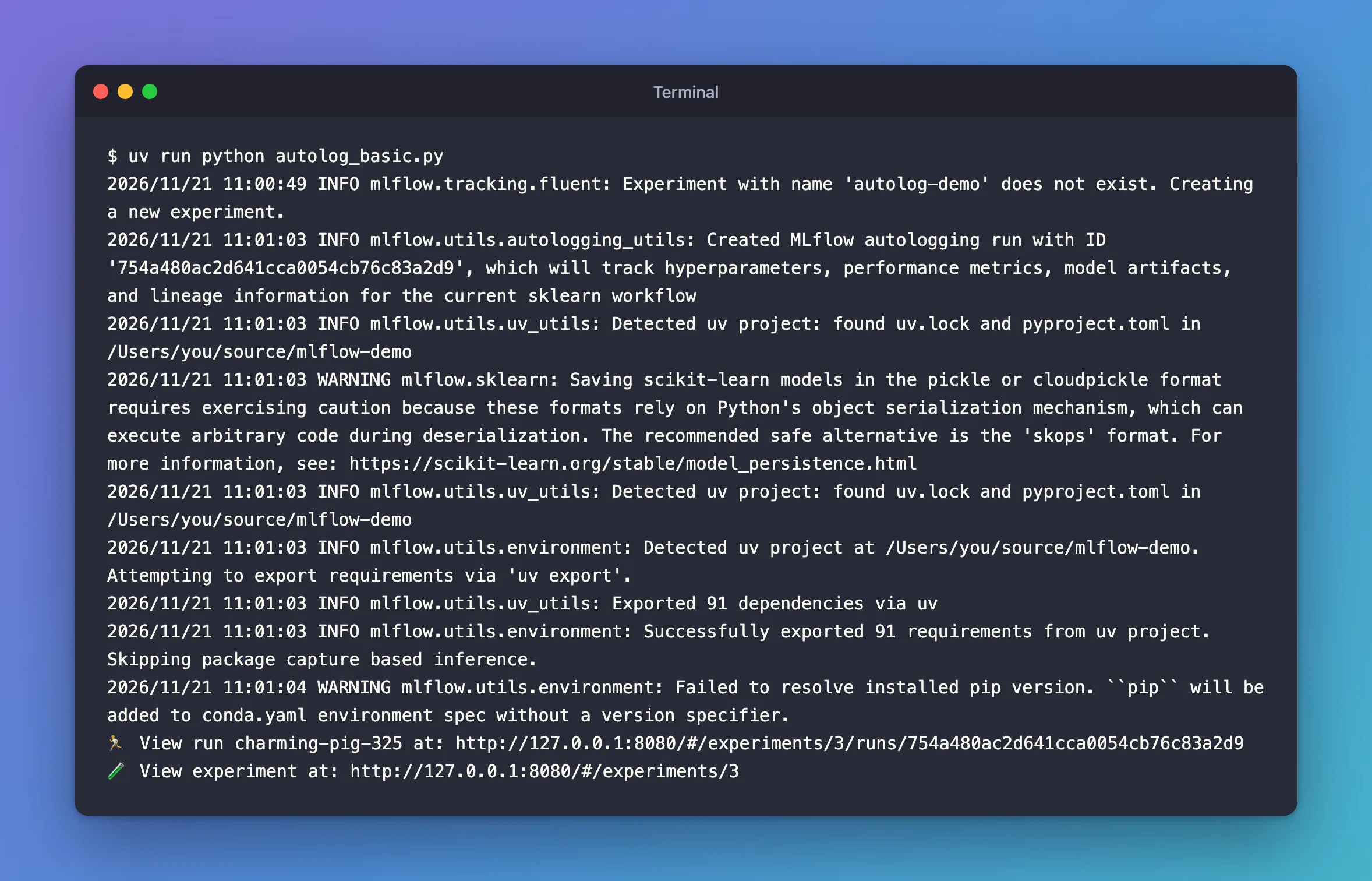
What the lines say:
Created MLflow autologging run: there was no run open, so autologging started one for thefitand ended it afterwards. Its name,charming-pig-325, was picked by MLflow.Detected uv project…Exported 91 dependencies via uv: autologging saves the trained model, and records the packages it needs, read from the project'suv.lock.- The two warnings are both about that saved model. Neither stopped anything; each has a fix: the pickle caution and the pip version.
Step 2: See What Autologging Recorded
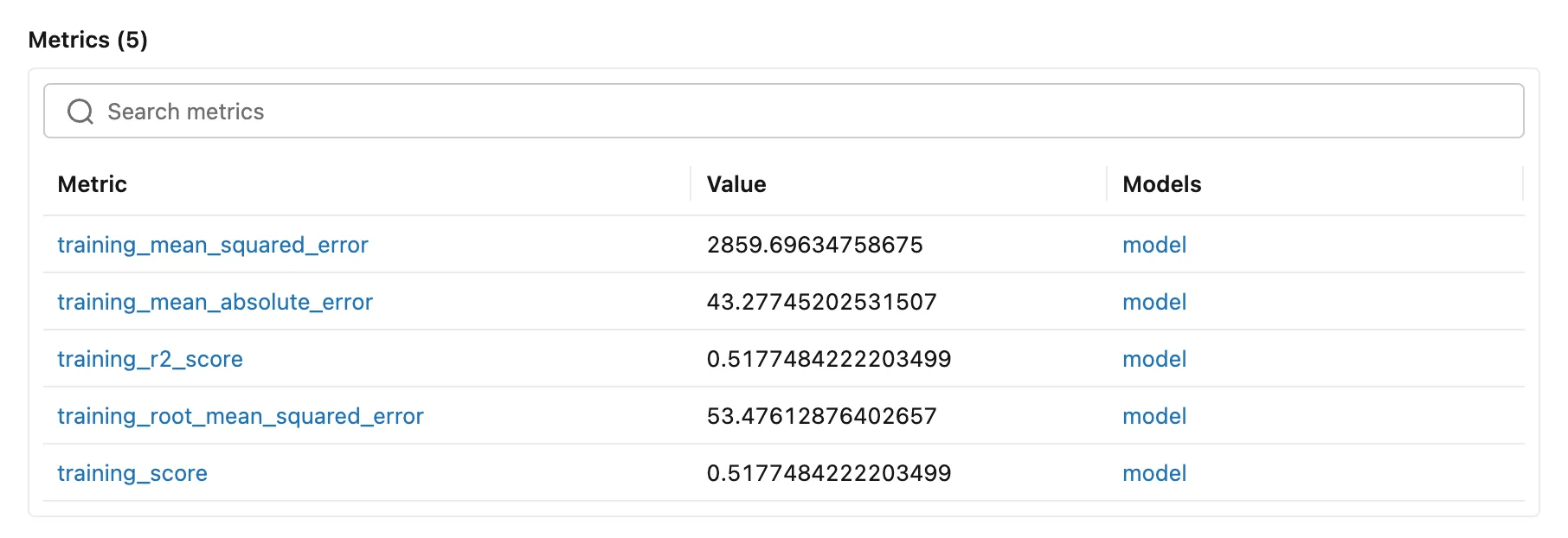
Open the run from the link. Its Metrics are five scores on the training data, computed by MLflow after fit:
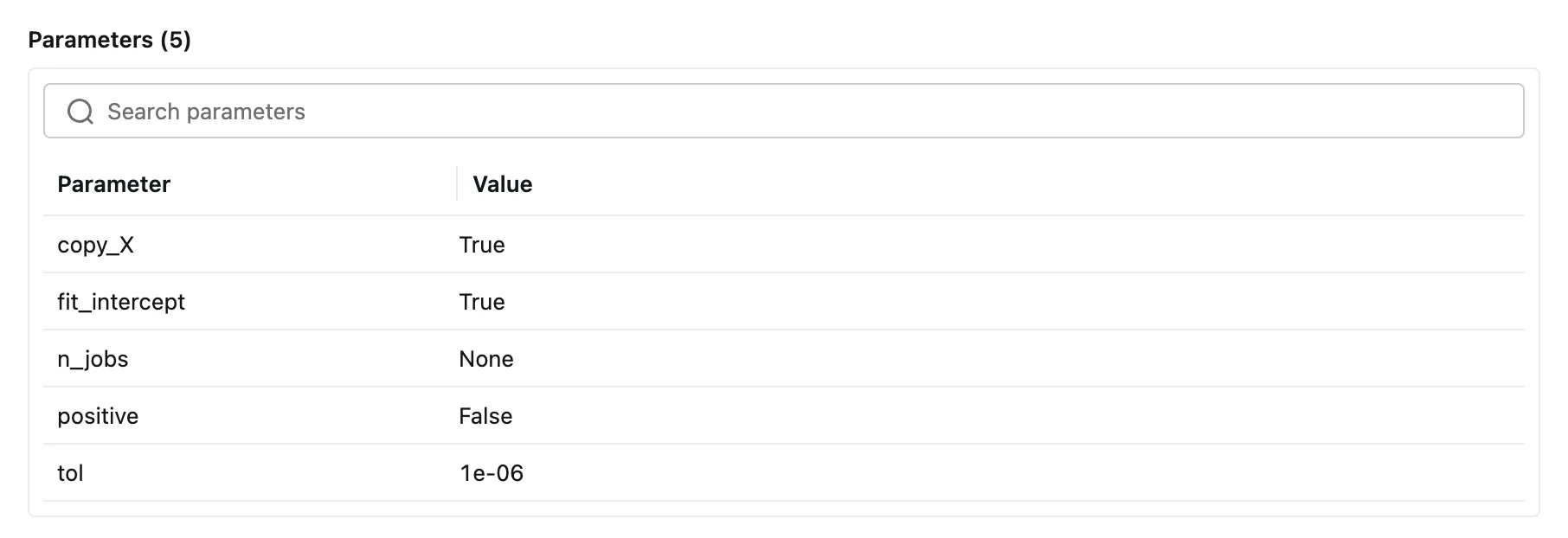
Its Parameters are every setting of the model, the ones left at their defaults included, from scikit-learn's get_params():
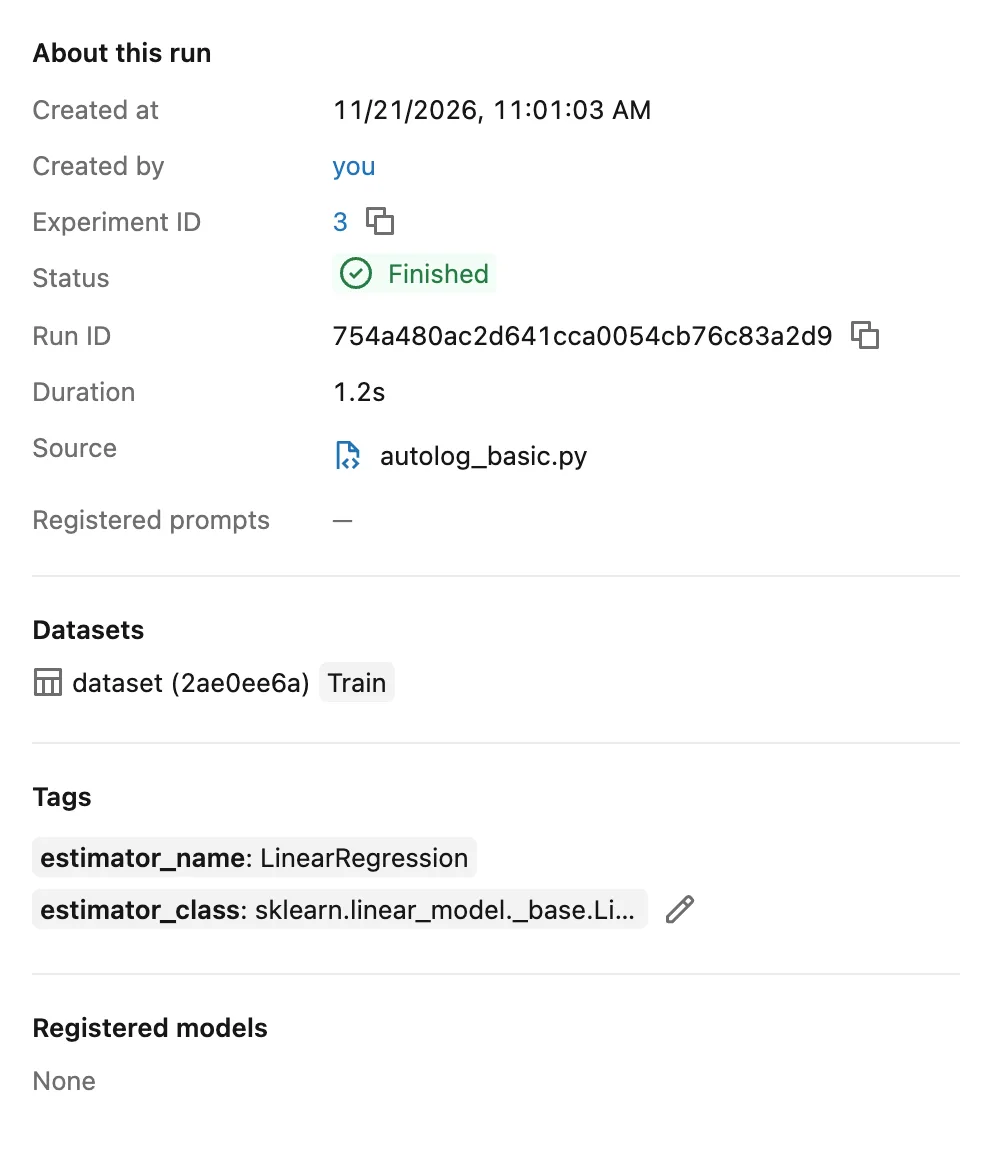
On the right, Datasets shows the training data it used and Tags the model's class:
And under the parameters, Logged models lists the trained model itself:

| What | Where it came from |
|---|---|
| Parameters | model.get_params() |
| Metrics | Scores on the training data: for a regressor, MAE, MSE, RMSE and R², plus training_score, the model's own score |
| Tags | estimator_name and estimator_class |
| Dataset | The X passed to fit, with the context Train |
| Model | The fitted model, saved so it can be loaded again |
A classifier gets precision, recall, F1, accuracy, log loss and ROC AUC instead, plus charts such as a confusion matrix.
Step 3: Turn It On for Every Library
mlflow.autolog() covers scikit-learn and every other supported library you use, such as XGBoost or PyTorch Lightning. Create autolog_generic.py, the same script with the one line changed:
import mlflow
from sklearn.datasets import load_diabetes
from sklearn.linear_model import LinearRegression

mlflow.set_tracking_uri("http://127.0.0.1:8080")
mlflow.set_experiment("autolog-demo")
mlflow.autolog()

X, y = load_diabetes(return_X_y=True, as_frame=True)
model = LinearRegression().fit(X, y)
uv run python autolog_generic.py
2026/11/21 11:01:33 INFO mlflow.tracking.fluent: Autologging successfully enabled for sklearn.
2026/11/21 11:01:34 INFO mlflow.utils.autologging_utils: Created MLflow autologging run with ID '9a59d4a07eb442bea085715e1196bf56', which will track hyperparameters, performance metrics, model artifacts, and lineage information for the current sklearn workflow
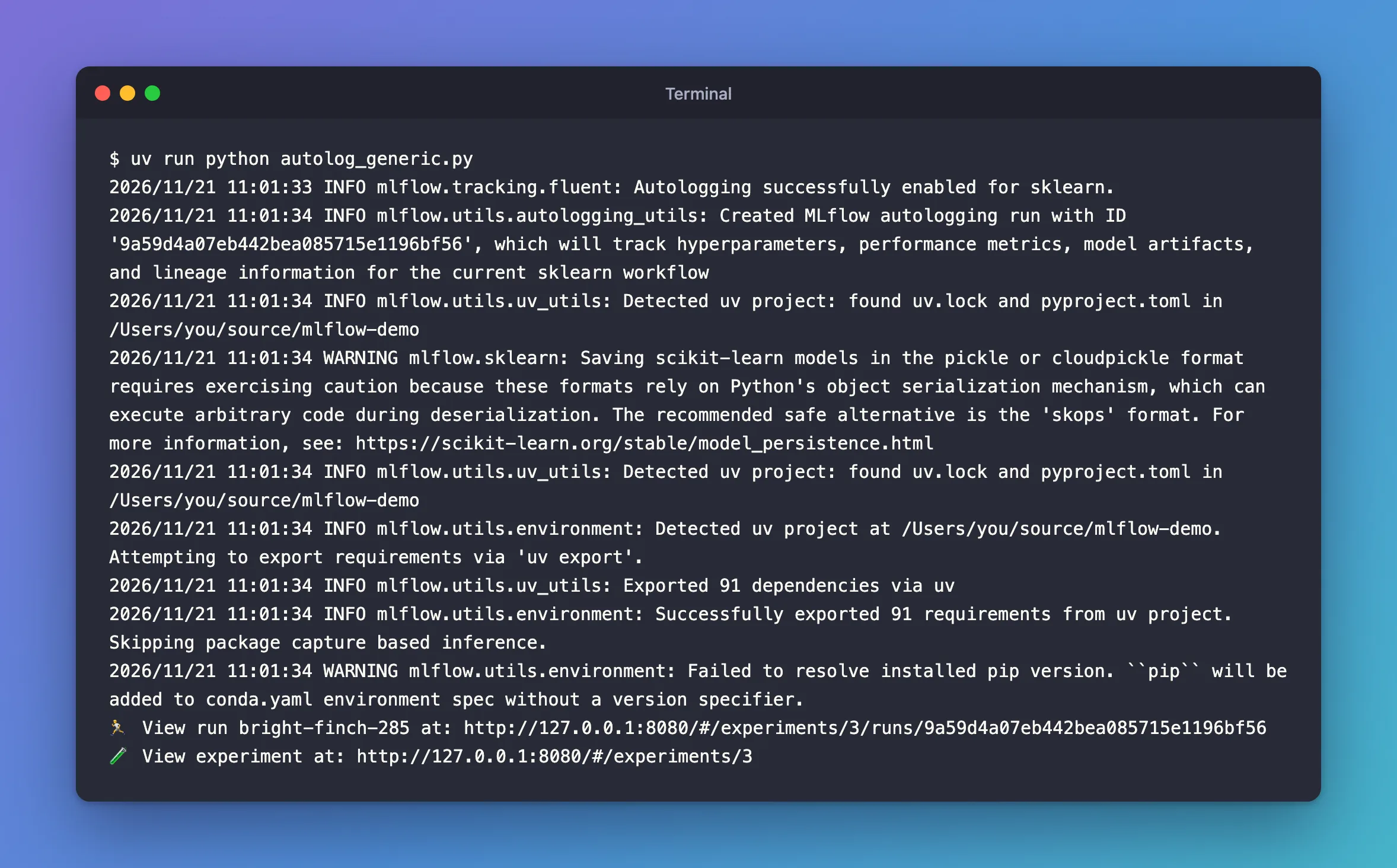
The first line names each library mlflow.autolog() found; the rest matches Step 1, and the run records the same things. Use mlflow.sklearn.autolog() when you need scikit-learn's own options.
Common Mistakes
| Mistake | What happens | Do this instead |
|---|---|---|
Calling autolog() after fit | Nothing is recorded: the run count stays the same | Call it before any training |
Forgetting set_experiment | Runs go to the Default experiment | Set the experiment first |
| Reading the training metrics as the model's quality | They're measured on the data it learned from | Score test data too: How to Log Test Metrics Automatically with MLflow Autologging |
Troubleshooting
| Symptom | Likely cause | Fix |
|---|---|---|
WARNING mlflow.sklearn: Saving scikit-learn models in the pickle or cloudpickle format requires exercising caution... | Autologging saves models in cloudpickle format by default | Fixed: the pickle or cloudpickle caution |
WARNING mlflow.utils.environment: Failed to resolve installed pip version... | The project's environment has no pip | Fixed: Failed to resolve installed pip version |
| No run appears | Autologging was turned on after training | Move the autolog() call up |
FAQ
Can I still log my own values?
Yes, in the same run: How to Log Your Own Metrics in an MLflow Autologged Run.
Does it work with GridSearchCV?
Yes, and it records every candidate as a child run: How to Log a GridSearchCV Search in MLflow with Parent and Child Runs.
Can I keep it from saving models?
Yes, with log_models=False: How to Stop MLflow Autologging from Saving Models.
Conclusion
One line before fit, mlflow.sklearn.autolog(), gave the run five parameters, five training metrics, two tags, its dataset and the model, with no log calls. Turn it on before training, use mlflow.autolog() to cover every library, and score the model on test data as well.
Additional Resources
- Automatic Logging with MLflow Tracking — MLflow's guide, with what each library records.
- mlflow.sklearn.autolog — every option.
