How to Turn an Object into a JsonElement with SerializeToElement in C#

JsonSerializer.SerializeToElement(ticket) turns an object into JSON you can read right away: a JsonElement, not a string you'd have to parse again.
Microsoft's reference: Converts the provided value into a JsonElement. A JsonElement is JSON that's already parsed into values you can explore: its kind, its properties and its array items.
Syntax
using System.Text.Json;

JsonElement <element> = JsonSerializer.SerializeToElement(<value>);
JsonElement <element> = JsonSerializer.SerializeToElement(<value>, <options>);
| Part | What it is |
|---|---|
<value> | The object to turn into JSON |
<options> | Optional JsonSerializerOptions, such as JsonSerializerOptions.Web for camelCase names |
JsonElement | The JSON, ready to read with ValueKind, GetProperty and the other members |
The Example
A console app called SerializeToElement turns a support ticket, a record with a number, a title and two tags, into a JsonElement and reads it.
Prerequisites
- The .NET 10 SDK.
dotnet --versionprints a version that starts with10.0.
Step 1: Create a Console App
dotnet new console -n SerializeToElement
cd SerializeToElement
The template "Console App" was created successfully.

Processing post-creation actions...
Restoring /Users/you/source/SerializeToElement/SerializeToElement.csproj:
  Determining projects to restore...
  Restored /Users/you/source/SerializeToElement/SerializeToElement.csproj (in 44 ms).
Restore succeeded.
dotnet new console -n SerializeToElement creates a folder named SerializeToElement with a project file and a Program.cs, and cd moves into it. Everything this example uses is part of .NET, so there's no package to add. Open the folder in VS Code, or SerializeToElement.csproj in Visual Studio.
Step 2: Write the Code
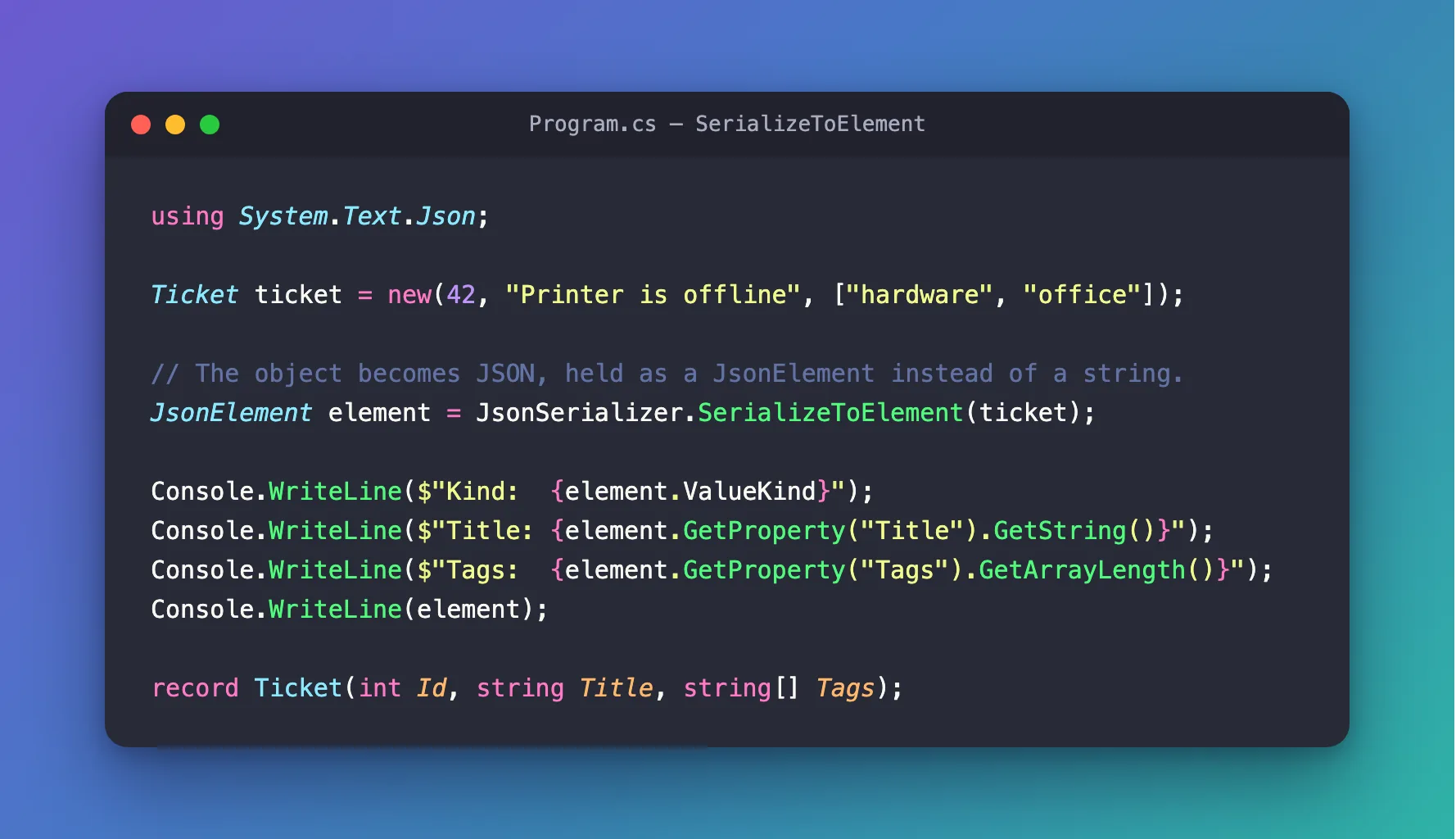
Replace everything in Program.cs. First the ticket and the call:
using System.Text.Json;

Ticket ticket = new(42, "Printer is offline", ["hardware", "office"]);

// The object becomes JSON, held as a JsonElement instead of a string.
JsonElement element = JsonSerializer.SerializeToElement(ticket);
Then read the element:
Console.WriteLine($"Kind:  {element.ValueKind}");
Console.WriteLine($"Title: {element.GetProperty("Title").GetString()}");
Console.WriteLine($"Tags:  {element.GetProperty("Tags").GetArrayLength()}");
Console.WriteLine(element);

record Ticket(int Id, string Title, string[] Tags);
ValueKindsays what kind of JSON value it is: here an object.GetProperty("Title")finds a property by its name, andGetStringreads its text.Console.WriteLine(element)prints the whole JSON.record Ticketat the end declares the ticket's three properties.
Step 3: Run It
Run it in VS Code's terminal, or press Ctrl+F5 in Visual Studio:
dotnet run
Kind:  Object
Title: Printer is offline
Tags:  2
{"Id":42,"Title":"Printer is offline","Tags":["hardware","office"]}
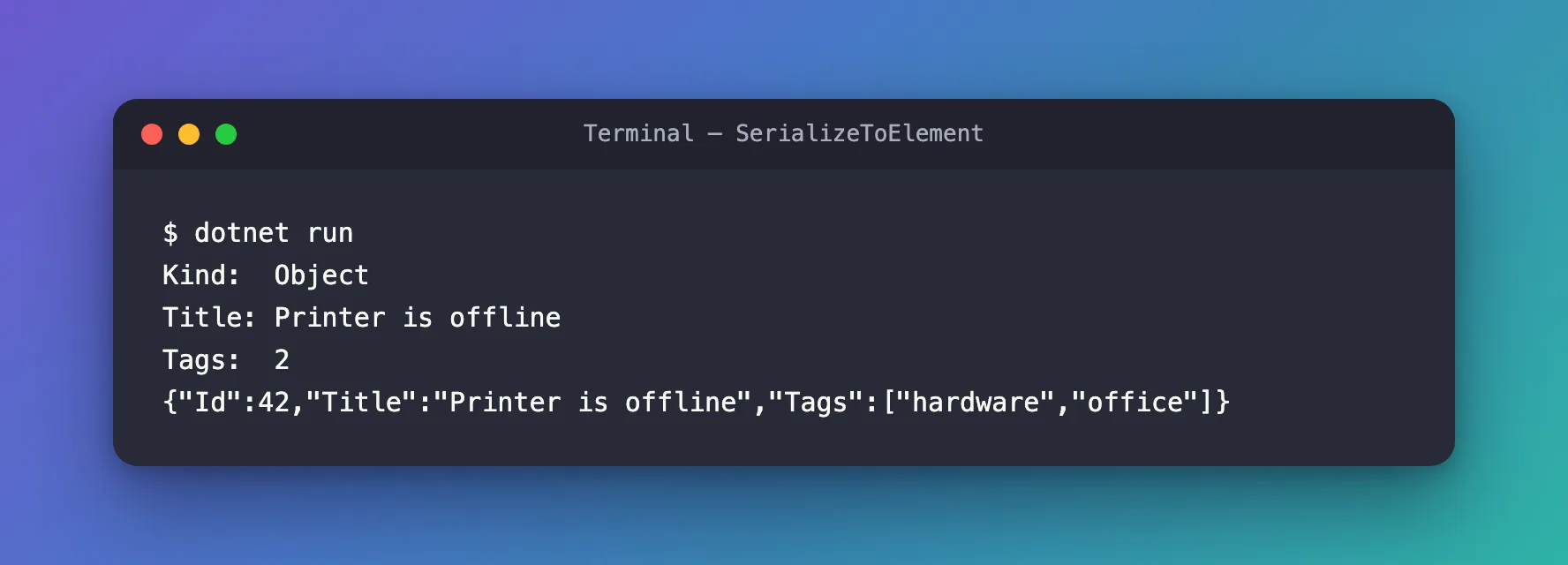
The JSON kept the C# names, Id, Title and Tags, and the tags became a JSON array of 2 items.
The Complete File
using System.Text.Json;

Ticket ticket = new(42, "Printer is offline", ["hardware", "office"]);

// The object becomes JSON, held as a JsonElement instead of a string.
JsonElement element = JsonSerializer.SerializeToElement(ticket);

Console.WriteLine($"Kind:  {element.ValueKind}");
Console.WriteLine($"Title: {element.GetProperty("Title").GetString()}");
Console.WriteLine($"Tags:  {element.GetProperty("Tags").GetArrayLength()}");
Console.WriteLine(element);

record Ticket(int Id, string Title, string[] Tags);
Common Mistakes
| Mistake | What happens | Do this instead |
|---|---|---|
| Asking for a camelCase name | The names keep their C# case by default, so GetProperty("title") threw KeyNotFoundException: The given key was not present in the dictionary. The reference: Property name matching is performed as an ordinal, case-sensitive comparison. | Use the exact name, Title, or serialize with JsonSerializerOptions.Web, which wrote camelCase names: {"id":42,"title":"Printer is offline","tags":["hardware","office"]} |
FAQ
How do I turn the element back into an object?
Call Deserialize on it: element.Deserialize<Ticket>() gave back a Ticket with the number 42 and the title Printer is offline.
Conclusion
JsonSerializer.SerializeToElement turns an object into a JsonElement in one call, ready to read without parsing a string. Its property names match the C# names unless you pass options such as JsonSerializerOptions.Web.
Additional Resources
- JsonSerializer.SerializeToElement — every overload.
- Web defaults for JsonSerializerOptions — what the web options change.
