How to Turn a snake_case or camelCase Name into Words in JavaScript

Code names are written for code: reset_my_password, resetMyPassword, create-ticket. When a page has to show one to a person, Reset my password reads better. Two regular expressions and String.replace turn snake_case, camelCase, PascalCase and kebab-case names into words.
Syntax
const <words> = <name>
  .replace(/([a-z0-9])([A-Z])/g, "$1 $2")
  .replace(/[_-]+/g, " ")
  .trim()
  .toLowerCase();

const <label> = <words>.charAt(0).toUpperCase() + <words>.slice(1);
| Part | What it does |
|---|---|
/([a-z0-9])([A-Z])/g | Finds every place where a lowercase letter or a digit is followed by a capital letter: the border between two words in camelCase and PascalCase. The parentheses capture the two characters, and g finds all of them, not only the first |
"$1 $2" | Puts the two captured characters back with a space between them. MDN: $n Inserts the nth (1-indexed) capturing group |
/[_-]+/g, " " | Replaces every run of underscores and hyphens with one space: the borders in snake_case and kebab-case |
trim() | Removes spaces at the start and end, which a leading or trailing _ leaves behind |
toLowerCase() | Makes every word lowercase |
charAt(0).toUpperCase() + slice(1) | Capitalizes the first letter only, for sentence case |
The Example
A small script turns six code names into labels: snake_case, camelCase, PascalCase, kebab-case, a name with a version number, and one with an acronym.
Prerequisites
- Node.js 22.18 or later, so that
noderuns a TypeScript file directly.node --versionshows yours; I used Node.js 26.
Step 1: Write the Function
Create a folder, and in it a file named words.ts:
// A code name in words: reset_my_password becomes "Reset my password".
function toWords(name: string): string {
  const words = name
    .replace(/([a-z0-9])([A-Z])/g, "$1 $2") // resetMyPassword -> reset My Password
    .replace(/[_-]+/g, " ") // reset_my-password -> reset my password
    .trim()
    .toLowerCase();
  return words.charAt(0).toUpperCase() + words.slice(1);
}

const names = [
  "reset_my_password",
  "resetMyPassword",
  "ResetMyPassword",
  "create-ticket",
  "get_my_devices_v2",
  "parseHTTPResponse",
];

for (const name of names) {
  console.log(`${name.padEnd(20)} -> ${toWords(name)}`);
}
toWords is the syntax above as a function. padEnd(20) lines the output up in two columns.
Step 2: Run It
node words.ts
reset_my_password    -> Reset my password
resetMyPassword      -> Reset my password
ResetMyPassword      -> Reset my password
create-ticket        -> Create ticket
get_my_devices_v2    -> Get my devices v2
parseHTTPResponse    -> Parse httpresponse
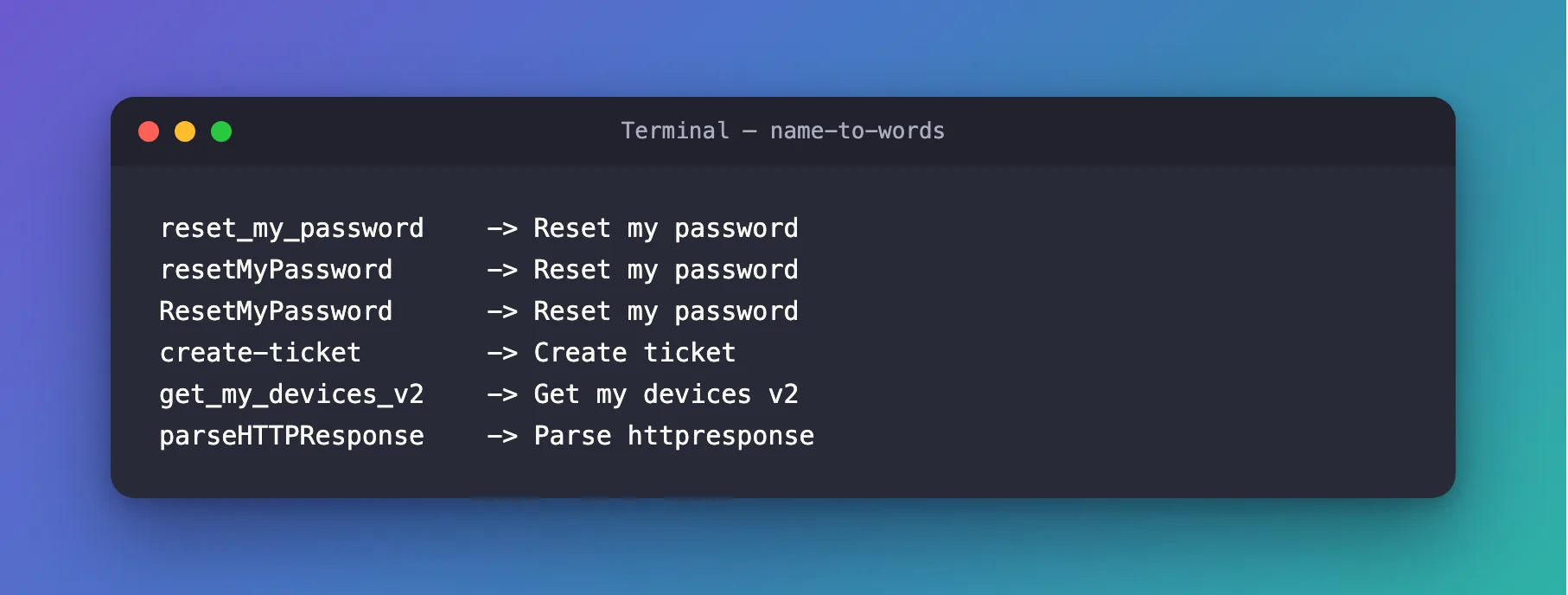
- The first three are the same name in three styles, and all become Reset my password.
create-ticketshows the hyphen rule, andget_my_devices_v2the underscore rule with a number.parseHTTPResponsegoes wrong: Parse httpresponse. An acronym is a run of capitals, and the first rule only splits where a lowercase letter or digit meets a capital, so nothing splitsHTTPfromResponse.
Step 3: Split Acronyms Too
One more rule fixes the acronym: where a run of capitals is followed by a capital and a lowercase letter, the last capital starts a new word. Create acronyms.ts:
// The same, plus one rule: an acronym followed by a word, such as HTTPResponse, splits before the word.
function toWords(name: string): string {
  const words = name
    .replace(/([A-Z]+)([A-Z][a-z])/g, "$1 $2") // HTTPResponse -> HTTP Response
    .replace(/([a-z0-9])([A-Z])/g, "$1 $2")
    .replace(/[_-]+/g, " ")
    .trim()
    .toLowerCase();
  return words.charAt(0).toUpperCase() + words.slice(1);
}

for (const name of ["parseHTTPResponse", "resetMyPassword", "get_my_devices_v2"]) {
  console.log(`${name.padEnd(20)} -> ${toWords(name)}`);
}
node acronyms.ts
parseHTTPResponse    -> Parse http response
resetMyPassword      -> Reset my password
get_my_devices_v2    -> Get my devices v2
/([A-Z]+)([A-Z][a-z])/g turns HTTPResponse into HTTP Response before the other rules run, and the other names don't change. The acronym ends up lowercase, like every other word, because toLowerCase makes no exceptions.
The Complete File
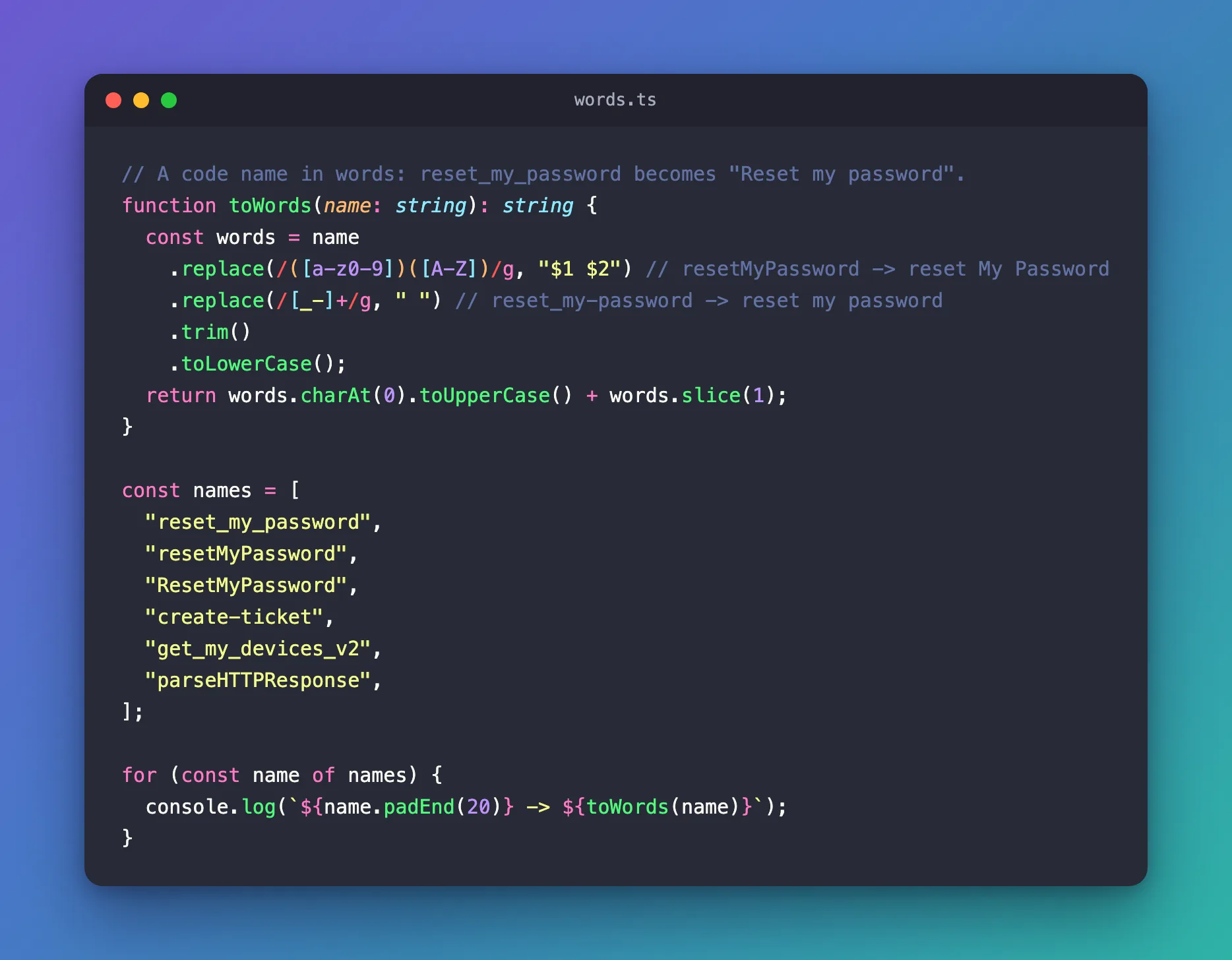
words.ts from Step 1 is the whole program; acronyms.ts is the version that also splits acronyms.
Common Mistakes
| Mistake | What happens | Do this instead |
|---|---|---|
Leaving out the g flag | Only the first border is replaced | Write /…/g |
| Lowercasing before splitting | The capitals that mark camelCase borders are gone | Split first, lowercase last |
Writing "$1$2" | The two characters go back without a space | Write "$1 $2" |
| Expecting acronyms to split | parseHTTPResponse becomes Parse httpresponse | Add the acronym rule from Step 3 |
FAQ
How do I get Title Case instead?
Capitalize every word instead of the first: split the words on spaces, capitalize each one the way toWords capitalizes the first, and join them again.
Why not a library?
For labels, two rules are enough, and you can read them. A library makes sense when you also need to go the other way, from words to code names, in many styles.
Conclusion
To turn a code name into words, put a space between a lowercase letter or digit and a following capital with /([a-z0-9])([A-Z])/g and "$1 $2", turn underscores and hyphens into spaces with /[_-]+/g, then trim, lowercase, and capitalize the first letter. For names with acronyms, split runs of capitals first with /([A-Z]+)([A-Z][a-z])/g.
Additional Resources
- MDN: String.prototype.replace() — replacement patterns such as
$1. - MDN: Regular expressions — character classes, groups and flags.
