How to Turn a JsonNode into a JSON String with ToJsonString in C#

Once you've built JSON in C# with JsonObject or JsonArray, you need it as text: to send, to save, or to print. ToJsonString() gives you exactly that JSON, on one line, or indented when you ask for it.
Syntax
string <json> = <node>.ToJsonString();
string <json> = <node>.ToJsonString(new JsonSerializerOptions { WriteIndented = true });
| Part | What it does |
|---|---|
<node> | Any JsonNode: a JsonObject, a JsonArray or a single value |
ToJsonString() | Returns the JSON on one line, with no spaces between the parts |
new JsonSerializerOptions { WriteIndented = true } | Asks for indented JSON instead, one property per line. Needs using System.Text.Json; |
Microsoft's ToJsonString reference: "Converts the current instance to a string in JSON format." It returns "The JSON representation of the current instance."
The Example
The program builds a small tea order as a JsonObject and turns it into text three ways: ToJsonString(), ToJsonString with indenting, and ToString().
Prerequisites
- The .NET 10 SDK or newer, which runs a single
.csfile withdotnet run. This guide uses .NET SDK 10.0.404.
Step 1: Write the Code
Create a file named main.cs in an empty folder:
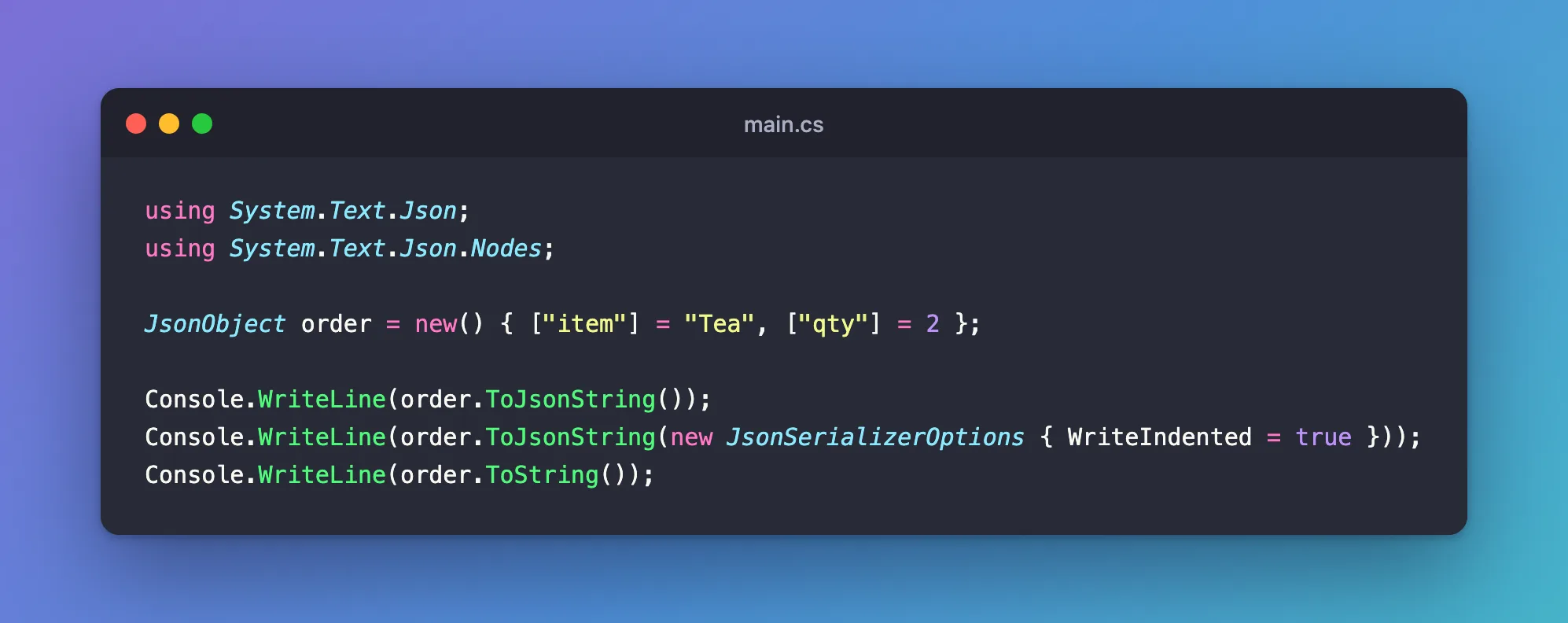
using System.Text.Json;
using System.Text.Json.Nodes;

JsonObject order = new() { ["item"] = "Tea", ["qty"] = 2 };

Console.WriteLine(order.ToJsonString());
Console.WriteLine(order.ToJsonString(new JsonSerializerOptions { WriteIndented = true }));
Console.WriteLine(order.ToString());
Step 2: Run It
dotnet run main.cs
{"item":"Tea","qty":2}
{
  "item": "Tea",
  "qty": 2
}
{
  "item": "Tea",
  "qty": 2
}
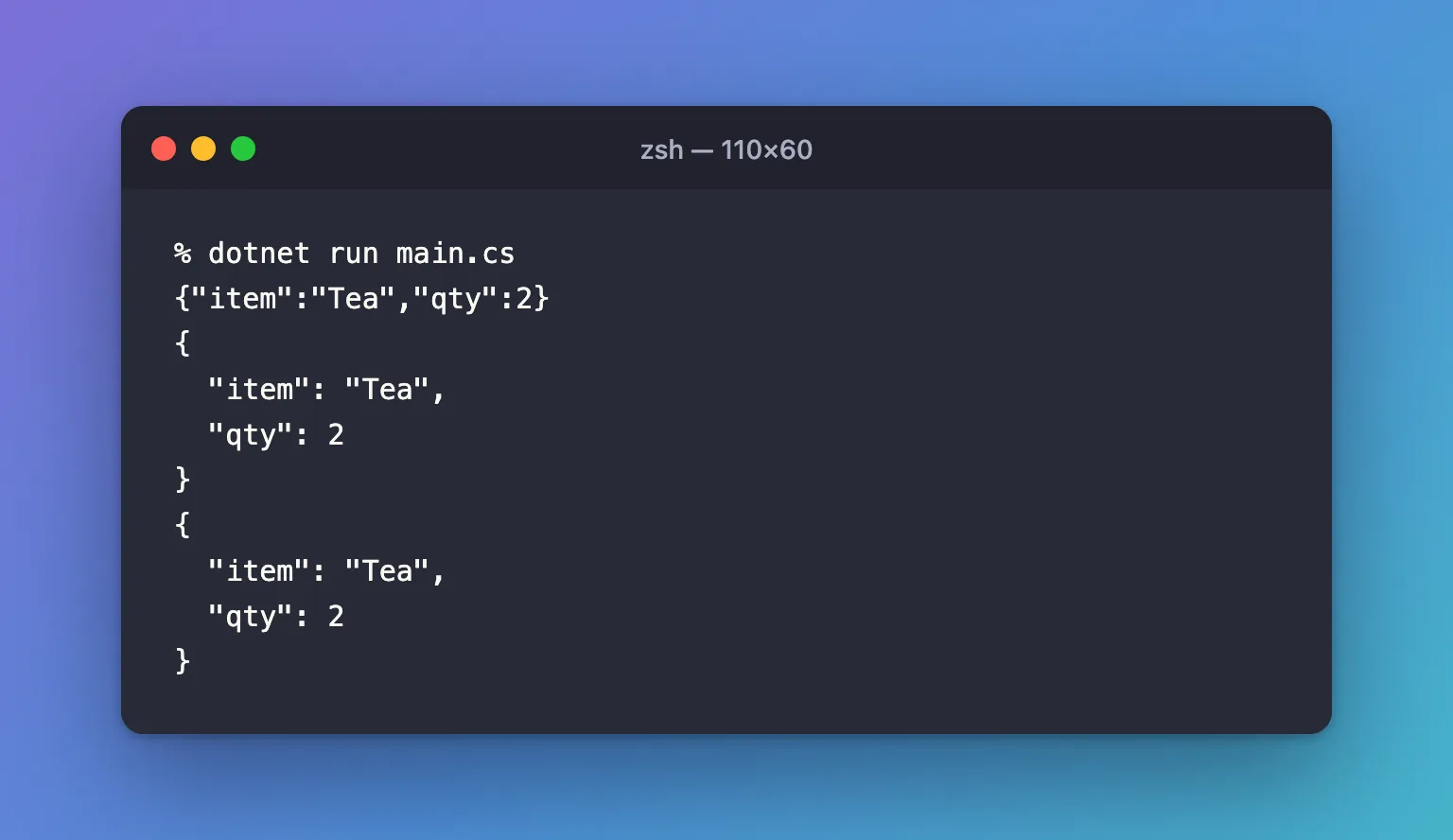
ToJsonString()gave the compact form: one line, no spaces. That's the one to send or store.- With
WriteIndented = true, it gave the same JSON with one property per line. ToString()on an object gave the indented form too.
The command is the same in zsh, bash and PowerShell.
ToString on a Single Value
The two differ most on a single string value. ToString() gives the text itself, and ToJsonString() gives it as JSON, in quotes:
using System.Text.Json.Nodes;

JsonObject order = new() { ["item"] = "Tea" };

Console.WriteLine(order["item"]!.ToString());
Console.WriteLine(order["item"]!.ToJsonString());
Tea
"Tea"
Use ToString() when you want the value to show a person, and ToJsonString() when the result must be valid JSON. The ! tells C# that the property isn't null.
Common Mistakes
| Mistake | What happens | Do this instead |
|---|---|---|
Sending ToString() of an object | Indented JSON over several lines, bigger than it needs to be | Use ToJsonString() |
Using ToJsonString() to show a string value to a person | The text comes with quotes: "Tea" | Use ToString() for display |
Writing JsonSerializerOptions without using System.Text.Json; | error CS0246: The type or namespace name 'JsonSerializerOptions' could not be found: it lives in System.Text.Json, not in System.Text.Json.Nodes | Add both using lines |
Troubleshooting
| Symptom | Likely cause | Fix |
|---|---|---|
| The JSON spans several lines | ToString(), or WriteIndented = true | Call ToJsonString() without options |
| A string value lost its quotes | ToString() on the value | Use ToJsonString() |
FAQ
Does it need anything special in a one-file program?
No. Step 1 ran as a one-file program with dotnet run, options included, and printed all three.
Is ToJsonString the same as JsonSerializer.Serialize?
For a node you already have, ToJsonString() is the direct way to get its JSON. JsonSerializer.Serialize is for turning your own C# objects into JSON.
Conclusion
node.ToJsonString() returns a JsonObject, JsonArray or value as compact JSON, and ToJsonString(new JsonSerializerOptions { WriteIndented = true }) as indented JSON. ToString() indents objects and gives a string value without its quotes, so keep it for display.
Additional Resources
- JsonNode.ToJsonString method, on Microsoft Learn.
- JsonSerializerOptions.WriteIndented property, on Microsoft Learn.
