How to Turn a C# Object into a JSON String with JsonSerializer.Serialize

JsonSerializer.Serialize(pancakes) turns the pancakes object into a JSON string that you can print, save or send. One call, and no JSON written by hand.
Microsoft's reference: Converts the value of a type specified by a generic type parameter into a JSON string. The serialization guide sums up what you get by default: By default, all public properties are serialized. And: By default, JSON is minified. You can pretty-print the JSON.
Syntax
using System.Text.Json;

string <json> = JsonSerializer.Serialize(<value>);
string <json> = JsonSerializer.Serialize(<value>, <options>);
| Part | What it is |
|---|---|
<value> | The object to turn into JSON, such as a record or a class |
<options> | Optional JsonSerializerOptions, such as new() { WriteIndented = true } |
<json> | The JSON text, as a string |
The Example
A console app called JsonSerialize turns a recipe, a record with a name, a cooking time in minutes and a list of ingredients, into JSON twice: once with the default options and once indented.
Prerequisites
- The .NET 10 SDK.
dotnet --versionprints a version that starts with10.0.
Step 1: Create a Console App
dotnet new console -n JsonSerialize
cd JsonSerialize
The template "Console App" was created successfully.

Processing post-creation actions...
Restoring /Users/you/source/JsonSerialize/JsonSerialize.csproj:
  Determining projects to restore...
  Restored /Users/you/source/JsonSerialize/JsonSerialize.csproj (in 41 ms).
Restore succeeded.
dotnet new console -n JsonSerialize creates a folder named JsonSerialize with a project file and a Program.cs, and cd moves into it. Everything this example uses is part of .NET, so there's no package to add. Open the folder in VS Code, or JsonSerialize.csproj in Visual Studio.
Step 2: Write the Code
Replace everything in Program.cs. First the recipe and the call with the default options:
using System.Text.Json;

Recipe pancakes = new("Pancakes", 20, ["flour", "milk", "eggs"]);

// The default options write one line, with the C# property names.
string json = JsonSerializer.Serialize(pancakes);
Console.WriteLine(json);
using System.Text.Json;gives the file access toJsonSerializer.JsonSerializer.Serialize(pancakes)returns the JSON as astring.
Then the indented call and the record:
// WriteIndented puts each property on a line of its own.
JsonSerializerOptions indented = new() { WriteIndented = true };
string pretty = JsonSerializer.Serialize(pancakes, indented);
Console.WriteLine(pretty);

record Recipe(string Name, int Minutes, string[] Ingredients);
new() { WriteIndented = true }creates options for indented JSON. The reference: Gets or sets a value that indicates whether JSON should use pretty printing.record Recipe(...)declares the three properties, and the JSON uses their names.
Step 3: Run It
Run it in VS Code's terminal, or press Ctrl+F5 in Visual Studio:
dotnet run
{"Name":"Pancakes","Minutes":20,"Ingredients":["flour","milk","eggs"]}
{
  "Name": "Pancakes",
  "Minutes": 20,
  "Ingredients": [
    "flour",
    "milk",
    "eggs"
  ]
}
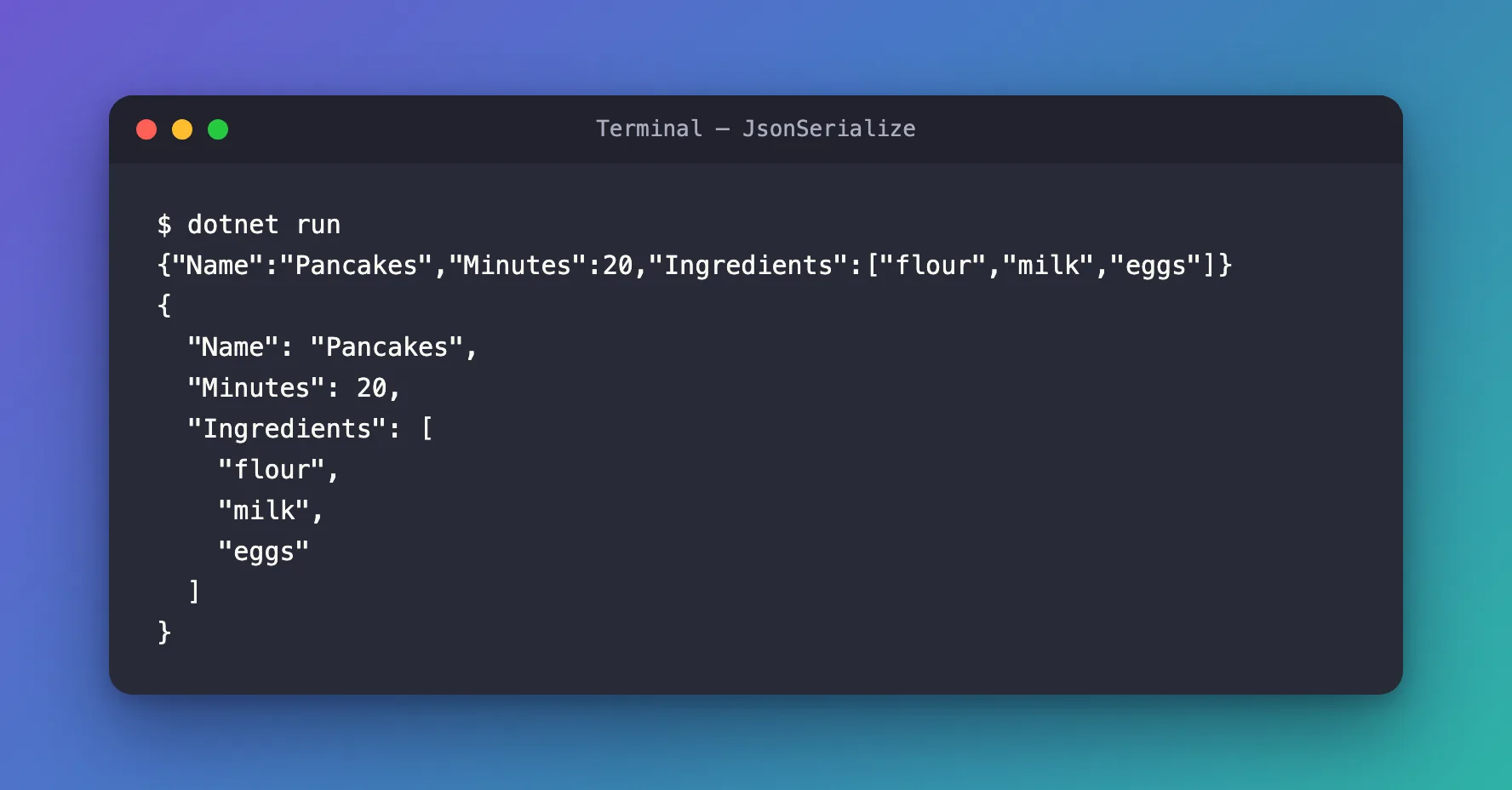
The first Serialize call gave the whole recipe on one line of 70 characters. With WriteIndented, the same JSON took 9 lines, indented by two spaces, the default IndentSize. Both kept the C# names Name, Minutes and Ingredients, and the string[] became a JSON array.
The Complete File
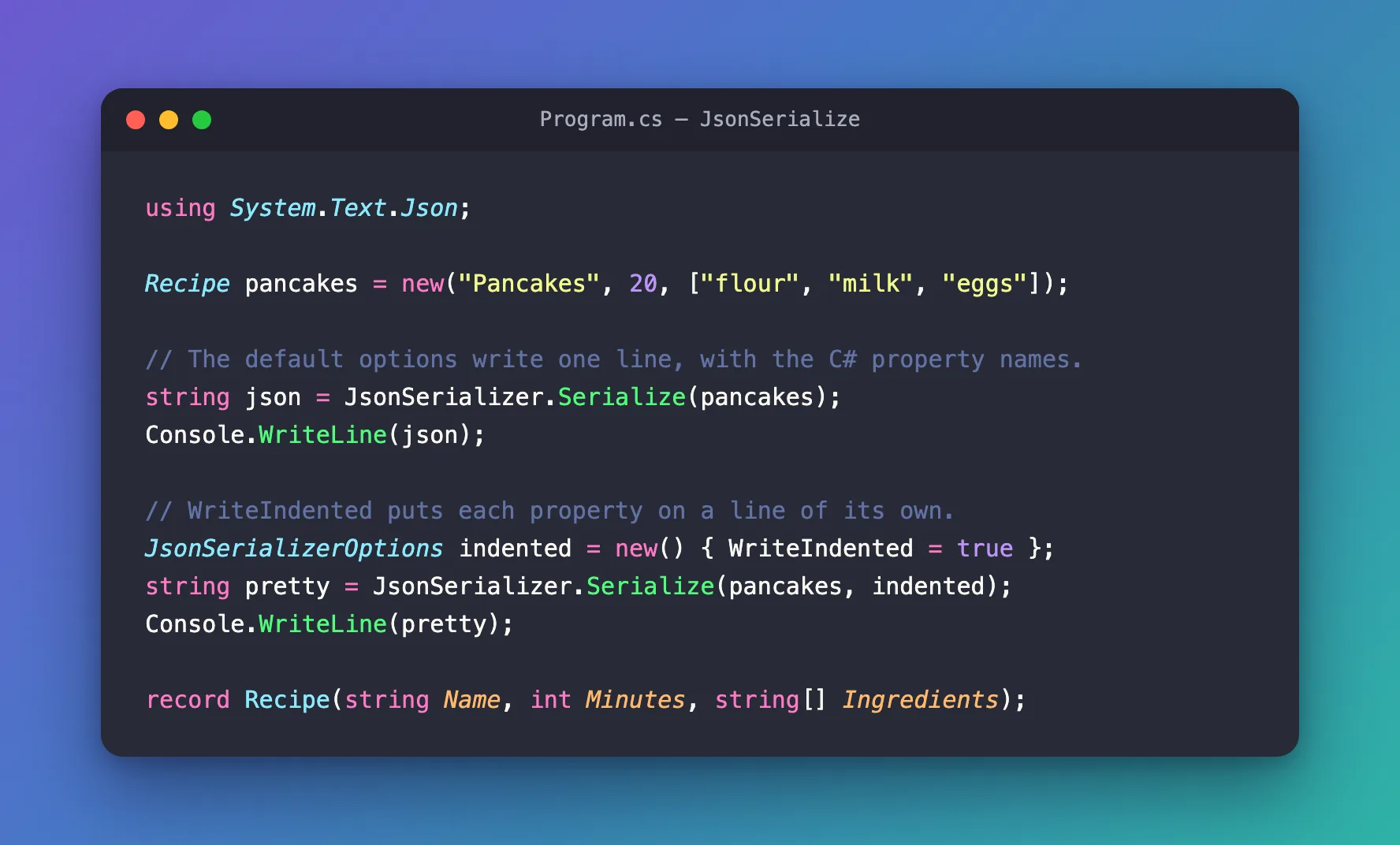
using System.Text.Json;

Recipe pancakes = new("Pancakes", 20, ["flour", "milk", "eggs"]);

// The default options write one line, with the C# property names.
string json = JsonSerializer.Serialize(pancakes);
Console.WriteLine(json);

// WriteIndented puts each property on a line of its own.
JsonSerializerOptions indented = new() { WriteIndented = true };
string pretty = JsonSerializer.Serialize(pancakes, indented);
Console.WriteLine(pretty);

record Recipe(string Name, int Minutes, string[] Ingredients);
Common Mistakes
| Mistake | What happens | Do this instead |
|---|---|---|
| Public fields instead of properties | A Dish class with two public fields came out as {}. The guide: By default, fields are ignored. | Use properties, as a record does, or set IncludeFields = true, which gave {"Name":"Tomato soup","Minutes":25} |
| Expecting camelCase names | The names keep their C# case: Name, not name. The guide: By default, casing of JSON names matches the .NET names. | Set PropertyNamingPolicy = JsonNamingPolicy.CamelCase, or pass JsonSerializerOptions.Web. Both gave {"name":"Pancakes","minutes":20,"ingredients":["flour","milk","eggs"]} |
Text with accents, such as Crème brûlée | The default encoder wrote "Cr\u00E8me br\u00FBl\u00E9e". The guide: By default, the serializer escapes all non-ASCII characters. | Set Encoder = JavaScriptEncoder.Create(UnicodeRanges.All), which kept "Crème brûlée" |
FAQ
Why does the same code fail in a file-based app?
A file-based app is a single .cs file run with dotnet run app.cs. The .NET 10 notes: All file-based apps now target native AOT by default. In such an app, the same Serialize call threw InvalidOperationException: Reflection-based serialization has been disabled for this application. Either use the source generator APIs or explicitly configure the 'JsonSerializerOptions.TypeInfoResolver' property. The notes give the way out: you can disable this using the #:property PublishAot=false directive in your .cs file. With that line at the top of the file, the same call printed the JSON.
Should I create new options for every call?
No. The guide: If you use JsonSerializerOptions repeatedly with the same options, don't create a new JsonSerializerOptions instance each time you use it. Reuse the same instance for every call. Keep them in a variable, like indented.
How do I turn the JSON back into an object?
Call JsonSerializer.Deserialize<Recipe>(json). It read the one-line JSON back into a Recipe: Pancakes, 20 minutes, 3 ingredients.
Conclusion
JsonSerializer.Serialize(value) turns an object's public properties into a JSON string, on one line and with the C# names. Pass JsonSerializerOptions for indented output, camelCase names or unescaped accents, and reuse the same options object for every call.
Additional Resources
- JsonSerializer.Serialize — every overload.
- How to write .NET objects as JSON — the default behavior and pretty printing.
- How to customize property names — naming policies such as camelCase.
- How to customize character encoding — escaping and UnicodeRanges.
