How to Trigger a Proactive Message over HTTP in the Microsoft 365 Agents SDK in C#

Your agent isn't the only one who knows when something happens. A build server knows when a build finishes, a calendar knows when a meeting starts. The Microsoft 365 Agents SDK can expose HTTP endpoints that let such a system make your agent speak in a chat: one runs a handler of yours in that chat, another sends a plain message.
The Endpoints
app.MapAgentProactiveEndpoints<TAgent>() maps them, all under /proactive. The two this guide uses work with a conversation the agent stored earlier with Proactive.StoreConversationAsync:
| Endpoint | What it does | What the caller sends | What comes back |
|---|---|---|---|
POST /proactive/continue/<key>/<conversation ID> | Runs the agent's [ContinueConversation("<key>")] handler in that conversation | Nothing in the body; values in the query string | 200 with no body |
POST /proactive/sendactivity/<conversation ID> | Sends an activity to that conversation, without any handler | The activity as JSON | 200 and the new activity's id |
Microsoft's documentation describes the rest of the family: variants that take the whole conversation in the body instead of an ID, and /proactive/create for starting a new conversation. It also explains the query string: If query string parameters are present, forward them to the handler as turnContext.Activity.Value (a key/value dictionary).
These endpoints let anyone who can reach them post into your chats. MapAgentProactiveEndpoints takes a requireAuth parameter, true by default, which requires the same authentication as the agent's message endpoint. This guide maps them without authentication, and only in the Development environment.
The Example
A build notifier. Send notify me in a chat, and the agent stores that chat. A build server then reports results by calling the agent: ✅ Build 42 passed., ❌ Build 43 failed. The agent is one class in an ASP.NET Core project with the Agents SDK 1.9.205, hosted with AddAgentDefaults().AddAgent<BuildNotifierAgent>() and MemoryStorage, listening on port 3978. On this page, curl and PowerShell play the build server.
Prerequisites
- The Microsoft 365 Agents Playground.
agentsplayground --versionshould print0.2.30. If the command isn't found, install it withnpm install -g @microsoft/m365agentsplayground. - A Microsoft Entra app registration for the agent, with a client secret. The agent speaks as itself in these calls, so they don't work in the Playground's default anonymous mode.
Step 1: Store the Conversation
    private async Task NotifyMeAsync(ITurnContext turnContext, ITurnState turnState, CancellationToken cancellationToken)
    {
        string conversationId = await Proactive.StoreConversationAsync(turnContext, cancellationToken);
        _logger.LogInformation("Stored conversation {ConversationId} for build results", conversationId);

        await turnContext.SendActivityAsync("OK, I'll post build results in this chat.", cancellationToken: cancellationToken);
    }
StoreConversationAsync saves the chat's address and the agent's identity in the agent's storage, and returns the conversation's ID. A real build server would be given that ID when someone subscribes. Here, the log line shows it.
Step 2: Write the Handler the Endpoint Runs
    [ContinueConversation("build")]
    public async Task BuildFinishedAsync(ITurnContext turnContext, ITurnState turnState, CancellationToken cancellationToken)
    {
        var values = turnContext.Activity.Value as IReadOnlyDictionary<string, string> ?? new Dictionary<string, string>();

        if (!values.TryGetValue("number", out string? number) || !int.TryParse(number, out _))
        {
            throw new ArgumentException("Add the build number to the address, as number=...");
        }

        string message = values.GetValueOrDefault("status") switch
        {
            "passed" => $"✅ Build {number} passed.",
            "failed" => $"❌ Build {number} failed.",
            _ => throw new ArgumentException("Add the build's status to the address, as status=passed or status=failed")
        };

        await turnContext.SendActivityAsync(message, cancellationToken: cancellationToken);
    }
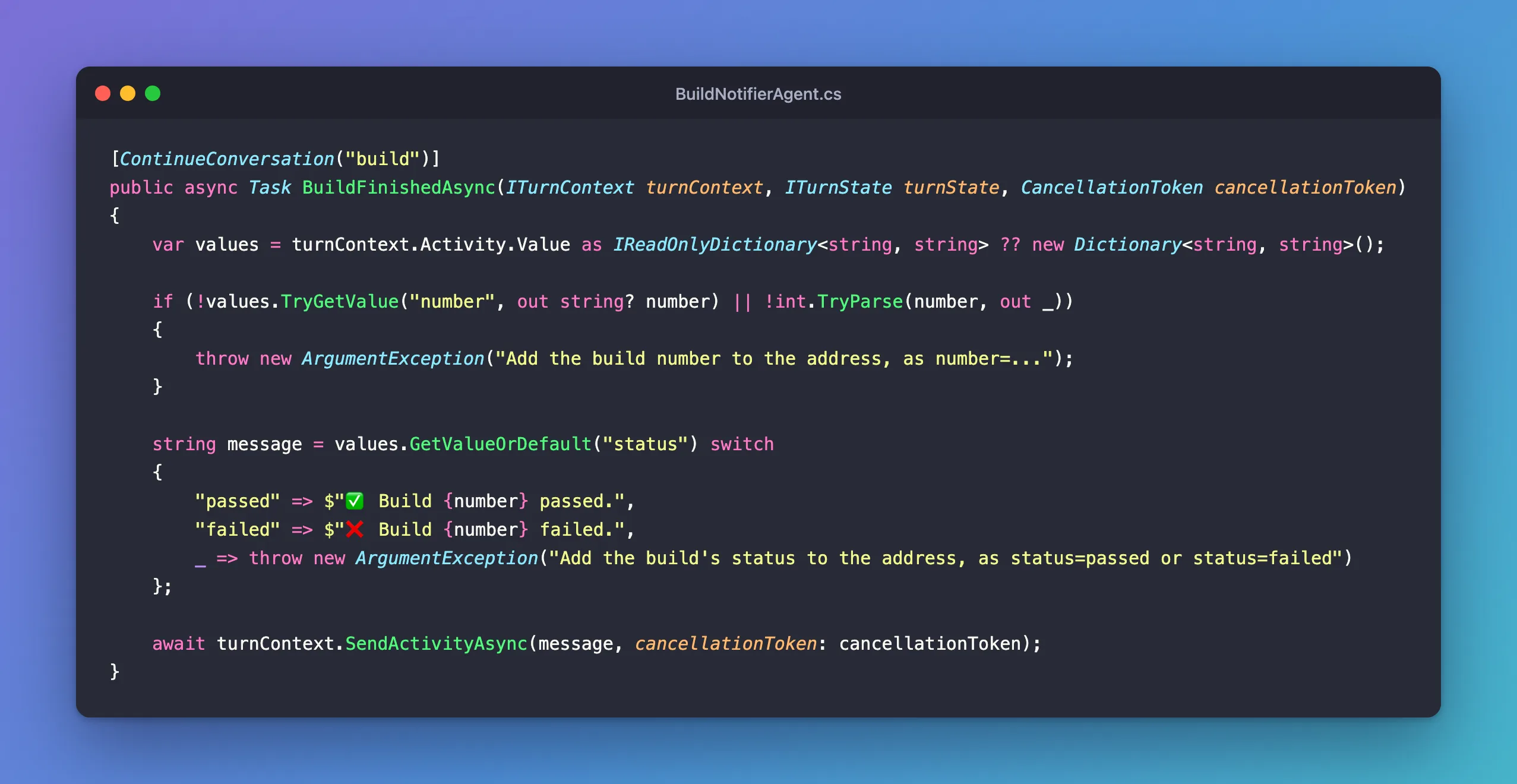
[ContinueConversation("build")]turns the method into the handler for/proactive/continue/build/.... The method has the usual handler parameters, and runs inside the stored conversation, with its turn state.turnContext.Activity.Valueholds the query string's values as a dictionary of strings. Declare it asIReadOnlyDictionary<string, string>: withIDictionary,GetValueOrDefaultdoesn't compile, as Fixed: CS0411 for GetValueOrDefault shows.ArgumentExceptionfor a bad call. The SDK answers the caller with400and the exception's message, and nothing reaches the chat.
The constructor registers the rest:
    public BuildNotifierAgent(AgentApplicationOptions options, ILogger<BuildNotifierAgent> logger) : base(options)
    {
        _logger = logger;

        OnMessage("notify me", NotifyMeAsync);
        OnActivity(ActivityTypes.Message, HelpAsync, rank: RouteRank.Last);
    }
Step 3: Map the Endpoints
using BuildNotifier;
using Microsoft.Agents.Hosting.AspNetCore;
using Microsoft.Agents.Storage;

var builder = WebApplication.CreateBuilder(args);

builder.AddAgentDefaults()
    .AddAgent<BuildNotifierAgent>();
builder.Services.AddSingleton<IStorage, MemoryStorage>();

var app = builder.Build();

app.UseAgents();
app.MapDefaultAgentEndpoints();

if (app.Environment.IsDevelopment())
{
    // Open to anyone who can reach this port, so only map them on your own machine.
    app.MapAgentProactiveEndpoints<BuildNotifierAgent>(requireAuth: false);
}

app.Run();
MapAgentProactiveEndpoints finds every [ContinueConversation] method on the agent and maps an endpoint for each. Outside Development, this code maps none, so they can't be reached without authentication.
Step 4: Start the Playground with a Known Conversation ID
Run the agent with dotnet run. Start the Playground in authenticated mode, as How to Test an Agent with Authentication in the Microsoft 365 Agents Playground shows, and add --conversation-id, so the chat's ID is known in advance:
agentsplayground -e http://localhost:3978/api/messages -c emulator --conversation-id builds-chat
Send notify me. The agent answers OK, I'll post build results in this chat., and its terminal logs the ID it stored:
info: BuildNotifier.BuildNotifierAgent[0]
      Stored conversation builds-chat for build results
Step 5: Report a Build
From a third terminal, call the continue endpoint with the build in the query string:
- macOS / Linux
- Windows (PowerShell)
curl -i -X POST "http://localhost:3978/proactive/continue/build/builds-chat?number=42&status=passed"
HTTP/1.1 200 OK
Content-Length: 0
Date: Tue, 24 Nov 2026 07:18:01 GMT
Server: Kestrel
(Invoke-WebRequest -Method Post -Uri "http://localhost:3978/proactive/continue/build/builds-chat?number=42&status=passed" -ContentType "application/json").StatusCode
200
-ContentType "application/json" is needed even without a body: without it, PowerShell labels the POST as a form, and the endpoint answers 415 Unsupported Media Type.
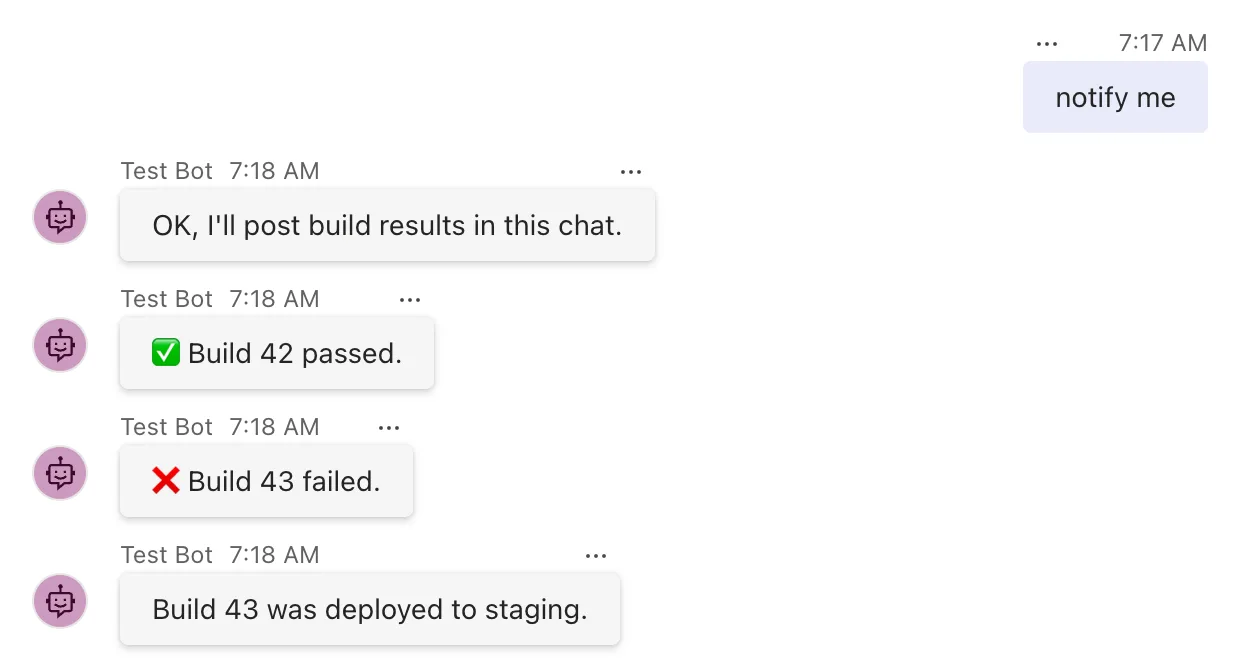
✅ Build 42 passed. appears in the chat. Report a second build with number=43&status=failed the same way, and ❌ Build 43 failed. follows.
Step 6: Send a Plain Message
When the caller already has the exact text, /proactive/sendactivity sends it without any handler. The body is the activity, as JSON:
- macOS / Linux
- Windows (PowerShell)
curl -i -X POST http://localhost:3978/proactive/sendactivity/builds-chat -H "Content-Type: application/json" -d '{"type":"message","text":"Build 43 was deployed to staging."}'
HTTP/1.1 200 OK
Content-Type: application/json
Date: Tue, 24 Nov 2026 07:18:21 GMT
Server: Kestrel
Transfer-Encoding: chunked

{"id":"1795504701978"}
Invoke-RestMethod -Method Post -Uri "http://localhost:3978/proactive/sendactivity/builds-chat" -ContentType "application/json" -Body '{"type":"message","text":"Build 43 was deployed to staging."}'
id
--
1795504702957
The answer is the new activity's id, and the message is in the chat:
Common Mistakes
| Mistake | What happens | Do this instead |
|---|---|---|
Mapping the endpoints with requireAuth: false everywhere | Anyone who can reach the agent can post into its chats | Map them without authentication only on your own machine |
| Calling the endpoint before the conversation is stored | 404, Conversation not found | Store the conversation first |
| Putting the values in the body of a continue call | The by-ID continue endpoint doesn't read the body | Put them in the query string |
| Testing in the Playground's anonymous mode | The agent can't send as itself | Use authenticated mode |
Troubleshooting
| Symptom | Likely cause | Fix |
|---|---|---|
404 and Conversation not found for conversationId | The ID was never stored, or the agent restarted and its MemoryStorage was emptied | Send notify me again |
400 with your exception's message | The handler threw ArgumentException for a missing value | Check the query string |
415 Unsupported Media Type | A content type other than JSON, for example PowerShell's default for POST | Send Content-Type: application/json |
FAQ
Which endpoint should I use?
continue when the agent should decide what to say, or needs its state. sendactivity when the caller already has the exact message.
How does the caller get the conversation ID?
From the agent, when someone subscribes. A real agent would pass it to the other system along with whatever that system needs, such as which builds to report. The fixed --conversation-id in this guide only makes the Playground's ID predictable.
Conclusion
MapAgentProactiveEndpoints gives other systems a way into your agent's chats. Store the conversation when someone subscribes, mark a method with [ContinueConversation("<key>")] to handle /proactive/continue/<key>/<id>, read the caller's values from turnContext.Activity.Value, and use /proactive/sendactivity/<id> for plain messages. Require authentication anywhere other than your own machine.
Additional Resources
- Proactive messaging in the Agents SDK: triggering proactive actions over HTTP — every endpoint, its body and its answer.
- ContinueConversationAttribute class — the attribute and its key.
