How to Train a Ridge Regression Model with scikit-learn

Ridge regression is linear regression with a brake on its coefficients: a penalty keeps them small, which helps when features overlap or data is scarce. scikit-learn's Ridge takes one setting, alpha, for how hard to brake. This guide compares it with plain linear regression on the same data, with real output from scikit-learn 1.9.1.
Syntax
from sklearn.linear_model import Ridge

<model> = Ridge(alpha=<strength>)
<model>.fit(<X_train>, <y_train>)
| Part | What it means |
|---|---|
alpha= | How strongly to shrink the coefficients. 1.0 by default; 0 would be plain linear regression |
fit, score, predict | The same as for LinearRegression |
The scikit-learn reference: "Linear least squares with l2 regularization."
Prerequisites
- scikit-learn and pandas in your project, for example with
uv add scikit-learn pandas. This guide uses scikit-learn 1.9.1 and pandas 3.1.1 on Python 3.15.2.
Step 1: Write the Script
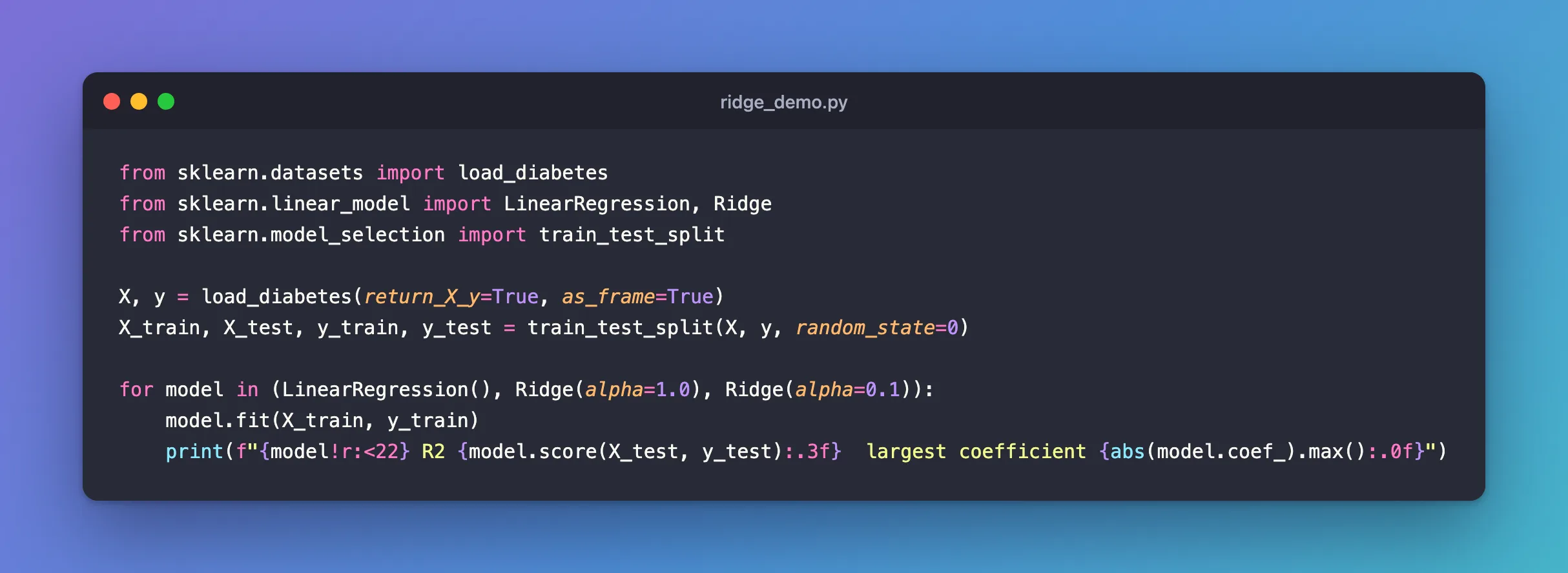
Three models, the same split: plain linear regression and Ridge with two strengths. For each it prints the test R² and the size of the largest coefficient.
from sklearn.datasets import load_diabetes
from sklearn.linear_model import LinearRegression, Ridge
from sklearn.model_selection import train_test_split

X, y = load_diabetes(return_X_y=True, as_frame=True)
X_train, X_test, y_train, y_test = train_test_split(X, y, random_state=0)

for model in (LinearRegression(), Ridge(alpha=1.0), Ridge(alpha=0.1)):
    model.fit(X_train, y_train)
    print(f"{model!r:<22} R2 {model.score(X_test, y_test):.3f}  largest coefficient {abs(model.coef_).max():.0f}")
Step 2: Run It
uv run python ridge_demo.py
LinearRegression()     R2 0.359  largest coefficient 703
Ridge()                R2 0.357  largest coefficient 303
Ridge(alpha=0.1)       R2 0.369  largest coefficient 542
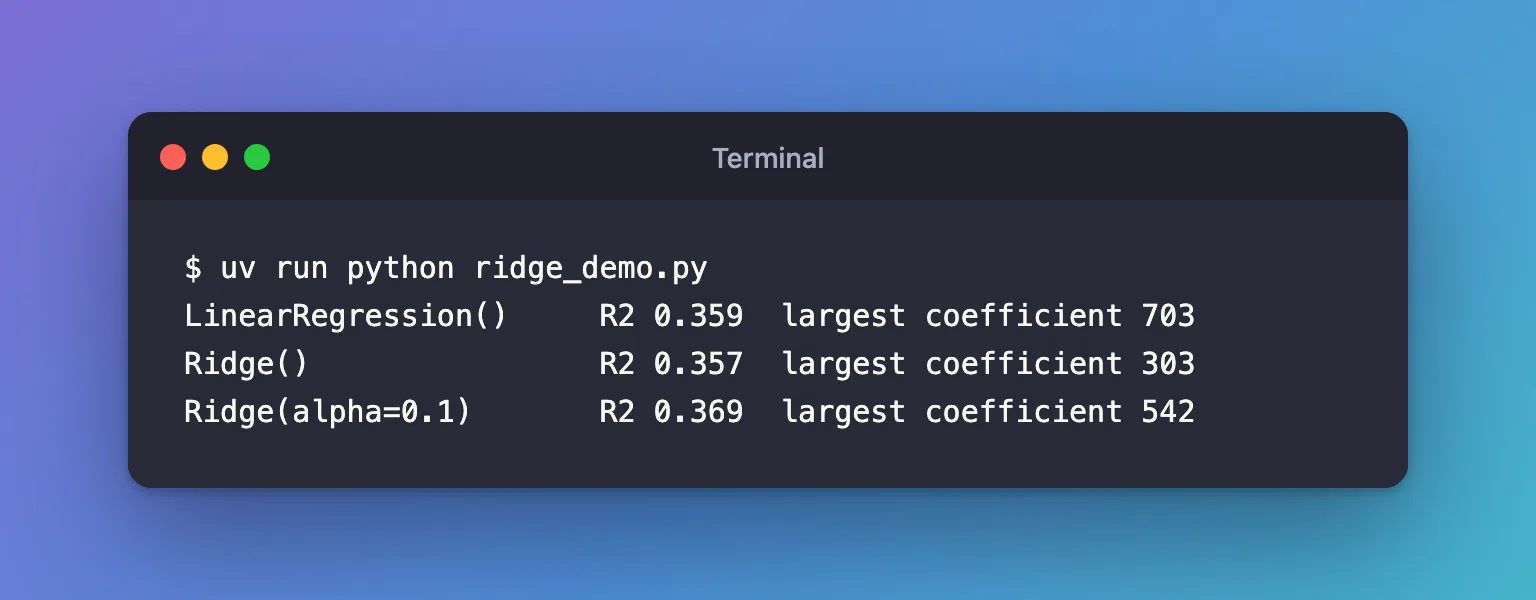
- The brake works: the largest coefficient fell from 703 to 303 with
alpha=1.0. alpha=0.1shrank less and scored best here, 0.369: the right strength depends on the data.
Common Mistakes
| Mistake | What happens | Do this instead |
|---|---|---|
An alpha far too large | The model shrinks almost to nothing: alpha=100 gave an R² of 0.020 and a largest coefficient of 7.8 | Try several values and keep the best on validation data |
Choosing alpha by the test score | The test set stops being a fair final check | Pick alpha with cross-validation, such as GridSearchCV, on the training data |
Troubleshooting
| Symptom | Likely cause | Fix |
|---|---|---|
| Ridge scores far below linear regression | alpha is too strong for the scale of the data | Lower alpha, or scale the features first |
FAQ
When does Ridge help most?
When features are strongly related to each other. The user guide explains that then "the least-squares estimate becomes highly sensitive to random errors in the observed target", and: "Ridge regression addresses some of the problems of Ordinary Least Squares by imposing a penalty on the size of the coefficients."
What's the difference from Lasso?
Ridge shrinks every coefficient but keeps them all. The user guide on Lasso: "it is able to set coefficients exactly to zero", which drops those features.
Conclusion
Ridge(alpha=1.0) cut the largest coefficient from 703 to 303 at almost the same R², and alpha=0.1 scored 0.369. Choose alpha by validation, not by the test set.
Additional Resources
- Ridge — the class and its solvers.
- Ridge regression in the user guide — how the penalty works.
