How to Test a Race Condition in a Web API from the Terminal

A race condition doesn't show up when you send one request at a time. You need several at the same moment, and you don't need a load-testing tool: curl with xargs does it on macOS and Linux, and ForEach-Object -Parallel does it in PowerShell. Then check what's in the database, because the status codes alone can look fine.
Prerequisites
- An API running on your machine. Mine is on
http://localhost:5190. - On macOS or Linux:
curlandxargs, which are already installed. - On Windows: PowerShell 7.
-Paralleldoesn't exist in Windows PowerShell 5.1. I tested these commands in PowerShell 7.6.6 on macOS, not on Windows.
Step 1: Send Five Requests at Once
- macOS / Linux
- Windows (PowerShell 7)
seq 5 | xargs -P 5 -I{} curl -s -o /dev/null -w "%{http_code}\n" -X POST http://localhost:5190/api/v1/orders -H "Content-Type: application/json" -d '{"customerName":"Buyer {}","customerEmail":"buyer{}@example.com","lines":[{"productId":13,"quantity":1}]}'
1..5 | ForEach-Object -Parallel {
    $body = @{ customerName = "Buyer $_"; customerEmail = "buyer$_@example.com"; lines = @(@{ productId = 12; quantity = 1 }) } | ConvertTo-Json -Depth 3
    (Invoke-WebRequest -Uri http://localhost:5190/api/v1/orders -Method Post -ContentType application/json -Body $body -SkipHttpErrorCheck).StatusCode
} -ThrottleLimit 5
xargs -P 5runs up to 5 at the same time.-I{}puts each number fromseqwherever{}appears.-w "%{http_code}\n"prints just the status, and-o /dev/nullthrows away the body.-ThrottleLimit 5is PowerShell's equivalent, and-SkipHttpErrorCheckstops a409from being treated as a failure.
Step 2: Read the Result
With the product at one unit in stock:
201
409
409
409
409
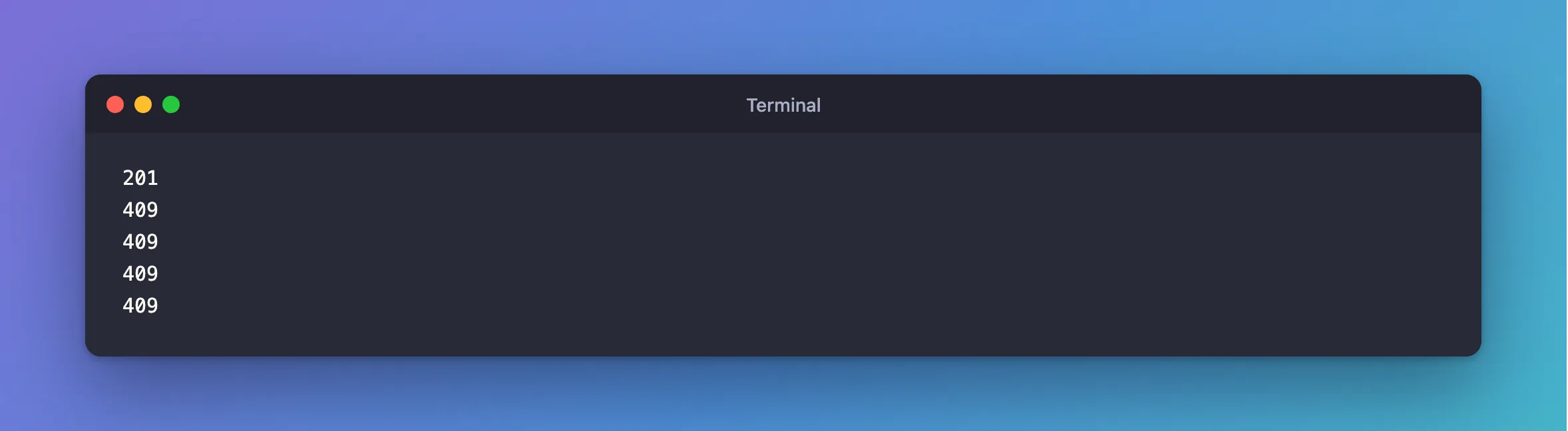
The same in PowerShell:
201
409
409
409
409
Step 3: Check the Database
Status codes can look right when the data isn't. Compare the numbers that should agree:
SELECT p.QuantityOnHand,
       (SELECT COALESCE(SUM(m.QuantityChange),0) FROM stock_movements m WHERE m.ProductId=p.Id) AS SumOfMovements,
       (SELECT COUNT(*) FROM order_lines l WHERE l.ProductId=p.Id) AS OrdersPlaced
FROM products p WHERE p.Id=13;
+----------------+----------------+--------------+
| QuantityOnHand | SumOfMovements | OrdersPlaced |
+----------------+----------------+--------------+
|              0 |              0 |            1 |
+----------------+----------------+--------------+
And here's what a real bug looks like, where five buyers all got a 201:
201
201
201
201
201
+----------------+----------------+--------------+
| QuantityOnHand | SumOfMovements | OrdersPlaced |
+----------------+----------------+--------------+
|              0 |             -4 |            6 |
+----------------+----------------+--------------+
Step 4: Run It More Than Once
A race depends on timing. With the buggy code above, the first round I ran, just after the API started, gave one 201 and four 409, which looked correct:
201
409
409
409
409
So run several rounds, and warm the API up first with an ordinary request.
Step 5: Count Many Requests
For larger runs, count each status with sort | uniq -c, or Group-Object. These 30 orders use two products in opposite orders, half each way, which is how to look for deadlocks:
- macOS / Linux
- Windows (PowerShell 7)
(seq 15 | xargs -P 15 -I{} curl -s -o /dev/null -w "%{http_code}\n" -X POST http://localhost:5190/api/v1/orders -H "Content-Type: application/json" -d '{"customerName":"Buyer {}","customerEmail":"buyer{}@example.com","lines":[{"productId":1,"quantity":1},{"productId":2,"quantity":1}]}' &
seq 15 | xargs -P 15 -I{} curl -s -o /dev/null -w "%{http_code}\n" -X POST http://localhost:5190/api/v1/orders -H "Content-Type: application/json" -d '{"customerName":"Buyer {}","customerEmail":"buyer{}@example.com","lines":[{"productId":2,"quantity":1},{"productId":1,"quantity":1}]}' &
wait) | sort | uniq -c
1..30 | ForEach-Object -Parallel {
    $lines = if ($_ % 2) {
        @(@{ productId = 1; quantity = 1 }, @{ productId = 2; quantity = 1 })
    } else {
        @(@{ productId = 2; quantity = 1 }, @{ productId = 1; quantity = 1 })
    }
    $body = @{ customerName = "Buyer $_"; customerEmail = "buyer$_@example.com"; lines = $lines } | ConvertTo-Json -Depth 3
    (Invoke-WebRequest -Uri http://localhost:5190/api/v1/orders -Method Post -ContentType application/json -Body $body -SkipHttpErrorCheck).StatusCode
} -ThrottleLimit 30 | Group-Object | Select-Object Count, Name
Before I sorted the lines in the code:
  15 201
  15 500
After:
30 201
Common Mistakes
| Mistake | What happens | Do this instead |
|---|---|---|
Using & in a loop in a slow shell | Requests can arrive one after another | Use xargs -P |
| Reading only the status codes | A bug can answer 201 five times | Check the data |
| Running it once | A race can pass by luck | Run several rounds |
| Testing against a cold API | Timing is different | Send one request first |
Troubleshooting
| Symptom | Likely cause | Fix |
|---|---|---|
-Parallel isn't recognised | Windows PowerShell 5.1 | Install PowerShell 7 |
Everything answers 500 | The API has a problem of its own | Read its log |
| All succeed, and you expected conflicts | Requests didn't overlap | Add more, and repeat |
zsh: no matches found | A ? in an unquoted address | Quote it |
xargs: command line cannot be assembled, too long | A long argument on macOS | The fix |
Conclusion
xargs -P and ForEach-Object -Parallel will send requests at the same moment with no extra tools. Run several rounds, and judge the result by the database, not only by the status codes.
Additional Resources
- ForEach-Object —
-Parallel. - curl man page —
-w.
