How to Take the First Rows of a NumPy Array with Slicing

A two-dimensional NumPy array is a grid of rows and columns, and a slice takes a block of it, such as its first two rows. It's the same start:stop slicing as Python lists, applied to rows. This guide takes the first two rows of a small grid, with real output from NumPy 2.5.5.
Syntax
<array>[:<number of rows>]
<array>[<start>:<stop>, <start>:<stop>]   # rows, then columns
| Part | What it means |
|---|---|
:<number of rows> | The rows from the first up to, not including, that position |
<start>:<stop>, <start>:<stop> | A slice of rows, then a slice of columns. Left empty, a part means all of them |
The NumPy indexing guide: "Basic slicing extends Python's basic concept of slicing to N dimensions."
Prerequisites
- NumPy in your project, for example with
uv add numpy. This guide uses NumPy 2.5.5 on Python 3.15.2.
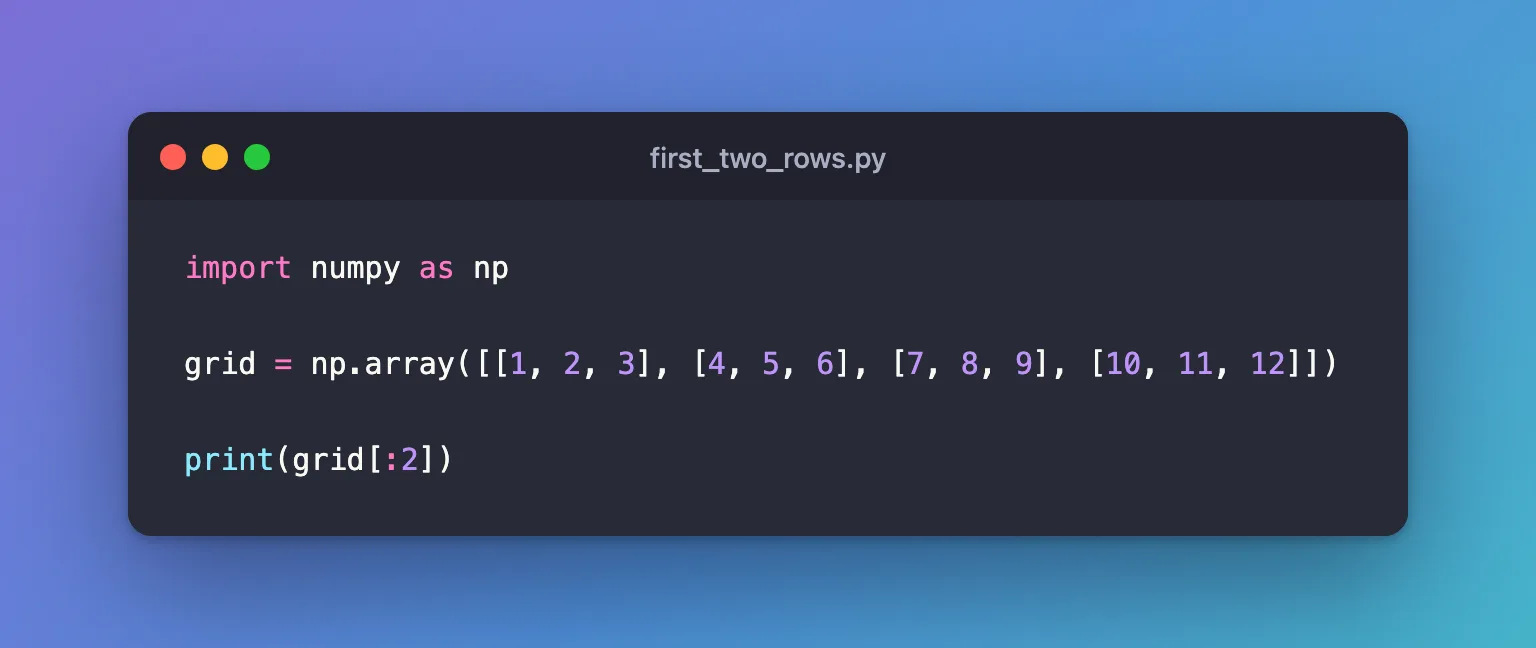
Step 1: Write the Script
import numpy as np

grid = np.array([[1, 2, 3], [4, 5, 6], [7, 8, 9], [10, 11, 12]])

print(grid[:2])
Step 2: Run It
uv run python first_two_rows.py
[[1 2 3]
 [4 5 6]]
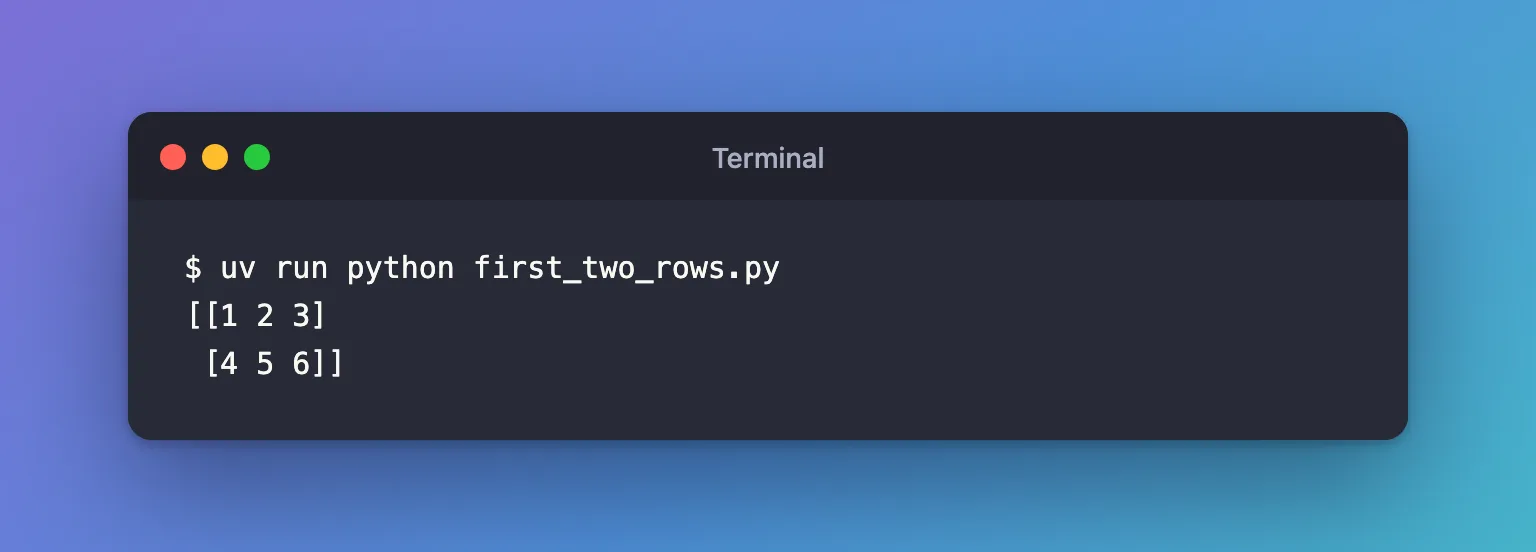
The slice kept rows 0 and 1, all three columns each.
Common Mistakes
| Mistake | What happens | Do this instead |
|---|---|---|
| Changing a slice and expecting the original to stay | A slice shares its data: setting top[0, 0] = 100 on grid[:1] changed grid to start with 100 | Copy it first: after grid[:1].copy() was changed, grid[0, 0] stayed 100, untouched by the copy |
| Expecting an error for a slice past the end | grid[:10] on two rows returned both rows, without an error | Check the shape with grid.shape when the count matters |
Troubleshooting
| Symptom | Likely cause | Fix |
|---|---|---|
| The original array changed after you edited a slice | Slices are views of the same data | Use .copy() on the slice before changing it |
FAQ
How do I take columns as well?
Add a second slice after a comma: grid[:, :2] gave the first two columns of every row, [[1 2] and [4 5]] for a two-row grid.
Why does a slice share the original's data?
The guide: "All arrays generated by basic slicing are always views of the original array." A view is a new way of looking at the same numbers, not a second set of them.
Conclusion
grid[:2] took the first two rows of the grid. A slice is a view of the same data, so .copy() it before you change it.
Additional Resources
- Slicing and striding — the NumPy guide's section.
- Views versus copies — when NumPy shares data and when it copies.
