How to Sum a Column with SumAsync in EF Core
· 3 min read

SumAsync adds up a column in the database, without loading the rows. Two things are worth seeing: what it returns when there are no rows, since SQL's SUM gives NULL there, and how to get a total per group.
Prerequisites
- A .NET C# project using EF Core. I used EF Core 10.0.14 and MySQL 9.7.4.
Step 1: Sum a Column
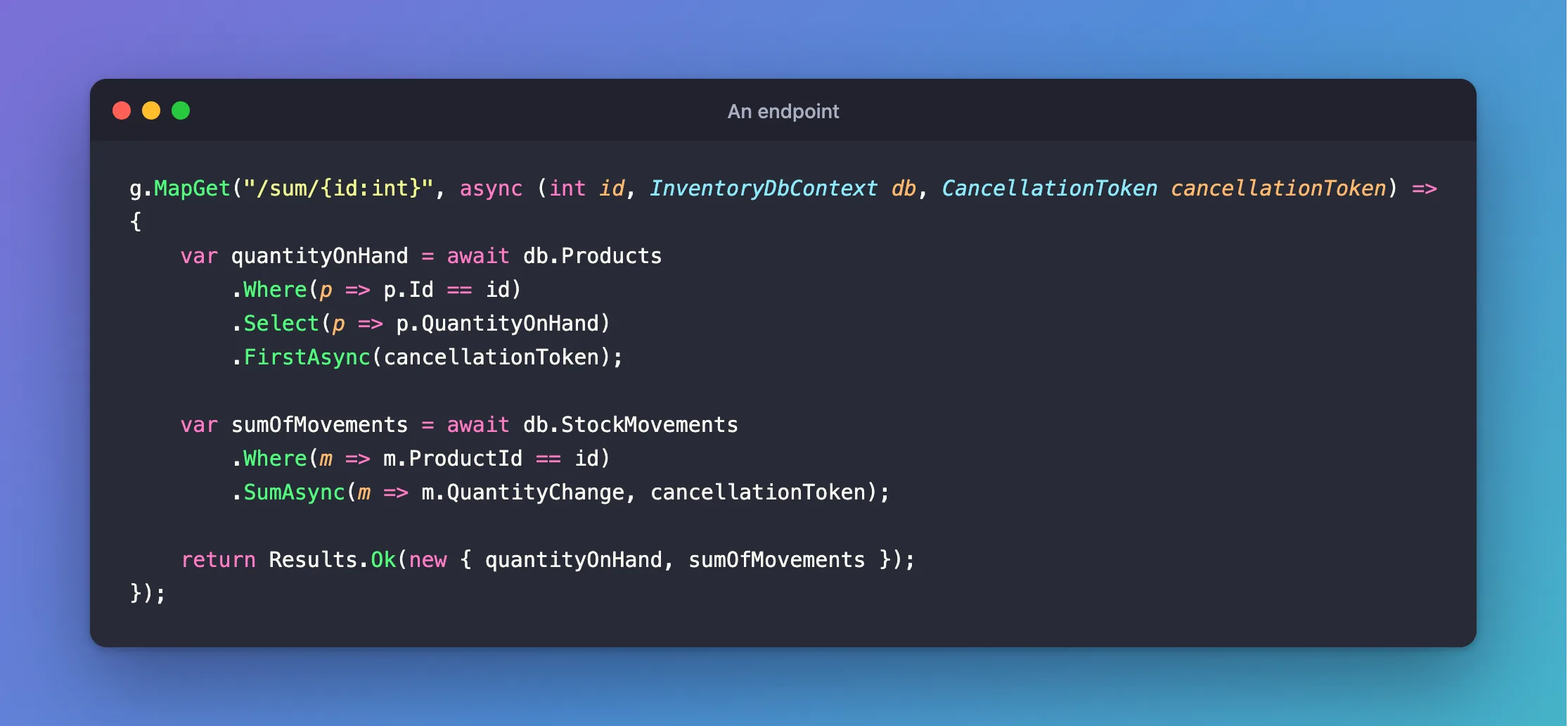
An endpoint
g.MapGet("/sum/{id:int}", async (int id, InventoryDbContext db, CancellationToken cancellationToken) =>
{
    var quantityOnHand = await db.Products
        .Where(p => p.Id == id)
        .Select(p => p.QuantityOnHand)
        .FirstAsync(cancellationToken);

    var sumOfMovements = await db.StockMovements
        .Where(m => m.ProductId == id)
        .SumAsync(m => m.QuantityChange, cancellationToken);

    return Results.Ok(new { quantityOnHand, sumOfMovements });
});
Output
{
  "quantityOnHand": 12,
  "sumOfMovements": 12
}
API log (the second query)
SELECT COALESCE(SUM(`s`.`QuantityChange`), 0)
FROM `stock_movements` AS `s`
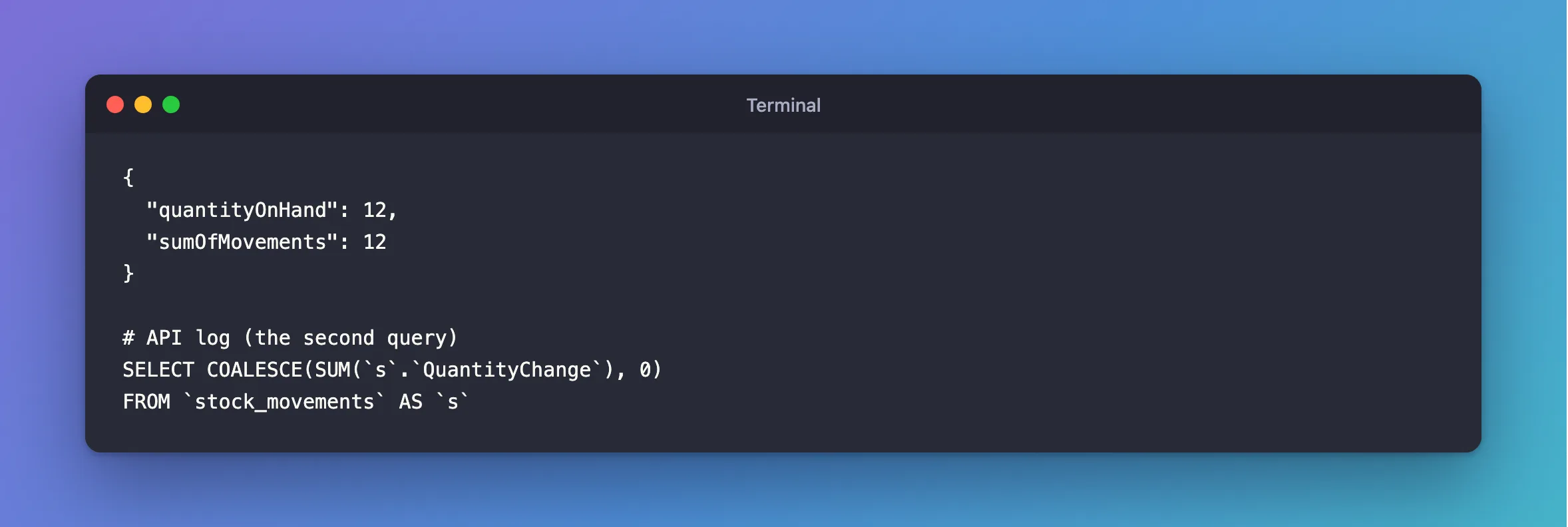
EF Core adds the COALESCE itself.
Step 2: Sum No Rows
A product with no movements:
Output
{
  "quantityOnHand": 0,
  "sumOfMovements": 0
}
0, and no exception. That's because the type is int, and the COALESCE turns SQL's NULL into 0.
Step 3: Sum per Group
Use GroupBy, then Sum inside a Select:
An endpoint
g.MapGet("/sum-by-type/{id:int}", async (int id, InventoryDbContext db, CancellationToken cancellationToken) =>
{
    var totals = await db.StockMovements
        .Where(m => m.ProductId == id)
        .GroupBy(m => m.Type)
        .Select(g => new { Type = g.Key, Total = g.Sum(m => m.QuantityChange) })
        .ToListAsync(cancellationToken);

    return Results.Ok(totals);
});
Output
[
  {
    "type": "Receipt",
    "total": 2502
  },
  {
    "type": "Sale",
    "total": -432
  }
]
API log
SELECT `s`.`Type`, COALESCE(SUM(`s`.`QuantityChange`), 0) AS `Total`
FROM `stock_movements` AS `s`
WHERE `s`.`ProductId` = @id
GROUP BY `s`.`Type`
Common Mistakes
| Mistake | What happens | Do this instead |
|---|---|---|
.ToListAsync() and then .Sum() | Every row comes back first | Use SumAsync |
Using Select(...).Sum() and no Async | It blocks a thread | Use SumAsync |
Troubleshooting
| Symptom | Likely cause | Fix |
|---|---|---|
| A slow sum | The Where column has no index | Add one |
| The group's type is a number | JSON enum settings | Add the converter |
Conclusion
SumAsync runs in the database, and gives 0 for no rows. For totals per group, use GroupBy with Sum in a Select.
Additional Resources
- Complex Query Operators: GroupBy — grouping in EF Core.
