How to Store an Enum as a String with EF Core and MySQL

By default, EF Core saves a C# enum as its number: Sale becomes 2. That works, but anyone reading the table needs the C# code to know what 2 means, and reordering the enum silently changes the meaning of every old row. This guide stores enums as their names instead, first for one property and then for every enum at once, and handles the part most guides skip: the rows that already hold numbers.
Prerequisites
- A .NET C# project using EF Core with MySQL. The examples use EF Core 10 with Oracle's
MySql.EntityFrameworkCoreprovider and MySQL 9.7, set up in How to Connect a .NET C# Web API to a MySQL Database — Part 1. - The EF Core command-line tools, from How to Install dotnet-ef as a Local Tool in a .NET C# Project.
The Example: Stock Movements
An inventory app records every change to a product's stock, and an enum says what kind of change it was:
namespace Dewiride.Inventory.Data.Entities;

/// <summary>Why a product's stock changed. Stored as its name, such as "Receipt".</summary>
public enum StockMovementType
{
    /// <summary>Stock arrived, for example a delivery from a supplier.</summary>
    Receipt,

    /// <summary>A person corrected the count, for example after a stocktake.</summary>
    Adjustment,

    /// <summary>An order took the stock.</summary>
    Sale,

    /// <summary>A cancelled order put the stock back.</summary>
    SaleCancelled,
}
The entity uses it as an ordinary property:
public required StockMovementType Type { get; set; }
Step 1: See the Default, a Number
Without any configuration, the migration EF Core generates for the table makes Type an integer column:
Type = table.Column<int>(type: "int", nullable: false),
And the rows hold numbers, the enum members' positions: Receipt is 0, Sale is 2.
SELECT Id, ProductId, Type, QuantityChange, Reference FROM stock_movements;
+----+-----------+------+----------------+-----------+
| Id | ProductId | Type | QuantityChange | Reference |
+----+-----------+------+----------------+-----------+
|  1 |         3 |    0 |             20 | DN-1042   |
|  2 |         3 |    2 |             -2 | ORD-17    |
+----+-----------+------+----------------+-----------+
2 rows in set (0.000 sec)
Step 2: Store One Property as a String
EF Core has a built-in conversion for this. Its value conversions page says that "EF Core will actually do this automatically when the provider type is configured as string using the generic type of HasConversion". In the entity's configuration:
builder.Property(m => m.Type)
    .HasConversion<string>()
    .HasMaxLength(32);
HasConversion<string>()stores the member's name,Receipt, and turns it back into the enum when reading. The page lists the converter behind it as "EnumToStringConverter<TEnum>- Enum to string".HasMaxLength(32)gives the column a fixed size. Without it, MySQL would get alongtextcolumn for a word of at most 13 letters.
Create the migration:
dotnet ef migrations add StoreMovementTypeAsString --project src/Dewiride.Inventory.Data --startup-project src/Dewiride.Inventory.Api
Build started...
Build succeeded.
An operation was scaffolded that may result in the loss of data. Please review the migration for accuracy.
Done. To undo this action, use 'ef migrations remove'
The warning is about the type change: the migration turns int into varchar(32). Take it seriously, because of what happens to the rows that are already there.
Step 3: Convert the Rows That Already Hold Numbers
Applied as generated, the migration only changes the column's type. MySQL turns each number into text, and the old rows end up holding the strings '0' and '2':
+----+------+----------------+-----------+
| Id | Type | QuantityChange | Reference |
+----+------+----------------+-----------+
|  1 | 0    |             20 | DN-1042   |
|  2 | 2    |             -2 | ORD-17    |
+----+------+----------------+-----------+
EF Core can still read them: '2' parses back to Sale. But new rows get names, so the table now mixes 2 and Sale for the same thing, which defeats the point. The fix is to convert the values inside the migration. EF Core's docs expect this kind of edit: "you should always review the code and make sure it corresponds to the desired change; in some cases, it is even necessary to do so."
protected override void Up(MigrationBuilder migrationBuilder)
{
    migrationBuilder.AlterColumn<string>(
        name: "Type",
        table: "stock_movements",
        type: "varchar(32)",
        maxLength: 32,
        nullable: false,
        oldClrType: typeof(int),
        oldType: "int");

    // Rows written before this change hold the enum's number, now as text ('0', '2').
    // Turn each number into the member's name, so every row reads the same way.
    migrationBuilder.Sql(
        """
        UPDATE `stock_movements`
        SET `Type` = CASE `Type`
            WHEN '0' THEN 'Receipt'
            WHEN '1' THEN 'Adjustment'
            WHEN '2' THEN 'Sale'
            WHEN '3' THEN 'SaleCancelled'
            ELSE `Type`
        END;
        """);
}

protected override void Down(MigrationBuilder migrationBuilder)
{
    // Back to numbers first: an int column can't hold 'Receipt'.
    migrationBuilder.Sql(
        """
        UPDATE `stock_movements`
        SET `Type` = CASE `Type`
            WHEN 'Receipt' THEN '0'
            WHEN 'Adjustment' THEN '1'
            WHEN 'Sale' THEN '2'
            WHEN 'SaleCancelled' THEN '3'
            ELSE `Type`
        END;
        """);

    migrationBuilder.AlterColumn<int>(
        name: "Type",
        table: "stock_movements",
        type: "int",
        nullable: false,
        oldClrType: typeof(string),
        oldType: "varchar(32)",
        oldMaxLength: 32);
}
The order matters in both directions. In Up, the column must already be text before it can hold names. In Down, the names must become numbers before the column becomes int again; without that, reverting fails with "Incorrect integer value: 'Adjustment' for column 'Type'", which has its own post.
Apply it:
dotnet ef database update --project src/Dewiride.Inventory.Data --startup-project src/Dewiride.Inventory.Api
Applying migration '20261103044948_StoreMovementTypeAsString'.
      ALTER TABLE `stock_movements` MODIFY `Type` varchar(32) NOT NULL;
      UPDATE `stock_movements`
Done.
SELECT Id, Type, QuantityChange, Reference FROM stock_movements;
+----+------------+----------------+-----------+
| Id | Type       | QuantityChange | Reference |
+----+------------+----------------+-----------+
|  1 | Receipt    |             20 | DN-1042   |
|  2 | Sale       |             -2 | ORD-17    |
|  3 | Adjustment |              1 | RMA-7     |
|  4 | Sale       |             -1 | NULL      |
+----+------------+----------------+-----------+
4 rows in set (0.000 sec)
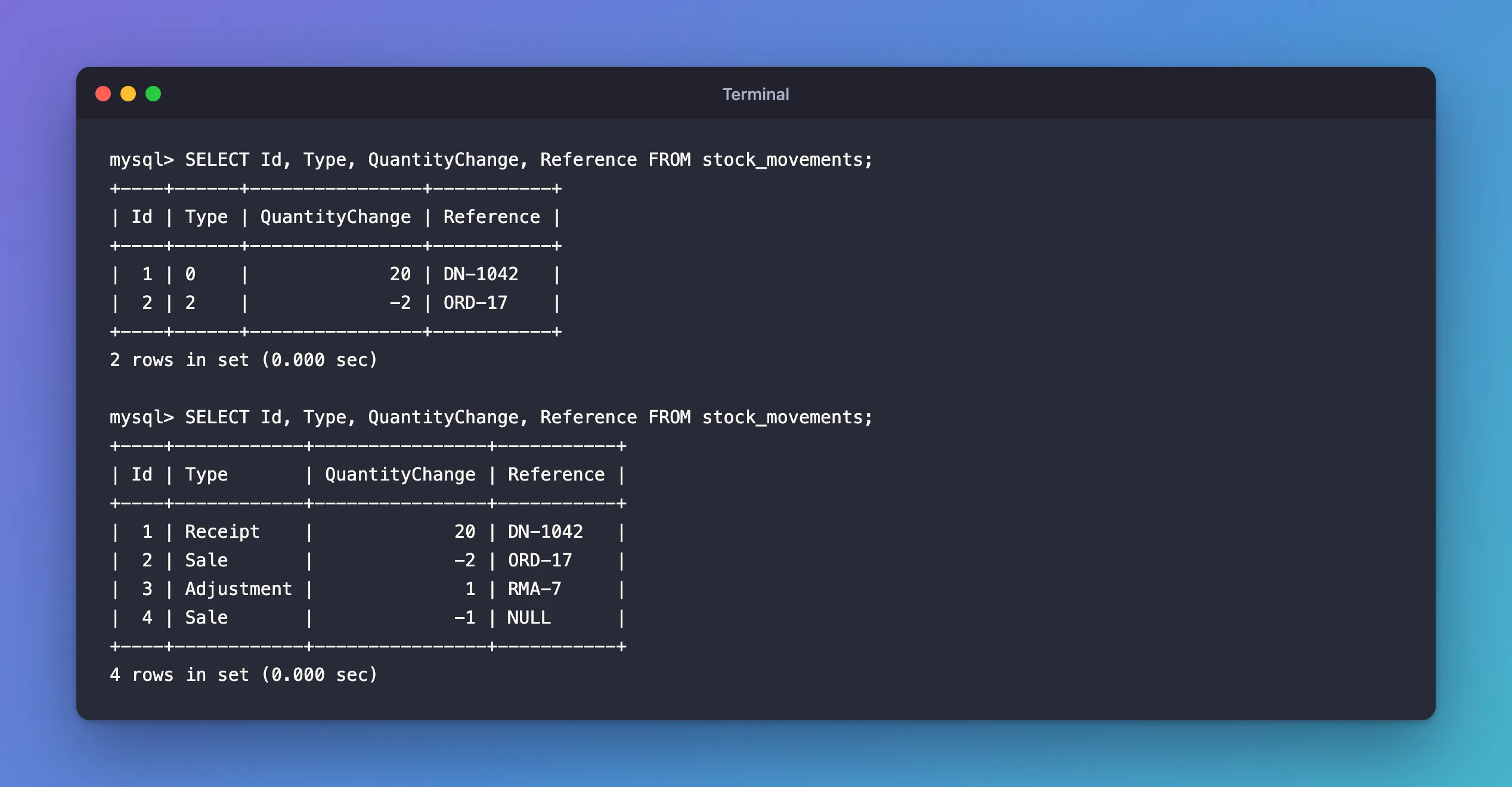
Every row now reads the same way, whether it was written before the change or after.
Step 4: Store Every Enum as a String at Once
Configuring each enum property separately is easy to forget for the next enum. EF Core can apply the rule to every property of a type, with ConfigureConventions in the DbContext. Its bulk configuration page explains: "EF Core allows the mapping configuration to be specified once for a given CLR type; that configuration is then applied to all properties of that type in the model as they are discovered." And the type can be a base type: "The type specified in a call from ConfigureConventions can be a base type, an interface or a generic type definition." Every enum derives from System.Enum, so this covers all of them:
protected override void ConfigureConventions(ModelConfigurationBuilder configurationBuilder)
{
    ArgumentNullException.ThrowIfNull(configurationBuilder);

    // Every enum is stored as its name, such as 'Receipt', not as a number, so the
    // tables still make sense to someone reading them without the C# code.
    configurationBuilder.Properties<Enum>()
        .HaveConversion<string>()
        .HaveMaxLength(32);
}
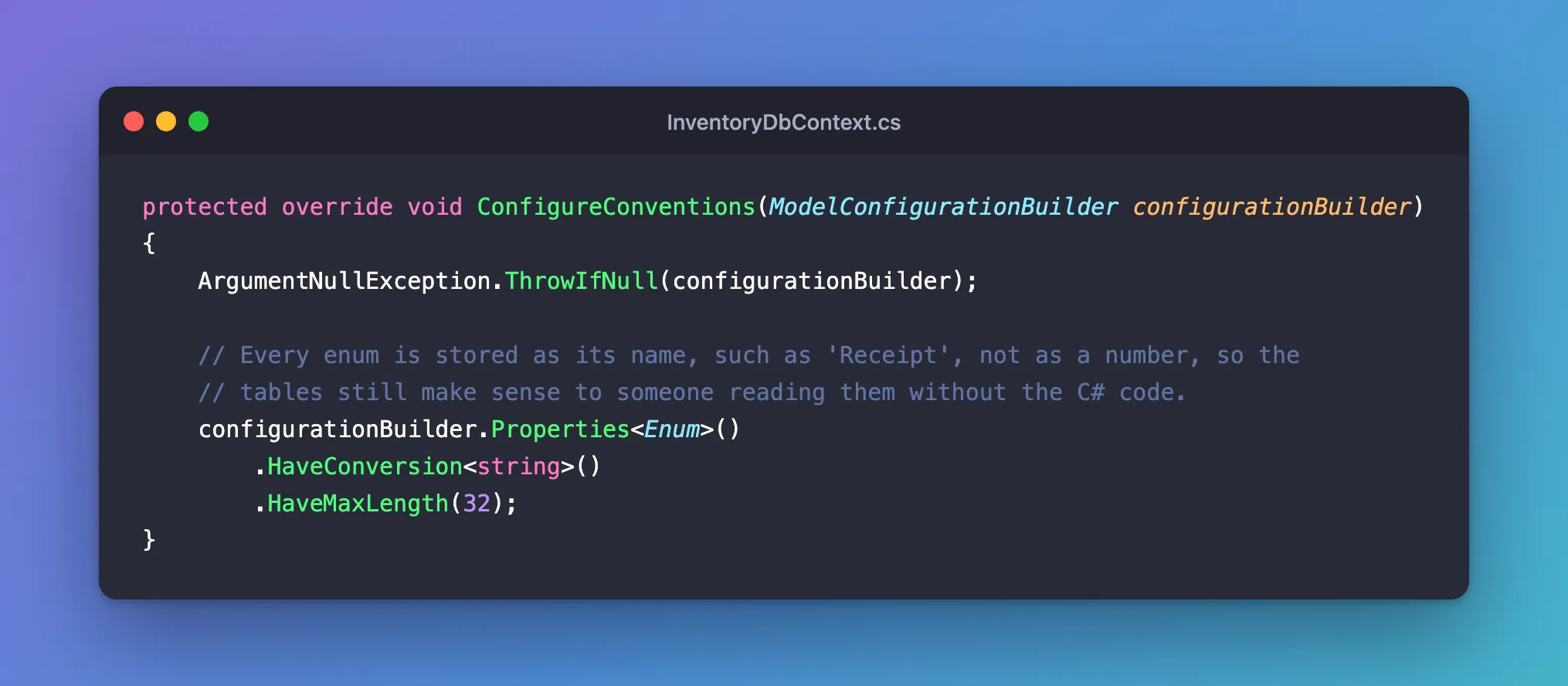
With this in place, I removed the per-property configuration from Step 2 and checked that the model was still the same:
dotnet ef migrations has-pending-model-changes --project src/Dewiride.Inventory.Data --startup-project src/Dewiride.Inventory.Api
Build started...
Build succeeded.
No changes have been made to the model since the last migration.
The convention produces exactly the same column, varchar(32), so no migration is needed. Every enum added later is stored by name automatically.
Step 5: Know What Happens with an Unknown Name
A name column can hold a value the enum doesn't have: a typo from a manual fix, or a member that was renamed. I inserted a row with Refund, which isn't a StockMovementType, and read the table through EF Core. The whole query failed:
System.InvalidOperationException: Cannot convert string value 'Refund' from the database to any value in the mapped 'StockMovementType' enum.
EF Core doesn't guess; it stops. That's safer than silently reading the wrong kind, but it means a renamed enum member breaks every query until the rows are updated. Rename members with a migration that updates the stored names too. Fixed: "Cannot convert string value … to any value in the mapped … enum" covers that error in detail.
Common Mistakes
| Mistake | What happens | Do this instead |
|---|---|---|
| Applying the generated migration on a table with data | Old rows hold '0', '2'; new rows hold names | Convert the values in the migration |
Converting in Up but not in Down | Reverting fails with "Incorrect integer value" | Write the reverse conversion |
HasConversion<string>() without HasMaxLength | A longtext column | Add HasMaxLength(32) or the convention's HaveMaxLength |
| Renaming an enum member without a migration | Every query on the table fails | Update the stored names in a migration |
Troubleshooting
| Symptom | Likely cause | Fix |
|---|---|---|
Cannot convert string value '…' from the database to any value in the mapped '…' enum | A row holds a name the enum doesn't have | Fix the row, or add the member |
The column is still int | The migration wasn't created or applied | dotnet ef migrations list shows what's pending |
has-pending-model-changes reports changes after adding the convention | The convention's length differs from the per-property one | Use the same maximum length in both |
FAQ
Does storing names cost much space?
A few bytes per row: varchar(32) stores only the characters used, plus a length byte. For most tables, readability is worth far more.
Can I store a different text than the member's name?
Yes, with your own converter, HasConversion(v => …, v => …). Keep the plain names unless you have a reason: they're what every tool shows.
What about MySQL's own ENUM type?
EF Core's MySQL provider maps HasConversion<string>() to varchar, not to MySQL's ENUM column type. A varchar is simpler to change later: adding a member needs no ALTER TABLE.
Conclusion
EF Core stores enums as numbers unless you say otherwise. HasConversion<string>().HasMaxLength(32) stores one property by name, and configurationBuilder.Properties<Enum>().HaveConversion<string>().HaveMaxLength(32) in ConfigureConventions does it for every enum. When the table already has rows, edit the migration so Up turns numbers into names and Down turns them back, and remember that a name the enum doesn't know stops every query on that table.
Additional Resources
- Value Conversions — built-in converters, including enum to string.
- Model Bulk Configuration —
ConfigureConventions. - Managing Migrations — editing generated migrations.
Related
- How to Use ConfigureConventions in EF Core to Configure Every Property of a Type
- Fixed: "Incorrect integer value: 'Adjustment' for column 'Type' at row 3" When Reverting an EF Core Migration on MySQL
- How to Connect a .NET C# Web API to a MySQL Database — Part 2: Create MySQL Tables with EF Core Migrations
