How to Store a Date Without a Time with DateOnly in C#

new DateOnly(2026, 12, 18) is 18 December 2026 and nothing more: no hours, no minutes, no time zone. It's the type for a date on its own, such as a birthday, a due date or a check-in day.
The .NET reference: Represents dates with values ranging from January 1, 0001 Anno Domini (Common Era) through December 31, 9999 A.D. (C.E.) in the Gregorian calendar. Microsoft's guide adds: The DateOnly structure represents a specific date, without time. Since it has no time component, it represents a date from the start of the day to the end of the day.
Syntax
DateOnly <date> = new(<year>, <month>, <day>);
DateOnly <otherDate> = <date>.AddDays(<days>);
int <daysBetween> = <otherDate>.DayNumber - <date>.DayNumber;
string <text> = <date>.ToString("o", CultureInfo.InvariantCulture);
| Part | What it is |
|---|---|
new(<year>, <month>, <day>) | Makes the date. The month goes from 1 to 12, and the day from 1 to the last day of that month |
.AddDays(<days>) | A new date that many days later. A negative number goes back. AddMonths and AddYears work the same way |
.DayNumber | Gets the number of days since January 1, 0001 in the Proleptic Gregorian calendar represented by this instance. |
.ToString("o", <culture>) | The date as text. For a DateOnly, "o" produces a date-only ISO 8601 string in the format "yyyy-MM-dd" |
The guide on AddDays, AddMonths and AddYears: The methods return a new instance of DateOnly, as the structure is immutable.
The Example
A console app called DateOnlyDates books a hotel stay from 18 to 22 December 2026. It prints both dates with their days of the week, counts the nights, works out a reminder a week before check-in, and compares the two dates.
Prerequisites
- The .NET 10 SDK.
dotnet --versionprints a version that starts with10.0.
Step 1: Create a Console App
dotnet new console -n DateOnlyDates
cd DateOnlyDates
The template "Console App" was created successfully.

Processing post-creation actions...
Restoring /Users/you/source/DateOnlyDates/DateOnlyDates.csproj:
  Determining projects to restore...
  Restored /Users/you/source/DateOnlyDates/DateOnlyDates.csproj (in 43 ms).
Restore succeeded.
dotnet new console -n DateOnlyDates creates a folder named DateOnlyDates with a project file and a Program.cs, and cd moves into it. Everything this example uses is part of .NET, so there's no package to add. Open the folder in VS Code, or DateOnlyDates.csproj in Visual Studio.
Step 2: Write the Code
Replace everything in Program.cs. First the two dates and how they print:
using System.Globalization;

// Two dates with no time of day: year, month, day.
DateOnly checkIn = new(2026, 12, 18);
DateOnly checkOut = new(2026, 12, 22);

// "o" writes a date as year-month-day, the same on every computer.
CultureInfo invariant = CultureInfo.InvariantCulture;
Console.WriteLine($"Check-in:  {checkIn.ToString("o", invariant)}, a {checkIn.DayOfWeek}");
Console.WriteLine($"Check-out: {checkOut.ToString("o", invariant)}, a {checkOut.DayOfWeek}");
new(2026, 12, 18)makes the date from the year, the month and the day.ToString("o", invariant)writes the date as year-month-day.invariantisCultureInfo.InvariantCulture, from theSystem.Globalizationnamespace, so the text is the same on every computer.DayOfWeekgives the day of the week, such asFriday.
Then the counting and the comparison:
// DayNumber counts the days since 1 January 0001, so the difference counts the nights.
int nights = checkOut.DayNumber - checkIn.DayNumber;
Console.WriteLine($"Nights: {nights}");

// AddDays returns a new date: a reminder one week before check-in.
DateOnly reminder = checkIn.AddDays(-7);
Console.WriteLine($"Reminder: {reminder.ToString("o", invariant)}");

// Dates compare with <, > and ==.
Console.WriteLine($"Check-out is after check-in: {checkOut > checkIn}");
checkOut.DayNumber - checkIn.DayNumbersubtracts two day counts, which leaves the number of days between the dates.checkIn.AddDays(-7)goes back seven days. It returns a newDateOnlyand leavescheckInas it was.checkOut > checkInisTruewhen check-out comes later.
Step 3: Run It
Run it in VS Code's terminal, or press Ctrl+F5 in Visual Studio:
dotnet run
Check-in:  2026-12-18, a Friday
Check-out: 2026-12-22, a Tuesday
Nights: 4
Reminder: 2026-12-11
Check-out is after check-in: True
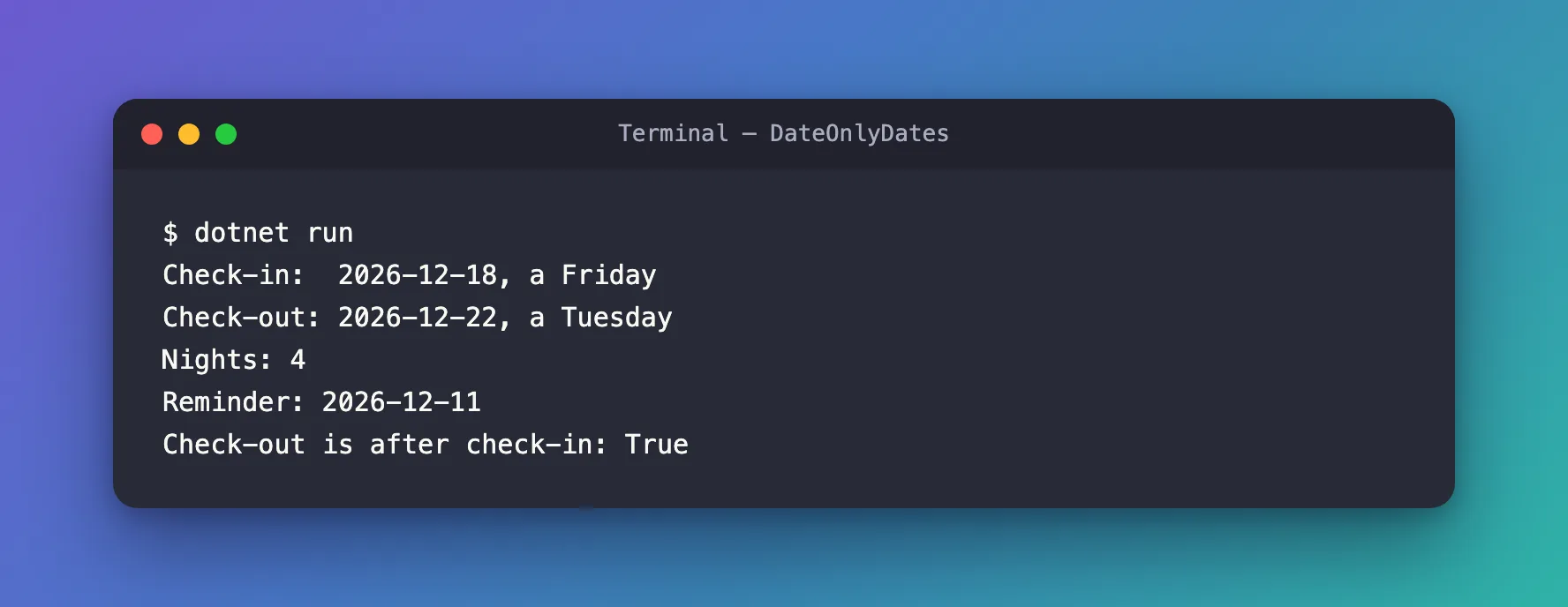
From Friday 18 to Tuesday 22 December is 4 nights, and a week before check-in is 11 December. No line has a time in it.
The Complete File
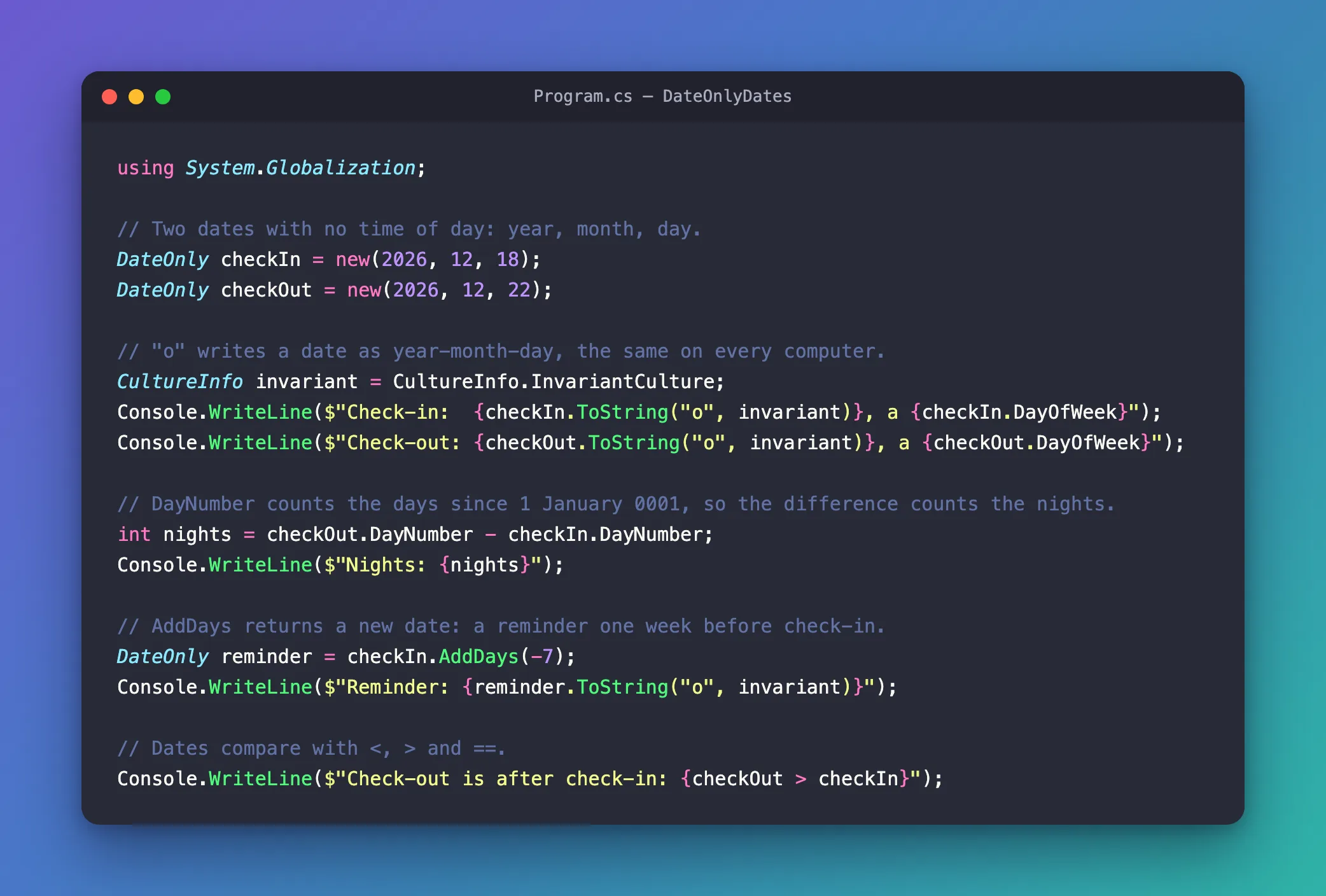
using System.Globalization;

// Two dates with no time of day: year, month, day.
DateOnly checkIn = new(2026, 12, 18);
DateOnly checkOut = new(2026, 12, 22);

// "o" writes a date as year-month-day, the same on every computer.
CultureInfo invariant = CultureInfo.InvariantCulture;
Console.WriteLine($"Check-in:  {checkIn.ToString("o", invariant)}, a {checkIn.DayOfWeek}");
Console.WriteLine($"Check-out: {checkOut.ToString("o", invariant)}, a {checkOut.DayOfWeek}");

// DayNumber counts the days since 1 January 0001, so the difference counts the nights.
int nights = checkOut.DayNumber - checkIn.DayNumber;
Console.WriteLine($"Nights: {nights}");

// AddDays returns a new date: a reminder one week before check-in.
DateOnly reminder = checkIn.AddDays(-7);
Console.WriteLine($"Reminder: {reminder.ToString("o", invariant)}");

// Dates compare with <, > and ==.
Console.WriteLine($"Check-out is after check-in: {checkOut > checkIn}");
Common Mistakes
| Mistake | What happens | Do this instead |
|---|---|---|
Storing a date in a DateTime | It carries a time of midnight: with the invariant culture, a DateTime for 18 December 2026 printed 12/18/2026 00:00:00, where a DateOnly printed 12/18/2026 | Use DateOnly for a date on its own. The guide: The DateTime structure may roll into the previous or next day if it's offset by a time zone. DateOnly can't be offset by a time zone, and it always represents the date that was set. |
Subtracting two dates with - | checkOut - checkIn doesn't build: error CS0019: Operator '-' cannot be applied to operands of type 'DateOnly' and 'DateOnly' | Subtract the day numbers: checkOut.DayNumber - checkIn.DayNumber |
| A day that the month doesn't have | A DateOnly for 30 February 2026 threw ArgumentOutOfRangeException: Year, Month, and Day parameters describe an un-representable DateTime. | Keep the day within the month: DateTime.DaysInMonth(2026, 2) returned 28. Its reference: Returns the number of days in the specified month and year. |
| Printing a date without a format and a culture | The computer's culture decides: the reminder, 11 December, printed 12/11/2026 with en-US and 11/12/2026 with en-GB. Each reads as a different day in the other country | Pass a format and a culture, as the example does: "o" gave 2026-12-11 |
FAQ
How do I turn a DateTime into a DateOnly, and back?
DateOnly.FromDateTime drops the time of day, and ToDateTime takes a TimeOnly to add one back:
using System.Globalization;

DateTime arrival = new(2026, 12, 18, 15, 30, 0, DateTimeKind.Utc);

// DateTime to DateOnly: the time of day is dropped.
DateOnly day = DateOnly.FromDateTime(arrival);
Console.WriteLine(day.ToString("o", CultureInfo.InvariantCulture));

// DateOnly to DateTime: you give the time of day.
DateTime atNoon = day.ToDateTime(new TimeOnly(12, 0));
Console.WriteLine(atNoon.ToString("s", CultureInfo.InvariantCulture));
2026-12-18
2026-12-18T12:00:00
The 15:30 of the DateTime was dropped, and the noon came from the TimeOnly.
Conclusion
Use DateOnly for a date without a time: make it with new(year, month, day), move it with AddDays, count the days between two dates with DayNumber, and compare dates with < and >. Print it with a format and a culture, such as "o" and the invariant culture, so it reads the same everywhere.
Additional Resources
- How to use the DateOnly and TimeOnly structures — making, changing, comparing and formatting dates.
- DateOnly Struct — every member of the type.
- Standard date and time format strings — the "o" format and the others that a DateOnly supports.
