How to Stop MLflow Autologging from Saving Models

By default, autologging saves the trained model with every fit: its file, its environment files and its input format. That's what you want for the model you'll deploy, but not for every experiment along the way, and a hyperparameter search saves two models per search. mlflow.sklearn.autolog(log_models=False) keeps everything else and leaves the models out. This guide runs the same training with and without it, with real output from MLflow 3.18.0.
Syntax
mlflow.sklearn.autolog(log_models=False)
| Part | What it means |
|---|---|
log_models=False | Don't save trained models. Parameters, metrics, tags, datasets and charts are still recorded |
MLflow's reference adds that input examples and model signatures, "which are attributes of MLflow models, are also omitted when log_models is False".
Prerequisites
- An MLflow tracking server at
http://127.0.0.1:8080. MLflow's tracking server guide shows how to start one.
Step 1: Train Once With a Model, Once Without
The example fits a linear regression to scikit-learn's diabetes data twice. First with autologging's defaults, in with_model.py:
import mlflow
from sklearn.datasets import load_diabetes
from sklearn.linear_model import LinearRegression

mlflow.set_tracking_uri("http://127.0.0.1:8080")
mlflow.set_experiment("no-models-demo")
mlflow.sklearn.autolog()

X, y = load_diabetes(return_X_y=True, as_frame=True)

with mlflow.start_run(run_name="with-model"):
    LinearRegression().fit(X, y)
Then with log_models=False, in no_models.py:
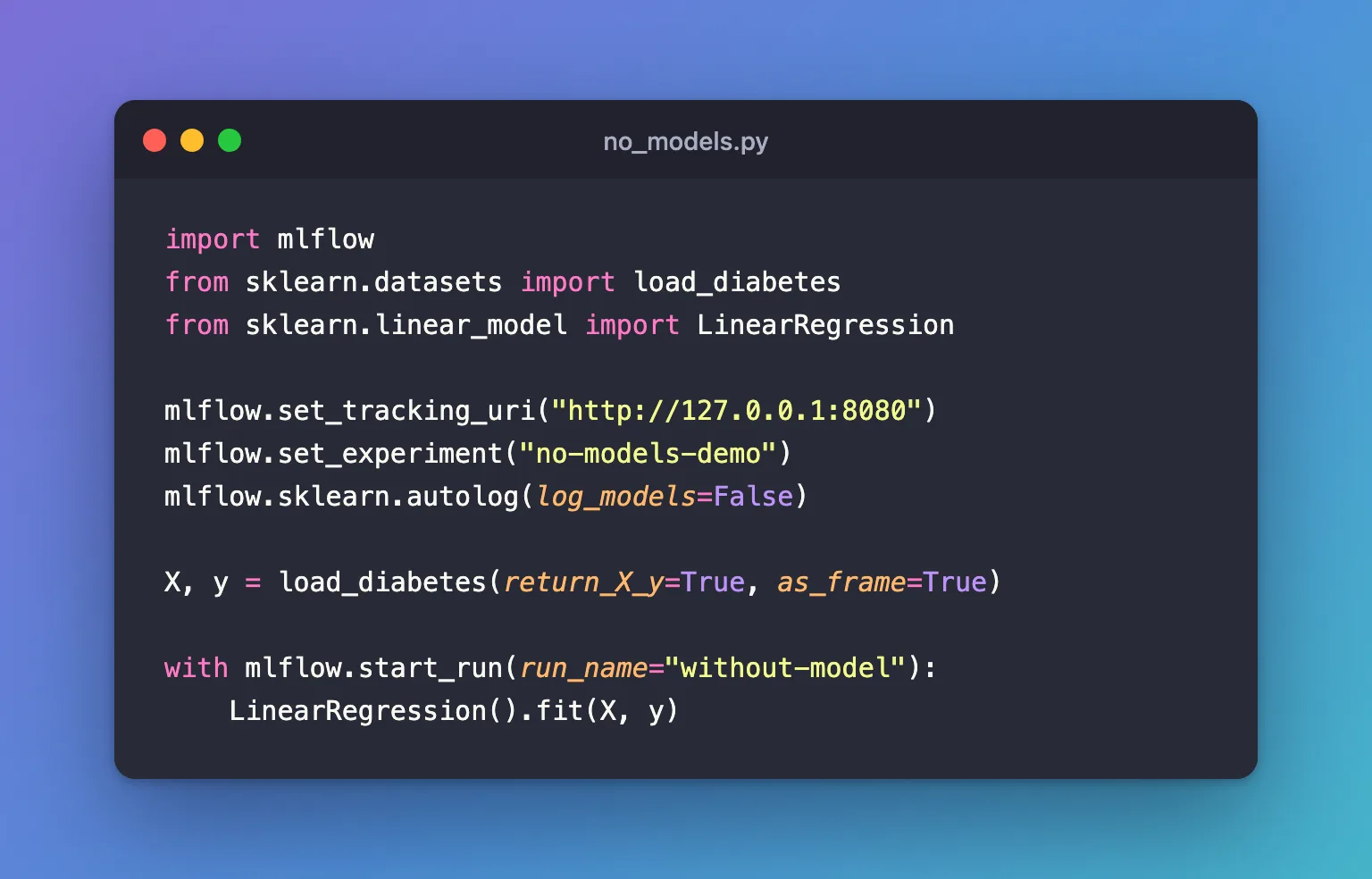
import mlflow
from sklearn.datasets import load_diabetes
from sklearn.linear_model import LinearRegression

mlflow.set_tracking_uri("http://127.0.0.1:8080")
mlflow.set_experiment("no-models-demo")
mlflow.sklearn.autolog(log_models=False)

X, y = load_diabetes(return_X_y=True, as_frame=True)

with mlflow.start_run(run_name="without-model"):
    LinearRegression().fit(X, y)
uv run python with_model.py
uv run python no_models.py
2026/11/21 11:02:52 INFO mlflow.tracking.fluent: Experiment with name 'no-models-demo' does not exist. Creating a new experiment.
2026/11/21 11:02:53 INFO mlflow.utils.uv_utils: Detected uv project: found uv.lock and pyproject.toml in /Users/you/source/mlflow-demo
2026/11/21 11:02:53 WARNING mlflow.sklearn: Saving scikit-learn models in the pickle or cloudpickle format requires exercising caution because these formats rely on Python's object serialization mechanism, which can execute arbitrary code during deserialization. The recommended safe alternative is the 'skops' format. For more information, see: https://scikit-learn.org/stable/model_persistence.html
2026/11/21 11:02:53 INFO mlflow.utils.uv_utils: Detected uv project: found uv.lock and pyproject.toml in /Users/you/source/mlflow-demo
2026/11/21 11:02:53 INFO mlflow.utils.environment: Detected uv project at /Users/you/source/mlflow-demo. Attempting to export requirements via 'uv export'.
2026/11/21 11:02:53 INFO mlflow.utils.uv_utils: Exported 91 dependencies via uv
2026/11/21 11:02:53 INFO mlflow.utils.environment: Successfully exported 91 requirements from uv project. Skipping package capture based inference.
2026/11/21 11:02:53 WARNING mlflow.utils.environment: Failed to resolve installed pip version. ``pip`` will be added to conda.yaml environment spec without a version specifier.
🏃 View run with-model at: http://127.0.0.1:8080/#/experiments/11/runs/44710287f29f4f288b6d49c43f6a3e9d
🧪 View experiment at: http://127.0.0.1:8080/#/experiments/11
🏃 View run without-model at: http://127.0.0.1:8080/#/experiments/11/runs/fdf146bc11f44d7a9583fa9766fb6786
🧪 View experiment at: http://127.0.0.1:8080/#/experiments/11
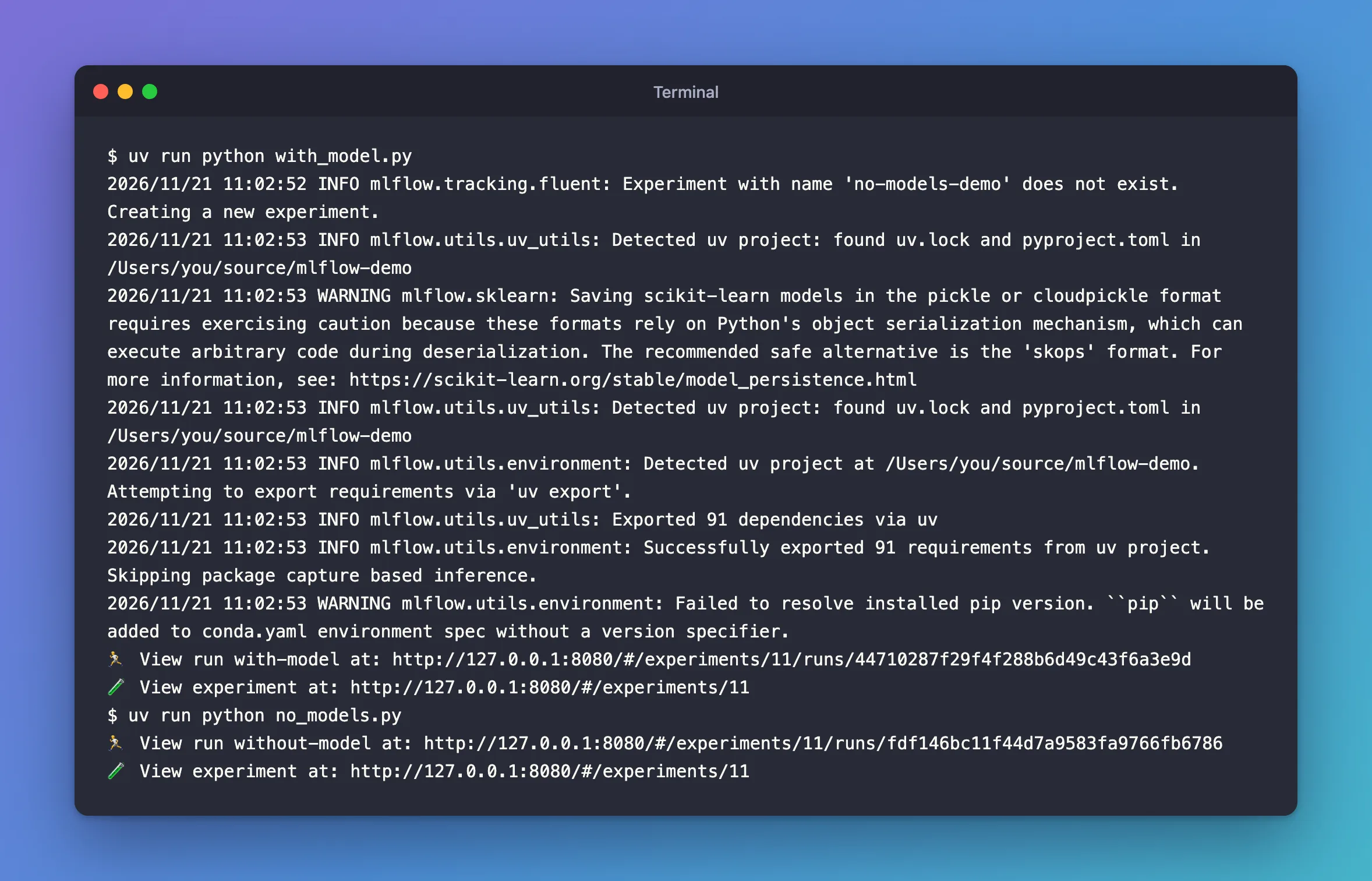
Every line between the experiment's creation and with-model's link is about saving the model: finding the project's packages, and two warnings, about the pickle format and pip's version. With log_models=False, none of them appears.
Step 2: Compare the Runs
The experiment's runs table has a Models column:
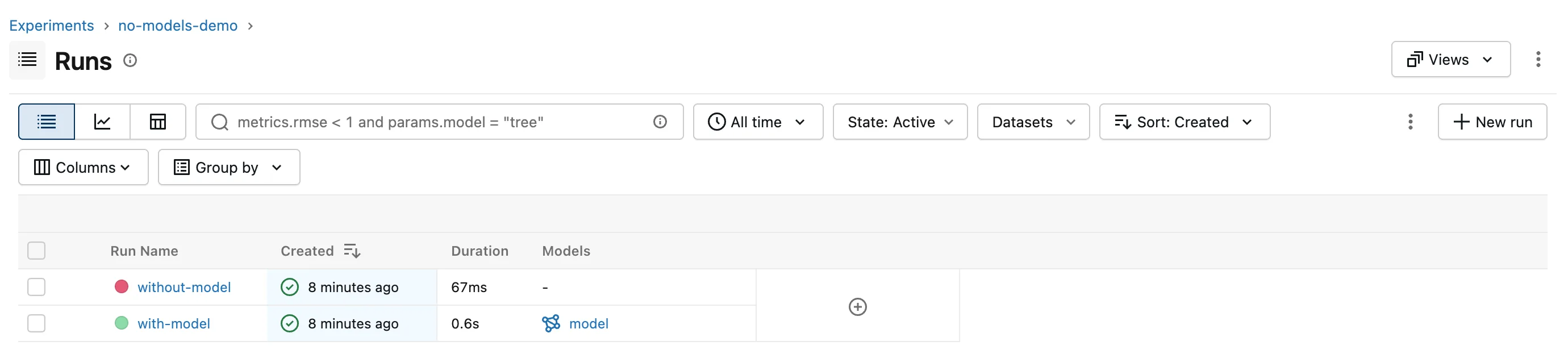
with-model has its model; without-model has none, and took 67 milliseconds instead of 0.6 seconds. Both runs have the same parameters and training metrics.
Common Mistakes
| Mistake | What happens | Do this instead |
|---|---|---|
| Turning models off for the training run you'll deploy | There's no model to load, register or serve | Save that one: leave log_models on, or save it yourself |
| Expecting a signature or input example without a model | They belong to the saved model | Leave log_models on when you need them |
Troubleshooting
| Symptom | Likely cause | Fix |
|---|---|---|
| A run has no model you expected | log_models=False somewhere before it | Check every autolog() call in the script |
FAQ
Why would I not want the model?
Saving it takes time and storage on every fit, and a hyperparameter search saves two: the search object and its best model. When a run is only there to compare settings, the parameters and metrics are what you need.
How do I save just the model I chose?
Train it once more with log_models on, or save it with mlflow.sklearn.log_model.
Conclusion
mlflow.sklearn.autolog(log_models=False) recorded the same parameters and metrics as the default, without the model, its environment lines or the two model-saving warnings. Turn models off for runs that only compare settings, and keep them on for the run you'll deploy.
Additional Resources
- mlflow.sklearn.autolog —
log_modelsand the options that depend on it.
