How to Stop Inheriting Permissions on a SharePoint List with the REST API in Power Automate

A SharePoint list uses its site's permissions until it stops inheriting them. A flow can do that with one REST call, breakroleinheritance, after checking that the list still inherits, so running the flow again never resets permissions you've set since.
Syntax
Both requests go through Send an HTTP request to SharePoint (How to Use Send an HTTP Request to SharePoint), with the header Accept: application/json;odata=nometadata.
Check the list
| Field | Value |
|---|---|
| Method | GET |
| Uri | _api/web/lists/getbytitle('<list name>')?$select=HasUniqueRoleAssignments |
HasUniqueRoleAssignments is false while the list inherits its site's permissions and true once it has its own. Microsoft's Lists and list items REST API reference describes it as whether the role assignments are uniquely defined for this securable object or inherited from a parent securable object.
Stop inheriting
| Field | Value |
|---|---|
| Method | POST |
| Uri | _api/web/lists/getbytitle('<list name>')/breakroleinheritance(copyroleassignments=<copy>,clearsubscopes=<clear>) |
<list name>: the list's title, as in Site contents.<copy>:truecopies the site's permissions to the list, so nobody loses access at that moment.falseremoves them all except one that contains the current user, in the words of the same reference.<clear>:truemakes items or folders that have their own permissions inherit from the list again.falseleaves them as they are.
The request has no body. Microsoft's Set custom permissions on a list by using the REST interface explains the order of work: break its inheritance so that it stops inheriting permissions from its parent, and then define new permissions by adding or removing role assignments.
The Example
A list called Suggestions, on the root site contoso.sharepoint.com, gets its own permissions, starting as a copy of the site's. The flow, Stop Inheriting Permissions, has four parts:
- Manually trigger a flow (How to Create an Instant Cloud Flow Inside a Solution in Power Automate).
- Check the list permissions, the GET.
- If the list inherits permissions, a condition.
- Stop inheriting permissions, the POST, in the condition's True branch.
Prerequisites
- Full Control of the site for the account the flow's SharePoint connection uses. Changing a list's permissions needs the Manage Permissions permission, which only Full Control includes by default.
Step 1: Check the List
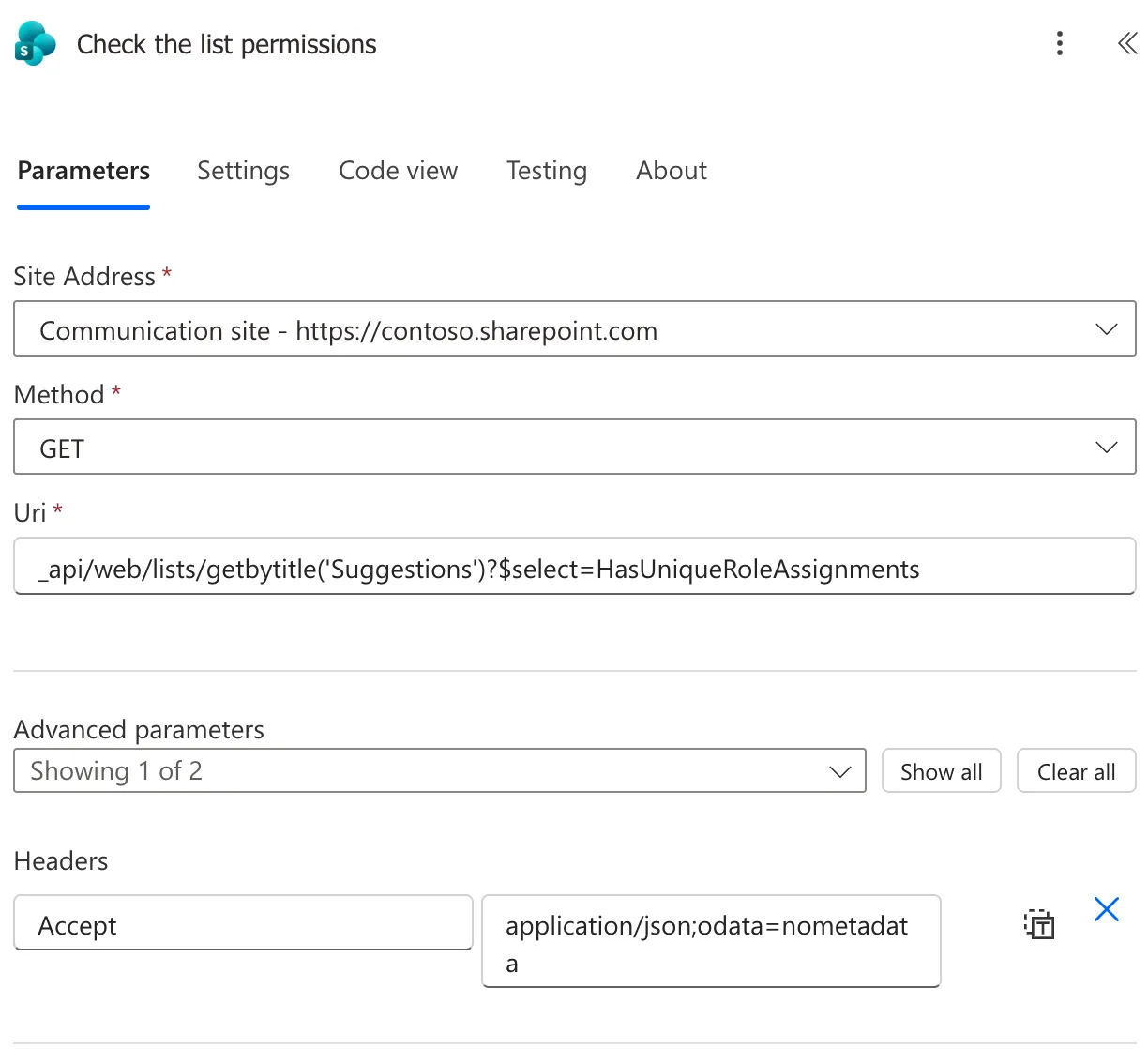
Add Send an HTTP request to SharePoint and rename it Check the list permissions:
| Field | Value |
|---|---|
| Site Address | Your site |
| Method | GET |
| Uri | _api/web/lists/getbytitle('Suggestions')?$select=HasUniqueRoleAssignments |
| Headers | Accept: application/json;odata=nometadata |
Step 2: Act Only When the List Inherits
Add a Condition called If the list inherits permissions (How to Add a Condition in Power Automate). On the left, add this expression (How to Add an Expression in Power Automate); choose is equal to; on the right, add the expression false:
body('Check_the_list_permissions')?['HasUniqueRoleAssignments']
It reads HasUniqueRoleAssignments from the answer of Check the list permissions. In expressions, an action is named with underscores for its spaces.
Step 3: Stop Inheriting
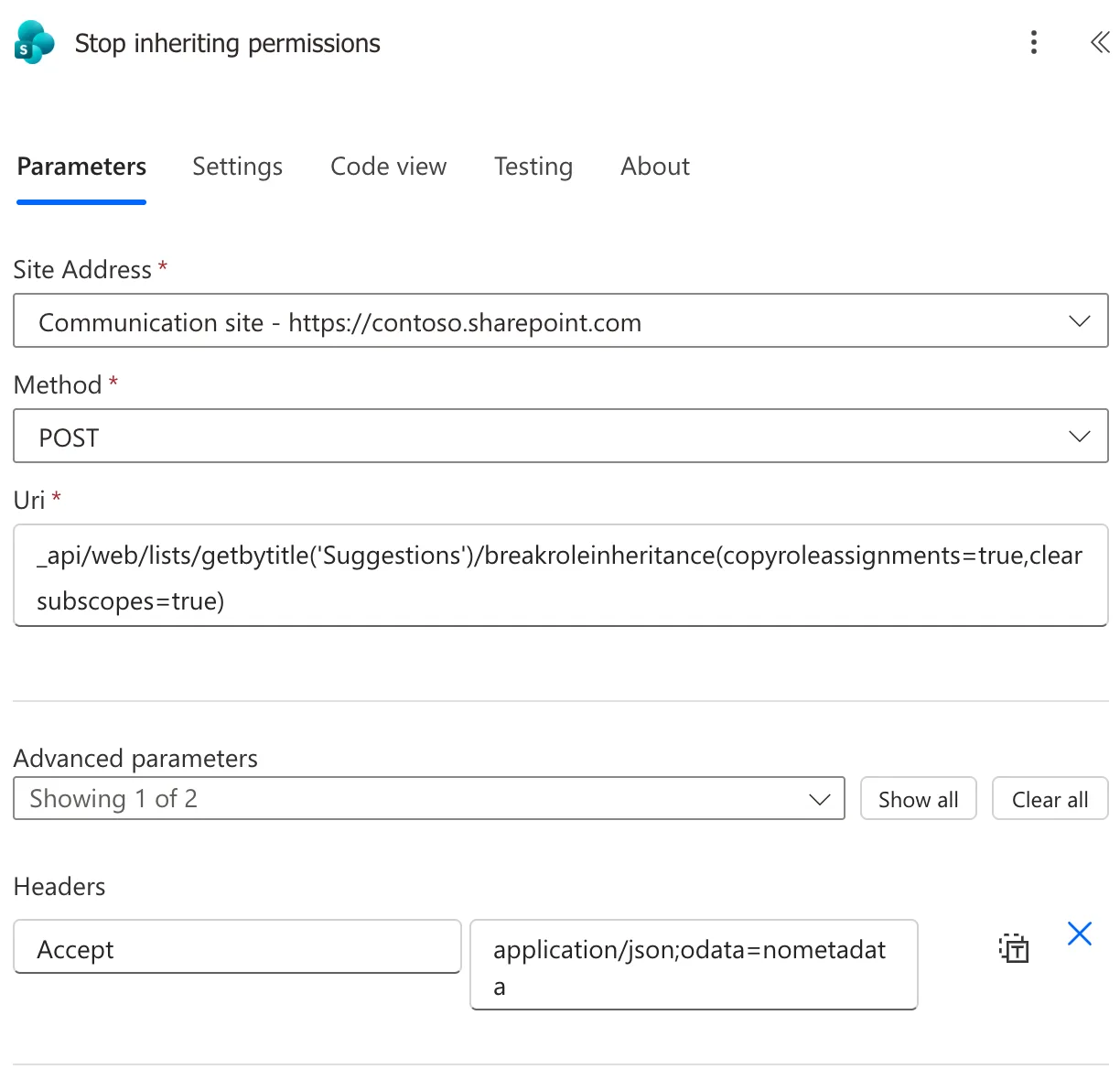
In the True branch, add Stop inheriting permissions:
| Field | Value |
|---|---|
| Site Address | Your site |
| Method | POST |
| Uri | _api/web/lists/getbytitle('Suggestions')/breakroleinheritance(copyroleassignments=true,clearsubscopes=true) |
| Headers | Accept: application/json;odata=nometadata |
Step 4: Run the Flow
Save the flow and test it manually (How to Test a Cloud Flow Manually in Power Automate). The list still inherited, so the condition was true and Stop inheriting permissions ran:
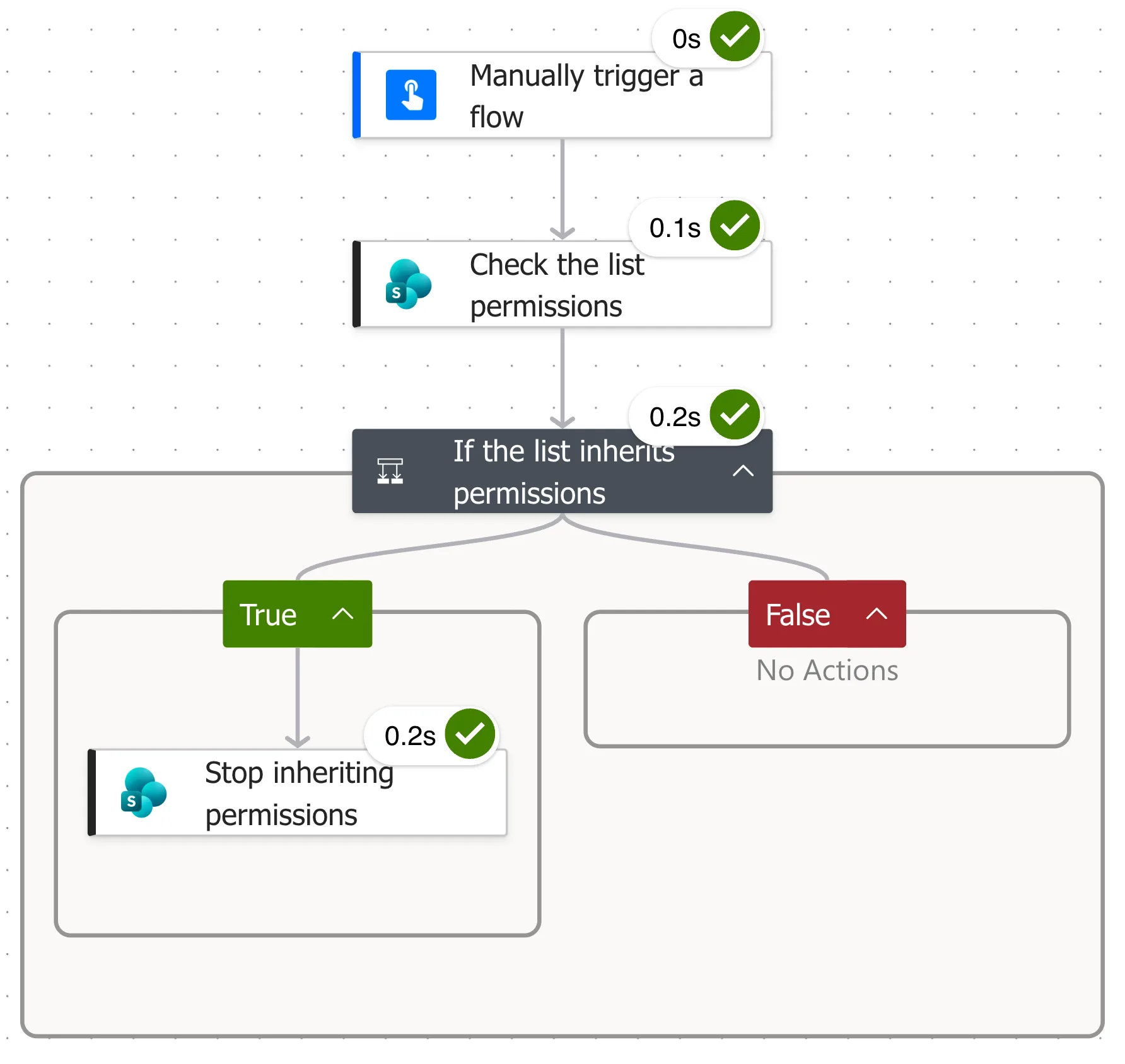
When the list already has its own permissions, HasUniqueRoleAssignments is true, the condition is false, and the flow leaves them alone.
The Result
The list's permissions page, List settings > Permissions for this list, now says the list has unique permissions, and shows the three site groups it copied, with the levels they have on the site:

From here, the list's permissions can change without touching the site's: remove a group (How to Remove a Group's Permissions from a SharePoint List with the REST API in Power Automate) or give one access (How to Give a Group Access to a SharePoint List with the REST API in Power Automate).
Common Mistakes
| Mistake | What happens | Do this instead |
|---|---|---|
copyroleassignments=false | Every group loses access to the list, except one holding the account that ran the flow | Use true and remove what you don't want afterwards |
| Adding a group to a list that still inherits | Microsoft's reference says to break inheritance first | Stop inheriting before you add or remove anyone |
Troubleshooting
| Symptom | Likely cause | Fix |
|---|---|---|
| The condition is always false | The list already has its own permissions | Check the list's permissions page |
| An access-denied error | The connection's account can't manage permissions | Use an account with Full Control |
FAQ
How do I make the list inherit again?
On the list's permissions page, select Delete unique permissions, as in How to Stop Inheriting Permissions on a SharePoint List. Microsoft's reference also lists a REST method for it, ResetRoleInheritance, next to BreakRoleInheritance.
Does stopping inheritance change the site?
No. The site keeps its permissions. The list starts with a copy that you can change on its own.
Can I do this without a flow?
Yes, on the list's permissions page with Stop Inheriting Permissions, as in the same guide. A flow is the way when the same permissions have to be set on several sites.
Conclusion
Read HasUniqueRoleAssignments with _api/web/lists/getbytitle('<list name>')?$select=HasUniqueRoleAssignments, and when it's false, POST to …/breakroleinheritance(copyroleassignments=true,clearsubscopes=true). The list keeps a copy of the site's permissions, which the flow can then change.
Additional Resources
- Set custom permissions on a list by using the REST interface
- Lists and list items REST API reference:
BreakRoleInheritanceandHasUniqueRoleAssignments.
