How to Stop a Running Query or Connection in MySQL with KILL

Something is stuck: a query that won't finish, or a forgotten transaction blocking everyone else. MySQL's KILL ends it, and it comes in two strengths. Here's how to find the connection, what each form does, and what the session on the other end sees.
Prerequisites
- MySQL, and a few sessions. The examples use MySQL 9.7.4 in Docker, and the
mysqlclient from How to Connect to MySQL in a Docker Container. - An administrator account to stop other people's work. The KILL page says: "Without
CONNECTION_ADMINorSUPER, you can kill only your own threads and statements."
Step 1: Find the Connection
Set up a situation worth ending. Connection A holds a row, and connection B waits for it:
START TRANSACTION;
UPDATE products SET QuantityOnHand = 49 WHERE Id = 3;
UPDATE products SET QuantityOnHand = 48 WHERE Id = 3;
List the connections of the account from a root session:
SELECT PROCESSLIST_ID, PROCESSLIST_COMMAND, PROCESSLIST_TIME, PROCESSLIST_STATE,
       LEFT(PROCESSLIST_INFO, 50) AS statement
FROM performance_schema.threads
WHERE PROCESSLIST_USER = 'inventory_app';
+----------------+---------------------+------------------+-------------------+----------------------------------------------------+
| PROCESSLIST_ID | PROCESSLIST_COMMAND | PROCESSLIST_TIME | PROCESSLIST_STATE | statement                                          |
+----------------+---------------------+------------------+-------------------+----------------------------------------------------+
|             70 | Sleep               |              196 | NULL              | NULL                                               |
|            182 | Query               |                2 | updating          | UPDATE products SET QuantityOnHand = 48 WHERE Id = |
|            184 | Sleep               |                2 | NULL              | NULL                                               |
+----------------+---------------------+------------------+-------------------+----------------------------------------------------+
3 rows in set (0.002 sec)
182 is the waiting UPDATE, in the updating state. 184 is idle, holding its transaction, and 70 is an idle connection of the API. A session's own ID comes from SELECT CONNECTION_ID();.
Step 2: Stop Only the Statement
KILL QUERY 182;
Terminal B gets its prompt back, with an error:
ERROR 1317 (70100): Query execution was interrupted
The page describes this form as: "KILL QUERY terminates the statement the connection is currently executing, but leaves the connection itself intact." The connection is still usable:
SELECT Id, QuantityOnHand FROM products WHERE Id = 3;
+----+----------------+
| Id | QuantityOnHand |
+----+----------------+
|  3 |             50 |
+----+----------------+
1 row in set (0.003 sec)
Step 3: End the Whole Connection
Now the real cause: the idle connection with the open transaction.
KILL 184;
Its uncommitted change is gone:
SELECT Id, QuantityOnHand FROM products WHERE Id = 3;
+----+----------------+
| Id | QuantityOnHand |
+----+----------------+
|  3 |             50 |
+----+----------------+
1 row in set (0.001 sec)
The 49 was never committed, so it's still 50. The next time terminal A tries anything, it finds out what happened. The client reconnects by itself, in a new session:
SELECT Id, QuantityOnHand FROM products WHERE Id = 3;
ERROR 2013 (HY000): Lost connection to MySQL server during query
No connection. Trying to reconnect...
Connection id:    186
Current database: inventory

+----+----------------+
| Id | QuantityOnHand |
+----+----------------+
|  3 |             50 |
+----+----------------+
1 row in set (0.007 sec)
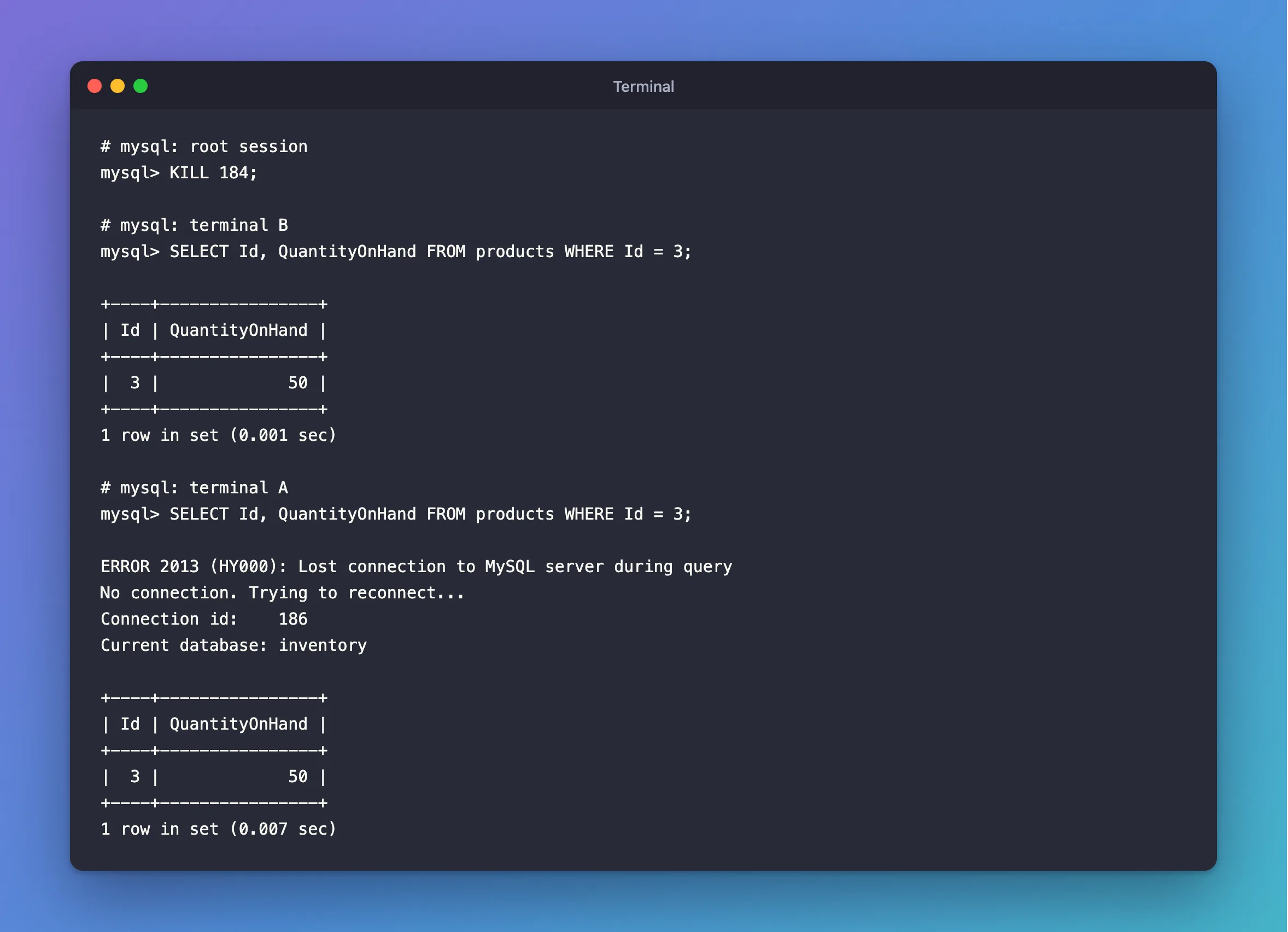
Note that this client reconnected on its own, and the transaction it thought it was in is gone. Anything you typed next would have run outside of it. That's ERROR 2013.
Which One to Use
KILL QUERY id | KILL id | |
|---|---|---|
| Stops the running statement | Yes | Yes |
| Closes the connection | No | Yes |
| Rolls back an open transaction | No, it stays open | Yes |
| Use it for | A slow query | An idle transaction holding locks |
What an Ordinary Account Can Do
An account can only stop its own connections. Here, the application's account tries to kill root's connection, and one that doesn't exist:
KILL 183;
KILL 99999;
ERROR 1095 (HY000): You are not owner of thread 183
ERROR 1094 (HY000): Unknown thread id: 99999
Fixes: ERROR 1095 and ERROR 1094.
Common Mistakes
| Mistake | What happens | Do this instead |
|---|---|---|
KILL QUERY on an idle transaction | It has no statement, so nothing changes, and it keeps its locks | Use KILL |
| Killing the session that's waiting | The real blocker stays | Find the blocker |
Using KILL QUERY on an EF Core connection | A NullReferenceException in the driver | Use KILL |
| Not checking what the connection is doing | You may roll back real work | Read sys.session first |
Troubleshooting
| Symptom | Likely cause | Fix |
|---|---|---|
You are not owner of thread | The account can't kill others' connections | Use an admin account |
Unknown thread id | The ID is gone, or wrong | List the connections again |
The connection stays in the list as Killed | MySQL ends it at its next check point | Give it a moment |
FAQ
Is it safe?
For InnoDB tables, yes: the transaction is rolled back, and the data stays consistent. The page warns about the other case: "If you are not using transactions, the changes are not rolled back."
Conclusion
KILL QUERY stops a statement and leaves the connection and its transaction. KILL ends the connection and rolls back its transaction, which is what you want for a forgotten one holding locks. Get the ID from performance_schema.threads, and check what it's doing before you end it.
Additional Resources
- KILL Statement — both forms, and the rights you need.
- The threads Table — the columns used here.
