How to Stop a Ruby Script with an Error Message Using abort

When a script can't go on, it should say why and end with a failure code, so a shell, another script or a CI job knows something went wrong. Ruby's abort 'message' does both in one call.
Syntax
abort '<message>'
exit <code>
| Part | What it does |
|---|---|
abort '<message>' | Writes the message to standard error and ends the script with exit code 1. |
exit <code> | Ends the script with any exit code you choose, without a message. |
The Ruby documentation for Kernel#abort: "Terminates execution immediately, effectively by calling Kernel.exit(false). If string argument msg is given, it is written to STDERR prior to termination".
The Example
The example checks whether all orders are paid. They aren't, so it aborts with a message.
Prerequisites
- Ruby. This guide uses Ruby 4.0.10.
Step 1: Write the Code
Create a file named main.rb:
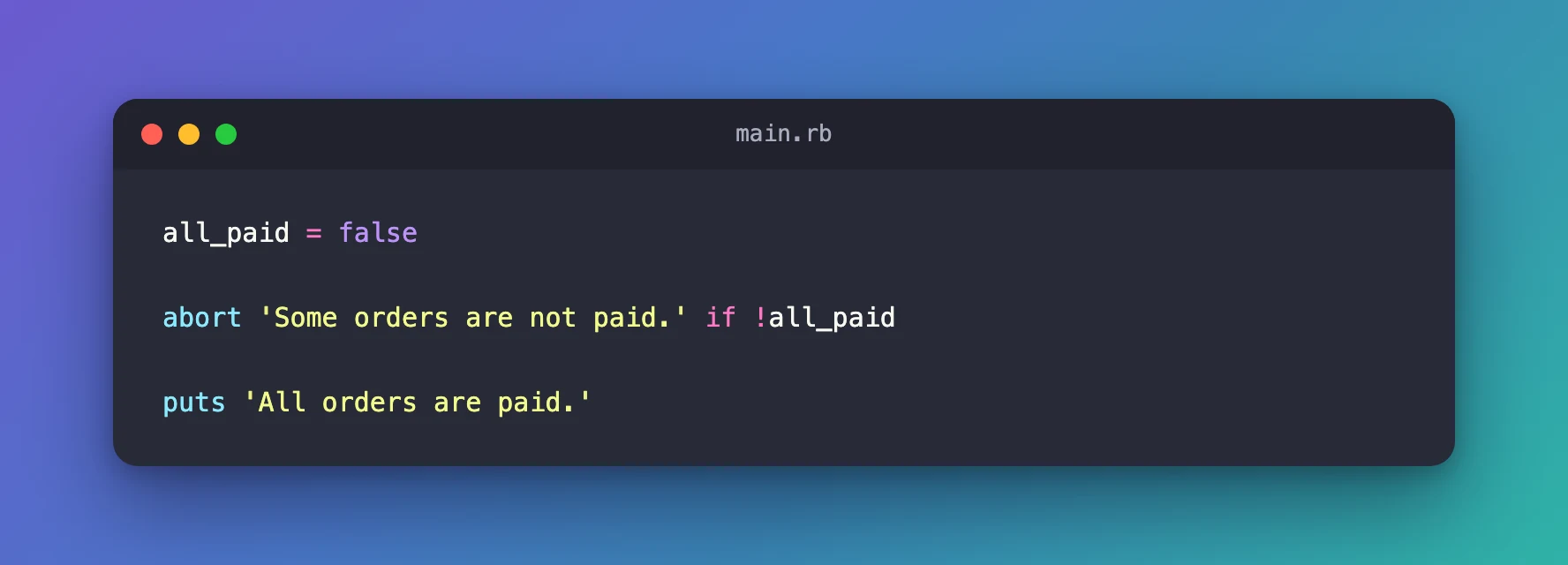
all_paid = false

abort 'Some orders are not paid.' if !all_paid

puts 'All orders are paid.'
Step 2: Run It and Read the Exit Code
Run the script, then ask the shell for the exit code of the last command:
- macOS / Linux
- Windows (PowerShell)
ruby main.rb
echo $?
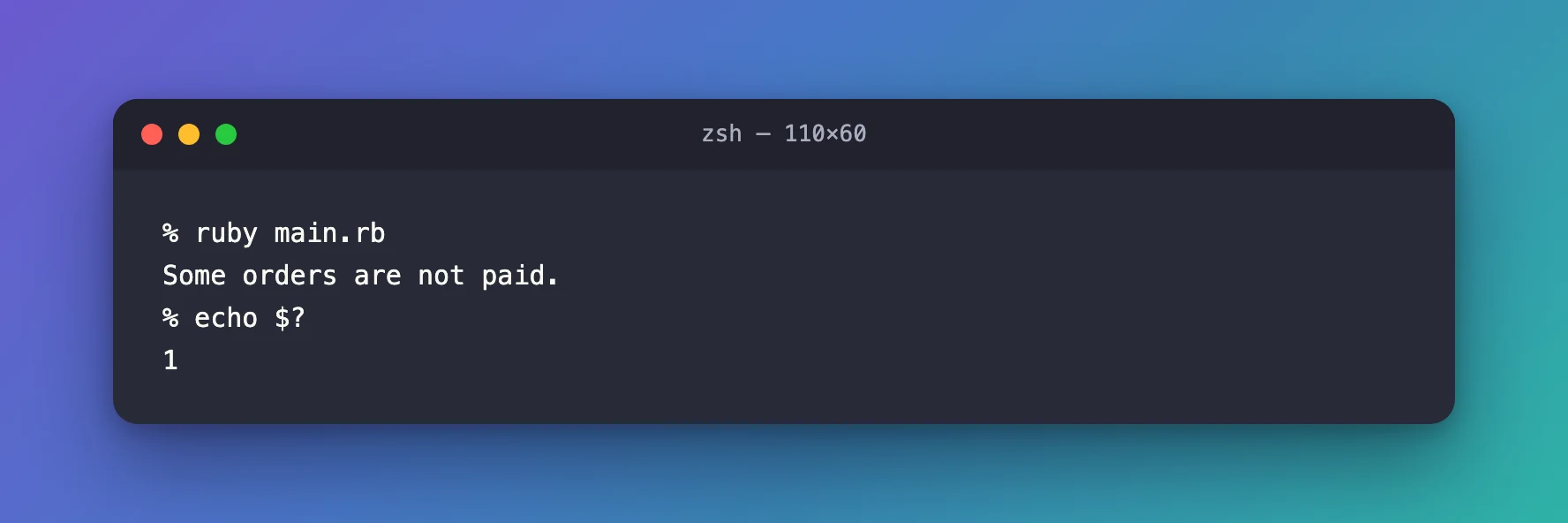
ruby main.rb
$LASTEXITCODE
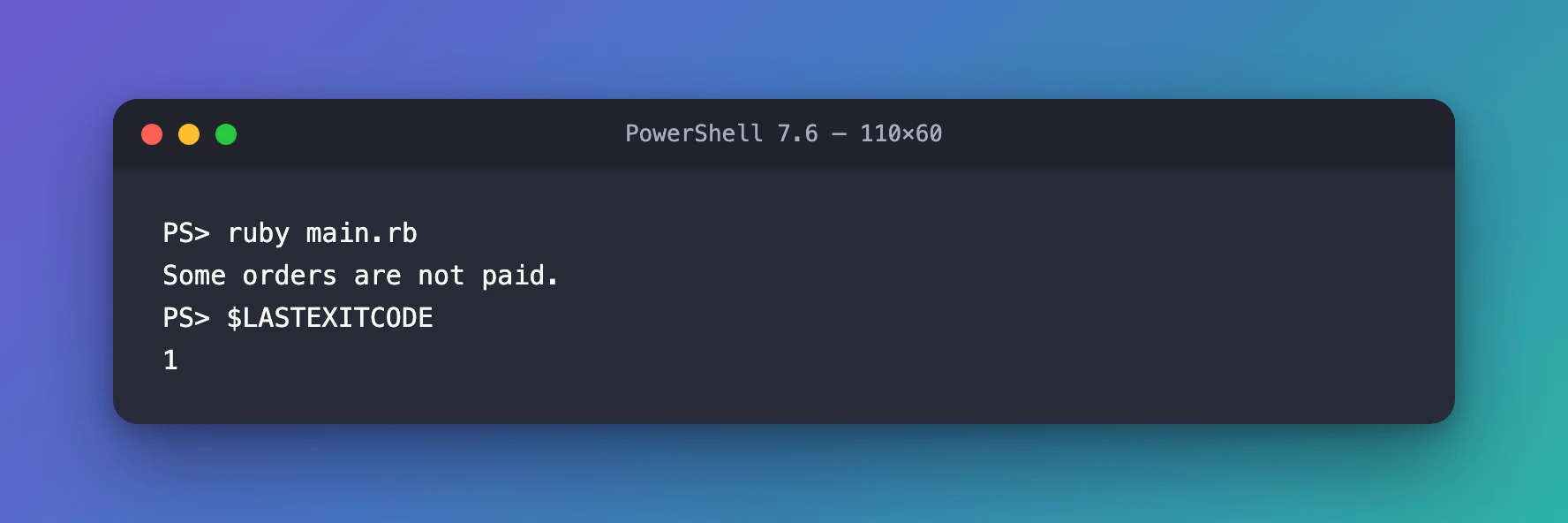
Some orders are not paid.
1
The last line never ran. The message went to standard error: with standard error hidden, the same run printed nothing at all. The exit code was 1.
Other Exit Codes
abort always ends with 1. For another code, print the message yourself and call exit: exit 2 ended a script with code 2.
Common Mistakes
| Mistake | What happens | Do this instead |
|---|---|---|
Printing an error with puts and carrying on | The script ends with 0, so a CI job continues | Use abort |
Calling abort deep inside a library | The whole program stops, and callers can't react | Raise an exception there and abort at the top |
Expecting abort to use code 2 or more | It's always 1 | Use exit with the code you need |
Troubleshooting
| Symptom | Likely cause | Fix |
|---|---|---|
echo $? prints 0 after an error message | The message was printed, but the script ended normally | Use abort or exit 1 |
| The message is missing from a log file | It went to standard error, and only standard output was saved | Add 2> errors.txt |
FAQ
What does abort without a message do?
It still ends the script with code 1, silently.
Does abort run at_exit blocks?
Yes. It ends the script the way exit(false) does, so at_exit handlers still run.
Conclusion
abort 'message' writes the reason to standard error and ends the script with code 1, which the shell reads as $? in zsh or bash and $LASTEXITCODE in PowerShell. Use exit when you need another code.
Additional Resources
- Kernel#abort, in the Ruby documentation.
- Kernel#exit, in the Ruby documentation.
