How to Stop a Flow Run with Terminate in Power Automate

Terminate ends a flow run at that point, and you choose how it's recorded: Succeeded, Failed or Cancelled. Put it in a branch of a condition, and the flow stops when that branch runs, without running the rest.
The Azure Logic Apps workflow actions reference, which covers Power Automate's built-in actions too, says: This action stops the run for a workflow instance, cancels any actions in progress, skips any remaining actions, and returns the specified status. The statuses: "Failed", "Cancelled", or "Succeeded".
The example is the approval flow of the Overtime Timesheet app. When an entry changes while its approval waits, the old approval mustn't decide the new version, so the flow stops.
Prerequisites
- A condition whose branch should end the run (How to Add a Condition in Power Automate). Here, Check the entry is unchanged (How to Check an Item Hasn't Changed During an Approval in Power Automate).
Step 1: Add Terminate to the Branch
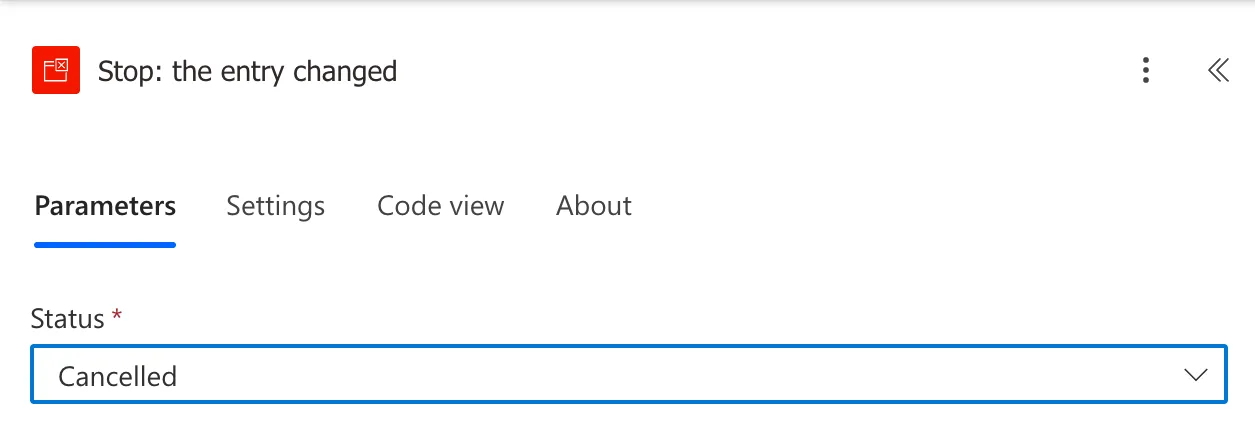
In the condition's False branch, add an action, search for Terminate, and choose it under Control. I named it Stop: the entry changed, so the run view says why it stopped.
Step 2: Choose the Status
| Status | Use it when |
|---|---|
| Succeeded | Stopping is a normal, finished outcome |
| Failed | Something went wrong that someone should look at |
| Cancelled | The run's work no longer applies |
Here, the approval was for a version of the entry that no longer exists, so Cancelled:
The reference adds that it can't appear inside Foreach and Until loops; inside a condition is fine.
The Result
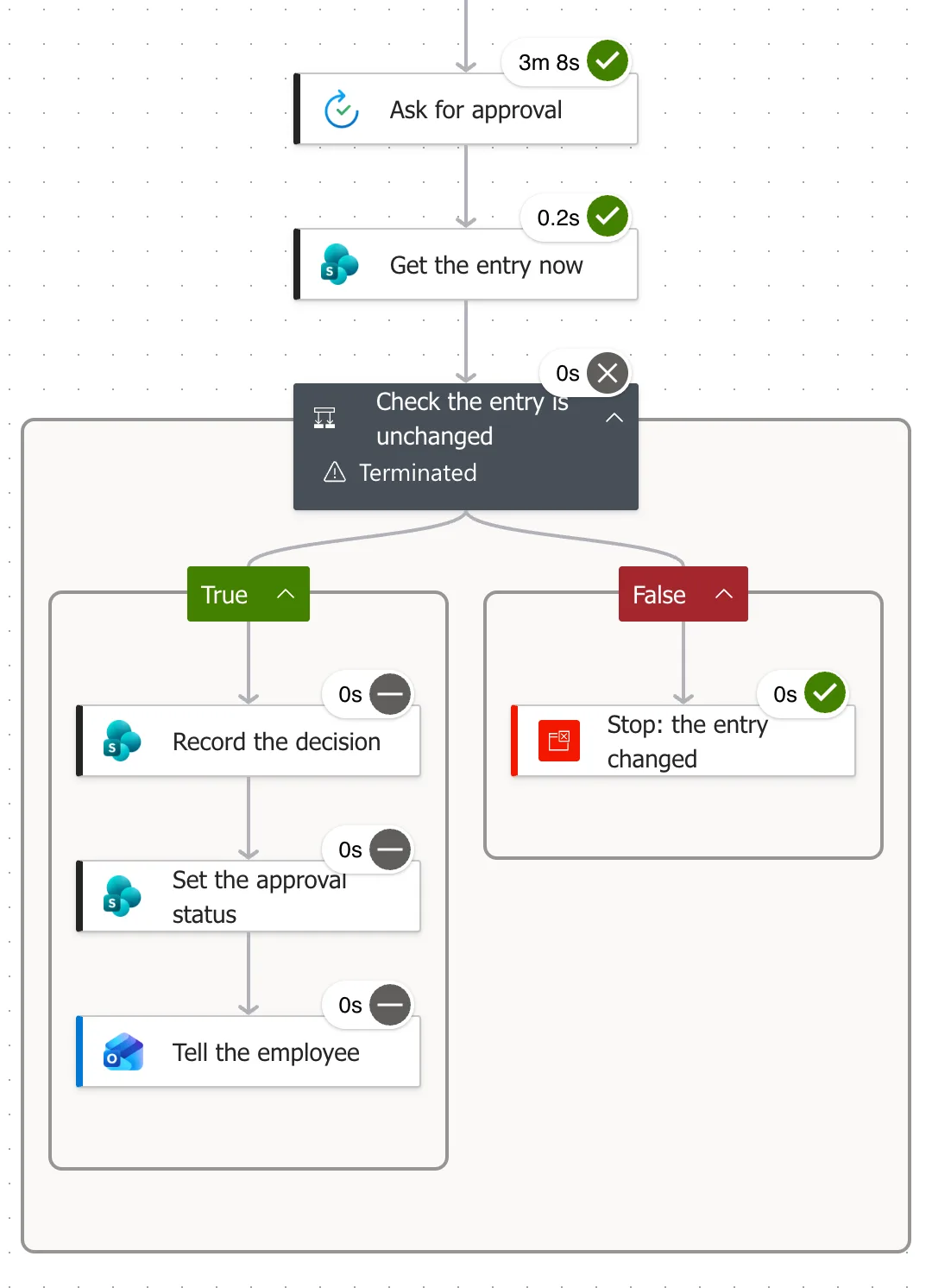
Maya Patel changed her entry while its approval waited, and Daniel Brooks then approved the old request. The run went down the False branch: Stop: the entry changed succeeded, and the three actions in the True branch, which would have recorded the decision, were skipped:
The run view's banner said:

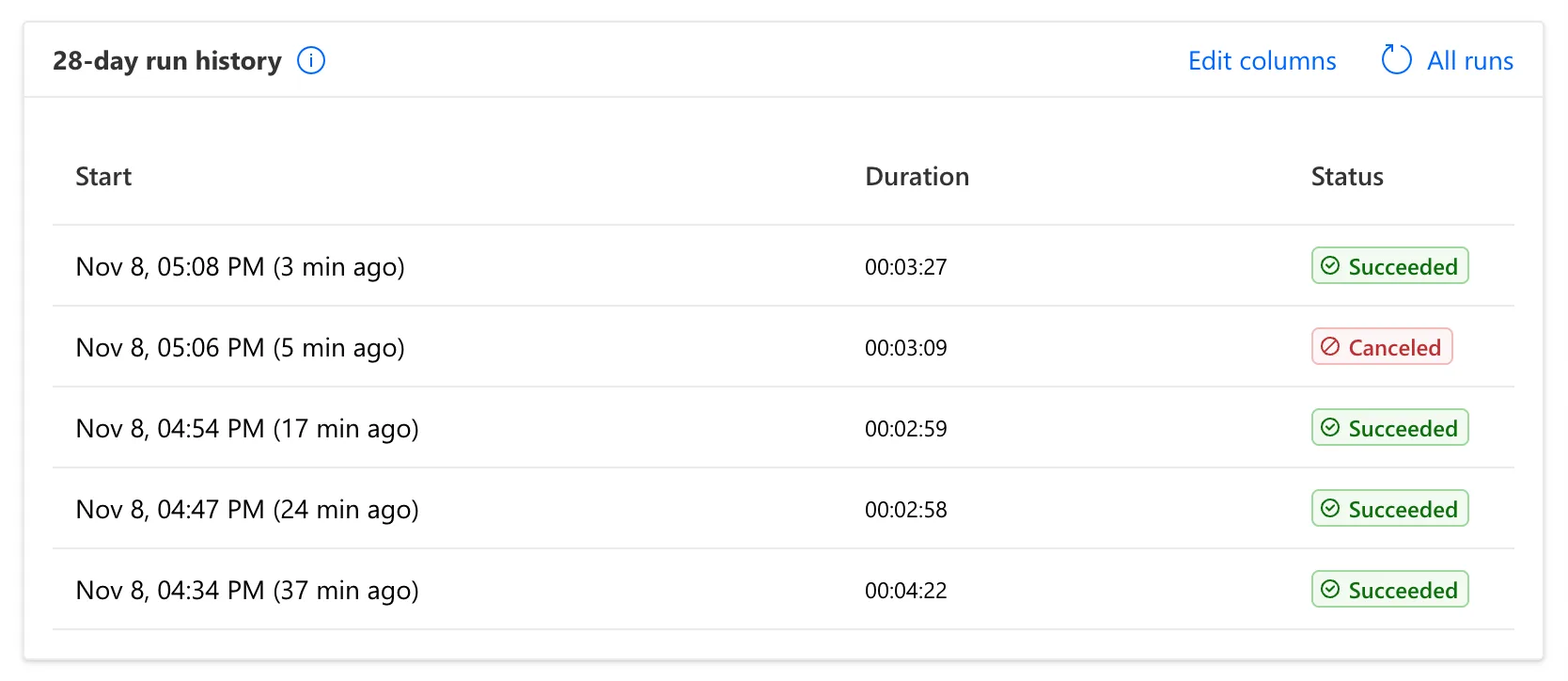
And the run history listed it as Canceled, spelled with one l there, among the succeeded runs:
Common Mistakes
| Mistake | What happens | Do this instead |
|---|---|---|
| Failed for an expected stop | Normal runs look like errors | Cancelled or Succeeded |
| Terminate inside Apply to each | It isn't allowed in loops | Stop after the loop, or use a condition outside it |
| Leaving the name Terminate | The run view doesn't say why it stopped | Name it after the reason |
Troubleshooting
| Symptom | Likely cause | Fix |
|---|---|---|
| The run carried on after the condition | Terminate is in the other branch | Move it to the branch that should stop |
| The run shows as failed | The status is Failed | Choose Cancelled |
| Actions after the condition ran too | They're outside the branch | Terminate stops everything after it |
FAQ
Does Terminate undo what already ran?
No. The reference says it doesn't affect already completed actions. Put it before anything that shouldn't happen.
Why is the condition marked Terminated?
The run view marks the condition that contains the Terminate action as Terminated; the action itself succeeded.
Conclusion
Terminate ends a run where it stands and records it as Succeeded, Failed or Cancelled. In a condition's branch, it stops a flow whose work no longer applies, and the run history says so.
Additional Resources
- Workflow actions and triggers: Terminate action: statuses and limits.
- Error handling: terminate the flow after an error: Power Automate's guidance.
