How to Split Data into Training, Validation and Test Sets with scikit-learn

A test set tells you how good a finished model is, but only if you never use it while building the model. To check the model while you build it, you need a third part of the data, a validation set. scikit-learn has no single function for that, so you call train_test_split twice. This guide shows how, with real output from scikit-learn 1.9.1.
Syntax
from sklearn.model_selection import train_test_split

X_rest, X_test, y_rest, y_test = train_test_split(X, y, test_size=<test share>, random_state=<seed>)
X_train, X_val, y_train, y_val = train_test_split(
    X_rest, y_rest, test_size=<validation share of the rest>, random_state=<seed>
)
| Part | What it means |
|---|---|
| First call | Keeps <test share> of all rows apart as the test set. Everything else is "the rest" |
| Second call | Splits the rest again. Its test_size is the validation set's share of the rest, not of all rows |
random_state=<seed> | A whole number that makes the shuffle, and so the split, the same every time |
| What each call returns | The two parts of X, then the two parts of y, in that order |
To turn the share you want of all rows into the second call's test_size, divide by what's left after the test set: validation share ÷ (1 − test share). For a 60/20/20 split, that's 0.20 ÷ 0.80 = 0.25.
train_test_split itself is explained in How to Split Data into Training and Test Sets with scikit-learn.
Prerequisites
- A uv project with scikit-learn and pandas:
uv add scikit-learn pandas. See How to Add a Package to a Python Project with uv. - The California Housing data, which scikit-learn downloads the first time: How to Load the California Housing Dataset in Python with scikit-learn. It has 20,640 rows, one per district of California, and the example splits them 60/20/20.
Step 1: Write the Split
Create three_way_split.py:
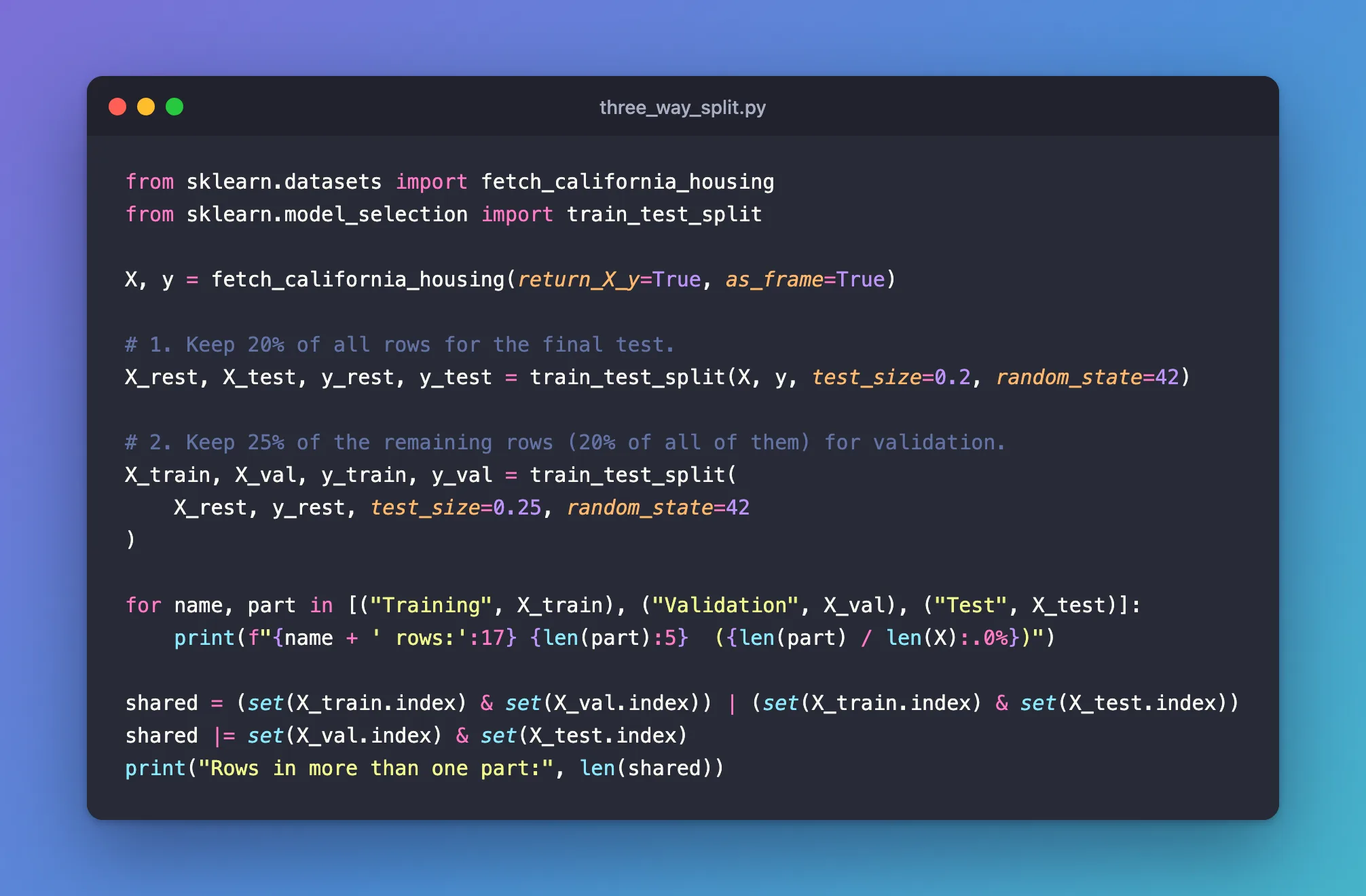
from sklearn.datasets import fetch_california_housing
from sklearn.model_selection import train_test_split

X, y = fetch_california_housing(return_X_y=True, as_frame=True)

# 1. Keep 20% of all rows for the final test.
X_rest, X_test, y_rest, y_test = train_test_split(X, y, test_size=0.2, random_state=42)

# 2. Keep 25% of the remaining rows (20% of all of them) for validation.
X_train, X_val, y_train, y_val = train_test_split(
    X_rest, y_rest, test_size=0.25, random_state=42
)

for name, part in [("Training", X_train), ("Validation", X_val), ("Test", X_test)]:
    print(f"{name + ' rows:':17} {len(part):5}  ({len(part) / len(X):.0%})")

shared = (set(X_train.index) & set(X_val.index)) | (set(X_train.index) & set(X_test.index))
shared |= set(X_val.index) & set(X_test.index)
print("Rows in more than one part:", len(shared))
| Line | What it does |
|---|---|
fetch_california_housing(return_X_y=True, as_frame=True) | Loads the features as a table, X, and the house values as a column, y |
First train_test_split | Takes 20% of all rows for the test set, X_test and y_test, and keeps the other 80% as X_rest and y_rest |
Second train_test_split | Takes 25% of those 80%, which is 20% of all rows, for validation. The remaining 60% is the training set |
The for loop | Prints each part's size and its share of all rows |
shared | Collects any row number that appears in two parts. There should be none |
Step 2: Run It
uv run python three_way_split.py
Training rows:    12384  (60%)
Validation rows:   4128  (20%)
Test rows:         4128  (20%)
Rows in more than one part: 0
Three parts of 60%, 20% and 20%, and no row in more than one of them. Run it again and you get the same rows in each part, because both calls use random_state=42.
What Each Part Is For
scikit-learn's cross-validation guide explains why the third part exists: "training proceeds on the training set, after which evaluation is done on the validation set, and when the experiment seems to be successful, final evaluation can be done on the test set."
| Part | Use it to | Use it how often |
|---|---|---|
| Training | Fit the model | Every time you train |
| Validation | Compare settings, or watch a model improve while it trains | As often as you like |
| Test | Report how good the final model is | Once, at the end |
The guide also gives the reason not to tune on the test set: the settings "can be tweaked until the estimator performs optimally", so "knowledge about the test set can 'leak' into the model". The validation set takes that risk instead, and the test set stays a fair judge.
Common Mistakes
| Mistake | What happens | Do this instead |
|---|---|---|
Using the share you want of all rows in the second call, such as test_size=0.2 for 20% | The validation set gets 20% of the rest, which is 16% of all rows, and training keeps 64% | Divide by what's left: 0.20 ÷ 0.80 = 0.25 |
| Choosing settings by their test score | The test score stops telling you how the model does on new data | Choose with the validation set, and score the test set once at the end |
Splitting X and y in separate calls | Features and target end up mismatched, row by row | Pass both to the same train_test_split call |
Troubleshooting
| Symptom | Likely cause | Fix |
|---|---|---|
ValueError: The 'test_size' parameter of train_test_split must be a float in the range (0.0, 1.0), an int in the range [1, inf) or None. Got 1.0 instead. | A share of 1 (or 0) leaves nothing on one side | Use a share between 0 and 1, such as 0.25 |
| Different rows in each part on every run | No random_state | Pass the same random_state to both calls |
FAQ
Do I need a validation set if I use cross-validation?
No. The same guide says that with cross-validation "the validation set is no longer needed", and that "A test set should still be held out for final evaluation."
What split should I use?
There's no fixed rule. 60/20/20 is a common choice when you have plenty of rows; with fewer rows, keep more for training and use cross-validation instead of a validation set.
Why random_state=42?
Any whole number works. What matters is using one, so the split is the same every time you run the script.
Conclusion
Two calls to train_test_split give three parts: the first keeps the test set apart, and the second takes the validation set out of what's left. A second test_size of 0.25 turned the remaining 80% into a 60/20/20 split, 12,384, 4,128 and 4,128 rows, with no row in two parts.
Additional Resources
- train_test_split — scikit-learn's reference for the function.
- Cross-validation: evaluating estimator performance — why a validation set exists, and the alternative.
Related
- How to Split Data into Training and Test Sets with scikit-learn
- How to Use warm_start to Add Trees to a Random Forest in scikit-learn
- How to Load the California Housing Dataset in Python with scikit-learn
- MLflow Tutorial for Machine Learning in Python — Part 2: Log Metrics Over Time and System Metrics
