How to Split Data into Training and Test Sets with scikit-learn

A model always looks good on the data it learned from. To know how it does on new data, you hold some rows back and never show them to it during training: the test set. scikit-learn's train_test_split does that in one line. This guide splits the California Housing data, and shows what test_size and random_state really control, with real output.
Syntax
from sklearn.model_selection import train_test_split

X_train, X_test, y_train, y_test = train_test_split(X, y, test_size=0.25, random_state=None, shuffle=True)
| Part | What it means | Default |
|---|---|---|
X, y | The features and the target, with the same number of rows | |
test_size | The share of rows kept back for testing, such as 0.2 for 20%, or a number of rows | 0.25 when neither test_size nor train_size is given |
random_state | A number that shuffles the same way every time, so you get the same split | None |
shuffle | Mix the rows before splitting | True |
stratify | Keep each class's share the same in both parts, for classification | None |
It returns the parts in pairs, training first, for each thing you pass in: X_train, X_test, y_train, y_test.
Prerequisites
- A uv project with scikit-learn and pandas. See How to Add a Package to a Python Project with uv.
- The California Housing data, loaded as in How to Load the California Housing Dataset in Python with scikit-learn.
Step 1: Separate the Features from the Target
A model learns to predict one column, the target, from the others, the features:
from sklearn.datasets import fetch_california_housing
from sklearn.model_selection import train_test_split

frame = fetch_california_housing(as_frame=True).frame
X = frame.drop(columns="MedHouseVal")
y = frame["MedHouseVal"]
By convention X holds the features (8 columns) and y the target (MedHouseVal).
Step 2: Split Them
Add:
X_train, X_test, y_train, y_test = train_test_split(X, y, test_size=0.2, random_state=42)
print("All rows:     ", len(X))
print("Training rows:", len(X_train))
print("Test rows:    ", len(X_test))
print("First test rows, seed 42:", list(X_test.index[:5]))

_, X_test_again, _, _ = train_test_split(X, y, test_size=0.2, random_state=42)
print("Seed 42 again:           ", list(X_test_again.index[:5]))

_, X_test_other, _, _ = train_test_split(X, y, test_size=0.2, random_state=7)
print("Seed 7:                  ", list(X_test_other.index[:5]))
train_test_split(X, y, ...)returns four parts, always in this order: training features, test features, training target, test target.test_size=0.2puts 20% of the rows in the test set.random_state=42fixes the random shuffle, so the split is the same every time. Any whole number works; 42 is just a common choice.- The last four lines split twice more, to compare which rows land in the test set.
_is Python's name for "a value I don't need".
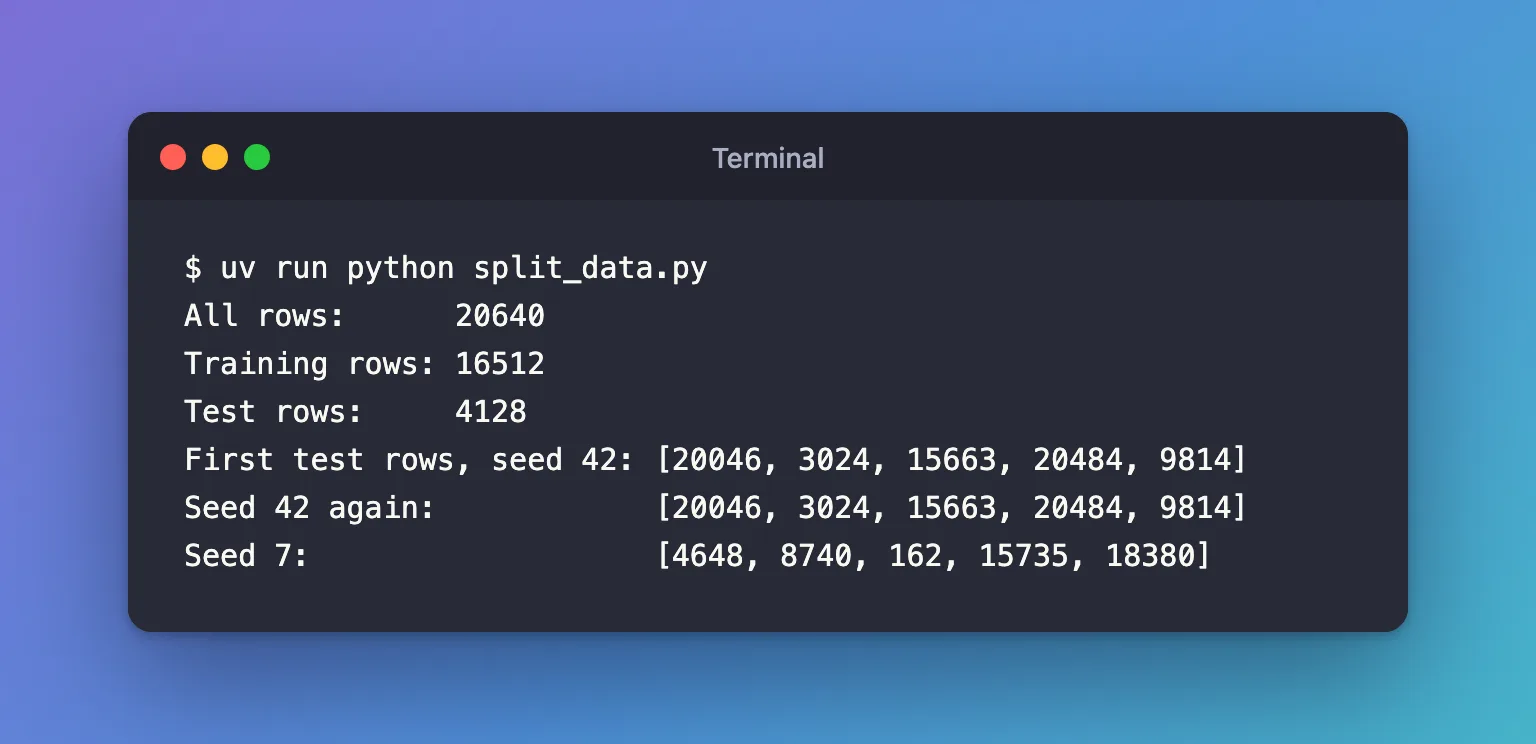
Run it:
uv run python split_data.py
All rows:      20640
Training rows: 16512
Test rows:     4128
First test rows, seed 42: [20046, 3024, 15663, 20484, 9814]
Seed 42 again:            [20046, 3024, 15663, 20484, 9814]
Seed 7:                   [4648, 8740, 162, 15735, 18380]
Step 3: Read the Result
- 16,512 + 4,128 = 20,640. Every row went to exactly one side: 80% for training, 20% for testing.
- The rows are shuffled. The test set starts with rows 20046, 3024 and 15663, not 0, 1, 2.
train_test_splitshuffles by default, and that matters: without shuffling, the test set would simply be the file's last 20% of rows, and those districts average 2.260 against 2.069 for the whole dataset, so they wouldn't represent the data. - The same seed gives the same rows. Both seed-42 splits picked identical rows. That's what makes results comparable between runs: if one run scores better, it's the model, not a luckier split.
- A different seed gives different rows. Seed 7 picked a different test set, and a model's score will move a little with it.
Common Mistakes
| Mistake | What happens | Do this instead |
|---|---|---|
| Scoring the model on the training rows | Scores look far better than reality | Score on X_test and y_test only |
No random_state | Every run tests on different rows, so you can't compare runs fairly | Fix random_state, and record it with the run |
| Unpacking the four results in the wrong order | Features and targets get mixed up | X_train, X_test, y_train, y_test |
| Splitting after preparing the data with statistics from all rows | Information from the test set leaks into training | Split first, then prepare using the training rows only |
Troubleshooting
| Symptom | Likely cause | Fix |
|---|---|---|
ValueError: too many values to unpack (expected 3, got 4) | Fewer than four names on the left | Use four names, or _ for the parts you don't need |
| The split is different every time | No random_state | Pass random_state=<any whole number> |
FAQ
Why 20%?
It's a common default: enough rows to measure the model reliably, while leaving most for training. With 20,640 rows, 4,128 test rows are plenty.
Should I record test_size and random_state?
Yes. They change the score, so they're settings of the experiment. The MLflow series logs both as parameters: How to Log Parameters in MLflow.
Is one test set enough?
For a first model, yes. Cross-validation, which tests on several different splits, gives a steadier estimate; scikit-learn's cross-validation guide explains it.
Conclusion
train_test_split(X, y, test_size=0.2, random_state=42) shuffled the 20,640 rows and split them into 16,512 for training and 4,128 for testing. The same seed always gave the same rows, so runs can be compared fairly, and a different seed gave a different test set.
Additional Resources
- train_test_split — the function and all its options.
- Cross-validation: evaluating estimator performance — why held-out data matters, and the next step after a single split.
