How to Split a String in Java with split

String.split cuts a string into pieces and returns them as an array. Its argument is a regular expression, not plain text, which is why splitting at a dot needs split("\\."): a plain "." matches every character and leaves you with nothing.
Syntax
String[] <pieces> = <text>.split("<regex>");
String[] <pieces> = <text>.split("<regex>", <limit>);
| Part | What it does |
|---|---|
"<regex>" | A regular expression for the separator. Characters such as ., |, + and * have special meanings and need \\ in front. |
<limit> | Optional. The most pieces to return; the last piece keeps the rest of the string. |
<pieces> | An array of the pieces. Empty pieces at the end are dropped. |
The Java SE 25 documentation for String.split: "Splits this string around matches of the given regular expression."
The Example
The example splits a date at its dashes, splits a host name at its dots twice, once with a plain "." and once with "\\.", and splits the date again with a limit of two pieces. Arrays.toString prints each array.
Prerequisites
- A JDK, the Java Development Kit.
java Main.javaruns a single file without compiling it first. This guide uses OpenJDK 25.0.5.1.
Step 1: Write the Code
Create a file named Main.java:
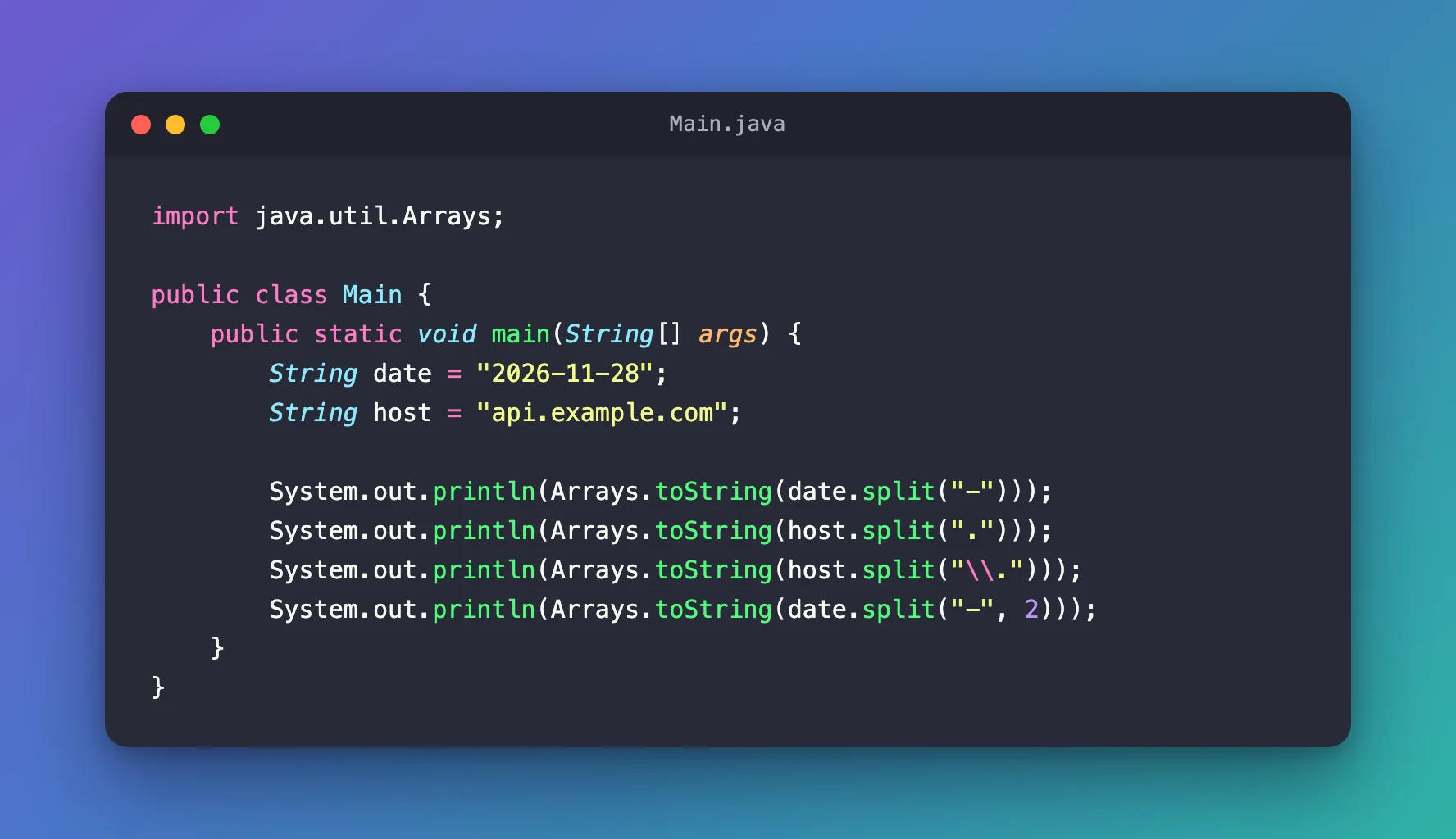
import java.util.Arrays;

public class Main {
    public static void main(String[] args) {
        String date = "2026-11-28";
        String host = "api.example.com";

        System.out.println(Arrays.toString(date.split("-")));
        System.out.println(Arrays.toString(host.split(".")));
        System.out.println(Arrays.toString(host.split("\\.")));
        System.out.println(Arrays.toString(date.split("-", 2)));
    }
}
Step 2: Run It
java Main.java
[2026, 11, 28]
[]
[api, example, com]
[2026, 11-28]
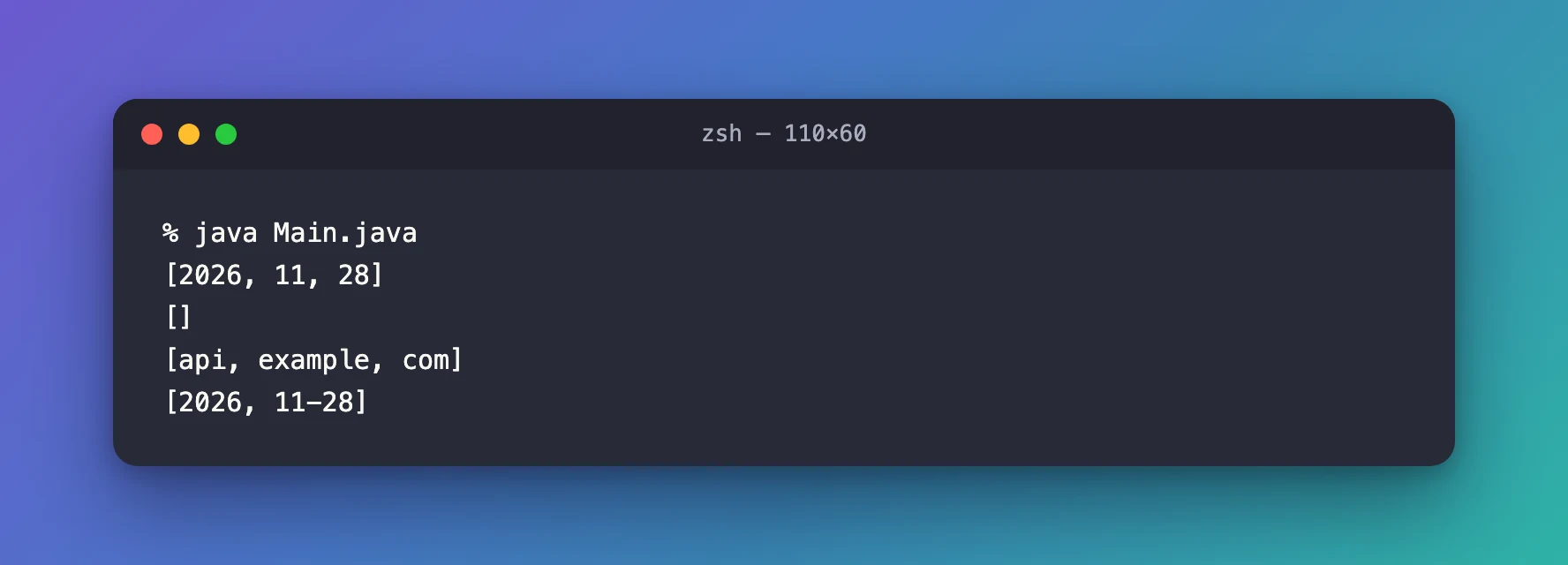
The command is the same in zsh, bash and PowerShell.
What Happened
split("-")cut the date at both dashes. A dash isn't special in a regular expression.split(".")returned an empty array. In a regular expression.matches any character, so every character became a separator, every piece between them was empty, andsplitdropped the empty pieces at the end: all of them.split("\\.")asked for a real dot. The Java string"\\."holds a backslash and a dot, which the regular expression reads as "a dot".- With a limit of
2, the second piece kept the rest of the date,11-28.
Common Mistakes
| Mistake | What happens | Do this instead |
|---|---|---|
Splitting at a dot with split(".") | An empty array, and parts[1] throws ArrayIndexOutOfBoundsException: Index 1 out of bounds for length 0 | Use split("\\.") |
Splitting at | with split("|") | | means "or" in a regular expression, so it splits between every character | Use split("\\|") |
| Expecting empty pieces at the end | Trailing empty strings are removed | Pass a negative limit, split(",", -1), to keep them |
Troubleshooting
| Symptom | Likely cause | Fix |
|---|---|---|
[], an empty array | The separator is a regular-expression character that matches everything | Escape it with \\ |
ArrayIndexOutOfBoundsException right after a split | There were fewer pieces than the code expected | Check parts.length first |
FAQ
How do I split on plain text without thinking about regular expressions?
Wrap it with Pattern.quote: text.split(Pattern.quote(".")) treats the dot as plain text.
How do I print an array?
Arrays.toString(array) returns the items between square brackets, as in the output above. Printing the array itself shows only its type and an identity code.
Conclusion
text.split(regex) returns the pieces between the matches as an array. Because the separator is a regular expression, escape special characters such as the dot: split("\\.").
Additional Resources
- String.split and Pattern, in the Java SE 25 documentation.
