How to Split a String and Remove Empty Entries in C#

Splitting text at spaces looks easy until the text has two spaces in a row or a space at the end: C# then returns empty strings as well as the words. StringSplitOptions.RemoveEmptyEntries tells Split to leave those empty pieces out.
Syntax
string[] <pieces> = <text>.Split(<separator>);
string[] <pieces> = <text>.Split(<separator>, StringSplitOptions.RemoveEmptyEntries);
| Part | What it does |
|---|---|
<text>.Split(<separator>) | Cuts the string at every separator character and returns the pieces in a new array. |
<separator> | The character to cut at, such as ' ' for a space or ',' for a comma. |
StringSplitOptions.RemoveEmptyEntries | Leaves empty pieces out of the array. |
Microsoft's StringSplitOptions reference: RemoveEmptyEntries means "Omit array elements that contain an empty string from the result."
The Example
The text is "Leo Martin ": two names with two spaces between them and one space at the end. The example splits it at spaces twice, without and with RemoveEmptyEntries, and counts the pieces.
Prerequisites
- The .NET 10 SDK or newer, which runs a single
.csfile withdotnet run. This guide uses .NET SDK 10.0.404.
Step 1: Write the Code
Create a file named main.cs in an empty folder:
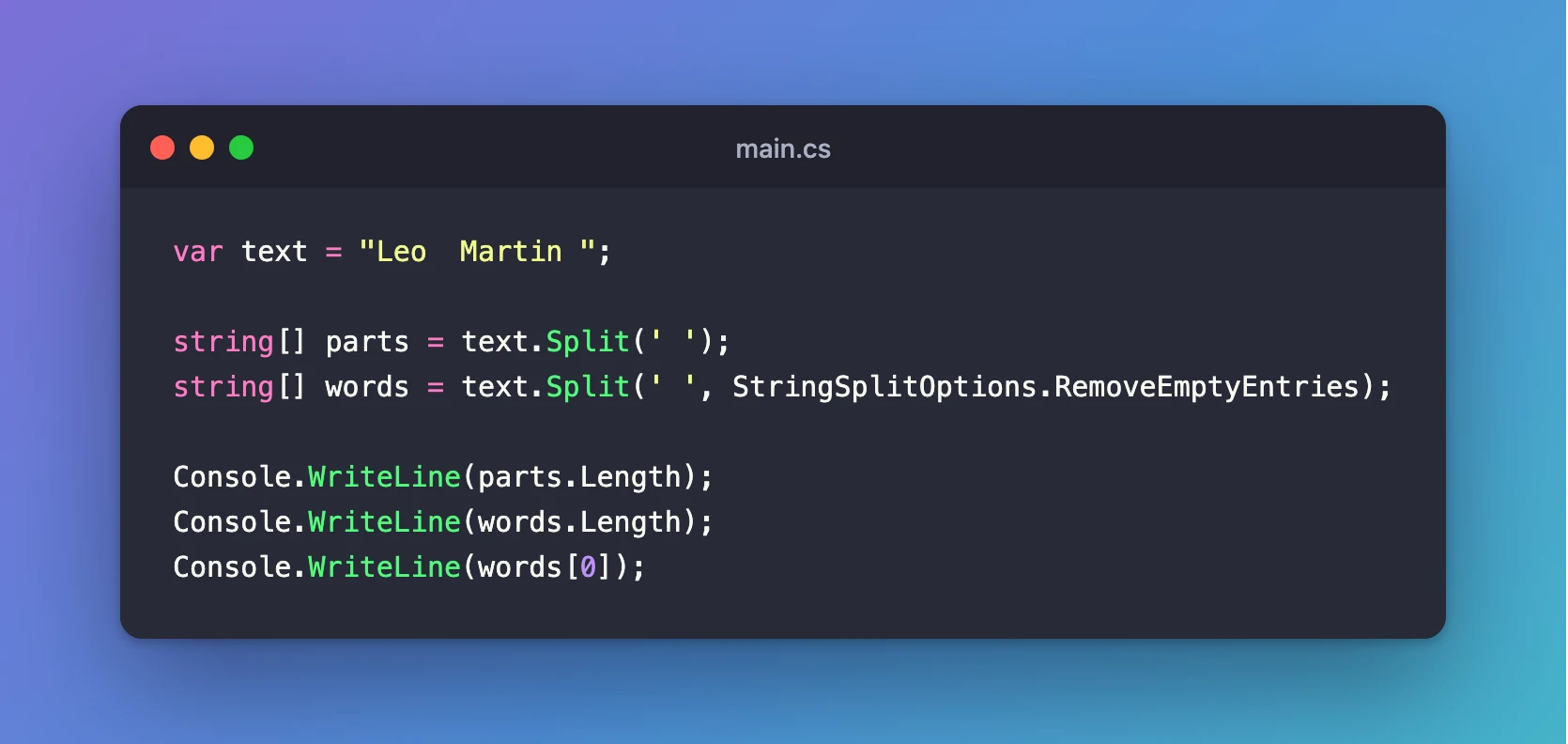
var text = "Leo  Martin ";

string[] parts = text.Split(' ');
string[] words = text.Split(' ', StringSplitOptions.RemoveEmptyEntries);

Console.WriteLine(parts.Length);
Console.WriteLine(words.Length);
Console.WriteLine(words[0]);
Step 2: Run It
dotnet run main.cs
4
2
Leo
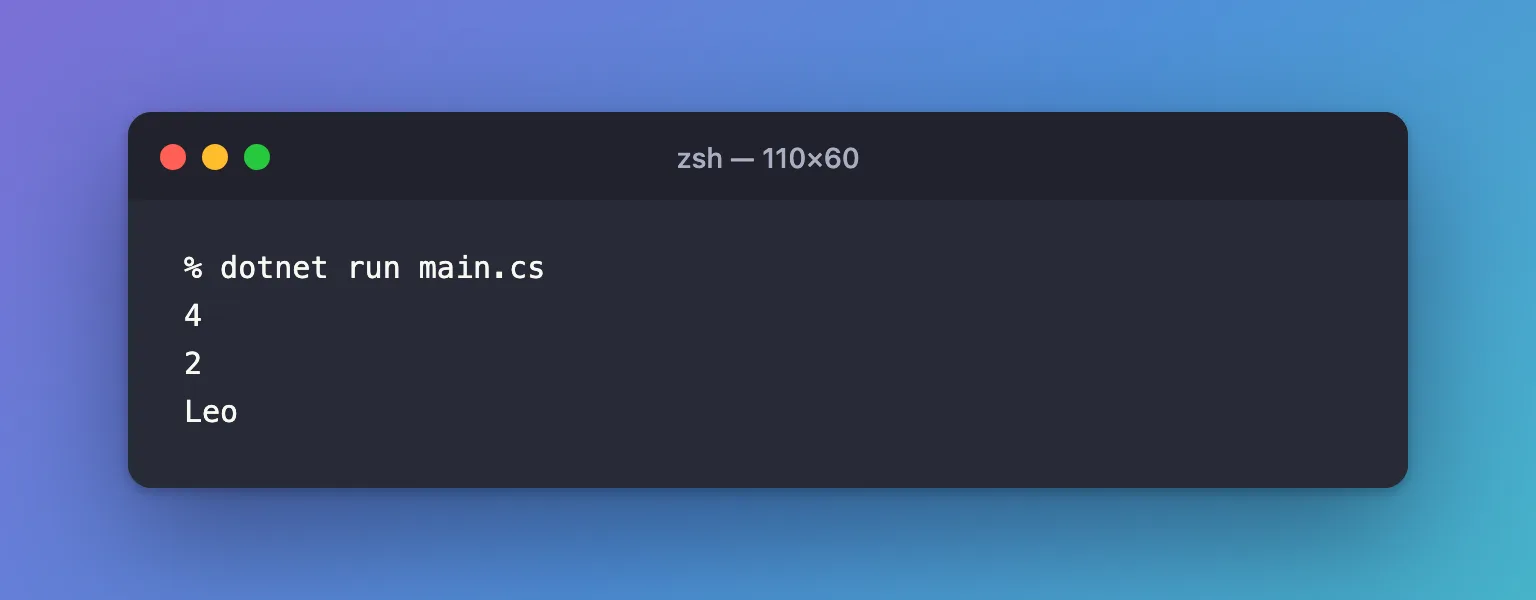
The plain split returned 4 pieces: "Leo", an empty string between the two spaces, "Martin", and another empty string after the last space. That's documented behavior, in the String.Split reference: "If two delimiters are adjacent, or a delimiter is found at the beginning or end of this instance, the corresponding element in the returned array contains Empty." With RemoveEmptyEntries, the two empty strings are gone and only the 2 names are left. The command is the same in zsh, bash and PowerShell.
Common Mistakes
| Mistake | What happens | Do this instead |
|---|---|---|
| Splitting text with repeated or trailing spaces without options | Empty strings end up in the array and count in its Length | Pass StringSplitOptions.RemoveEmptyEntries |
Expecting RemoveEmptyEntries to trim pieces | Splitting "a, b" at ',' still leaves " b": it isn't empty, so it stays | Add StringSplitOptions.TrimEntries as well |
Reading words[0] without checking the length | An empty or all-spaces string gives an empty array, and words[0] throws IndexOutOfRangeException | Check words.Length first |
Troubleshooting
| Symptom | Likely cause | Fix |
|---|---|---|
Length is larger than the number of words | Empty pieces from repeated, leading or trailing separators | Add RemoveEmptyEntries |
| The first piece is an empty string | The text starts with a separator | Add RemoveEmptyEntries |
FAQ
How do I also remove the spaces around each piece?
Combine two options with the | operator: StringSplitOptions.RemoveEmptyEntries | StringSplitOptions.TrimEntries. TrimEntries means "Trim white-space characters from each substring in the result." Splitting "a, b" at commas shows the difference:
foreach (string piece in "a, b".Split(',', StringSplitOptions.RemoveEmptyEntries))
{
    Console.WriteLine($"[{piece}]");
}

foreach (string piece in "a, b".Split(',', StringSplitOptions.RemoveEmptyEntries | StringSplitOptions.TrimEntries))
{
    Console.WriteLine($"[{piece}]");
}
[a]
[ b]
[a]
[b]
With RemoveEmptyEntries alone, " b" keeps its space. With both options, the space is trimmed off.
Does Split change the original string?
No. Strings in .NET can't be changed; Split returns a new array and leaves text as it was.
Conclusion
text.Split(' ', StringSplitOptions.RemoveEmptyEntries) returns only the real words, however many spaces sit between them or after them. Add TrimEntries when pieces may carry spaces around them.
Additional Resources
- String.Split method, on Microsoft Learn.
- StringSplitOptions enum, on Microsoft Learn.
