How to Split a Class Across Files with partial in C#

A partial class is written in pieces: one file for its data, another for its methods, and the compiler joins the pieces into one class. It's how generated code and your own code can share a class without overwriting each other.
Microsoft's reference: Partial type definitions allow you to split the definition of a class, struct, interface, or record into multiple definitions. You can put these multiple definitions in different files within the same project.
Syntax
// One file
public partial class <Name>
{
    // some members
}

// Another file
public partial class <Name>
{
    // more members
}
| Part | What it is |
|---|---|
partial | On every part: tells the compiler the class continues elsewhere |
<Name> | The same class name in every part |
public | The same access modifier on every part |
The rules, from Microsoft's guide: All the parts must use the partial keyword. All the parts must be available at compile time to form the final type. All the parts must have the same accessibility, such as public, private, and so on.
The Example
A console app called PartialClass splits a Ticket class into two files: Ticket.cs holds its data and Ticket.Summary.cs a method that describes it.
Prerequisites
- The .NET 10 SDK.
dotnet --versionprints a version that starts with10.0.
Step 1: Create a Console App
dotnet new console -n PartialClass
cd PartialClass
The template "Console App" was created successfully.

Processing post-creation actions...
Restoring /Users/you/source/PartialClass/PartialClass.csproj:
  Determining projects to restore...
  Restored /Users/you/source/PartialClass/PartialClass.csproj (in 46 ms).
Restore succeeded.
dotnet new console -n PartialClass creates a folder named PartialClass with a project file and a Program.cs, and cd moves into it. Everything this example uses is part of .NET, so there's no package to add. Open the folder in VS Code, or PartialClass.csproj in Visual Studio.
Step 2: Write the Code
Create a file named Ticket.cs next to Program.cs, for the data:
// The first part of Ticket: its data.
public partial class Ticket
{
    public string Id { get; set; } = "";
    public string Title { get; set; } = "";
}
Then a file named Ticket.Summary.cs, for the method:
// The second part of Ticket. The compiler joins both parts into one class.
public partial class Ticket
{
    public string Summary() => $"{Id}: {Title}";
}
Summary reads Id and Title, which are declared in the other file: to the compiler, both parts are one class. The file names are up to you; the compiler joins the parts by the class name.
Last, replace everything in Program.cs:
Ticket laptop = new() { Id = "INC1001", Title = "Laptop won't start" };
Ticket vpn = new() { Id = "INC1002", Title = "VPN keeps disconnecting" };

Console.WriteLine(laptop.Summary());
Console.WriteLine(vpn.Summary());
new() { Id = ..., Title = ... } creates a ticket and sets its two properties.
Step 3: Run It
Run it in VS Code's terminal, or press Ctrl+F5 in Visual Studio:
dotnet run
INC1001: Laptop won't start
INC1002: VPN keeps disconnecting
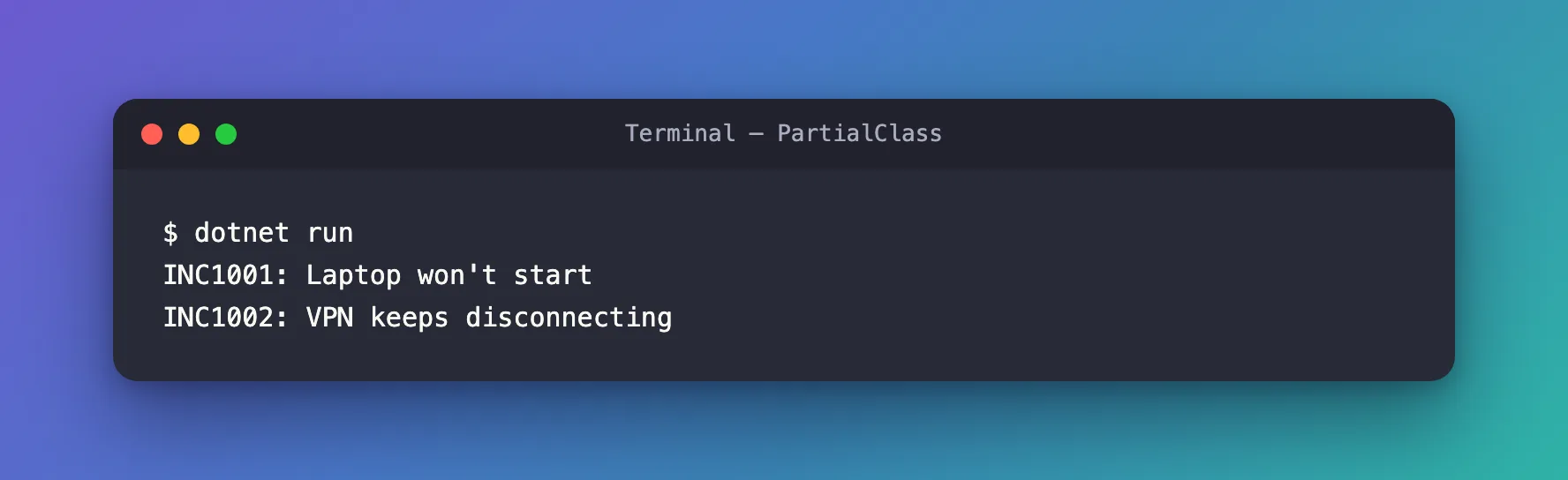
Both tickets printed their summary: a method from one file, using properties from the other.
The Complete Files
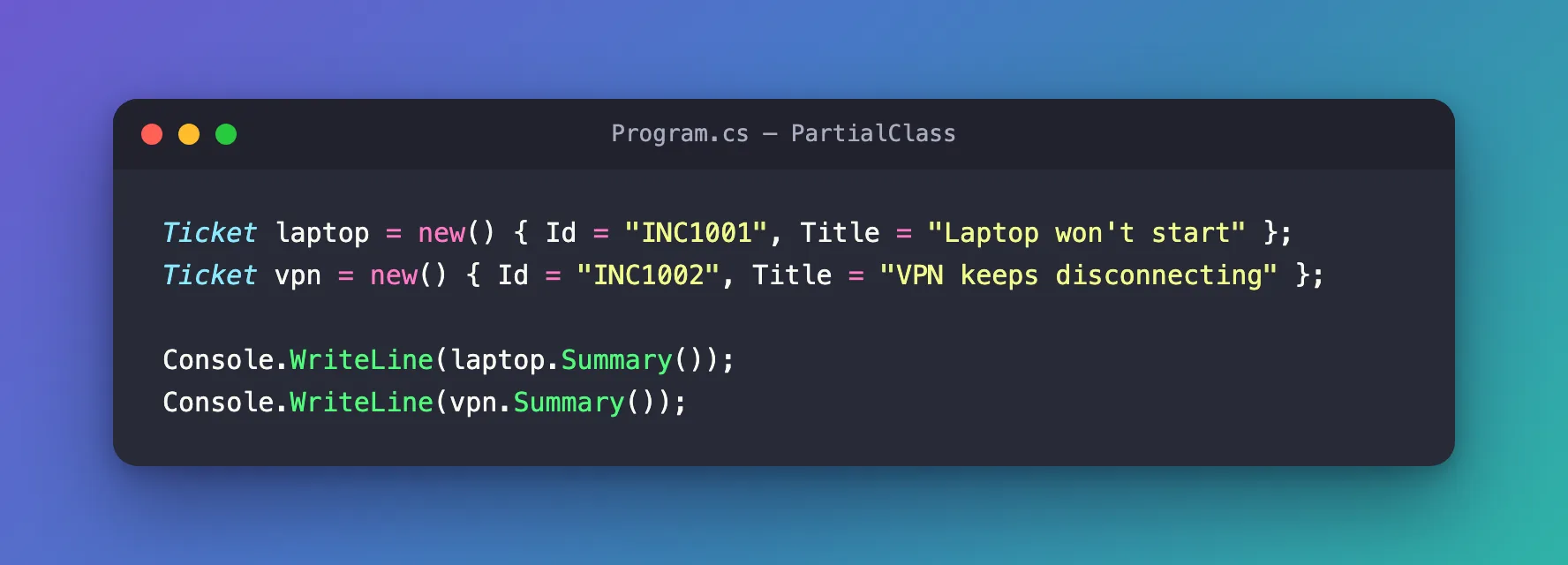
Ticket laptop = new() { Id = "INC1001", Title = "Laptop won't start" };
Ticket vpn = new() { Id = "INC1002", Title = "VPN keeps disconnecting" };

Console.WriteLine(laptop.Summary());
Console.WriteLine(vpn.Summary());
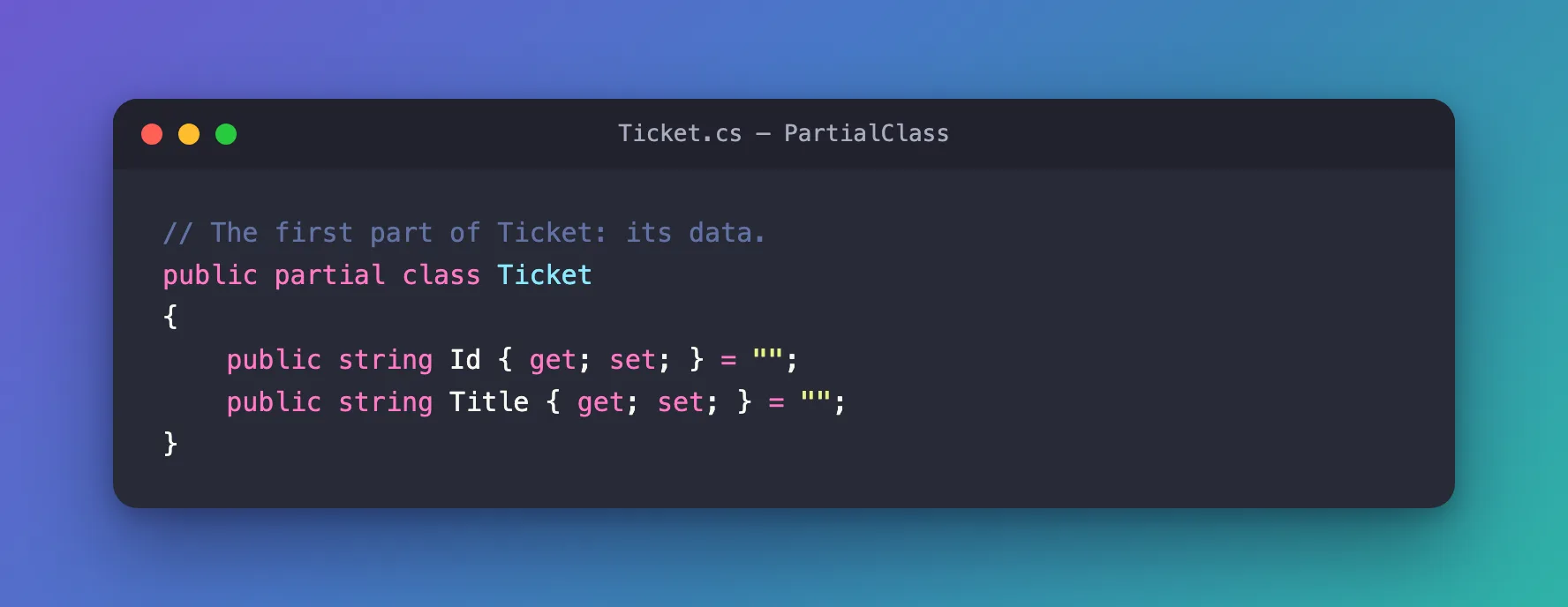
// The first part of Ticket: its data.
public partial class Ticket
{
    public string Id { get; set; } = "";
    public string Title { get; set; } = "";
}
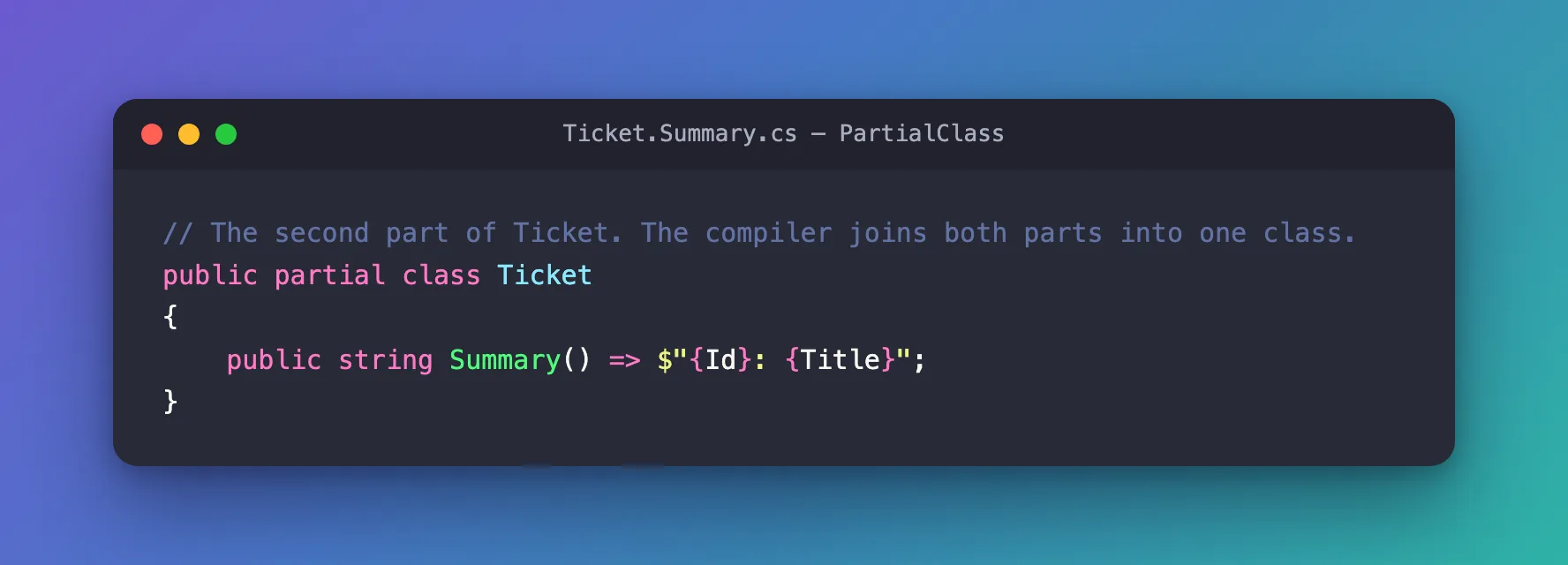
// The second part of Ticket. The compiler joins both parts into one class.
public partial class Ticket
{
    public string Summary() => $"{Id}: {Title}";
}
Common Mistakes
| Mistake | What happens | Do this instead |
|---|---|---|
Leaving partial off one part | error CS0260: Missing partial modifier on declaration of type 'Ticket'; another partial declaration of this type exists | Write partial on every part |
| Different access modifiers on the parts | error CS0262: Partial declarations of 'Ticket' have conflicting accessibility modifiers | Use the same one, such as public, on every part |
| Declaring the same member in two parts | error CS0102: The type 'Ticket' already contains a definition for 'Id' | Declare each member in one part only |
FAQ
Can the parts be in different projects?
No. Microsoft's guide: All partial-type definitions meant to be parts of the same type must be defined in the same assembly and the same module (.exe or .dll file).
Where will I meet partial classes?
In generated code. Microsoft's reference lists automatically generated code such as that provided by the Windows Forms Designer, or Source generators like RegEx: the generator writes its part of your class in a file of its own.
Conclusion
Mark every part partial, give them the same name and access modifier, and keep them in the same project: the compiler builds one class from all of them. Each member still lives in exactly one part.
Additional Resources
- Partial type — the
partialkeyword for classes, structs, interfaces and records. - Partial classes and methods — the rules every part follows.
