How to Size the MySql.Data Connection Pool

Maximum Pool Size defaults to 100, and MySQL's max_connections to 151. So two copies of an app can ask for more than the server allows, and more requests than the pool holds can end the whole process. Here's how I picked a number, from measurements.
Step 1: See How Many You Use
Send a burst at your API, then ask MySQL. These are 200 requests, 50 at a time:
- macOS / Linux
- Windows (PowerShell)
seq 200 | xargs -P 50 -I{} curl -s -o /dev/null -w "%{http_code}\n" "http://localhost:5190/api/v1/products?pageSize=100" | sort | uniq -c
Add-Type -AssemblyName System.Net.Http
$client = [System.Net.Http.HttpClient]::new()
$requests = 1..50 | ForEach-Object { $client.GetAsync("http://localhost:5190/api/v1/products?pageSize=100") }
try { [System.Threading.Tasks.Task]::WaitAll([System.Threading.Tasks.Task[]]$requests) } catch { }
$requests | Group-Object { if ($_.IsFaulted) { "no answer" } else { [int]$_.Result.StatusCode } } | Select-Object Count, Name
SHOW GLOBAL STATUS LIKE 'Threads_connected';
SHOW GLOBAL STATUS LIKE 'Max_used_connections';
+-------------------+-------+
| Variable_name     | Value |
+-------------------+-------+
| Threads_connected | 51    |
+-------------------+-------+
+----------------------+-------+
| Variable_name        | Value |
+----------------------+-------+
| Max_used_connections | 51    |
+----------------------+-------+
Fifty requests at once opened 50 connections, plus my own session. A pool grows to meet the demand, up to its limit, so it tells you how many requests overlapped, not how many you needed.
Step 2: Try Different Sizes
First, make sure a small pool can't hurt you: above its limit, this driver blocks threads, and that can crash the process. With a concurrency limit in front of the pool, I sent 600 requests, 150 at a time:
Maximum Pool Size | Result | Time | Connections in MySQL |
|---|---|---|---|
| 5 | All 200 | 2.34 s | 6 |
| 25 | All 200 | 2.11 s | 26 |
| 100 | All 200 | 2.13 s | 101 |
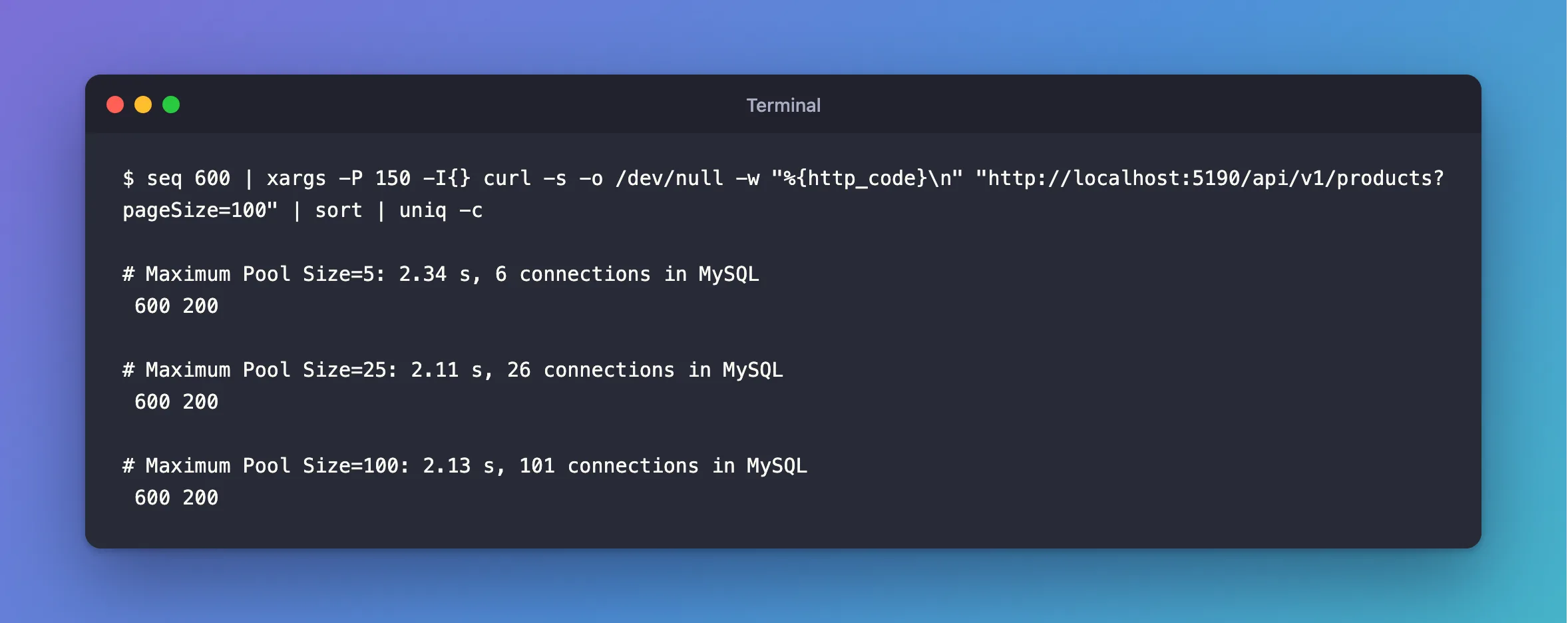
A bigger pool wasn't faster. These queries take about a millisecond, so a few connections keep up, and my test machine ran out of other things first. A pool of 100 only took up more of the server's connections. Your numbers depend on how long your queries take, so run this against your busiest endpoint, with realistic data.
Step 3: Do the Sum
The total has to stay below max_connections, which also has to cover everything else that connects:
copies of the app × pools per copy × Maximum Pool Size < max_connections
Count the pools. There's one per connection string, and there's a second one you might not expect: Oracle's readiness check connects without a database, so it counts as a different string. I saw both while a burst ran against each:
SELECT PROCESSLIST_DB AS db, COUNT(*) AS connections
FROM performance_schema.threads
WHERE PROCESSLIST_USER = 'inventory_app'
GROUP BY PROCESSLIST_DB;
+-----------+-------------+
| db        | connections |
+-----------+-------------+
| NULL      |          10 |
| inventory |          10 |
+-----------+-------------+
It normally stays at one or two connections, because probes come one at a time. But it can grow, so count it at the worst case.
With a default max_connections of 151 and a pool of 25, three copies come to 3 × 2 × 25 = 150. That's the most you could run there, and a pool of 100 fits only if you can raise the limit.
Step 4: Set It
…;Maximum Pool Size=25
Then watch Max_used_connections in production. How to See How Many Connections MySQL Has Now and at Its Peak shows how. If it never gets near your limit, you could go lower. If requests queue, find out why they're slow before you raise it.
Common Mistakes
| Mistake | What happens | Do this instead |
|---|---|---|
| Raising the pool to handle a burst | Above it, the crash moves up with it | Limit requests to the size of the pool |
| Forgetting the copies of your app | The server runs out first | Multiply |
| Forgetting a limit on the account | max_user_connections errors | Size them together |
Setting Minimum Pool Size high to be safe | Idle connections, held for ever | Know what it does |
Troubleshooting
| Symptom | Likely cause | Fix |
|---|---|---|
Too many connections | The sum is over max_connections | The fix |
Timeout expired … from the pool | Requests wait inside the driver | The fix |
| Unhandled exception under load | Requests above the pool | The fix |
Conclusion
A bigger pool isn't a faster one, once requests can't overrun it. Measure, count the copies and the second pool, and keep the total under max_connections.
Additional Resources
- Connector/NET Connection Options —
Maximum Pool Size. - Too many connections — the server's limit.
