How to Sign In to Microsoft 365 for the First Time with a Temporary Password

When an admin creates your Microsoft 365 account, they usually give you a temporary password that works once. You sign in with it, Microsoft asks you to choose your own password straight away, and most organizations then ask you to set up the Microsoft Authenticator app.
The example is Sam Reed, a test account I created in the Microsoft 365 admin center with a temporary password and Require this user to change their password when they first sign in ticked (How to Add a User and Assign a License in the Microsoft 365 Admin Center). Every screen below is from Sam's first sign-in.
Prerequisites
- A smartphone, if your organization requires the Microsoft Authenticator app. Organizations with Microsoft Entra security defaults switched on require it, as Step 5 explains.
Step 1: Open Microsoft 365
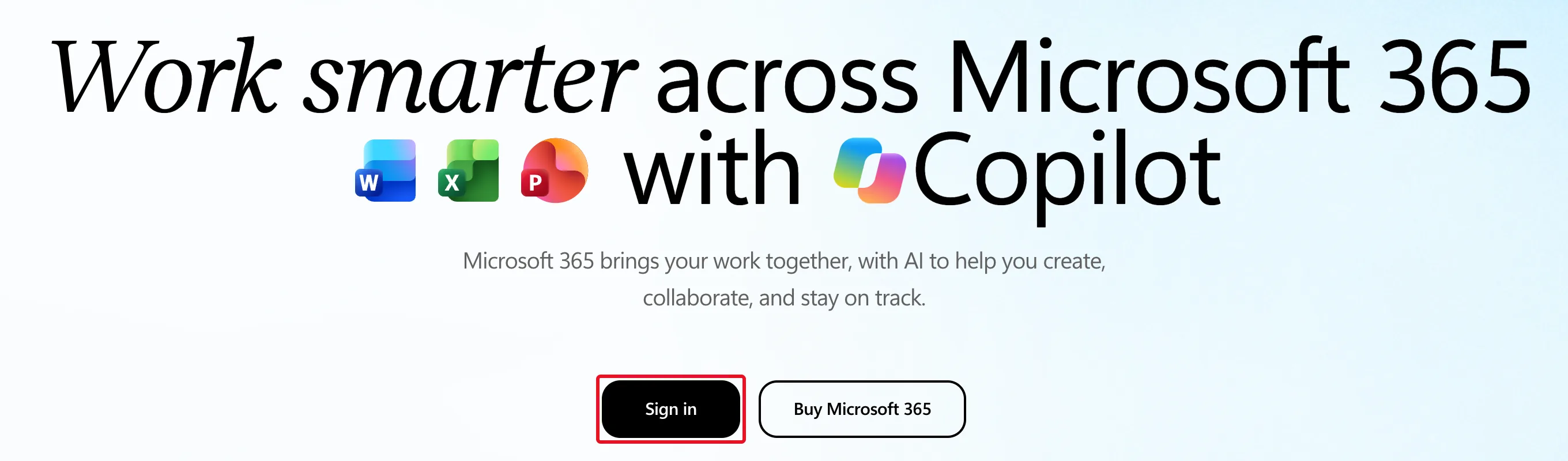
Go to m365.cloud.microsoft and select Sign in:
Step 2: Enter Your Username
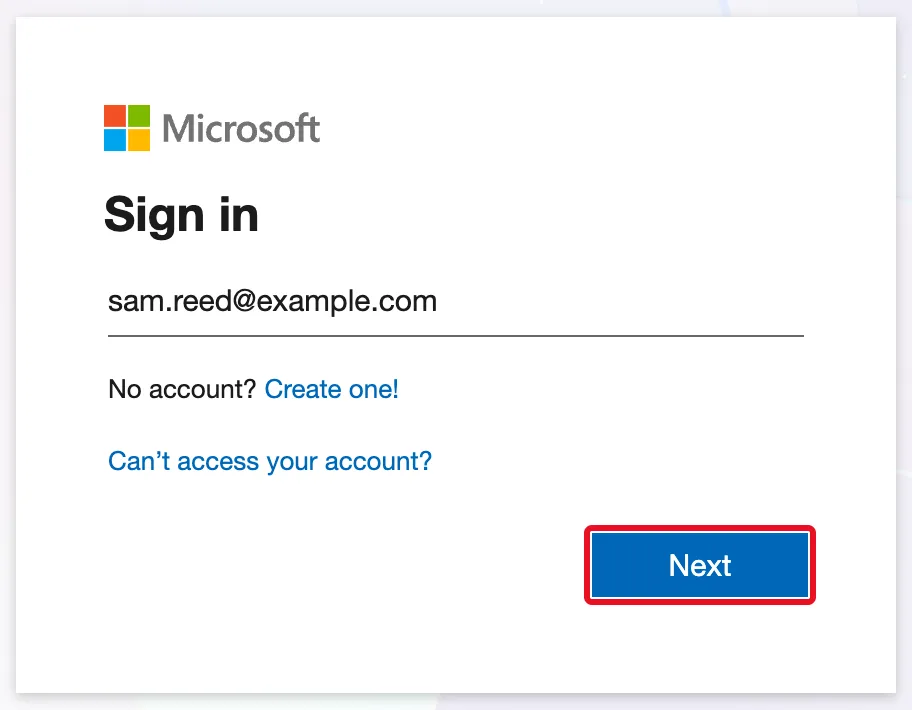
Type your work email address, the username your admin gave you, and select Next:
Step 3: Enter the Temporary Password
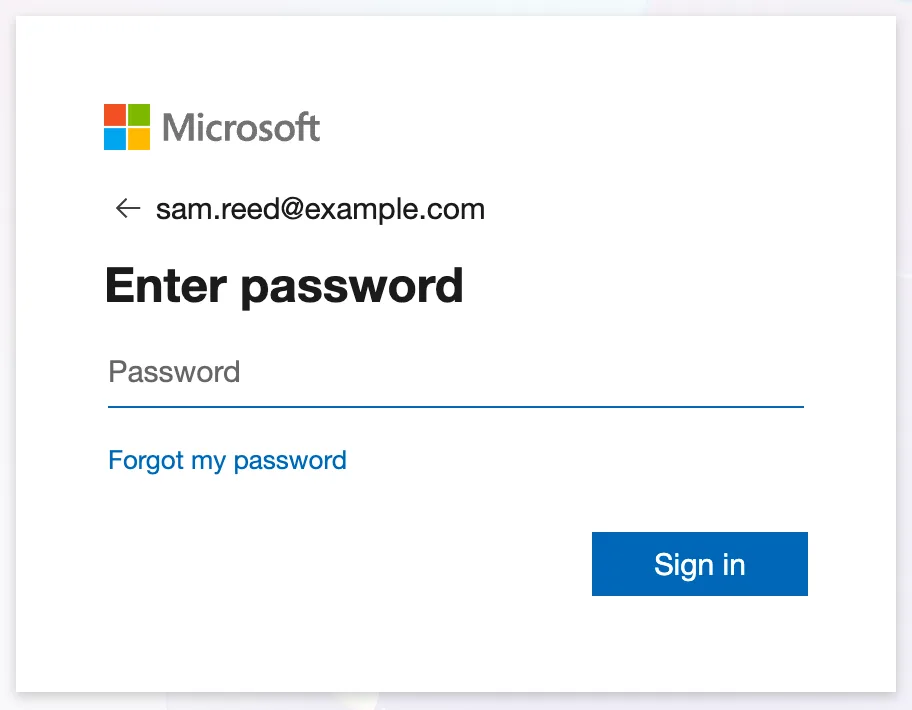
On Enter password, type the temporary password and select Sign in:
Step 4: Choose Your Own Password
Next comes Update your password: You need to update your password because this is the first time you are signing in, or because your password has expired.
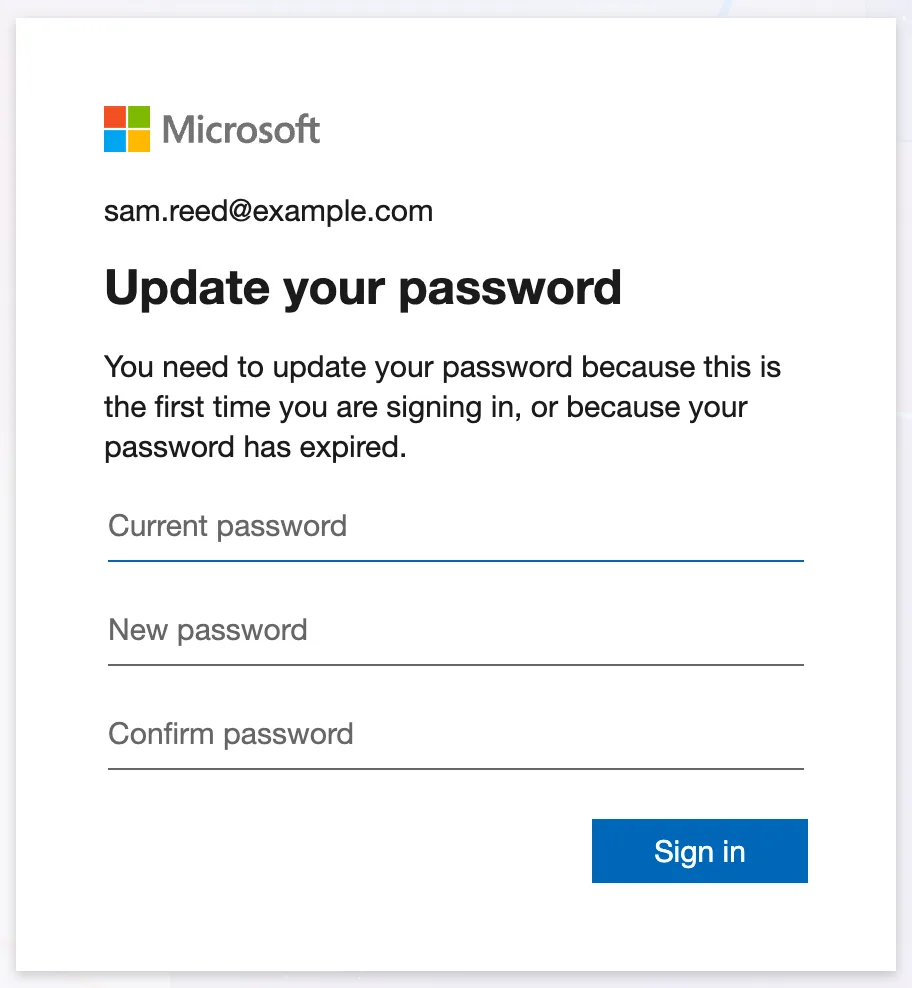
Fill in the three boxes, then select Sign in:
- Current password: the temporary password again.
- New password: the password you'll use from now on.
- Confirm password: the new password a second time.
Microsoft Entra ID, the sign-in service behind Microsoft 365, checks the new password against its password policy: a minimum of 8 characters and a maximum of 256 characters, with three of four kinds of characters: lowercase letters, uppercase letters, numbers and symbols. It can't be the password you're replacing, or a commonly used one that Microsoft bans.
Step 5: Let's Keep Your Account Secure
With the new password accepted, Sam's sign-in went on to Let's keep your account secure: We'll help you set up another way to verify it's you. Follow the prompts to download and set up the Microsoft Authenticator app.
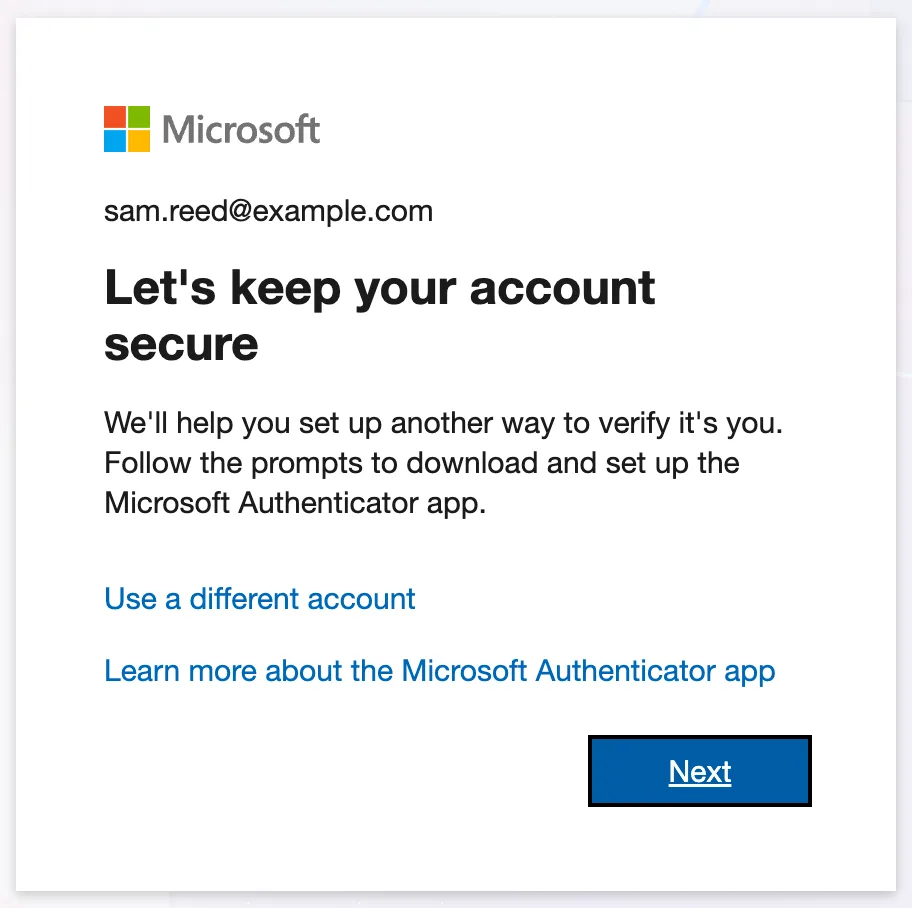
This page is the organization's multifactor authentication registration. In this organization it comes from security defaults, which require every user to register the Microsoft Authenticator app. There's no Skip link: Starting July 29, 2024, new tenants and existing tenants have the 14-day grace period for users to register for MFA removed.
Select Next and follow the prompts on your phone. Sam is a test account that's deleted afterwards, so I stopped at this page; your organization's IT team can tell you which method it expects.
The Result
Your temporary password is gone. From now on you sign in with your username and the password you chose, plus the Authenticator app when Microsoft asks for it.
Common Mistakes
| Mistake | What happens | Do this instead |
|---|---|---|
| Typing the new password in Current password | The update fails | Current password is the temporary one |
| A short or simple new password | Microsoft refuses it | At least 8 characters, from three of the four kinds |
| Signing in at a personal Microsoft account page | Your work account isn't found there | Use m365.cloud.microsoft or your organization's own link |
| Closing the window at Let's keep your account secure | The page comes back at your next sign-in | Set up the Authenticator app |
Troubleshooting
| Symptom | Likely cause | Fix |
|---|---|---|
| The temporary password is refused | A typing mistake, or the admin reset it again | Check each character; ask your admin for a new one |
| Your account has been locked | Your admin blocked sign-in | Ask your admin |
| The new password is refused | It doesn't meet the password policy | Make it longer and mix the kinds of characters |
| No Update your password page | The admin didn't require a change | Sign in with the password you were given, and ask your admin how to change it |
FAQ
How long does the temporary password last?
Until you change it at the first sign-in, as the Update your password page requires. If it doesn't work, your admin can reset it.
Can I use a different app than Microsoft Authenticator?
Under security defaults, Microsoft's article says users can also use any non-Microsoft application using OATH TOTP to generate codes, though registration uses the Authenticator app's notifications. Your organization may also set its own rules.
Do I have to choose a new password every few months?
Not by default: for tenants created since 2021, Microsoft's password policy sets No expiration. Your organization can change that.
Conclusion
Sign in at m365.cloud.microsoft with your username and temporary password, type the temporary password once more on Update your password with a new password of your own, then set up the Microsoft Authenticator app if Let's keep your account secure asks for it.
Additional Resources
- Password policies and account restrictions in Microsoft Entra ID
- Security defaults in Microsoft Entra ID
- Authentication methods in Microsoft Entra ID: Microsoft Authenticator app
