How to Show the Month Name and Year in Power Apps

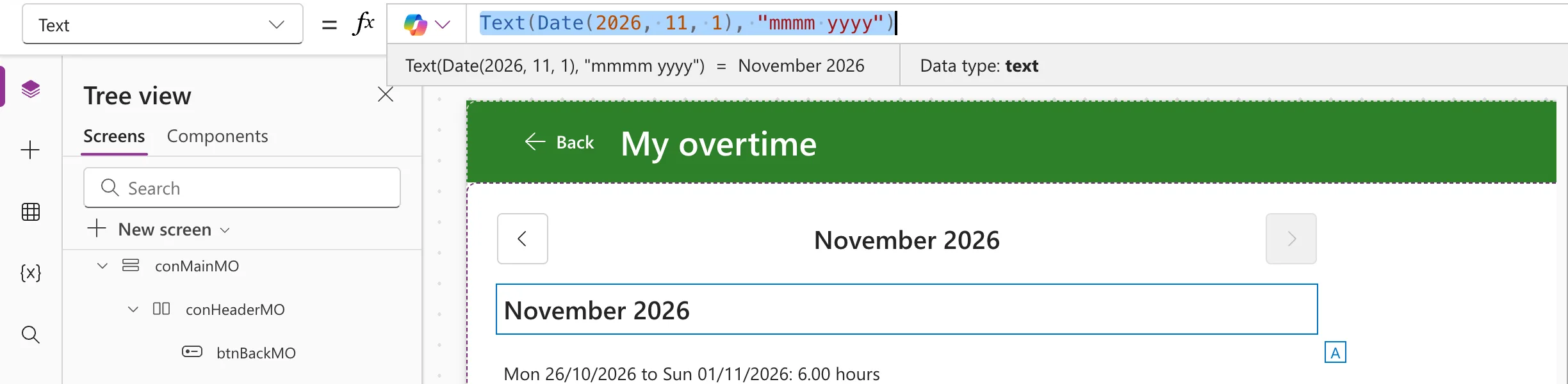
To show a date as its month and year, format it with Text and the placeholders for the month's name and the year: Text(d, "mmmm yyyy") is November 2026, and Text(d, "mmm yyyy") is Nov 2026.
The example is the Overtime Timesheet app, whose My Overtime screen shows one month at a time under a heading such as November 2026.
Prerequisites
- Formatting dates: How to Format a Date in Power Apps with Text.
The Placeholders
From Microsoft's Text function reference:
| Placeholder | Shows |
|---|---|
mmm | The month as an abbreviation (Jan to Dec) |
mmmm | The month as a full name (January to December) |
yy | The year as a two-digit number |
yyyy | The year as a four-digit number |
Step 1: The Full Month Name
I put the formula into a text control's Text for a moment, so Studio's preview strip shows the result:
Text(Date(2026, 11, 1), "mmmm yyyy")
Step 2: The Short Month Name
Text(Date(2026, 11, 1), "mmm yyyy")
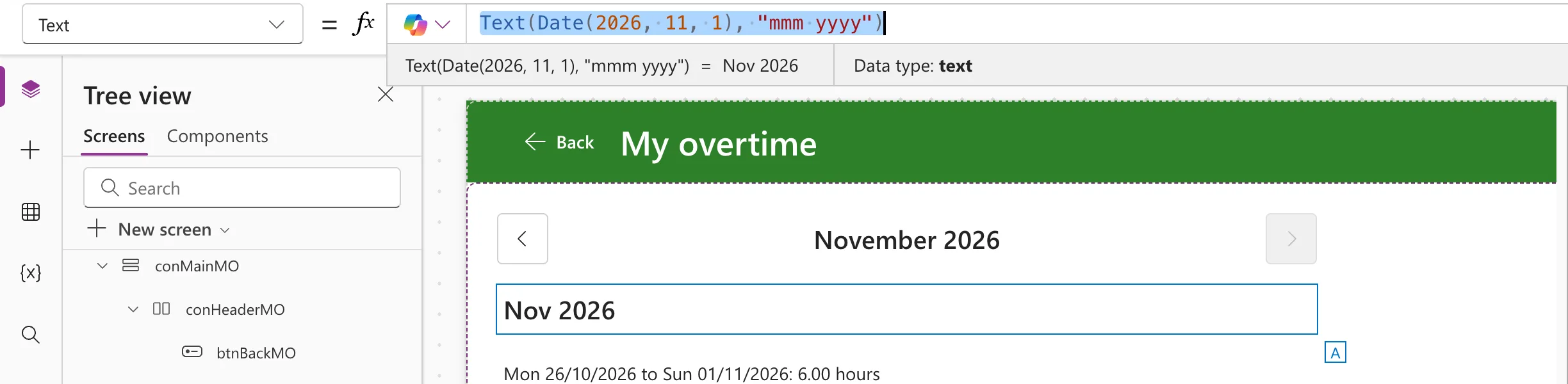
Use the short form where space is tight, such as a narrow column; the full name reads better as a heading.
How the Example Uses It
The My Overtime screen keeps the month it shows as its first day, locMonthMO, and its heading formats it:
Text(locMonthMO, "mmmm yyyy")
When the previous and next buttons change locMonthMO, the heading follows (How to Add Previous and Next Month Buttons in Power Apps):

The month's total uses the same format inside a sentence: $"Total for {Text(locMonthMO, "mmmm yyyy")}: …".
The Language of the Month Name
Text writes month and day names in the language of the person using the app, unless you give a language as a third argument. Microsoft's example, Text(Date(2016, 1, 31), "dddd mmmm d", "es-ES"), returns domingo enero 31. The example app ran in English, so the names were English.
Common Mistakes
| Mistake | What happens | Do this instead |
|---|---|---|
"mm yyyy" | The month as a number, such as 11 2026 | "mmmm yyyy" for the name |
| Building the name with Switch on Month | Twelve cases, and English only | Text(d, "mmmm") |
Troubleshooting
| Symptom | Likely cause | Fix |
|---|---|---|
| The month name is in another language | The user's language | Add a language tag as the third argument |
| The heading is empty | The date is blank, so Text returns nothing | Check the variable or column holds a date; a screen's variables are blank until its OnVisible runs |
FAQ
How do I show only the month name?
Text(d, "mmmm") is November.
How does Excel do this?
The same placeholders work in an Excel number format: How to Show a Date as Month and Year in Excel.
Conclusion
Text(d, "mmmm yyyy") shows November 2026, and Text(d, "mmm yyyy") Nov 2026. Keep the month as a date and format it only where people read it.
Additional Resources
- Text function: date placeholders and the result language.
