How to Show the Day Name of a Date in Power Apps

Text writes a date's day of the week as a name: Text(d, "dddd") is Monday and Text(d, "ddd") is Mon. Put it in front of the date, "ddd dd/mm/yyyy", and a list of dates reads Mon 02/11/2026, so people can see the weekends at a glance.
The example is the Overtime Timesheet app, whose My Overtime screen starts each entry with its day and date.
Prerequisites
- Formatting dates: How to Format a Date in Power Apps with Text.
The Placeholders
From Microsoft's Text function reference:
| Placeholder | Shows |
|---|---|
ddd | The day as an abbreviation (Sun to Sat) |
dddd | The day as a full name (Sunday to Saturday) |
dd | The day of the month with a leading zero |
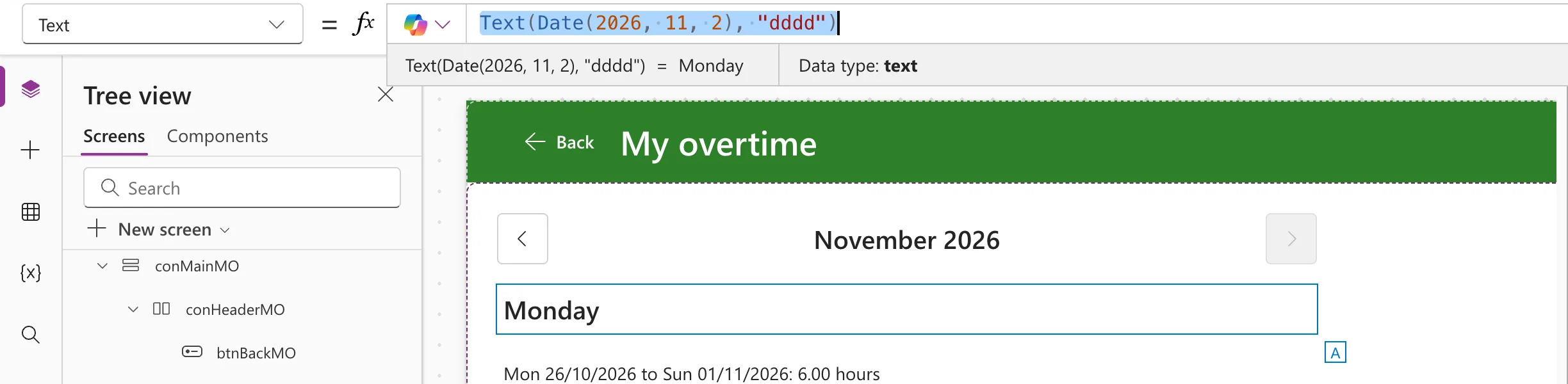
Step 1: The Full Day Name
I put the formula into a text control's Text for a moment, so Studio's preview strip shows the result:
Text(Date(2026, 11, 2), "dddd")
Step 2: The Short Name With the Date
Text(Date(2026, 11, 2), "ddd dd/mm/yyyy")
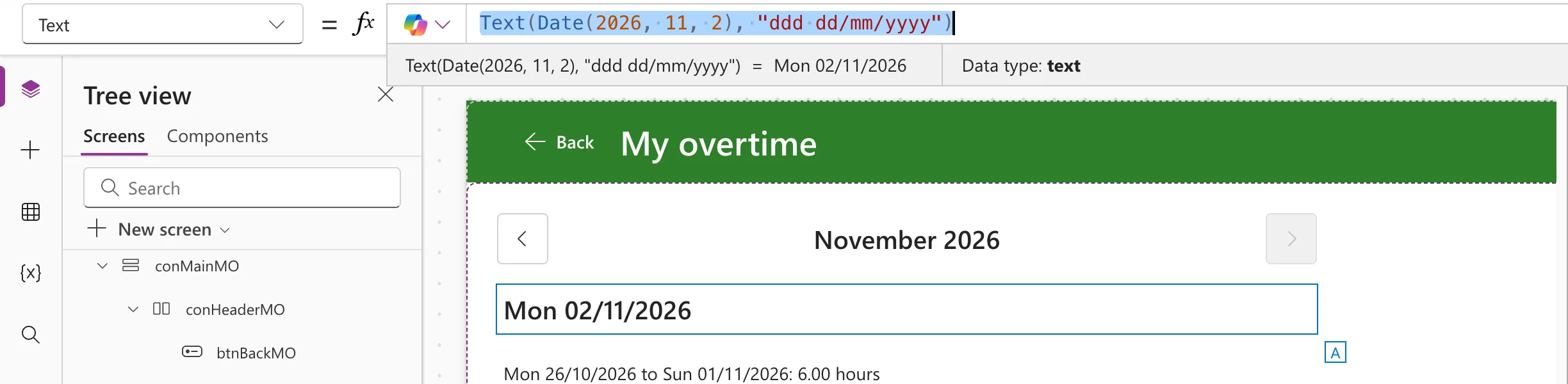
The space and the slashes are copied into the result as they are.
How the Example Uses It
Each row of the My Overtime screen's gallery starts with the day the shift started (How to Use ThisItem in a Power Apps Gallery):
Text(ThisItem.WorkDate, "ddd dd/mm/yyyy")
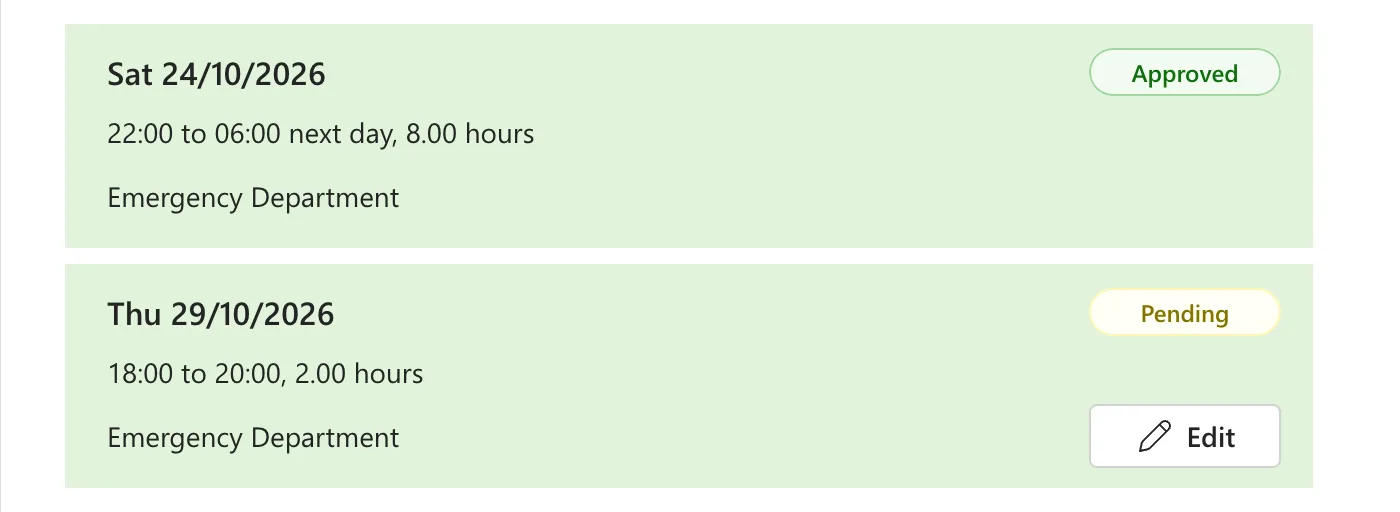
The short name keeps the line short enough for a phone; the full name would make Saturday 24/10/2026.
Common Mistakes
| Mistake | What happens | Do this instead |
|---|---|---|
"dd" for the day name | The day of the month, such as 02 | "ddd" or "dddd" |
| A Switch on Weekday to build names | Seven cases, and one language | Text(d, "dddd") |
Troubleshooting
| Symptom | Likely cause | Fix |
|---|---|---|
| The day name is in another language | Text uses the language of the person using the app | Add a language tag as the third argument |
| Days before the 10th have no leading zero | The format uses d | Use dd, which adds the zero |
FAQ
How do I get the day as a number instead?
Weekday returns 1 to 7: How to Get the Day of the Week in Power Apps with Weekday.
Can I show the month name too?
Yes: put the placeholders together in one format, such as "dddd d mmmm yyyy" for the day's name, the day, the month's name and the year. The month placeholders are in How to Show the Month Name and Year in Power Apps.
Conclusion
dddd is the day's full name and ddd its short name. Text(d, "ddd dd/mm/yyyy") shows the day and the date together, in a form short enough for a gallery row.
Additional Resources
- Text function: date placeholders and the result language.
