How to Show Saved People in a Combo Box in Power Apps

When someone opens an item to change it, a people picker should already show the people saved in it. Set the combo box's DefaultSelectedItems to the item's Person column, and AllowExternalSelectedItems keeps those people selected while a search shows others.
The example below is a form that adds and edits departments, with a people picker for each department's approvers.
Prerequisites
- A people picker whose Items is
Choices(List.PersonColumn, Self.SearchText)(How to Add a People Picker in Power Apps). The example's iscmbApproversED, for the Approvers column of a Departments list. - The item being edited in a variable, blank for a new one. The example's screen loads it into
locDepartmentwhen it opens (How to Use One Screen to Add and Edit Items in Power Apps).
Step 1: Set DefaultSelectedItems
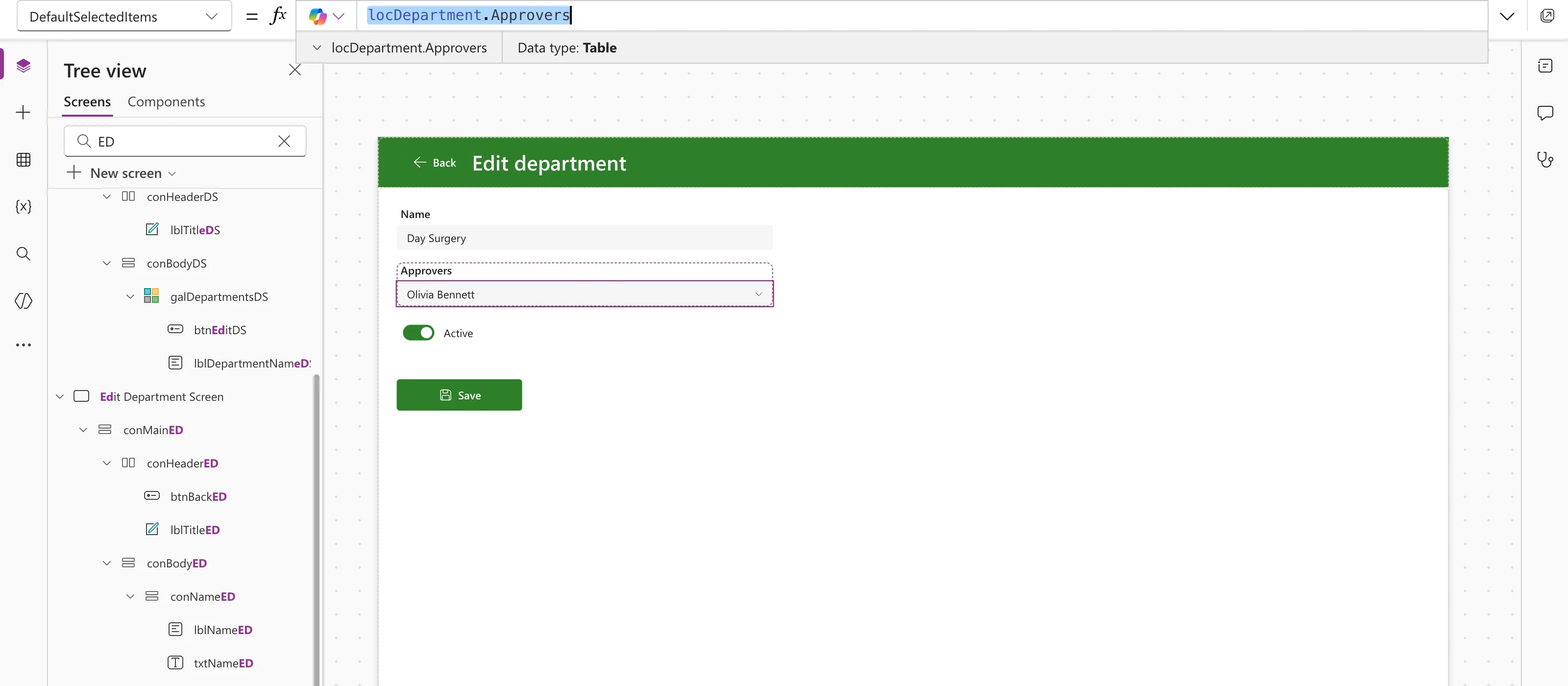
Set DefaultSelectedItems to the Person column of the item being edited:
locDepartment.Approvers
The column allows several people, so its value is a table of people. Microsoft's combo box page says DefaultSelectedItems needs records compatible with the Items schema. The column's own people are, because Items is Choices on the same column.
With Day Surgery loaded, the canvas showed its approver, Olivia Bennett, in the box:
Step 2: Reset It When the Screen Opens
A control keeps what the user chose until it's reset. The combo box page says Reset clears both the selection and the search text, so the box shows its DefaultSelectedItems again. In the screen's OnVisible, after loading the item, reset the combo box (How to Reset a Control to Its Default Value in Power Apps with Reset):
Reset(cmbApproversED)
Each item then opens with its own people, and a new item with nobody.
Step 3: Keep Them Selected While Searching
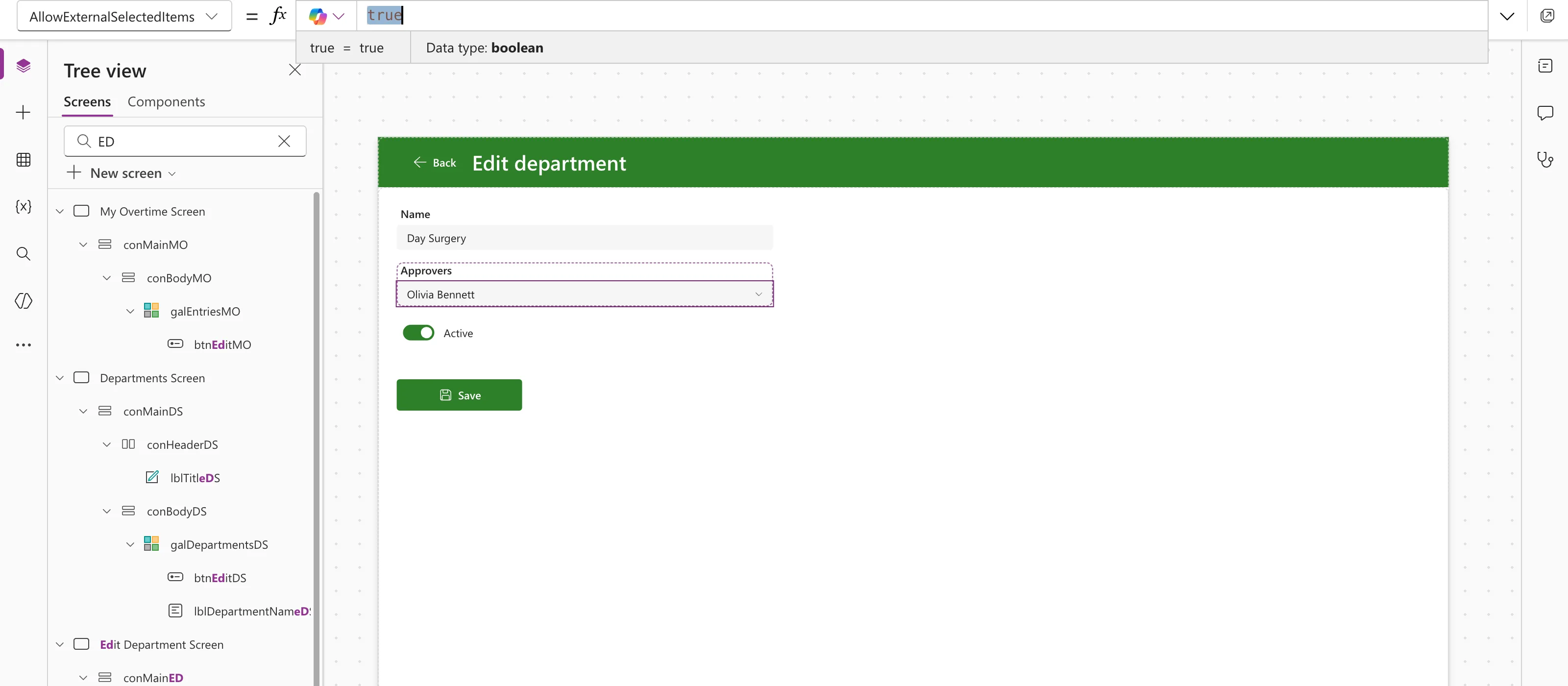
The combo box page says AllowExternalSelectedItems lets defaults and earlier selections stay selected when they aren't in the current Items, and keeps them in the list. New modern combo boxes have it on; boxes upgraded from the earlier control get false.
Check that it's true. The example's combo box was added new, so it already was:
Step 4: Try It
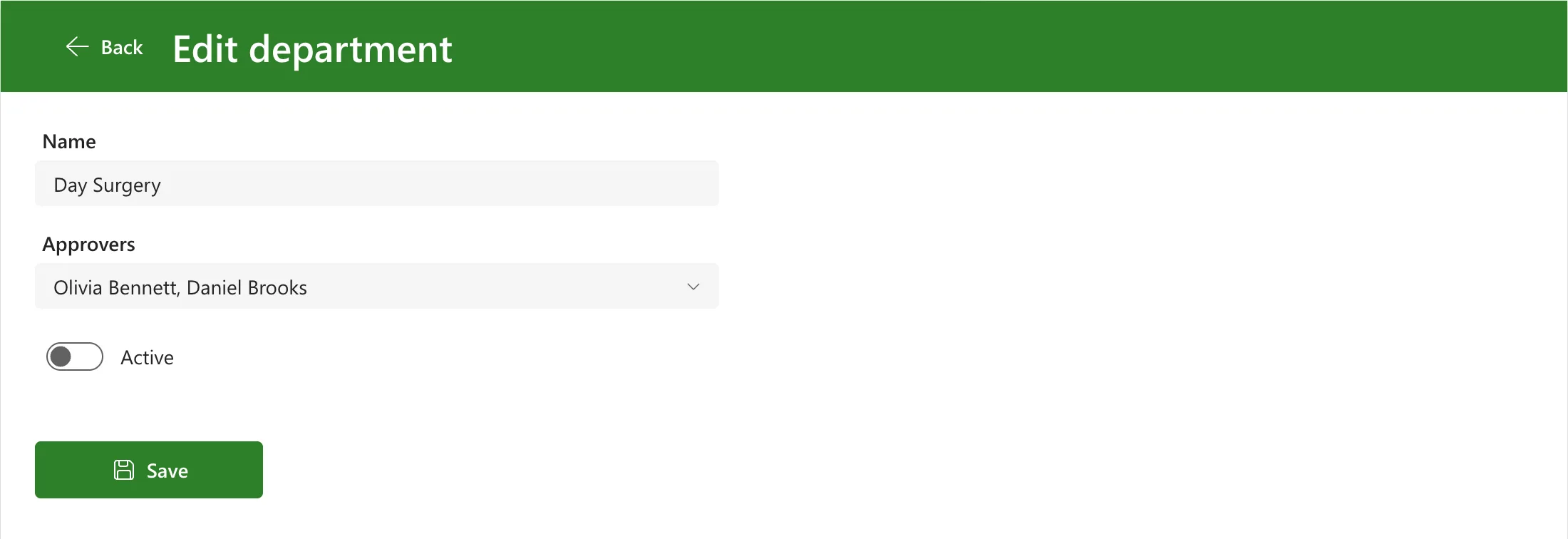
In Preview, Edit on a department with two approvers opened with both in the box:
Opening the list with nothing typed showed them ticked, alongside the one person Choices returned for the empty search, Aisha Khan:
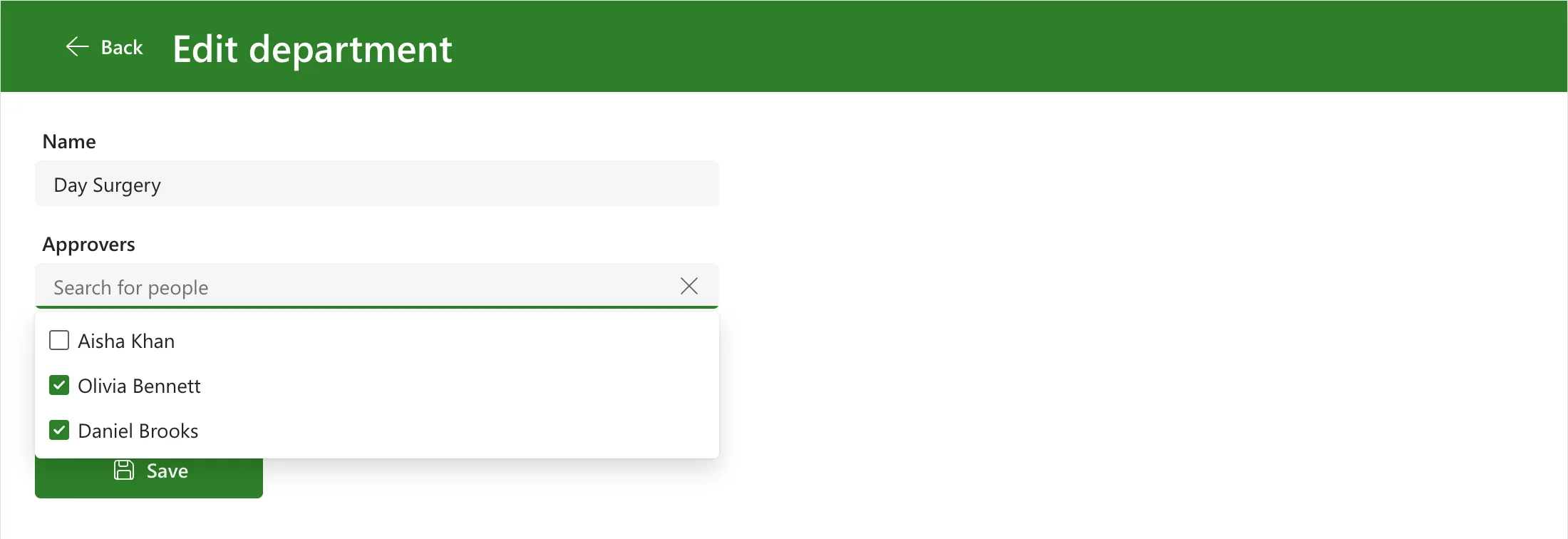
Neither of them was in Items at that moment, yet both stayed selected: that's AllowExternalSelectedItems. Selecting Daniel unticked him, and saving left Olivia as the only approver.
Common Mistakes
| Mistake | What happens | Do this instead |
|---|---|---|
AllowExternalSelectedItems false | Microsoft's page says selection is then limited to records in Items | Set it to true |
| Building new records for DefaultSelectedItems | Microsoft's page says they must be compatible with the Items schema | Use the column's own people |
FAQ
What does a new item show?
Nobody. locDepartment is blank for a new department, so locDepartment.Approvers is blank too.
Does this work for a column that allows one person?
Then the column holds one record, not a table. The example's column allows several people, so that case isn't shown here.
Conclusion
DefaultSelectedItems set to the item's Person column, a Reset when the screen opens, and AllowExternalSelectedItems true make a people picker open with the people already saved, and keep them while the user searches for more.
Additional Resources
- Combo box modern control: DefaultSelectedItems, AllowExternalSelectedItems and Reset.
