How to Show Line Breaks in react-markdown with remark-breaks

Text written on several lines, such as opening hours, an address or an AI model's answer, comes out of react-markdown as one run-on line. That's Markdown working as designed. The remark-breaks plugin turns every line ending into a real line break, and it takes one line of code.
Why Single Line Breaks Disappear
In Markdown, pressing Enter once inside a paragraph doesn't start a new line. The CommonMark specification, section 6.8, calls it a soft line break:
A regular line ending (not in a code span or HTML tag) that is not preceded by two or more spaces or a backslash is parsed as a softbreak. (A soft line break may be rendered in HTML either as a line ending or as a space. The result will be the same in browsers.)
react-markdown's documentation says that it follows CommonMark, so it does exactly that. The same section of the specification also allows the alternative: A renderer may also provide an option to render soft line breaks as hard line breaks. For react-markdown, that option is the remark-breaks plugin. Its documentation describes it as a plugin to turn soft line endings (enters) into hard breaks, useful if you want to display user content closer to how it was authored.
The Example
The example is the smallest page that shows the problem: a React component that renders opening hours, written on four lines, with react-markdown:
import Markdown from "react-markdown";

const openingHours = `Opening hours:
Monday to Friday: 9:00 to 17:00
Saturday: 10:00 to 14:00
Sunday: closed`;

export default function App() {
  return (
    <main>
      <Markdown>{openingHours}</Markdown>
    </main>
  );
}
In the browser, the four lines come out as one:
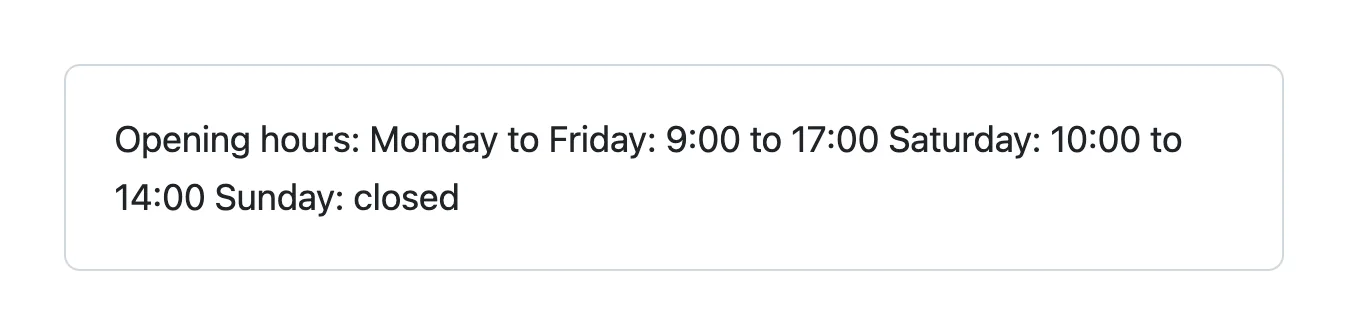
The HTML that react-markdown produced, read from the page, shows why: the line endings are still there, as ordinary text inside one paragraph, and a browser shows a line ending in text as a space:
<p>Opening hours:
Monday to Friday: 9:00 to 17:00
Saturday: 10:00 to 14:00
Sunday: closed</p>
Step 1: Install remark-breaks
In your app's folder, install the plugin:
npm install remark-breaks --save-exact
added 4 packages, and audited 116 packages in 2s

80 packages are looking for funding
  run `npm fund` for details

found 0 vulnerabilities
--save-exact writes the exact version into package.json, here "remark-breaks": "4.0.0", instead of a range such as ^4.0.0. The number of packages added depends on what your app already has: remark-breaks brings a few small helpers with it.
Step 2: Add It to remarkPlugins
Import the plugin and give it to the Markdown component in its remarkPlugins option, a list of plugins that react-markdown runs while it reads the Markdown:
import Markdown from "react-markdown";
import remarkBreaks from "remark-breaks";

const openingHours = `Opening hours:
Monday to Friday: 9:00 to 17:00
Saturday: 10:00 to 14:00
Sunday: closed`;

export default function App() {
  return (
    <main>
      <Markdown remarkPlugins={[remarkBreaks]}>{openingHours}</Markdown>
    </main>
  );
}
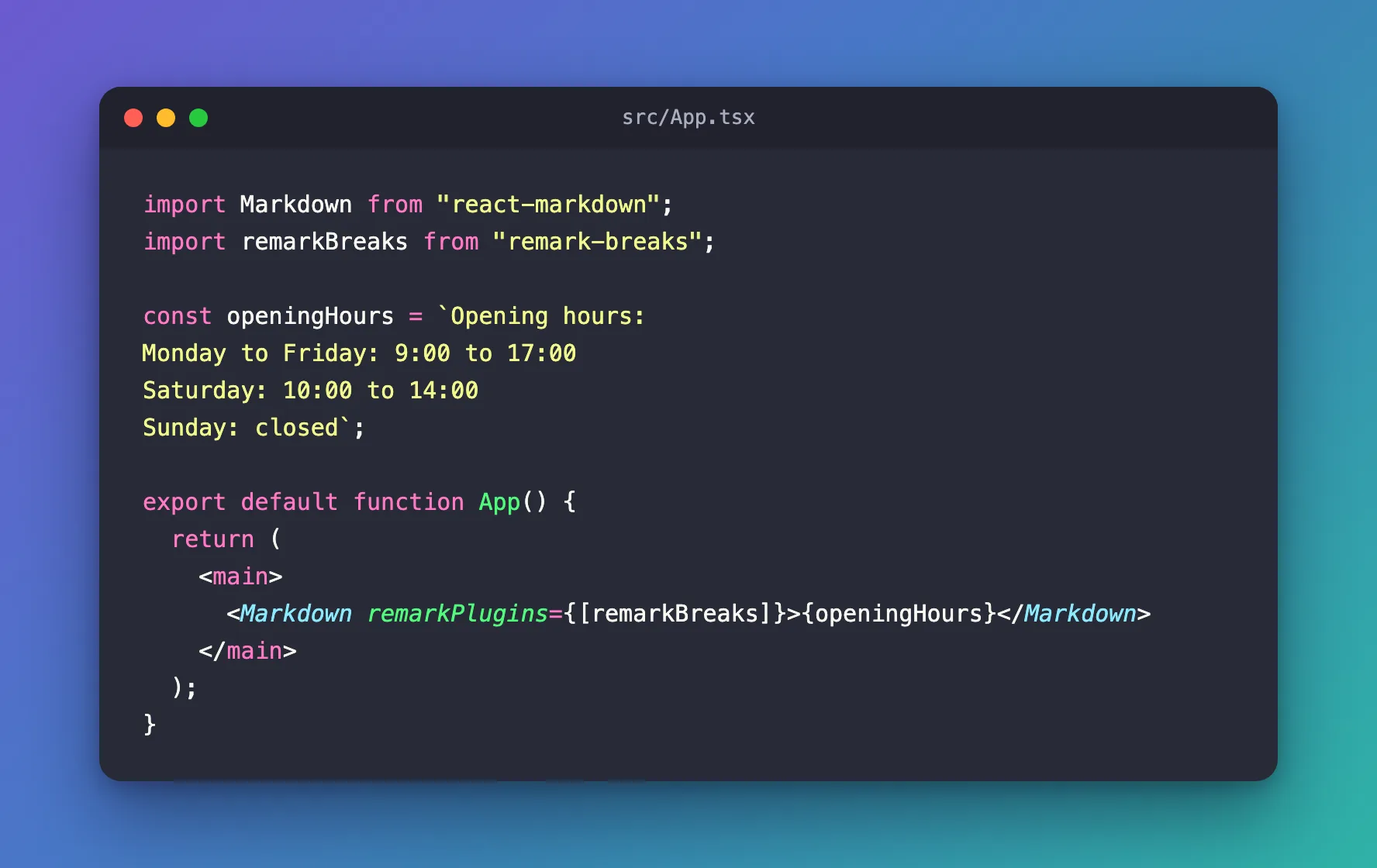
import remarkBreaks from "remark-breaks"is a default import, without braces. The plugin's documentation says the package exports no identifiers and that the default export isremarkBreaks.remarkPlugins={[remarkBreaks]}is a list, so other plugins go in the same list. With GitHub Flavored Markdown, for example, it'sremarkPlugins={[remarkGfm, remarkBreaks]}.- The plugin takes no options: its documentation says There are no parameters.
Step 3: Check the Result
Reload the page. Each line is on its own line now:
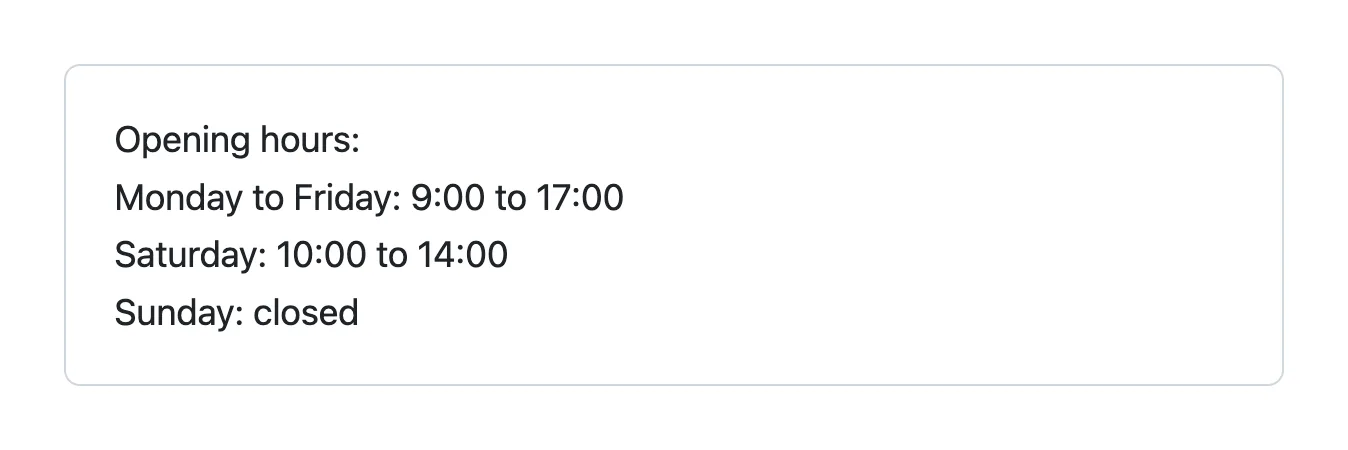
The HTML shows what changed: still one paragraph, but now with a <br> element before each line ending:
<p>Opening hours:<br>
Monday to Friday: 9:00 to 17:00<br>
Saturday: 10:00 to 14:00<br>
Sunday: closed</p>
The plugin's documentation explains where these come from: it adds mdast Break nodes to the syntax tree, the same nodes that represent breaks with spaces or escapes. A blank line still starts a new paragraph. I checked by adding an empty line and Public holidays: closed to the text, and react-markdown rendered it as a second <p> after the first one.
Common Mistakes
| Mistake | What happens | Do this instead |
|---|---|---|
Installing remark-breaks without adding it to remarkPlugins | Nothing changes | Add remarkBreaks to the remarkPlugins list |
import { remarkBreaks } from "remark-breaks" | The import finds nothing: the package has no named exports | import remarkBreaks from "remark-breaks"; |
Replacing the list when you add it, such as [remarkBreaks] in place of [remarkGfm] | The other plugin stops working | Keep both: [remarkGfm, remarkBreaks] |
Troubleshooting
| Symptom | Likely cause | Fix |
|---|---|---|
| The lines still run together | The page still runs the old code, or the plugin isn't in remarkPlugins | Save the file, reload the page and check Step 2 |
Only one Markdown component shows line breaks | remarkPlugins is set per component | Add the plugin to every Markdown component that needs it |
FAQ
Isn't this how GitHub shows text?
In some places, yes. remark-breaks' documentation notes that GitHub does this in a few places (comments, issues, PRs, and releases). It also notes that it's not semantic according to HTML and not compliant to markdown, which is why it's an option and not the default.
Can I keep line breaks without a plugin?
Yes, in the text itself: CommonMark turns a line ending into a hard break when it's preceded by two or more spaces or by a backslash. remark-breaks' documentation recommends that if you control who authors content or can document how markdown works. When you don't control the text, for example when it comes from people or from an AI model, the plugin handles every line ending for you.
Is remark-breaks safe with text from users?
Its documentation says that it does not involve rehype (hast) or user content so there are no openings for cross-site scripting (XSS) attacks.
Conclusion
react-markdown shows a single line ending as a space because CommonMark calls it a soft line break. npm install remark-breaks and remarkPlugins={[remarkBreaks]} turn every line ending into a <br>, while blank lines still separate paragraphs, so text shows up line by line, the way it was written.
Additional Resources
- remark-breaks — when to use it, how it works and its security note.
- react-markdown — the
remarkPluginsoption and how it follows CommonMark. - CommonMark Spec 0.31.2: Soft line breaks — what a single line ending means in Markdown.
