How to Show an Approval Card for an AG-UI Interrupt in React

An AG-UI agent that needs a person's approval doesn't wait in the middle of a run: the run ends with an interrupt, a question for the person, and the next run carries the answer. In React, that's a card with Approve and Reject, a list the AG-UI client keeps for you, and one parameter of runAgent.
Syntax
// After a run: the questions the agent is waiting for.
const <interrupts> = <agent>.pendingInterrupts;

// The answer: a new run, with one resume entry per open question.
await <agent>.runAgent({
  resume: [
    { interruptId: <interrupt>.id, status: "resolved", payload: { approved: <true or false> } },
  ],
});
| Part | What it is |
|---|---|
<agent> | Your AG-UI agent in the browser: an HttpAgent for an agent on a server, or any other AbstractAgent |
pendingInterrupts | The interrupts the agent's most recent run ended with. The client's own description: Populated when RUN_FINISHED arrives with outcome.type === "interrupt" and Cleared when a subsequent run completes successfully |
<interrupt>.id | The interrupt's ID. The answer names it, so the agent knows what is being answered |
<interrupt>.message | A question written for a person, to show on the card |
status: "resolved" | The person answered. cancelled means they moved on without answering |
payload | The answer itself. For an approval, { approved: true } or { approved: false }: AG-UI's documentation says Denials are expressed inside the payload |
The Example
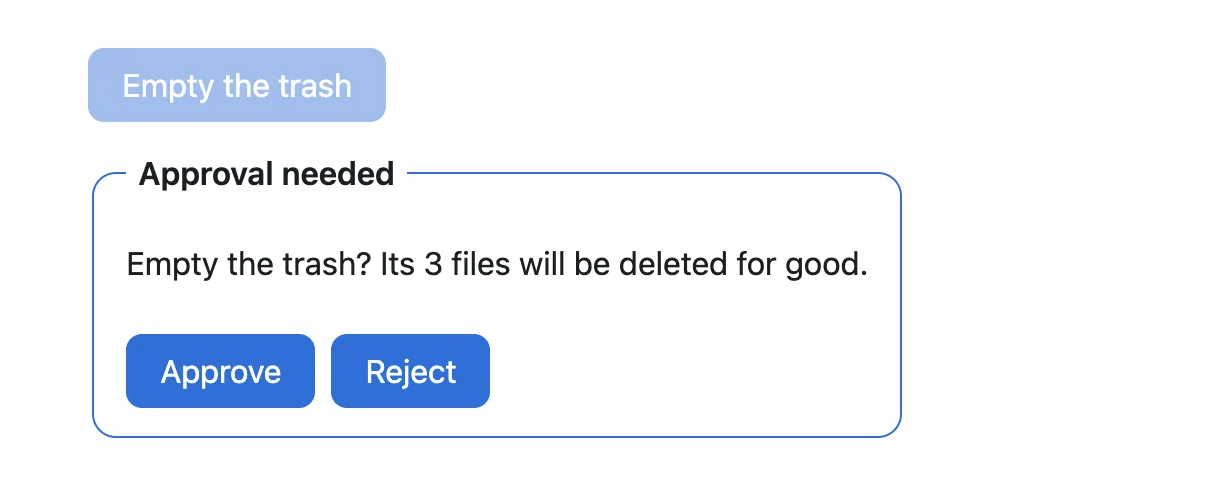
A small agent offers to empty the trash. Its first run doesn't do it: it ends with an interrupt that asks Empty the trash? Its 3 files will be deleted for good. The page shows that question as a card. Approve empties the trash in the next run, and Reject keeps the files.
So that the example runs on its own, the agent runs in the browser. It is an AbstractAgent, the class every AG-UI agent in TypeScript extends, including HttpAgent. With an agent on a server, the page stays the same, and only the agent changes.
Prerequisites
- Node.js 20.9 or later, which Next.js 16 needs.
node --versionshows yours.
Step 1: Create a Next.js App
npx create-next-app@16.4.6 approval-card-demo --ts --biome --app --no-tailwind --no-src-dir --no-react-compiler --import-alias "@/*" --use-npm --no-agents-md --no-agent-feedback --disable-git
cd approval-card-demo
create-next-app creates a Next.js app with TypeScript, the App Router and its own sample page, without asking any questions: every answer is in the command.
Step 2: Install the AG-UI Client
npm install @ag-ui/client@1.0.5 rxjs@7.8.1 --save-exact
@ag-ui/client is AG-UI's TypeScript client: it runs agents, collects their messages and keeps their interrupts. rxjs is the library its agents use to send events. Version 7.8.1 is the one @ag-ui/client 1.0.5 itself depends on, so the app ends up with a single copy.
Step 3: Add an Agent That Asks First
Create app/trash-agent.ts:
import {
  AbstractAgent,
  type AGUIEvent,
  EventType,
  type RunAgentInput,
  randomUUID,
} from "@ag-ui/client";
import { Observable } from "rxjs";

// A small AG-UI agent that runs in the browser. Before it empties the
// trash, it stops and asks: its first run ends with an interrupt.
export class TrashAgent extends AbstractAgent {
  run(input: RunAgentInput) {
    const { threadId, runId } = input;
    const answer = input.resume?.[0];

    return new Observable<AGUIEvent>((subscriber) => {
      subscriber.next({ type: EventType.RUN_STARTED, threadId, runId });

      if (!answer) {
        // No answer yet: end the run with a question for the person.
        subscriber.next({
          type: EventType.RUN_FINISHED,
          threadId,
          runId,
          outcome: {
            type: "interrupt",
            interrupts: [
              {
                id: "empty-trash",
                reason: "confirmation",
                message: "Empty the trash? Its 3 files will be deleted for good.",
                responseSchema: {
                  type: "object",
                  properties: { approved: { type: "boolean" } },
                  required: ["approved"],
                },
              },
            ],
          },
        });
      } else {
        // The next run carries the answer: act on it, and say what happened.
        const approved =
          answer.status === "resolved" && answer.payload?.approved === true;
        const messageId = randomUUID();
        subscriber.next({
          type: EventType.TEXT_MESSAGE_START,
          messageId,
          role: "assistant",
        });
        subscriber.next({
          type: EventType.TEXT_MESSAGE_CONTENT,
          messageId,
          delta: approved ? "Done. The trash is empty." : "OK. I kept the 3 files.",
        });
        subscriber.next({ type: EventType.TEXT_MESSAGE_END, messageId });
        subscriber.next({ type: EventType.RUN_FINISHED, threadId, runId });
      }

      subscriber.complete();
    });
  }
}
runis what every AG-UI agent implements: it gets the run's input and returns the run's events, one by one.- The first run has no
resume, so it ends withRUN_FINISHEDand anoutcomeof typeinterrupt.reason: "confirmation"is AG-UI's reason for a yes-or-no question that isn't tied to a tool.responseSchemadescribes the answer it expects:approved, a boolean. - The next run carries the answer in
input.resume. The agent readsapprovedand says what it did.
Step 4: Show the Card
Replace everything in app/page.tsx:
"use client";

import type { Interrupt, Message, ResumeEntry } from "@ag-ui/client";
import { useRef, useState } from "react";
import { TrashAgent } from "./trash-agent";

export default function Home() {
  const agentRef = useRef<TrashAgent | null>(null);
  const [messages, setMessages] = useState<Message[]>([]);
  const [interrupts, setInterrupts] = useState<Interrupt[]>([]);
  const [isRunning, setIsRunning] = useState(false);

  // One run of the agent: a new request, or the answers to its questions.
  async function run(resume?: ResumeEntry[]) {
    agentRef.current ??= new TrashAgent();
    const agent = agentRef.current;
    setIsRunning(true);
    try {
      await agent.runAgent(
        { resume },
        { onMessagesChanged: ({ messages }) => setMessages([...messages]) },
      );
    } finally {
      // The questions the agent is still waiting for: after a run that
      // stopped to ask, its interrupts; after any other run, none.
      setInterrupts([...agent.pendingInterrupts]);
      setIsRunning(false);
    }
  }

  // The person's answer goes back in the next run, as a resume entry.
  function answer(interrupt: Interrupt, approved: boolean) {
    void run([
      { interruptId: interrupt.id, status: "resolved", payload: { approved } },
    ]);
  }

  return (
    <main className="demo">
      <button
        type="button"
        onClick={() => run()}
        disabled={isRunning || interrupts.length > 0}
      >
        Empty the trash
      </button>

      {interrupts.map((interrupt) => (
        <fieldset key={interrupt.id} className="card" disabled={isRunning}>
          <legend>Approval needed</legend>
          <p>{interrupt.message}</p>
          <div className="buttons">
            <button type="button" onClick={() => answer(interrupt, true)}>
              Approve
            </button>
            <button type="button" onClick={() => answer(interrupt, false)}>
              Reject
            </button>
          </div>
        </fieldset>
      ))}

      {messages.map(
        (message) =>
          message.role === "assistant" && (
            <p key={message.id} className="reply">
              {message.content}
            </p>
          ),
      )}
    </main>
  );
}
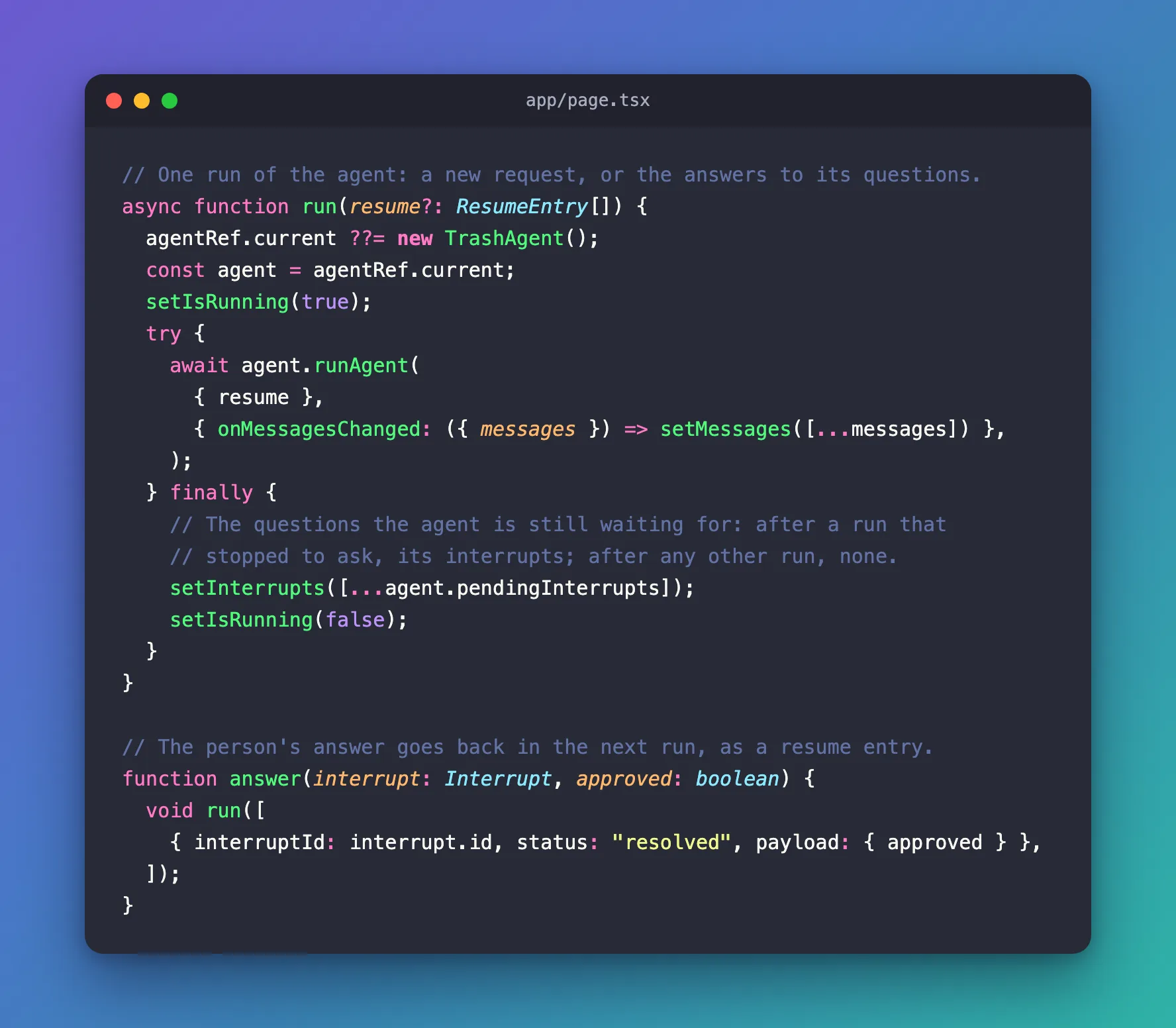
runstarts a run, with answers or without. Afterwards, it copiesagent.pendingInterruptsinto the state, so the page shows a card for every question the agent is waiting for, and none after a run that finished.answeris a new run with oneresumeentry: the interrupt'sid,status: "resolved", andapprovedin the payload.- The card is a
<fieldset>: its<legend>names it, anddisabled={isRunning}turns off both buttons while a run is going.interrupt.messageis the agent's own question. - Empty the trash stays off while a card waits, because the next run has to be the answer.
The page's styles, for app/globals.css:
body {
  margin: 0;
  font-family: system-ui, sans-serif;
  color: #1b1f24;
  background: #ffffff;
}

.demo {
  display: flex;
  flex-direction: column;
  align-items: flex-start;
  gap: 16px;
  max-width: 520px;
  margin: 48px auto;
  padding: 0 20px;
}

.demo button {
  padding: 8px 16px;
  border: 1px solid #2f6fd6;
  border-radius: 8px;
  background: #2f6fd6;
  color: #ffffff;
  font: inherit;
  cursor: pointer;
}

.demo button:disabled {
  opacity: 0.45;
  cursor: default;
}

.card {
  display: flex;
  flex-direction: column;
  gap: 10px;
  min-width: 0;
  padding: 10px 16px 14px;
  border: 1px solid #2f6fd6;
  border-radius: 12px;
}

.card legend {
  padding: 0 6px;
  font-weight: 600;
}

.buttons {
  display: flex;
  gap: 8px;
}

.reply {
  margin: 0;
  padding: 10px 14px;
  border-radius: 12px;
  background: #f1f4f7;
}
The sample page's app/page.module.css isn't used any more, so delete it.
Step 5: Run It
npm run dev
Open http://localhost:3000 and select Empty the trash. The run ends with the interrupt, and the card appears, with the agent's question:
Select Approve. The next run carries { approved: true }, the agent empties the trash, and the card is gone, because that run finished:

Reload the page, select Empty the trash again, and select Reject this time:

Common Mistakes
| Mistake | What happens | Do this instead |
|---|---|---|
Starting a new run without a resume while a card waits | The client throws Thread has 1 pending interrupt(s) not addressed by resume and sends nothing | Answer every open interrupt in the next run |
Expressing a rejection with status: "cancelled" | cancelled means the person didn't answer | Send resolved with { approved: false } |
| Keeping the interrupts only in your own state | The client checks every run against its own list, pendingInterrupts, not yours | Read agent.pendingInterrupts after every run |
Showing interrupt.reason to the person | confirmation or tool_call means nothing to them | Show interrupt.message |
FAQ
What if the agent asks two questions at once?
Then pendingInterrupts holds two interrupts, and the page shows two cards. The next run must answer both: AG-UI's documentation says A single resume array must address every open interrupt from the interrupted run. This example's answer sends one entry, which is enough for its one question. With several, collect the person's answers first, and send one run with an entry for each.
What if the person writes something else instead of answering?
Send their message together with a cancelled entry for every open interrupt. Without it, the client refuses the run: Fixed: "Thread has 1 pending interrupt(s) not addressed by resume" in the AG-UI Client.
Does this work with an agent on a server?
Yes. Use an HttpAgent for your server instead of TrashAgent: it has the same runAgent and pendingInterrupts. The answer then travels to the server in the resume field of the run's input. In the IT Service Desk series, the same card approves a password reset that a Microsoft Agent Framework agent waits for.
Conclusion
An AG-UI agent asks for approval by ending its run with an interrupt. After each run, read agent.pendingInterrupts and show each interrupt's message on a card. Approve and Reject start the next run with runAgent({ resume }): one entry per open interrupt, with status: "resolved" and approved in the payload.
Additional Resources
- AG-UI: Interrupts — the interrupt outcome, resume entries and the rules for answering.
- AG-UI specification 1.0: Interrupts and Resume — what a client must do with open interrupts.
- MDN: The fieldset element — grouping the card's buttons, and turning them off at once.
