How to Show a Microsoft Agent Framework Agent Example Answers to Copy in C#

Describing the answer you want doesn't always get it. Showing it usually does: send the agent one or two example exchanges before the real question, and it answers in the same format. This is often called few-shot prompting.
Syntax
List<ChatMessage> <messages> =
[
    new(ChatRole.User, "<example question>"),
    new(ChatRole.Assistant, "<example answer>"),
    // … more example exchanges, if they help …
    new(ChatRole.User, "<the real question>"),
];

AgentResponse <response> = await <agent>.RunAsync(<messages>);
| Part | What it is |
|---|---|
ChatMessage | One message: a role and its text, from Microsoft.Extensions.AI |
ChatRole.User, "<example question>" | An example of what the user asks |
ChatRole.Assistant, "<example answer>" | The answer you want, in exactly the format you want, as if the agent had written it |
"<the real question>" | The question to answer, always last |
<agent>.RunAsync(<messages>) | Sends all the messages. The model reads them as the conversation so far, and answers the last one |
Microsoft's guide to running agents: Callers can choose to supply zero, one, or many input messages.
The Example
An agent tags the sentiment of customer reviews. The same review, The delivery was late, but the support team fixed it quickly., goes to it twice: once alone, and once after two example exchanges whose answers are a single lowercase word.
Prerequisites
- A model deployment in a Microsoft Foundry project, and the Foundry User role on the Foundry resource for your account. The app calls the model as you.
- The .NET 10 SDK (
dotnet --versionprints a version that starts with10.0) and the Azure CLI, signed in withaz login.
Step 1: Create a Console App
dotnet new console -n SentimentTagger
cd SentimentTagger
dotnet add package Microsoft.Agents.AI.Foundry --version 1.28.0-preview.261106.1
dotnet add package Azure.Identity --version 1.21.0
Microsoft.Agents.AI.Foundry turns a model in a Foundry project into an agent, and brings in Agent Framework and Microsoft.Extensions.AI. Azure.Identity signs the app in with your Azure CLI sign-in. Open the folder in VS Code, or SentimentTagger.csproj in Visual Studio.
Step 2: Ask Without Examples
Replace everything in Program.cs:
using Azure.AI.Projects;
using Azure.Identity;
using Microsoft.Agents.AI;
using Microsoft.Extensions.AI;

AIAgent agent = new AIProjectClient(
        new Uri("https://foundry-devblogs-exp.services.ai.azure.com/api/projects/proj-devblogs-exp"),
        new AzureCliCredential())
    .AsAIAgent(model: "gpt-5.6-luna", instructions: "You tag the sentiment of customer reviews.", name: "SentimentTagger");

const string Review = "The delivery was late, but the support team fixed it quickly.";

// 1. Without examples: the agent decides how to answer.
AgentResponse plain = await agent.RunAsync($"Review: {Review}");
Console.WriteLine("--- Without examples ---");
Console.WriteLine(plain.Text);
Console.WriteLine();
The instructions say what to do, not how the answer should look. Use your own Foundry project endpoint and model deployment.
Step 3: Ask with Examples
Add the same question, after two example exchanges:
// 2. With examples: two earlier exchanges show exactly what an answer looks like.
List<ChatMessage> messages =
[
    new(ChatRole.User, "Review: The app keeps crashing when I open it."),
    new(ChatRole.Assistant, "negative"),
    new(ChatRole.User, "Review: Great quality, and it arrived a day early."),
    new(ChatRole.Assistant, "positive"),
    new(ChatRole.User, $"Review: {Review}"),
];
AgentResponse tagged = await agent.RunAsync(messages);
Console.WriteLine("--- With examples ---");
Console.WriteLine(tagged.Text);
- Each example is a pair: a review from the user, and the agent's answer, one lowercase word.
- Two examples with different answers show that the answer depends on the review, and what the possible words look like.
- The real review comes last, in the same
Review: …form as the examples.
Step 4: Run It
Run dotnet run in VS Code's terminal, or press Ctrl+F5 in Visual Studio:
--- Without examples ---
Mixed sentiment.

--- With examples ---
mixed
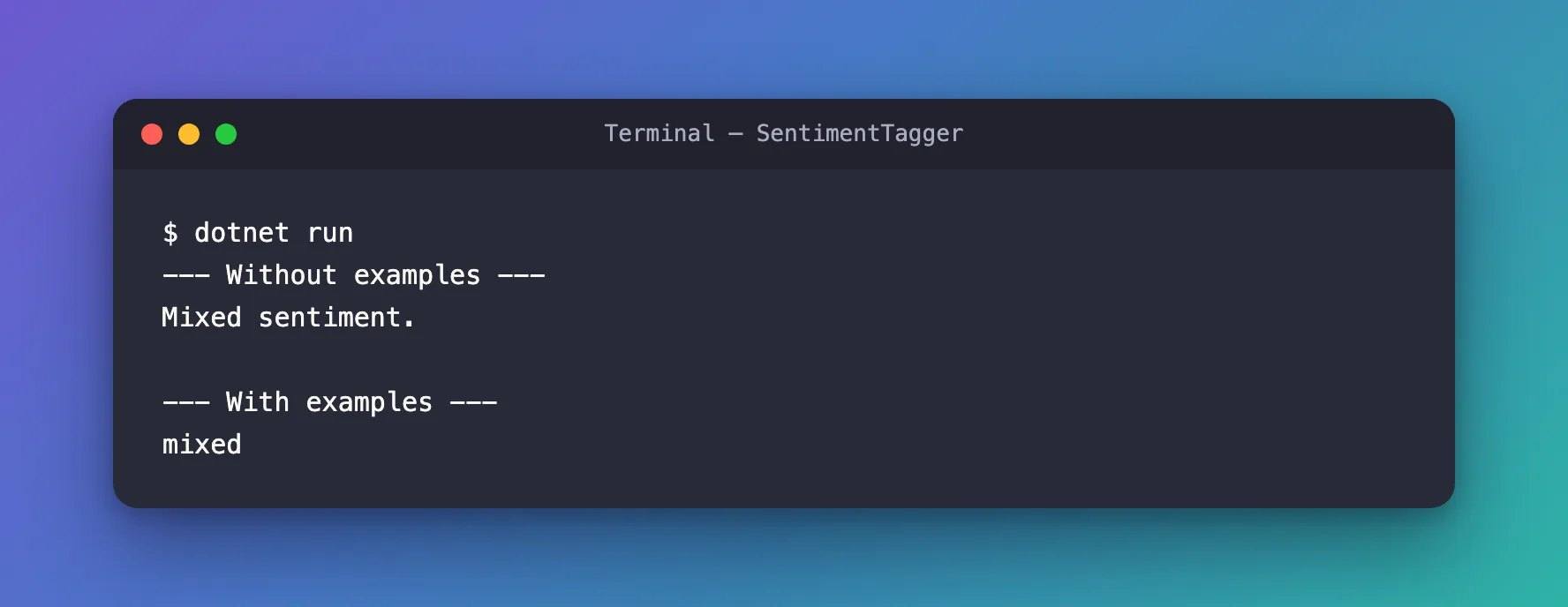
Without examples, the agent answered with a short sentence. With them, it answered mixed: one lowercase word, the format of the examples, even though neither example used that word. On a second run, the answer without examples changed to Mixed sentiment (overall slightly positive)., and the answer with examples was mixed again. That's the point of examples: the same shape every time, which code can read.
The Complete File
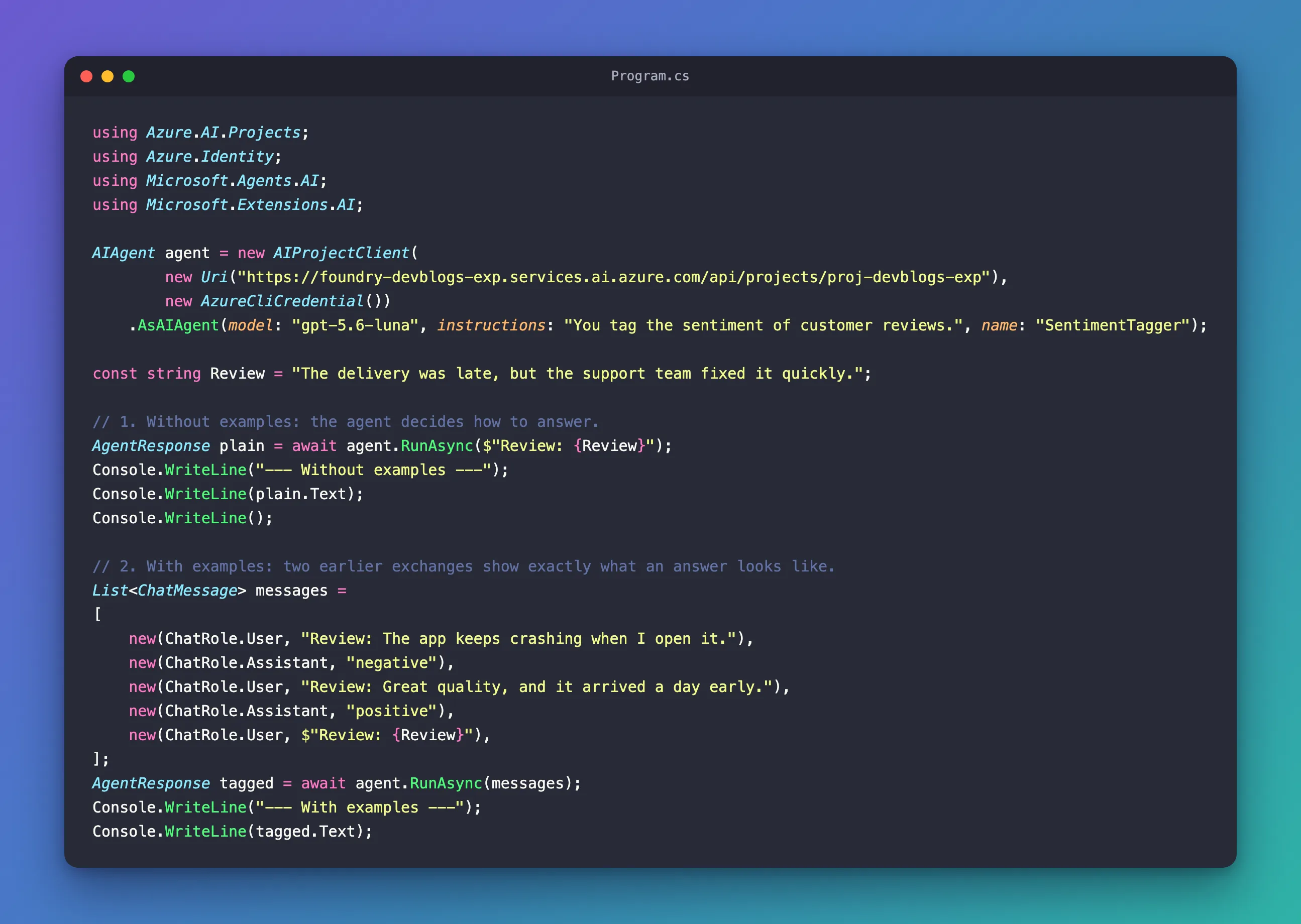
Program.cs is Steps 2 and 3, in order.
Common Mistakes
| Mistake | What happens | Do this instead |
|---|---|---|
| Examples in a different shape from the real question | The model has to guess how they relate | Use the same form, such as Review: …, everywhere |
| Only one kind of example answer | The model may lean toward that answer | Show examples with different answers |
| Long examples on every run | Every run pays for them in input tokens | Keep examples short, and send them only where the format matters |
FAQ
How many examples do I need?
As few as show the format clearly. Two were enough here. Each example is sent with every run that includes it, so more examples cost more input tokens.
Do the examples change the agent?
No. They're messages in one run. A run without them gets the agent's usual answers.
Can I put the format in the instructions instead?
You can, and for simple formats it often works. Examples help most when the format is easier to show than to describe, or when you need the exact same shape every time.
Conclusion
To show a Microsoft Agent Framework agent the answer you want, send example exchanges as ChatMessage objects, a ChatRole.User question and a ChatRole.Assistant answer each, followed by the real question, and pass them all to RunAsync. The agent answers in the examples' format: here, one word instead of a sentence, the same way on every run.
Additional Resources
- Running Agents — sending one or many messages, and the message types.
- ChatMessage class — a message's role and contents.
- Prompt engineering in .NET — prompts, examples and instructions.
