How to Show a Message When a Gallery Is Empty in Power Apps

An empty gallery is just blank space: people can't tell whether the app is broken, still loading, or has nothing to show. Put a message in its place that says why it's empty, and what happens next.
Prerequisites
- A gallery (How to Add a Vertical Gallery in Power Apps) and the table it shows. In the example, the Career Development Plan app's My Plan screen keeps the person's competencies in a context variable,
locMyPlan, loaded in OnVisible with a loading flag,locIsLoading(How to Use Context Variables in Power Apps).
Step 1: Add a Text Control for the Message
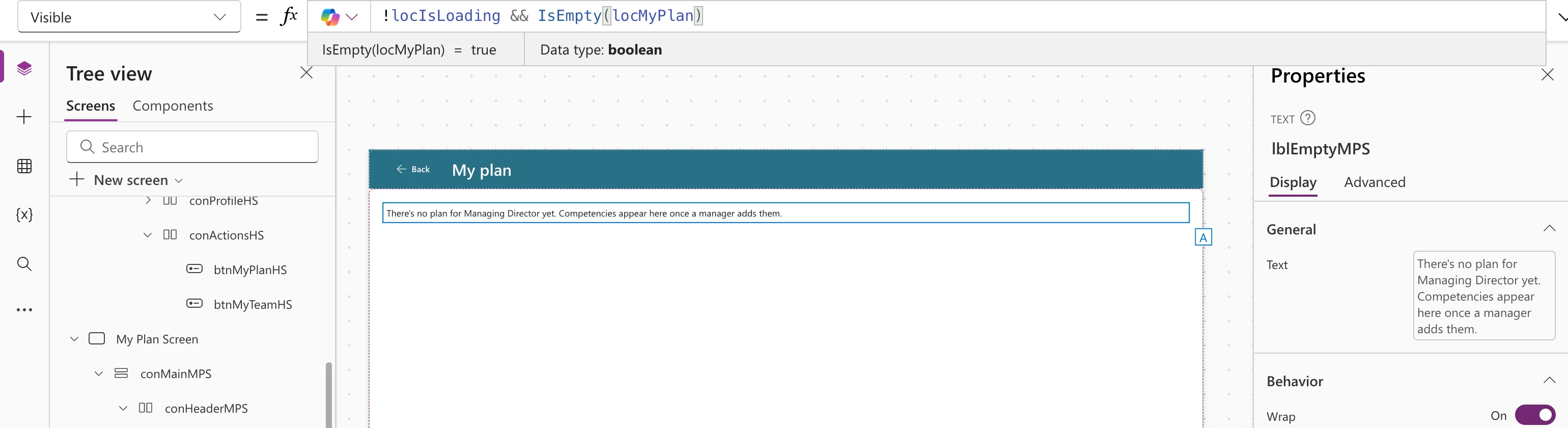
Insert Display → Text next to the gallery, in the same container, and name it, for example lblEmptyMPS (How to Add a Text Control in Power Apps). Turn Auto height on so long messages wrap.
Step 2: Say Why It's Empty
A good message says what's missing and who can fix it. The example has two reasons, picked with If and IsBlank:
If(
    IsBlank(MyJobTitle),
    "Your Microsoft 365 profile has no job title, so there's no plan to show yet. Ask your IT admin to add one.",
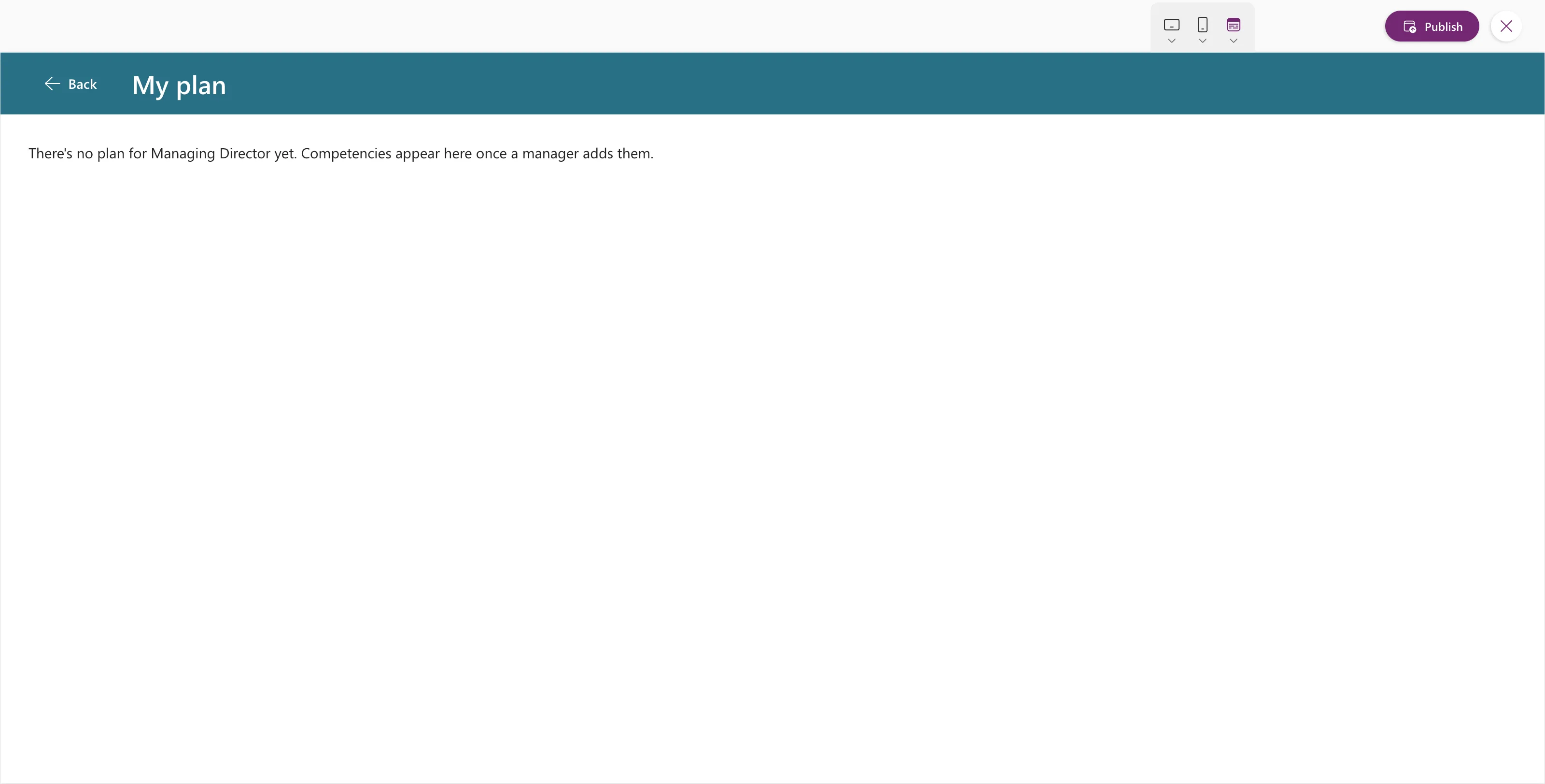
    "There's no plan for " & MyJobTitle & " yet. Competencies appear here once a manager adds them."
)
Step 3: Show It Only When There Are No Rows
IsEmpty is true when a table has no rows. Add the loading flag, so the message doesn't flash while the data is still on its way:
!locIsLoading && IsEmpty(locMyPlan)
Give the gallery the opposite condition, so only one of them shows:
!locIsLoading && !IsEmpty(locMyPlan)
Step 4: Test It
For the example's admin, the Managing Director, whose job title has no competencies on purpose, the screen in preview showed the message:
If the Gallery Shows a Data Source Directly
When a gallery's Items is a data source rather than a variable, you can test the gallery itself: IsEmpty(galMyPlanMPS.AllItems). Microsoft describes AllItems as the items loaded in the gallery, which may be fewer than all the Items until more are loaded by scrolling (Gallery control). It's empty only when nothing has loaded.
Common Mistakes
| Mistake | What happens | Do this instead |
|---|---|---|
| No loading check | The message flashes before the data arrives | Add !locIsLoading |
| A vague message such as "No data" | People don't know what to do | Say what's missing and who can fix it |
| Using IsBlank on a table | It tests for a blank value, not an empty table | Use IsEmpty |
Troubleshooting
| Symptom | Likely cause | Fix |
|---|---|---|
| The message shows on the canvas but not in the app | The variable is empty in Studio until OnVisible runs | Test in preview |
| Message and gallery show together | Their Visible formulas overlap | Make them exact opposites |
FAQ
Why not just leave the gallery empty?
An empty area looks like a fault. A message tells people the app worked and there's nothing to show yet.
Can the message be a heading or have an icon?
Yes. Any control works, as long as its Visible uses the same condition.
Conclusion
Put a Text control next to the gallery, with a message that explains why it's empty and Visible set to "not loading and no rows". Give the gallery the opposite condition.
