How to Set the Connect Timeout in MySql.Data

Connect Timeout is how long MySql.Data waits for a connection, and it defaults to 15 seconds. That looks harmless until retries multiply it. An unreachable server held one request for 64 seconds in my test, and a smaller value brought that to 24.
What It Does
Oracle's documentation: "The length of time (in seconds) to wait for a connection to the server before terminating the attempt and generating an error."
In this driver, the same number does three jobs:
- It limits connecting to the server.
- It limits waiting for a connection from a full pool.
- It's a timer on the TLS handshake, with a sharp edge.
It has nothing to do with how long a query may run.
Set It
…;Connect Timeout=5
Connection Timeout means the same. Don't use 0: every pooled connection then fails.
See What It Costs
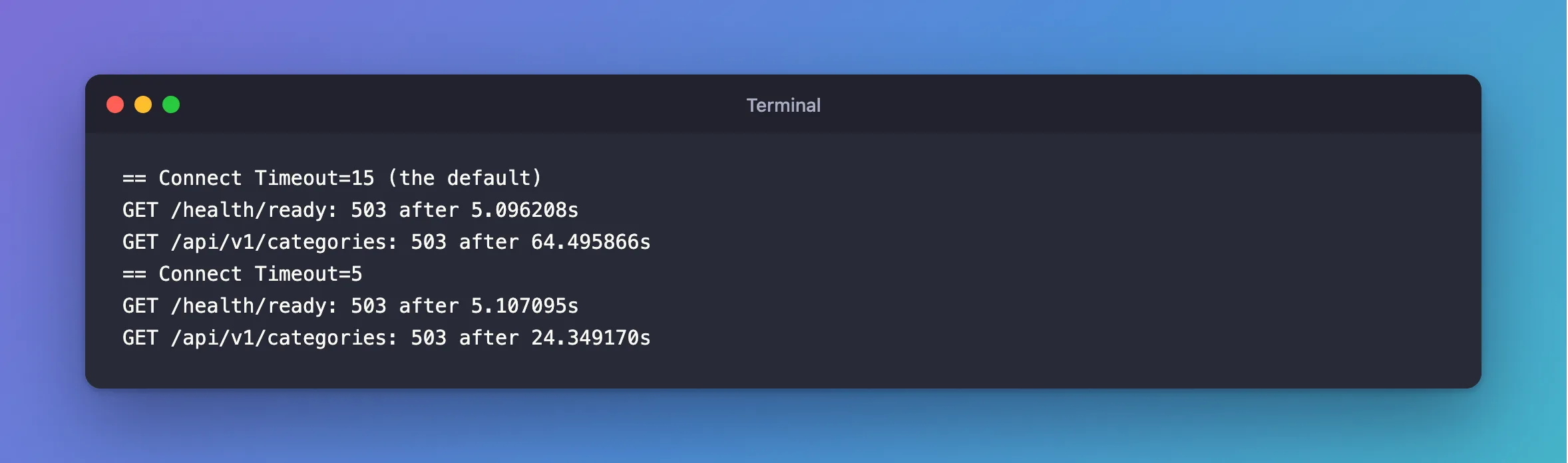
A stopped server refuses at once, so it fails fast whatever the setting. An unreachable one just doesn't answer, and that's where this matters. I pointed a .NET API at an address that doesn't respond, 192.0.2.1, which is reserved for documentation. This API uses EF Core with 3 retries, so 4 attempts in all:
== Connect Timeout=15 (the default)
GET /health/ready: 503 after 5.096208s
GET /api/v1/categories: 503 after 64.495866s
== Connect Timeout=5
GET /health/ready: 503 after 5.107095s
GET /api/v1/categories: 503 after 24.349170s
| One attempt | 4 attempts, plus delays between them | |
|---|---|---|
Connect Timeout=15 | 15 s | 64 s |
Connect Timeout=5 | 5 s | 24 s |
Nobody waits a minute for an API. /health/ready is 5 seconds on both rows only because it has its own timeout. Your network may also reject that address outright, rather than ignore it, so it may fail faster for you.
Choosing a Number
- Local network, or the same data center: 5 seconds is plenty, because a healthy connection takes well under one.
- Across the internet: a little more.
- Work out the worst case: attempts × timeout, plus retry delays. That's what a client sees during an outage.
The Sharp Edge
If this timer runs out during a TLS handshake, MySql.Data throws an exception that nothing can catch, and the whole process ends. A handshake takes milliseconds, so that takes a network stall or a starved thread pool. A longer timeout doesn't remove the risk, and a very short one makes it a bit easier to hit, so keep your number sensible rather than as low as it'll go, and run your app under something that restarts it.
Common Mistakes
| Mistake | What happens | Do this instead |
|---|---|---|
Confusing it with CommandTimeout | Neither does the other's job | This is only about connecting |
| Forgetting that retries multiply it | Outages take far longer than you planned | Work out the worst case |
Connect Timeout=0 for "no limit" | Every pooled connection fails | Use a number |
Troubleshooting
| Symptom | Likely cause | Fix |
|---|---|---|
Unable to connect to any of the specified MySQL hosts after the timeout | The server didn't answer | The fix |
Timeout expired … from the pool | The pool was full for this long | The fix |
The process ends with Unhandled exception | The timer ran out during a handshake | The fix |
Conclusion
Connect Timeout limits connecting, not queries, and retries multiply it. Work out your worst case, and pick a number that a client can live with: 5 seconds suits most networks.
Additional Resources
- Connector/NET Connection Options — the option, quoted above.
- Connection Resiliency in EF Core — retries.
